

So ActiveCampaign says they’re the sweet spot for companies who’ve moved past Mailchimp but aren’t dropping $50K on Marketo. After living in this platform for the past few months, I’ll tell you: yeah, they’re mostly right. But there’s some stuff you need to know first. This review breaks down whether the platform actually delivers on its promise of sophisticated automation at prices that won’t make your CFO cry—covering everything from the features that actually matter to the limitations that’ll frustrate you, plus what you’ll really pay once everything’s said and done.
TL;DR: What You Need to Know About ActiveCampaign
- The automation builder is genuinely enterprise-grade—conditional logic and branching that rivals platforms costing 10x more
- The integrated CRM eliminates the headache of keeping marketing and sales data synced, though it won’t replace Salesforce for complex sales operations
- Pricing starts at $29/month but climbs fast—you’re looking at $229/month for 10,000 contacts on the Plus tier
- The learning curve is real; plan on 2-4 weeks to get comfortable with the basics and way longer for the advanced stuff
- Segmentation and personalization are exceptional—behavioral triggers, custom fields, and actual useful machine learning
- Email templates look like they’re from 2015, though they work fine
- 870+ native integrations cover most of what you need, with particularly strong e-commerce connections
- Customer support is hit or miss depending on who answers your ticket
- Best for growing businesses (10-500 employees) who’ve used automation before
- Not ideal if you’re brand new to automation or need enterprise-level CRM features
Criteria Table: ActiveCampaign Evaluation
|
Criteria |
Rating |
Key Strengths |
Notable Limitations |
|---|---|---|---|
|
Automation Capabilities |
5/5 |
Enterprise-grade conditional logic, visual workflow builder, goal-based triggers, split testing within automations |
Overwhelming complexity for beginners, steep learning curve |
|
Email Marketing Functionality |
4.5/5 |
Conditional content blocks, strong personalization, solid deliverability, A/B testing |
Dated template library, clunky editor compared to modern competitors |
|
CRM Integration & Features |
4.5/5 |
Seamless marketing-sales integration, lead scoring, pipeline management, deal automation |
Limited for complex sales processes, lacks advanced enterprise CRM features |
|
Segmentation & Personalization |
5/5 |
Exceptional depth, behavioral triggers, machine learning, dynamic content, unlimited criteria combinations |
Can feel overwhelming due to extensive options |
|
Ease of Use & Learning Curve |
3.5/5 |
Logical interface, extensive documentation, active community, guided onboarding |
2-4 week learning curve minimum, requires training investment |
|
Pricing & Scalability |
3.5/5 |
Competitive for feature set, consolidates multiple tools, transparent tiers |
Escalates quickly with contact growth, feature gating, additional SMS costs |
|
Integration Ecosystem |
4.5/5 |
870+ native integrations, strong e-commerce connections, robust API, webhook support |
Some integrations require higher tiers, directory organization could improve |
|
Reporting & Analytics |
4/5 |
Comprehensive metrics, attribution reporting, customizable dashboards, real-time data |
Limited visualization options, basic charts, slow for large databases |
|
Deliverability & Compliance |
4.5/5 |
Strong infrastructure, authentication support, GDPR/CAN-SPAM compliance, dedicated IPs available |
Individual results depend on list quality and sending practices |
|
Customer Support & Resources |
4/5 |
Email/chat on all plans, extensive knowledge base, active community, free migration assistance |
Inconsistent quality, phone support only on higher tiers, 24-48 hour email response times |
What Makes a Marketing Automation Platform Worth Your Investment?
I’ve watched way too many businesses rush into platform decisions based on flashy demos or aggressive sales pitches. They sign the contract, get all excited about the possibilities, then six months later they’re paying for features they don’t understand and definitely don’t use.
Here’s the thing: pretty much every platform can blast out emails and set up a basic drip campaign. Big deal. What actually matters is whether you can build automations that don’t suck, segment your list in ways that make sense, and—you know—actually make money from all this.
Automation Capabilities
You need a platform that can handle complicated stuff without needing a developer on speed dial. We’re talking conditional logic, branching paths, goal-based triggers, and the flexibility to automate based on basically any customer action. Simple “if this, then that” workflows won’t cut it when you’re trying to create nurture sequences that actually adapt based on how people engage.
Email Marketing Functionality
Can you build responsive emails without touching code? Does the template library actually look modern, or does it scream 2015?
Personalization needs to go way beyond inserting someone’s first name—you need dynamic content blocks, behavioral triggers, and A/B testing that helps you optimize everything. And deliverability matters too, because the most brilliant email means nothing sitting in a spam folder.
CRM Integration and Features
Marketing and sales data living in separate systems creates friction, missed opportunities, and frustrated teams. Whether the platform includes native CRM functionality or integrates seamlessly with your existing system determines how effectively you can track the complete customer journey from random website visitor to paying customer.
Segmentation and Personalization
Generic blast emails don’t work anymore (did they ever?). You need the ability to slice your list basically any way you want—demographics, behavior, engagement history, custom criteria, whatever. Dynamic content shows different messages to different segments within the same campaign, maximizing relevance without multiplying your workload.
Ease of Use and Learning Curve
Power means nothing if your team can’t figure out how to use it. The interface should balance sophistication with intuitiveness. Think about how long it’ll take your team to actually become proficient, the quality of onboarding resources, and whether you’ll need to hire specialists just to operate the thing.
Pricing Structure and Scalability
Understand exactly what you’re paying for and how costs increase as you grow. Is pricing based on contacts, emails sent, or feature access? Hidden fees for essential capabilities or aggressive overage charges can turn an affordable platform into a budget nightmare. Calculate your costs at 2x and 5x your current contact list size.
Integration Ecosystem
Your marketing automation platform doesn’t exist in isolation. It needs to connect with your e-commerce platform, CRM, webinar software, payment processors, analytics tools, and everything else in your tech stack. Native integrations work better than third-party connectors, but API accessibility and Zapier support expand your options.
Reporting and Analytics
You can’t optimize what you can’t measure. Look for customizable dashboards, attribution reporting that shows which touchpoints actually drive conversions, and real-time data that enables fast decision-making. The ability to connect campaign performance to actual revenue separates platforms that provide vanity metrics from those that deliver actionable insights.
Deliverability and Compliance
Even the most sophisticated automation means nothing if your emails don’t reach inboxes. The platform should maintain strong sender reputation, provide authentication tools (SPF, DKIM, DMARC), and ensure compliance with GDPR, CAN-SPAM, and other regulations. Dedicated IP options matter for high-volume senders.
Customer Support and Resources
When something breaks at 4 PM on Friday, can you actually get help? Evaluate support availability, response times, and the quality of documentation. Community forums, training resources, and dedicated account management can significantly impact whether you succeed with the platform or just struggle through it.
ActiveCampaign: Breaking Down the Platform
ActiveCampaign has carved out a distinctive position in the crowded marketing automation space by delivering enterprise-grade features at mid-market prices. After extensive testing and digging through user feedback, I can give you a detailed look at how the platform performs against each critical criterion—both where it genuinely excels and where it’ll frustrate you.
What ActiveCampaign Is Best Known For
ActiveCampaign built its reputation on making sophisticated automation accessible. While enterprise platforms like Marketo and Pardot require six-figure budgets and dedicated administrators, ActiveCampaign delivers comparable automation depth for a fraction of that investment.
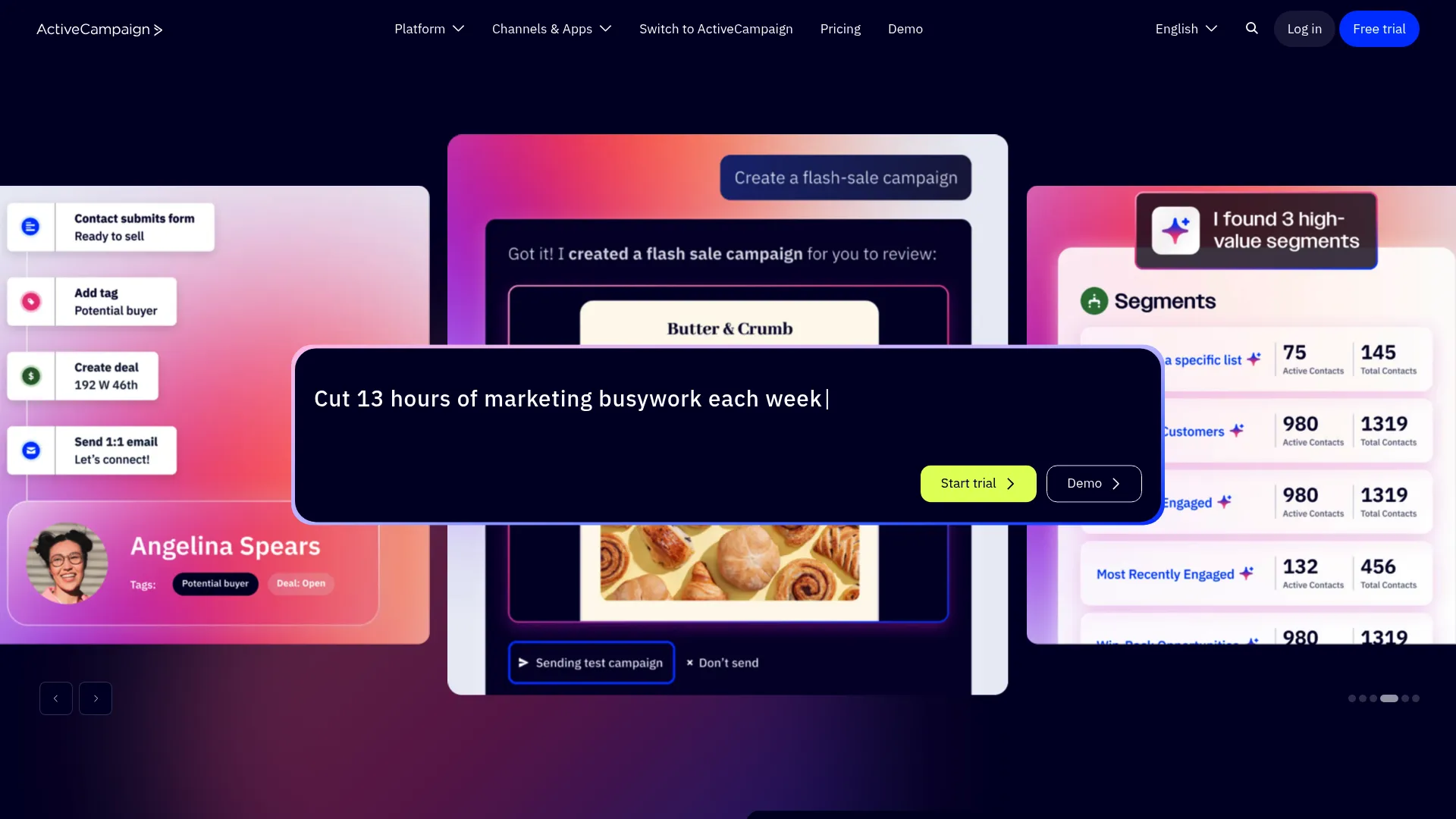
The visual automation builder stands out immediately. You can map complex customer journeys with conditional logic, wait conditions, and goal-based triggers without writing a single line of code. The “if/else” logic creates branching paths based on virtually any criteria—email opens, website visits, CRM updates, custom events, behavioral patterns, whatever.
But automation alone doesn’t define ActiveCampaign. The integrated CRM creates a unified view of each contact’s journey from anonymous visitor to customer. Sales automation features include lead scoring, automated task creation, and deal stage progression that keeps marketing and sales actually aligned (for once).
The machine learning features genuinely work, which surprised me. Predictive sending figures out optimal send times for each individual contact. Win probability scoring helps sales teams prioritize deals most likely to close. These aren’t just marketing buzzwords—they’re practical applications of AI that improve results without requiring you to manually optimize everything.
Features That Actually Matter
The Automation Builder
I’ve tested dozens of automation platforms, and ActiveCampaign’s builder ranks among the most powerful. You can create workflows that would require custom development in other systems. Split testing within automations optimizes paths based on performance. Goal tracking ensures contacts exit sequences once they complete desired actions, so you’re not annoying people who already converted.
The platform includes “automation recipes”—pre-built templates for common scenarios like welcome sequences, abandoned cart recovery, and re-engagement campaigns. These speed up setup while allowing complete customization. You’re not locked into rigid templates.
Conditional Content Blocks
Most platforms force you to create separate emails for different segments. ActiveCampaign’s conditional content displays different blocks within the same email based on segment membership, custom fields, or behavioral data. Instead of building ten different emails for ten different segments, you build one email with conditional blocks. Way less work, way more personalization. It’s smart.
Site and Event Tracking
ActiveCampaign tracks website behavior and triggers automations based on specific actions. Visit a pricing page? Enter a nurture sequence. Spend time on case studies? Increase lead score. Download a resource? Tag the contact and notify sales. This level of behavioral tracking creates highly personalized experiences without you manually monitoring who does what.
Integrated CRM
The native CRM includes pipeline management, deal tracking, task automation, and sales reporting. It’s not Salesforce, but for most small to mid-sized businesses, it provides everything you need to manage sales processes without paying for a separate system.
SMS Marketing
Native SMS capabilities coordinate with email automation for multi-channel campaigns. Trigger text messages based on email engagement, website behavior, or CRM updates. SMS costs separately per message, but the integration is seamless.
Predictive Features
Machine learning analyzes historical data to predict optimal send times, identify contacts most likely to convert, and estimate deal closure probability. These features improve over time as the system learns from your specific audience patterns.
Automation Capabilities: 5/5
ActiveCampaign’s automation builder deserves its reputation. The visual interface makes complex workflows manageable, while the depth of functionality rivals platforms costing 10x more. You can automate based on email engagement, website behavior, CRM updates, form submissions, e-commerce actions, or custom events tracked via API.
Wait conditions pause workflows for specific durations or until certain conditions are met. Goal-based automation ensures contacts exit sequences once they complete desired actions. Split testing within automations optimizes paths based on real performance data.
The “if/else” conditional logic creates branching paths based on virtually any criteria. Combine multiple conditions with AND/OR logic for precise targeting. Automation recipes provide starting points for common scenarios, though you’ll probably customize them heavily.
One catch: the automation builder can feel overwhelming initially. The sheer number of options and possibilities requires time to master. However, this complexity enables sophistication that simpler platforms just can’t match.
Email Marketing Functionality: 4.5/5
The drag-and-drop email builder works well, with conditional content blocks that display different content to different segments within the same email. Personalization extends beyond basic merge tags to include dynamic content based on custom fields, behavioral data, and predictive analytics.
The template library is comprehensive but looks dated. Designs are functional and responsive, but they lack the modern aesthetic of newer competitors like Mailchimp or Klaviyo. You can create custom templates or import your own designs, which most businesses with brand guidelines will do anyway.
A/B testing covers subject lines, content variations, and send times. Deliverability rates are generally strong, with ActiveCampaign maintaining dedicated infrastructure and offering dedicated IPs for higher-tier plans.
The email editor occasionally feels clunky compared to more modern builders. Certain design adjustments require more clicks than they should. These are minor frustrations rather than deal-breakers, but worth noting.
CRM Integration and Features: 4.5/5
The native CRM integrates seamlessly with marketing automation, creating a unified contact view. Pipeline management, deal tracking, and task automation cover essential sales functions. Lead scoring automatically prioritizes contacts based on engagement and behavior. Deal stage automation moves opportunities through your pipeline based on specific triggers.
If you’re running
a straightforward sales operation, the CRM does the job. Your sales team can track deals, log calls, and set up automated reminders without jumping between five different tabs. It works.
However, organizations with complex sales processes or enterprise requirements will find limitations. The CRM lacks advanced forecasting, territory management, and customization options available in dedicated platforms like Salesforce or HubSpot Enterprise. Got a six-month sales cycle with multiple stakeholders and custom quotes? The CRM’s gonna feel limiting real fast.
ActiveCampaign integrates well with external CRMs if you prefer to maintain separate systems. Bi-directional syncing keeps data consistent across platforms, though this adds complexity and potential sync issues.
Segmentation and Personalization: 5/5
This is where ActiveCampaign really shines. The segmentation engine creates highly specific audience subsets using combinations of demographic data, behavioral triggers, engagement history, custom fields, and predictive data.
You can slice your list basically any way you want—by what they’ve clicked, what pages they visited, what they bought, custom fields you set up, even predictive stuff the AI figures out. Combine multiple criteria with AND/OR logic for precision targeting.
Dynamic content capabilities enable personalization at scale. Display different email content, website experiences, or automation paths based on segment membership. Event tracking triggers automations based on specific actions users take on your website or within your application.
Win probability and lead scoring use machine learning to prioritize contacts most likely to convert. These predictive features improve over time as the system learns from your specific patterns.
The depth of segmentation options can feel overwhelming initially, but this complexity enables personalization that significantly improves campaign performance.
Ease of Use and Learning Curve: 3.5/5
Here’s where ActiveCampaign’s power becomes a double-edged sword. The platform offers exceptional capabilities, but accessing them requires investment in learning.
The interface is logical and well-organized. Navigation makes sense once you understand the structure. However, the sheer number of features creates complexity that overwhelms new users, especially those without prior marketing automation experience.
The automation builder, while powerful, requires time to master. Understanding how to structure workflows, when to use different trigger types, and how to implement conditional logic takes practice. Plan on spending at least 2-4 weeks just getting comfortable with the basics. The advanced stuff? That’ll take you months. Not trying to scare you off, but don’t expect to master this in a weekend.
ActiveCampaign provides extensive onboarding resources, including guided setup, video tutorials, knowledge base articles, and free migration assistance. The community forum is active with both users and staff providing solutions.
One-on-one training sessions are available but typically require Professional tier or above. For businesses without dedicated marketing staff or automation experience, the learning curve can delay implementation and reduce adoption.
The platform is best suited for users with some marketing automation experience or organizations willing to invest in training. Complete beginners might find the complexity frustrating.
Pricing Structure and Scalability: 3.5/5
ActiveCampaign uses tiered pricing based on contact count and feature access. The structure is straightforward but costs escalate quickly as your list grows.
Lite Plan starts at $29/month for 1,000 contacts, including email marketing, basic automation, and unlimited sending. This tier works for businesses just getting started with automation, but you’ll quickly outgrow it.
Plus Plan ($49/month for 1,000 contacts) unlocks the CRM, landing pages, lead scoring, and SMS capabilities. Most businesses will need this tier at minimum to access the platform’s core strengths.
Professional Plan ($149/month for 1,000 contacts) adds predictive sending, site messaging, attribution reporting, and split automations. Organizations serious about optimization will gravitate toward this tier.
Enterprise Plan (custom pricing starting around $259/month) includes custom domain, dedicated account rep, free design services, and unlimited users.
Here’s where it gets expensive fast: your bill grows with your contact list. Hit 10,000 contacts and you’re looking at $229/month minimum on Plus, probably closer to $329 if you want the features that actually matter. At 25,000 contacts, you’re looking at $449/month and $649/month respectively.
SMS messaging costs extra—$0.01-$0.03 per message depending on volume. Doesn’t sound like much until you’re sending 10,000 messages a month and suddenly your bill jumped $200.
You can ditch your separate email tool, automation platform, CRM, and SMS service—that’s four subscriptions down to one. This consolidation can offset costs compared to maintaining separate subscriptions. However, feature gating means you’ll likely need Plus or Professional to access capabilities that justify switching from simpler alternatives.
Integration Ecosystem: 4.5/5
ActiveCampaign boasts 870+ native integrations covering e-commerce platforms, CRMs, webinar tools, payment processors, WordPress, analytics platforms, and more. 870+ integrations means whatever tools you’re using probably connect. You won’t need to hire a developer to get everything talking to each other.
If you run an online store, the e-commerce integrations are solid. Connects with Shopify, WooCommerce, all the main players. Syncs everything in real-time—purchases, abandoned carts, the works. This enables sophisticated e-commerce automations like browse abandonment, post-purchase sequences, and customer winback campaigns.
The API is well-documented and powerful, allowing custom integrations for unique requirements. Webhook support enables real-time data syncing between ActiveCampaign and external systems.
Zapier connectivity expands possibilities to thousands of additional apps, though native integrations perform better and sync faster.
Some advanced integrations require Professional tier or above, which can be frustrating if you’re on a lower plan. The integration directory could use better organization—finding specific connectors sometimes requires more searching than it should.
Reporting and Analytics: 4/5
ActiveCampaign provides comprehensive reporting across email campaigns, automations, contact engagement, and deal performance. Customizable dashboards surface the metrics that matter most to your business.
Attribution reporting connects marketing touchpoints to revenue, showing which campaigns, automations, and channels drive actual conversions. This goes beyond vanity metrics to demonstrate marketing’s business impact.
Real-time data enables quick optimization decisions. See how campaigns perform as they’re running and make adjustments on the fly.
Contact-level reporting shows each individual’s complete engagement history—emails opened, links clicked, pages visited, forms submitted, deals created. This granular view helps sales teams personalize outreach.
Automation reporting reveals where contacts enter, exit, and get stuck in workflows. Goal completion tracking shows which paths drive desired outcomes.
The reports give you the data you need, but they’re not pretty. Basic charts, nothing fancy. For large databases, reports can load slowly. Advanced users may export data to external BI tools for deeper analysis. If you’re presenting to executives who care about design, you might want to export everything to a BI tool.
Deliverability and Compliance: 4.5/5
ActiveCampaign maintains strong infrastructure and sender reputation, which translates to solid deliverability rates for users who follow best practices. The platform provides tools for SPF, DKIM, and DMARC authentication to improve inbox placement.
Dedicated IP addresses are available on higher-tier plans, giving high-volume senders more control over their sender reputation. Shared IPs work fine for most small to mid-sized businesses.
Built-in compliance features help you meet GDPR, CAN-SPAM, and CASL requirements. Double opt-in forms, easy unsubscribe links, and data processing agreements are standard.
List hygiene tools identify inactive contacts and suppress unengaged subscribers to protect sender reputation. Bounce handling and spam complaint monitoring happen automatically.
Individual deliverability results depend heavily on your list quality, sending practices, and content. ActiveCampaign provides the infrastructure and tools, but you’re responsible for maintaining good sender behavior.
Customer Support and Resources: 4/5
All plans include email and live chat support, though response times vary. Email tickets typically get responses within 24-48 hours. Chat support is faster but quality varies depending on which representative you reach.
Phone support is available only on Professional and Enterprise tiers, which frustrates users on lower plans when they need immediate assistance.
The knowledge base is extensive and well-organized, with articles, video tutorials, and step-by-step guides covering most common scenarios. Most questions can be answered through self-service resources.
The community forum is active with helpful users and staff members who provide solutions. You’ll often find answers to specific questions from others who’ve faced similar challenges.
Free migration assistance helps you transfer data from existing platforms, which smooths the onboarding process considerably.
One-on-one training and strategic consulting are available on higher tiers. These sessions can accelerate your learning curve and help you implement best practices from the start.
Support is hit or miss. Sometimes you’ll get someone who actually knows their stuff and fixes your problem in ten minutes. Other times you’ll get a canned response that completely misses what you’re asking. It’s frustrating.
What ActiveCampaign Does Better Than Most Competitors
While many platforms claim to offer comprehensive marketing automation, ActiveCampaign distinguishes itself through specific capabilities that deliver tangible advantages. After comparing it against numerous alternatives, several areas stand out where the platform genuinely outperforms competitors.
Automation Sophistication at Accessible Price Points
Enterprise platforms like Marketo, Pardot, and Eloqua offer powerful automation but require budgets starting at $20,000+ annually plus implementation costs. ActiveCampaign delivers comparable conditional logic, branching workflows, and goal-based triggers for a fraction of that investment. A mid-sized business can access enterprise-grade capabilities for under $5,000 annually.
Marketing and Sales Alignment Through Integrated CRM
Most marketing automation platforms either lack CRM functionality entirely or bolt on basic features as an afterthought. ActiveCampaign built its CRM specifically to unite marketing and sales data. Lead scoring flows directly into deal prioritization. Marketing automations trigger sales tasks. Deal stage changes activate marketing sequences. This integration eliminates the data silos that plague organizations using separate systems.
Behavioral Tracking Without Technical Barriers
Tracking website behavior and triggering automations based on specific actions typically requires developer resources. ActiveCampaign’s site tracking script installs in minutes and enables non-technical users to create sophisticated behavioral automations through the visual builder. No coding required.
Conditional Content at Scale
Creating personalized email experiences usually means building separate campaigns for each segment. ActiveCampaign’s conditional content blocks display different content within a single email based on segment membership, custom fields, or behavioral data. This approach reduces campaign management overhead while increasing personalization depth.
Machine Learning That Actually Works
Many platforms tout AI and machine learning features that amount to little more than marketing hype. The AI stuff actually works, which surprised me. It figures out when each person is most likely to open your emails and sends accordingly. Not just marketing fluff—it actually improves open rates. Win probability scoring and contact insights deliver measurable improvements without requiring manual optimization or data science expertise.
E-commerce Integration Depth
While platforms like Klaviyo specialize in e-commerce, ActiveCampaign offers comparable integration depth with Shopify, WooCommerce, and other platforms while also providing broader B2B and service business capabilities. You get sophisticated e-commerce automations without being locked into an e-commerce-only platform.
Where ActiveCampaign Falls Short
No platform excels at everything, and understanding ActiveCampaign’s limitations is just as important as recognizing its strengths. After extensive testing and analyzing user feedback, several areas consistently disappoint.
The Learning Curve Barrier
Look, ActiveCampaign is powerful. Like, really powerful. But you’re gonna need to put in some work to figure it out. I’m not gonna sugarcoat it. Competitors like Mailchimp or Constant Contact offer gentler learning curves, making them better choices for organizations that need simplicity over sophistication. If your team lacks technical aptitude or time for training, the platform’s capabilities may remain underutilized.
Dated Email Design Templates
The templates look like they’re from 2015. I’m just gonna say it. They work fine—they’re responsive, they won’t break—but if you care about design, you’ll probably end up building your own or importing something custom. Businesses without design resources may struggle to create visually appealing campaigns that match contemporary standards.
CRM Limitations for Complex Sales
The integrated CRM handles straightforward B2B sales processes well but lacks the depth required for enterprise sales complexity. Organizations with long sales cycles, multiple decision-makers, complex product configurations, or sophisticated forecasting needs will outgrow the CRM quickly. You’ll either accept limitations or maintain a separate dedicated CRM, which defeats the integration advantage.
Reporting Visualization Weaknesses
While data is comprehensive, visualization options are basic. Charts and graphs provide functional insights but lack the polish and interactivity that modern analytics platforms deliver. Organizations that present marketing performance to executives may need to export data to external tools for compelling visualizations.
Support Quality Inconsistency
The knowledge base and documentation are excellent, but human support quality varies dramatically. You might get a knowledgeable representative who solves your problem quickly, or you might get generic responses that miss the point entirely. Phone support only on higher tiers frustrates users who need immediate assistance.
Feature Gating Across Tiers
Many of ActiveCampaign’s most compelling features—predictive sending, split automations, attribution reporting—require Professional tier or above. This means the advertised capabilities that attract users aren’t available at entry-level pricing. You’ll likely need to budget for Plus or Professional to justify switching from simpler alternatives.
SMS Costs Add Up
While SMS integration is native and seamless, per-message pricing adds significant costs for active text campaigns. Organizations planning substantial SMS usage should calculate these costs carefully—they can easily exceed the base platform subscription.
Performance Lag with Large Databases
Users with databases exceeding 100,000 contacts report occasional performance issues. Reports load slowly, contact searches take time, and the interface can feel sluggish. This isn’t universal but occurs frequently enough to warrant mention for high-volume users.
The Real Cost of ActiveCampaign (Beyond the Sticker Price)
Understanding ActiveCampaign’s true cost requires looking beyond monthly subscription fees to include implementation time, training investment, potential consulting needs, and ongoing optimization resources. I’ve seen too many businesses budget only for the subscription and then scramble when they realize the full investment required.
Subscription Costs at Different Growth Stages
Startup (1,000-2,500 contacts): $49-79/month on Plus tier provides core automation and CRM. Annual cost: $588-948.
Growing Business (5,000-10,000 contacts): $125-229/month on Plus, or $185-329/month on Professional for predictive features. Annual cost: $1,500-3,948.
Established Company (25,000-50,000 contacts): $449-799/month on Plus, or $649-1,149/month on Professional. Annual cost: $5,388-13,788.
These figures assume email-only campaigns. Add SMS and costs increase substantially.
Implementation and Migration
Moving from another platform takes time even with free migration assistance. Budget 20-40 hours of internal staff time for:
- Data cleanup and preparation
- Contact import and verification
- Form and landing page recreation
- Integration configuration
- Template development
- Automation workflow recreation
If you hire implementation consultants, expect $2,000-10,000 depending on complexity.
Training and Onboarding
The 2-4 week learning curve translates to real costs. If two team members spend 10 hours weekly learning the platform for a month, that’s 80 hours of labor. At $50/hour loaded cost, you’re looking at $4,000 in training time.
Formal training programs or consultants can accelerate learning but add $500-3,000 to your budget depending on scope.
Ongoing Management Resources
ActiveCampaign isn’t a “set it and forget it” platform. Effective use requires continuous optimization, testing, and refinement. Budget for:
- 10-20 hours monthly for campaign creation and management
- 5-10 hours monthly for automation optimization
- 3-5 hours monthly for reporting and analysis
- Occasional consulting for complex implementations
Organizations without dedicated marketing staff may need to hire specialists or agencies, adding $1,000-5,000+ monthly.
SMS Messaging Expenses
Text message costs vary by volume but typically run $0.01-$0.03 per message. Sending 10,000 SMS monthly adds $100-300 to your bill. A substantial texting program could easily exceed your base subscription cost.
Integration and Add-on Tools
While ActiveCampaign integrates with most platforms natively, you may need middleware like Zapier for certain connections ($20-250/month depending on usage). Custom development for unique integrations can cost $2,000-15,000.
Total First-Year Investment
For a business with 5,000 contacts implementing ActiveCampaign Professional:
- Annual subscription: $2,220
- Implementation: $3,000
- Training: $4,000
- SMS (10,000 messages/month): $1,800
- Zapier: $300
- First-year total: $11,320
Subsequent years drop to roughly $4,500 assuming stable contact counts and usage patterns.
Four Alternatives Worth Considering
ActiveCampaign isn’t the right choice for every business. Depending on your specific needs, budget constraints, technical capabilities, and growth trajectory, other platforms may serve you better.
HubSpot: For All-in-One Marketing, Sales, and Service
HubSpot is the everything platform. Marketing, sales, service, website, the whole deal. It’s also way more expensive. The free tier offers surprising functionality, making it accessible for startups.
Choose HubSpot if: You want a unified platform for marketing, sales, and service; need robust content management; value extensive educational resources; or plan to scale to enterprise complexity.
Choose ActiveCampaign if: You need deeper automation at lower price points; want more sophisticated segmentation; or don’t require the full HubSpot ecosystem.
HubSpot’s Marketing Hub Professional starts at $800/month (significantly higher than ActiveCampaign) but includes capabilities that would require multiple ActiveCampaign add-ons.
Klaviyo: For E-commerce Businesses
Klaviyo specializes in e-commerce marketing with deep Shopify, WooCommerce, and Magento integrations. The platform excels at product recommendations, browse abandonment, and revenue attribution.
Choose Klaviyo if: E-commerce drives most of your revenue; you need sophisticated product recommendation engines; or you want pre-built e-commerce automation templates that work out of the box.
Choose ActiveCampaign if: You run B2B or service businesses alongside e-commerce; need integrated CRM for sales team management; or want broader application beyond online retail.
Klaviyo pricing is email and SMS-based rather than contact-based, which can be more economical or expensive depending on your sending patterns.
Mailchimp: For Simplicity and Ease of Use
Mailchimp prioritizes user-friendliness with intuitive interfaces, modern templates, and gentle learning curves. Recent additions include basic automation and CRM features.
Choose Mailchimp if: Your team lacks technical expertise; you need to get campaigns running quickly without extensive training; or your automation requirements are relatively simple.
Choose ActiveCampaign if: You need sophisticated multi-step automations; want deeper segmentation capabilities; or require integrated CRM functionality that goes beyond basic contact management.
Mailchimp’s pricing is competitive at lower contact volumes but becomes expensive as lists grow. The platform also lacks the automation depth that justifies ActiveCampaign’s complexity.
Drip: For Content Creators and Digital Products
Drip targets content creators, course sellers, and digital product businesses with visual automation builders and strong integration with platforms like WordPress, ConvertKit, and membership sites.
Choose Drip if: You sell online courses, memberships, or digital products; need tight WordPress integration; or want e-commerce capabilities without the full Klaviyo commitment.
Choose ActiveCampaign if: You need broader business applications beyond digital products; want integrated sales CRM; or require more extensive third-party integrations.
Drip starts at $39/month for 2,500 subscribers with similar pricing escalation patterns to ActiveCampaign.
FAQ: Your ActiveCampaign Questions Answered
How difficult is migrating from another email platform to ActiveCampaign?
ActiveCampaign provides free migration assistance for all paid plans, which handles contact imports, list recreation, and basic setup. The actual data migration takes about a week. That part’s easy.
The real challenge comes from recreating automations, templates, and integrations. Simple email campaigns transfer easily, but complex automation workflows require manual rebuilding. Budget 2-4 weeks for complete migration including testing and team training.
Most users report the migration process as smoother than expected, particularly compared to enterprise platform transitions.
Can ActiveCampaign replace my current CRM?
For small to mid-sized businesses with straightforward sales processes, yes. The integrated CRM handles pipeline management, deal tracking, task automation, and sales reporting adequately.
However, organizations with complex sales requiring advanced forecasting, territory management, extensive customization, or sophisticated reporting should maintain dedicated CRM platforms like Salesforce or Pipedrive. ActiveCampaign integrates well with external CRMs if you choose this route.
What size business is ActiveCampaign best suited for?
The sweet spot is growing businesses with 10-500 employees and 1,000-100,000 contacts. These organizations have outgrown basic email tools but aren’t ready for enterprise platform complexity and cost.
Startups with under 1,000 contacts might find the platform overcomplicated and expensive compared to simpler alternatives. Enterprises exceeding 500 employees typically need capabilities beyond what ActiveCampaign provides.
How long does it take to see ROI from ActiveCampaign?
If you already know your way around automation, you can probably see ROI in 2-3 months. You’ll set up your nurture sequences, get your behavioral triggers working, and start seeing better conversion rates pretty quickly.
Teams new to automation should expect 4-6 months before realizing substantial ROI. The learning curve delays implementation, and automation results compound over time as workflows mature and optimization improves performance.
Does ActiveCampaign work for B2B, B2C, or both?
Both, though the platform skews slightly toward B2B due to its integrated CRM and lead scoring capabilities. B2B companies appreciate the sales and marketing alignment features.
B2C businesses, particularly e-commerce, benefit from behavioral automation and segmentation depth. However, pure e-commerce companies might find Klaviyo more specialized for their specific needs.
What happens if I exceed my contact limit?
ActiveCampaign automatically upgrades you to the next contact tier and charges the difference. You’ll receive notification before this happens, giving you the option to clean your list and remove inactive contacts to avoid the increase.
Unlike some platforms that charge aggressive overage fees, ActiveCampaign’s approach is relatively transparent and predictable.
Can I send unlimited emails?
Yes, all ActiveCampaign plans include unlimited email sending. There are no monthly send limits or per-email charges (unlike platforms like Mailchimp that restrict sends on lower tiers).
However, SMS messages cost extra per message sent.
Is there a free trial?
ActiveCampaign offers a 14-day free trial with full access to features. No credit card is required to start the trial, though you’ll need payment information to continue after the trial period.
The trial provides sufficient time to import contacts, build a few automations, and evaluate whether the platform meets your needs.
What kind of support can I expect?
All plans include email and live chat support. Response times average 24-48 hours for email and 5-15 minutes for chat during business hours.
Phone support is available only on Professional and Enterprise tiers. The knowledge base is comprehensive, and the community forum provides peer-to-peer assistance.
Support quality varies by representative—some are excellent, others provide generic responses that don’t fully address specific issues.
Does ActiveCampaign offer discounts for nonprofits or educational institutions?
Yes, ActiveCampaign provides nonprofit discounts (typically 20-25% off standard pricing) for qualifying organizations. Educational institutions may also receive special pricing.
Contact their sales team directly to inquire about eligibility and application processes.
Final Thoughts: Is ActiveCampaign Right for Your Business?
After examining ActiveCampaign’s features, limitations, pricing, and alternatives, I can provide a clear decision framework to help you determine whether the platform aligns with your specific business needs, technical capabilities, and growth objectives.
ActiveCampaign Makes Sense If You:
- Need sophisticated automation workflows with conditional logic and behavioral triggers that go beyond basic email sequences
- Want to eliminate data silos between marketing and sales through integrated CRM functionality
- Have team members with some marketing automation experience or willingness to invest in learning
- Operate a growing business (10-500 employees) that has outgrown basic email tools
- Value segmentation depth and personalization capabilities that improve conversion rates
- Need to consolidate multiple tools (email, automation, CRM, SMS) into a single platform
- Can budget $100-500+ monthly depending on contact volume and feature requirements
- Run B2B operations, service businesses, or e-commerce with sales team coordination needs
Look Elsewhere If You:
- Never used marketing automation before and want something dead simple
- Have under 1,000 contacts and limited budget for marketing tools
- Require advanced enterprise CRM features like territory management and complex forecasting
- Run pure e-commerce operations that would benefit from Klaviyo’s specialized focus
- Need modern, beautiful email templates without custom design work
- Want comprehensive marketing, sales, and service platform integration (consider HubSpot)
- Lack time or resources for the 2-4 week learning curve and ongoing optimization
- Require consistently excellent support with guaranteed phone access
The Bottom Line
ActiveCampaign delivers on its core promise: enterprise-grade automation capabilities at mid-market prices. The platform genuinely provides sophisticated workflow builders, deep segmentation, behavioral triggers, and integrated CRM that typically require much larger budgets.
But here’s the catch: all that power means complexity. Organizations without automation experience or technical aptitude may struggle to extract value proportional to the investment. The learning curve is real, the interface can overwhelm, and support quality inconsistency means you’ll often rely on self-service resources.
If you’ve outgrown basic email tools, actually need sophisticated automation, and you’re willing to learn the platform—ActiveCampaign is a steal. You’re getting enterprise features for a fraction of the price.
For others, simpler alternatives like Mailchimp or specialized platforms like Klaviyo may deliver better results with less friction.
The decision ultimately comes down to matching platform capabilities with your specific needs, technical abilities, and growth trajectory. ActiveCampaign isn’t the best platform for everyone, but for growing businesses ready to leverage sophisticated automation, it’s among the best values available.
Bottom line: get the free trial and actually use it. Build a few automations. Import your contacts. See if it clicks. You’ll know pretty quickly whether this is too much platform for what you need or exactly what you’ve been looking for.