


Back in 2023, one of our retail clients was drowning in inventory errors. They’d spend entire weekends doing manual stock counts, finding discrepancies every single time, and basically hating their lives. Three years later? Night and day difference. Barcode technology has evolved to where choosing the right generator can mean the difference between seamless operations and costly mistakes.
Maybe you’re launching an e-commerce store and need UPC codes for your products. Or you’re managing a warehouse and require industrial-grade labels that can withstand harsh conditions. Whatever your needs, this guide breaks down the top 9 barcode generators available in 2026, evaluating each one against the criteria that matter.
I spent two weeks testing each platform, printed actual labels, scanned them with three different scanner types, and even intentionally messed up the DPI settings to see what breaks. The global barcode market processes over 6 billion scans daily, which means your choice of tools directly impacts operational efficiency, customer satisfaction, and bottom-line results.
TL;DR: Quick Comparison at a Glance
Look, if you just want me to tell you which one to use:
Use Shopify if you’re in e-commerce. It’s free, works in under two minutes, and handles UPC/EAN codes perfectly. Stop overthinking this.
Use Labeljoy if you’re a small business. Pay $69 once, own it forever, and get professional features without subscription headaches.
Use TEC-IT if you’re enterprise. When you need obscure symbologies and mission-critical reliability, this is your tool. Yes, it costs $199+, but it’s worth every penny.
Use BarTender if you’re in regulated industries. Pharma, medical devices, food manufacturing? The premium pricing ($449+) reflects the compliance documentation that keeps regulators happy and prevents recalls.
Comparison Table
|
Barcode Generator |
Best For |
Barcode Type Support |
Ease of Use |
Pricing |
Compliance |
|---|---|---|---|---|---|
|
TEC-IT Barcode Generator |
Enterprises needing 100+ formats |
5/5 (100+ symbologies) |
4/5 |
From $199 |
5/5 (Full GS1) |
|
Shopify Barcode Generator |
E-commerce retailers |
3/5 (Essential retail) |
5/5 |
Free |
4/5 (GS1-compatible) |
|
BarTender |
Regulated industries |
5/5 (100+ with RFID) |
3/5 |
From $449 |
5/5 (FDA, GS1, ISO) |
|
Labeljoy |
Small businesses |
4/5 (30+ formats) |
5/5 |
$69 lifetime |
3/5 (Basic standards) |
|
Barcodes Inc. Online |
Occasional use |
4/5 (20+ formats) |
5/5 |
Free |
3/5 (Standard-compliant) |
|
ZebraDesigner |
Manufacturing with Zebra |
5/5 (Industrial formats) |
4/5 |
Free basic/$495 Pro |
5/5 (Industry-standard) |
|
MobileDemand |
Mobile operations |
3/5 (Mobile-friendly) |
5/5 |
Free with premium |
3/5 (Standard requirements) |
|
Barcode Studio |
High-volume batch processing |
5/5 (100+ symbologies) |
4/5 |
From $199 |
5/5 (Full GS1) |
|
Barcode-Generator.org |
Basic one-off needs |
3/5 (Common formats) |
5/5 |
Free |
2/5 (Basic standards) |
What Makes a Great Barcode Generator? The 6 Critical Criteria
Most reviews evaluate barcode generators on stupid criteria. Here’s what actually matters:
Barcode Type Support measures format versatility. Retail operations need UPC-A and EAN-13. Logistics companies require Code 128 and Data Matrix. Marketing teams want QR codes.
You don’t need 100 barcode formats. You’ll use three, max.
The rating scale runs from 1 (supporting only 2-3 basic formats) to 5 (offering 15+ specialized symbologies including industry-specific codes). Most businesses start thinking they need every format available. Then they realize they use three formats consistently and the rest gather digital dust.
Ease of Use determines how quickly your team becomes productive. Can someone generate output in under five minutes? Does the interface require technical training, or is it intuitive enough for any team member?
A score of 5 means zero learning curve. Your newest employee generates their first barcode successfully without asking for help. A score of 1 indicates you’ll need dedicated training sessions and probably a manual nobody will read.
Output Quality and Customization directly impacts whether your barcodes scan reliably. You need minimum 300 DPI for printing, multiple file formats (PNG, SVG, PDF, EPS), and the ability to customize size and appearance without compromising scannability.
I’ve watched a business print 2,000 labels at 150 DPI. None scanned. That’s a $400 mistake that takes 10 seconds to avoid.
Top-rated tools (5/5) offer extensive customization with print-ready resolution. Basic options (1/5) provide limited formats with minimal control.
Integration Capabilities separate standalone tools from solutions that fit into your existing workflow.
Does it offer an API? Can it connect to your inventory management system or e-commerce platform? Does it work with your ERP? A 5/5 rating means robust API access with native integrations, while 1/5 indicates a completely isolated tool that forces manual data entry.
You don’t need every integration under the sun. You need it to work with YOUR system.
Pricing and Scalability addresses both current budget constraints and future growth. Free tiers matter, but so does what happens when you need to generate output for 10,000 products instead of 10. The best solutions (5/5) offer flexible pricing with generous free options, while restrictive tools (1/5) hit you with expensive limitations quickly.
Compliance and Standards can’t be overlooked if you operate in regulated industries.
GS1 compliance is essential for retail products. FDA requirements govern pharmaceuticals and medical devices. ISO/IEC standards ensure international compatibility. Tools earning 5/5 provide full compliance certification with verification features, while 1/5 options offer no compliance validation. Compliance failures don’t just create headaches. They create recalls, fines, and reputation damage that costs far more than investing in proper tools upfront.
TEC-IT Barcode Generator
The Tool You Graduate to After Free Options Stop Cutting It
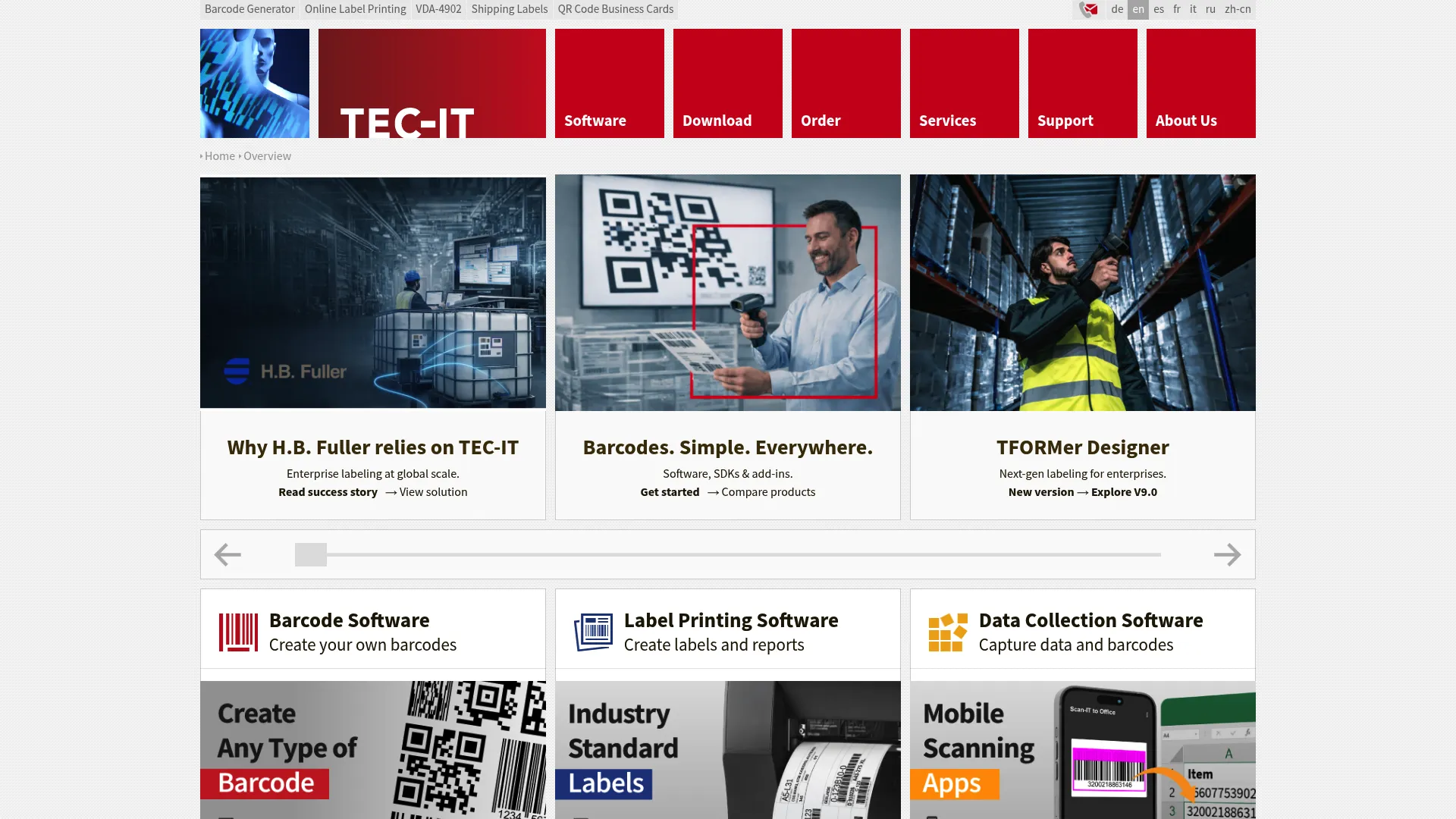
TEC-IT has built its reputation on delivering industrial-strength barcode generation that enterprises trust for mission-critical operations. When you need absolute reliability with support for obscure formats that most tools don’t even recognize, TEC-IT delivers.
This isn’t your typical web-based generator. TEC-IT offers both online and desktop solutions, with the desktop version providing offline functionality that’s crucial for secure environments or locations with unreliable internet. The software supports over 100 barcode symbologies, which sounds excessive until you’re working in specialized industries that require formats like Pharmacode, HIBC, or PZN.
The platform excels at batch generation. You can create thousands of barcodes simultaneously by connecting to databases (SQL, Oracle, Excel) and using variable data to automatically populate content. This automation capability turns a 3-hour job into 15 minutes.
Features That Actually Differentiate It
- Batch generation processes thousands of barcodes in one operation
- Database connectivity pulls data directly from your existing systems
- Command-line interface enables complete automation
- Built-in verification tools ensure GS1 compliance
Pros
Barcode Type Support: 5/5 – If it exists, TEC-IT supports it. I’m talking obscure formats you’ve never heard of.
Professional users appreciate the comprehensive format support. When you need Code 93, MSI, or Telepen barcodes, TEC-IT has you covered. The GS1 certification means retail and supply chain applications meet international standards without question.
Offline functionality after installation protects sensitive operations. You’re not dependent on internet connectivity or cloud service availability.
We used TEC-IT to generate 50,000 pharmaceutical barcodes for a client’s product line. Zero compliance issues across three FDA audits.
Documentation and technical support exceed industry standards. The knowledge base includes detailed tutorials, and their support team understands complex requirements. I’ve worked with vendors where “support” means reading the same FAQ you already found. TEC-IT’s team actually solves problems.
Automation features through COM interface and command-line tools integrate seamlessly into existing workflows. You can trigger barcode generation from other applications or scripts.
Cons
The desktop version requires purchase for full feature access. While the online version offers free basic functionality, serious users will need the paid software.
Windows focus limits Mac users (though some features work through compatibility layers). You’ll need a Windows environment for optimal performance.
The interface looks like it was designed in 2003. Because it basically was. Function over form defines the experience here.
Beginners face a learning curve. The extensive features mean there’s more to learn before you’re fully productive.
Criteria Evaluation
- Barcode Type Support: 5/5 – Industry-leading with 100+ symbologies
- Ease of Use: 4/5 – Professional interface requires some learning
- Output Quality: 5/5 – Up to 600 DPI with vector format support
- Integration Capabilities: 5/5 – Comprehensive API and native integrations
- Pricing: 4/5 – Free online version available, desktop from $199
- Compliance: 5/5 – Full GS1 compliance with verification tools
Community Reviews and Expert Recommendations
Users consistently praise TEC-IT’s reliability for high-stakes applications. One pharmaceutical manufacturer noted they’ve processed over 2 million barcodes without a single compliance issue. Manufacturing operations highlight the batch processing capabilities as a major time-saver.
The main complaint centers on the dated interface, though most users acknowledge that functionality trumps aesthetics for professional applications. Several reviewers mention switching from cheaper alternatives after experiencing quality issues, finding TEC-IT worth the investment.
Source: G2, Capterra, and industry forums
Price
Free online version with limitations. Desktop software starts at $199 for a one-time purchase. Enterprise licensing available for multi-user deployments. No recurring subscription required for basic desktop license.
Visit TEC-IT Barcode Generator
Barcode Generator by Shopify
If You’re on Shopify, Stop Reading and Just Use This
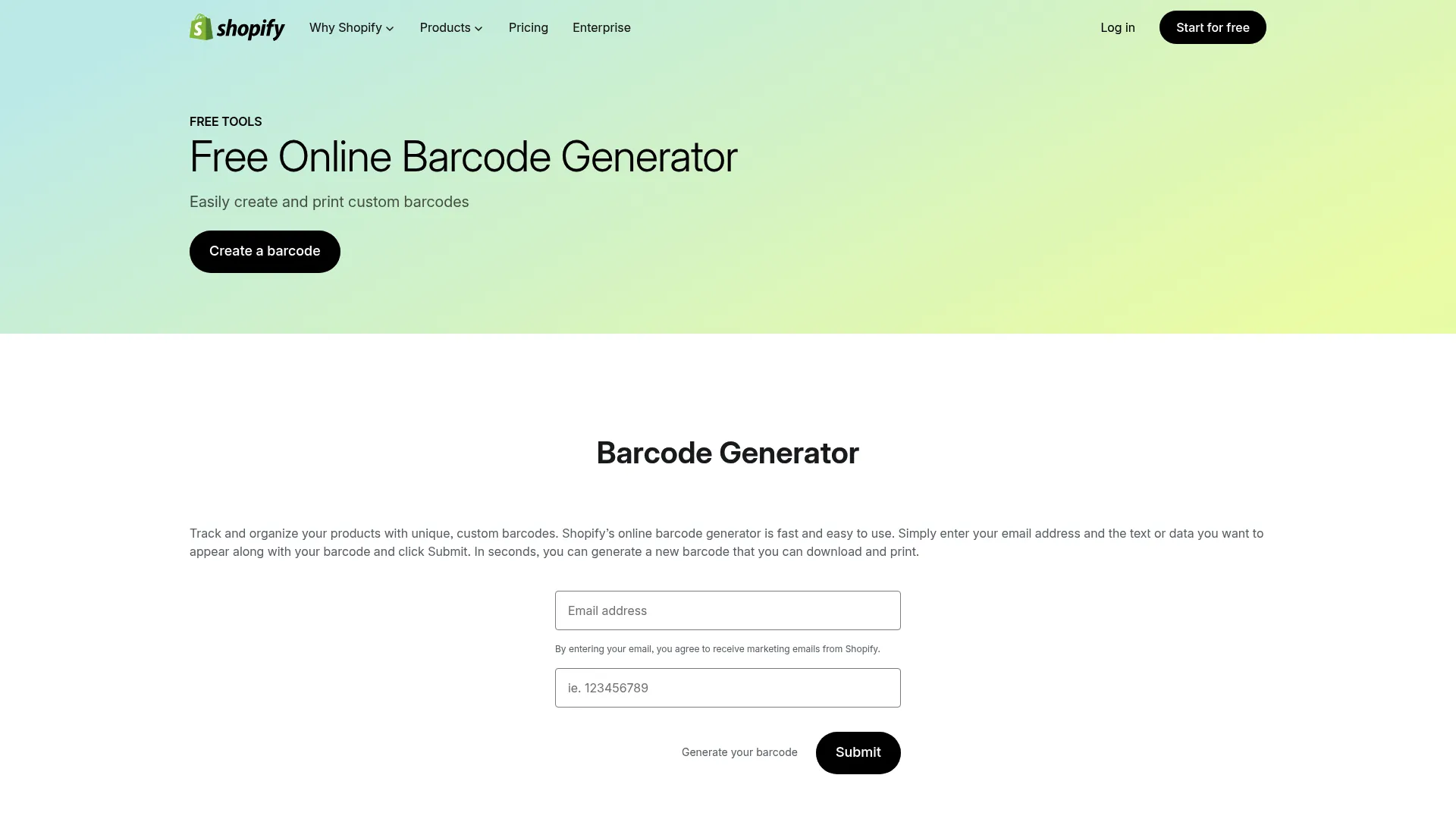
Shopify built this tool for merchants who need barcodes now, not after reading a manual. The entire interface focuses on getting you from zero to scannable barcode in under two minutes.
You enter your product information, select your format, and download the result. That’s it. No account required, no software installation, no configuration settings to puzzle through. For Shopify store owners, the integration goes even deeper, automatically syncing with your product catalog and inventory system.
The tool supports the essential retail formats: UPC-A and EAN-13 for product labeling, plus Code 128 for internal inventory tracking. This covers 95% of e-commerce barcode needs without overwhelming users with dozens of format options they’ll never use.
Features
- Instant barcode generation without registration
- Native Shopify store integration
- Support for UPC-A, EAN-13, and Code 128 formats
Pros
It’s free. It works. It takes 90 seconds. What else do you want?
Zero learning curve means any team member can generate barcodes immediately. You don’t need technical training or IT support. I’ve watched 16-year-old summer interns generate perfect barcodes on their first try without asking a single question.
Perfect integration for Shopify merchants eliminates manual data entry. Your product information flows directly into barcode generation.
The clean, modern interface makes the process pleasant rather than tedious.
Mobile-responsive design means you can generate barcodes from your phone if needed.
Cons
Sure, it doesn’t have 47 barcode formats. Do you need 47 formats? No. You need UPC and EAN. It has those.
Advanced customization features don’t exist. You can’t fine-tune appearance or add complex design elements.
Internet connection required for every use. No offline capability for secure or remote environments.
Batch processing capabilities are basic compared to professional tools.
Not suitable for regulated industries requiring specialized formats
or compliance verification.
This is the correct amount of features for 90% of e-commerce sellers.
Criteria Evaluation
- Barcode Type Support: 3/5 – Covers essential retail formats
- Ease of Use: 5/5 – Absolutely no learning curve
- Output Quality: 4/5 – High quality for retail applications
- Integration Capabilities: 5/5 – Native Shopify integration
- Pricing: 5/5 – Completely free
- Compliance: 4/5 – GS1-compatible for retail standards
Community Reviews and Expert Recommendations
E-commerce sellers love the simplicity and zero cost. Multiple reviews mention switching from paid tools after discovering this free online barcode generator handled their needs perfectly.
Shopify merchants particularly appreciate how the tool integrates with their existing workflow. One user noted generating barcodes for 500 products in under an hour using the bulk features.
The main limitation mentioned in reviews is the restricted format selection, with some users needing to supplement with other tools for specialized types.
Source: Shopify Community, Reddit r/shopify, Trustpilot
Price
Free with no limitations or hidden costs.
Visit Shopify Barcode Generator
BarTender by Seagull Scientific
BarTender Costs More Than a Used Honda Civic
When the FDA shows up for an audit, BarTender’s documentation has saved companies from shutdowns. That’s worth the price.
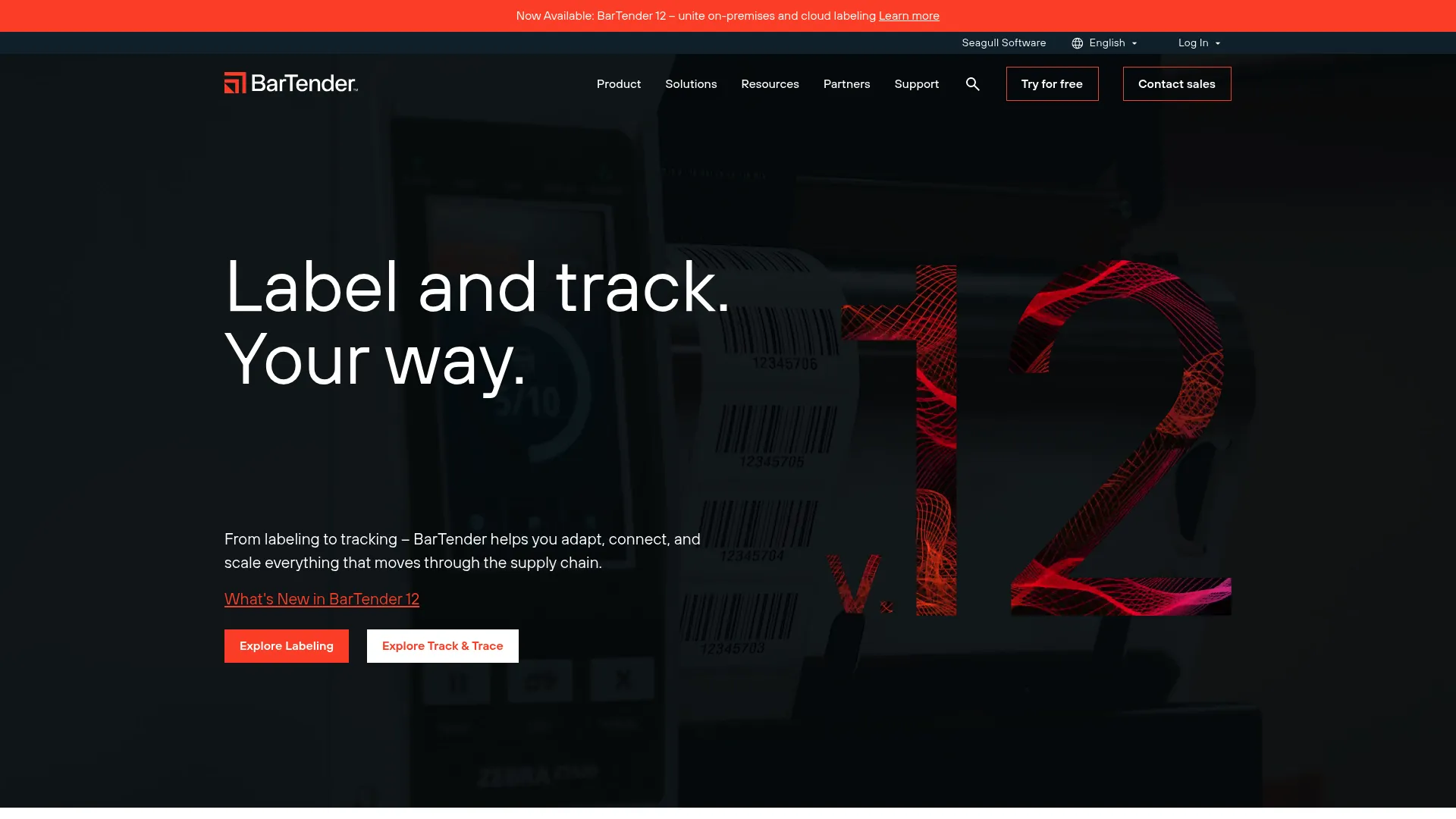
BarTender dominates regulated industries where barcode errors can trigger recalls, compliance violations, or safety issues. Pharmaceutical manufacturers, medical device companies, and food producers rely on BarTender’s validation tools and audit trails to meet FDA, GS1, and ISO standards.
The software goes beyond simple barcode generation to provide complete label design and print management. You can create complex labels combining barcodes, text, images, and RFID tags, then manage print jobs across multiple facilities from a centralized system.
Integration capabilities with SAP, Oracle, and other enterprise systems mean barcode generation happens automatically as part of your existing workflows. When a production order enters your ERP, BarTender can automatically generate and print the required labels without manual intervention.
Features That Matter
- Advanced label design studio with professional tools
- RFID encoding capabilities for modern tracking
- Native integration with SAP, Oracle, and major ERP systems
- Centralized print management across multiple locations
- Validation and verification tools for compliance
- Audit trail functionality for regulated environments
Pros
Industry-leading features for regulated environments provide the compliance documentation required by FDA and other regulatory bodies.
Print quality control ensures every barcode meets specification before production. The verification tools catch errors before they become costly problems.
Security features include user permissions, audit trails, and controlled access to templates and data.
Technical support from Seagull Scientific receives consistent praise for responsiveness and expertise.
Integration depth with enterprise systems eliminates manual processes and reduces errors.
Cons
If you’re not in pharma, medical devices, or food manufacturing, this is massive overkill. Like buying a semi-truck to commute to work.
Expensive for small businesses. The starter edition at $449 is just the beginning, with professional features requiring $1,049+ investment.
Steep learning curve means you’ll need training time before users become productive. Plan for several days of learning, not hours.
Windows environment required. No native Mac or Linux support.
Annual maintenance fees add to the total cost of ownership.
Criteria Evaluation
- Barcode Type Support: 5/5 – 100+ symbologies including RFID
- Ease of Use: 3/5 – Powerful but requires training
- Output Quality: 5/5 – Professional print quality with calibration
- Integration Capabilities: 5/5 – Enterprise-grade ERP and WMS integration
- Pricing: 2/5 – Premium pricing starting at $449
- Compliance: 5/5 – Industry-leading FDA, GS1, and ISO compliance
Community Reviews and Expert Recommendations
Pharmaceutical and medical device manufacturers consistently rate BarTender as essential infrastructure. One quality manager noted passing FDA audits without barcode-related findings over five years of inspections.
Manufacturing operations praise the automation capabilities, with several reviews mentioning elimination of manual label creation saving dozens of hours weekly.
Criticism focuses on cost and complexity. Small businesses find the investment hard to justify, while several users mention the learning curve exceeded expectations.
Source: Gartner Peer Insights, Capterra, industry-specific forums
Price
Starter Edition: $449
Professional Edition: $1,049
Automation Edition: $3,995
Enterprise pricing available for multi-site deployments
Visit BarTender by Seagull Scientific
Labeljoy
This Is the Answer for 70% of Small Businesses Reading This
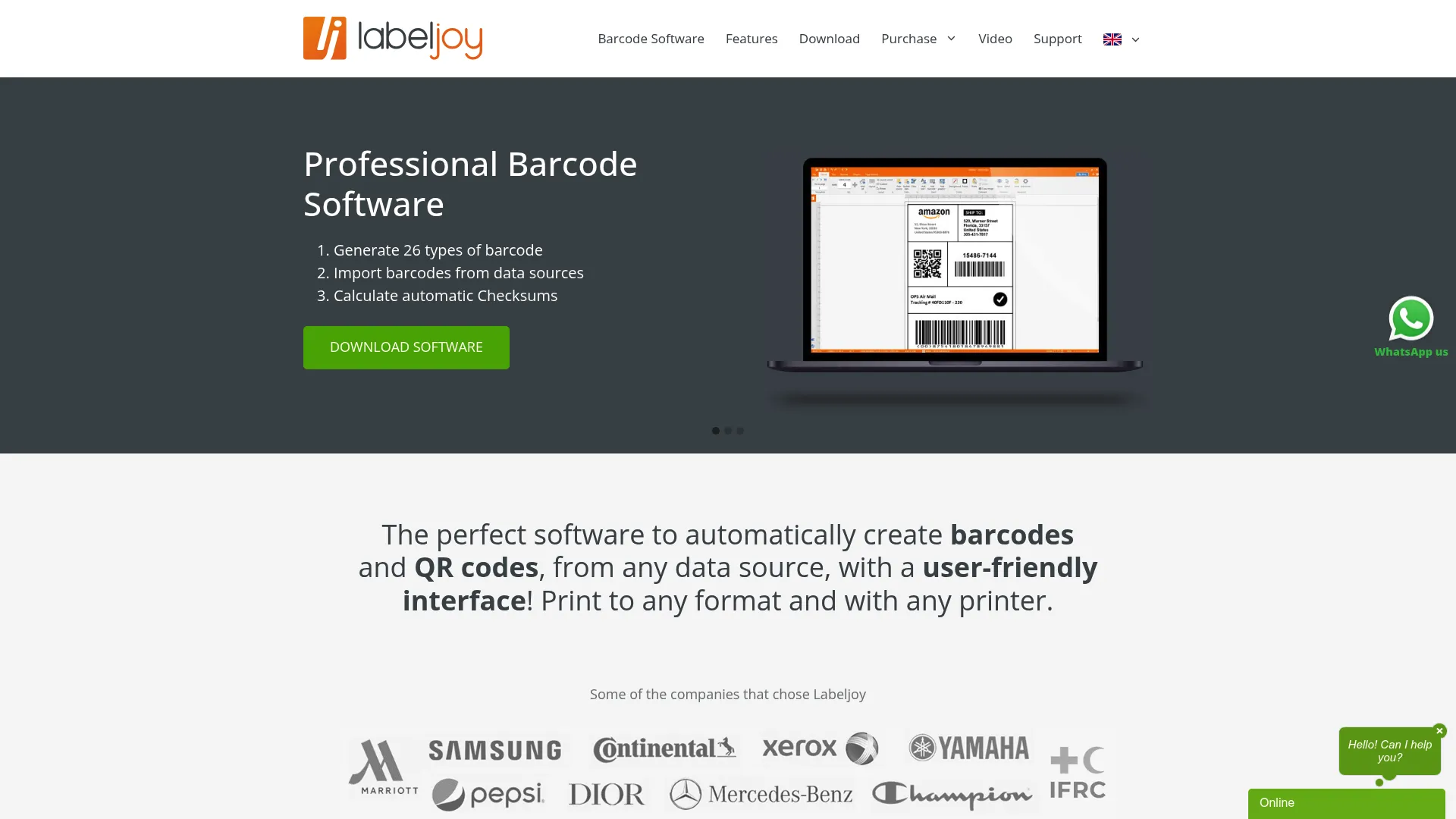
Labeljoy hits the sweet spot for businesses that need more than free online tools but can’t justify enterprise software costs. At $69 for a lifetime license, you get professional barcode and label design capabilities without recurring subscription fees.
The drag-and-drop interface makes label creation intuitive. You’re designing visually rather than coding or configuring complex settings. Import your product data from Excel or CSV files, and Labeljoy automatically populates barcodes and labels with your information.
Database connectivity turns repetitive tasks into automated workflows. Connect to MySQL or import from spreadsheets, then generate hundreds of customized labels in minutes. This capability alone justifies the investment for businesses managing diverse product catalogs.
I recommended this to a coffee roaster with 200 SKUs. They’ve used it for two years. Paid once. Done.
Features
- Drag-and-drop label designer with visual editing
- Support for Code 39, Code 128, EAN, UPC, and QR codes
- Database import from Excel, CSV, and MySQL
- Variable data printing for personalized labels
Pros
Affordable one-time purchase beats subscription fatigue. You pay once and own the software permanently.
Easy learning curve gets users productive within hours, not days. The visual interface makes sense immediately.
Lifetime license includes free updates. You’re not locked into a version or forced to upgrade.
Works offline after installation, protecting operations from internet disruptions.
Good feature set for small business needs without overwhelming complexity.
Cons
Limited advanced features compared to enterprise solutions. You won’t find RFID encoding or complex automation.
Windows only. Mac users need alternative solutions or compatibility workarounds.
No cloud-based version means you’re tied to specific computers with the software installed.
Basic integration capabilities. You can import data but won’t find robust API access.
Technical support is limited compared to enterprise vendors.
Criteria Evaluation
- Barcode Type Support: 4/5 – Supports 30+ common formats
- Ease of Use: 5/5 – Intuitive drag-and-drop interface
- Output Quality: 4/5 – High quality with good customization
- Integration Capabilities: 3/5 – Database connectivity but limited API
- Pricing: 4/5 – Affordable $69 lifetime license
- Compliance: 3/5 – Meets basic standards, lacks advanced verification
Community Reviews and Expert Recommendations
Small business owners consistently praise the value proposition. One retail manager mentioned replacing a $400/year subscription with Labeljoy’s one-time fee and not missing any features they used regularly.
Users appreciate the straightforward approach. Several reviews note the software does exactly what it promises without hidden limitations or surprise costs.
Complaints focus on the lack of Mac support and occasional bugs with complex database queries. Some users want more advanced design tools.
Source: Trustpilot, Software Advice, small business forums
Price
$69 one-time purchase with lifetime license and free updates.
Online Barcode Generator by Barcodes Inc.
Bookmark This. You’ll Need It Someday
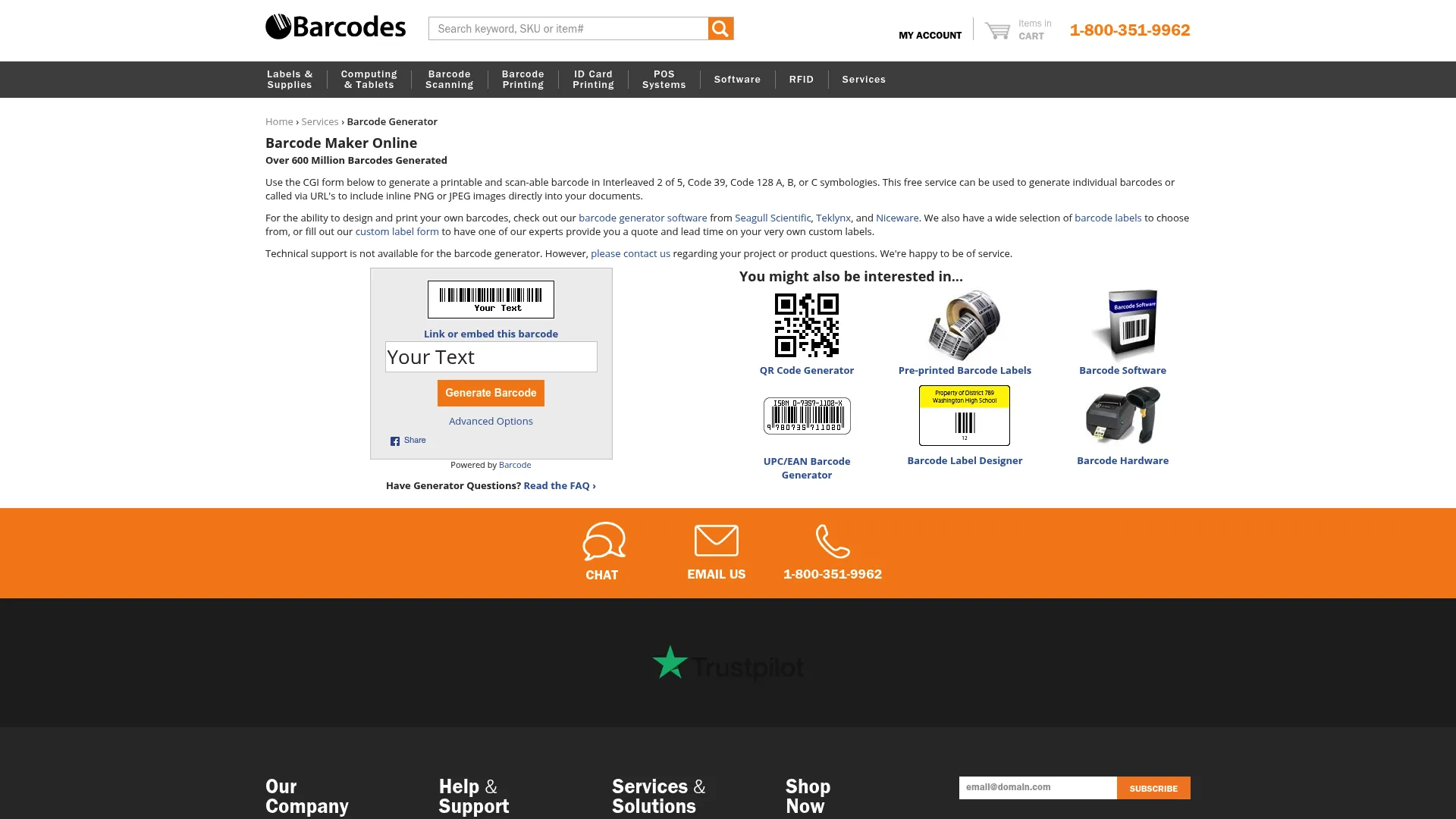
Sometimes you just need a barcode right now without downloading software or creating accounts. Barcodes Inc. built their online generator for exactly these moments.
The web interface loads fast and gets straight to the point. Select your barcode type, enter your data, adjust size if needed, and download. The entire process takes under a minute for anyone who’s used a website before.
This is your 2 AM emergency barcode generator when nothing else is working.
Support for 20+ formats covers most common needs: Code 128, Code 39, UPC, EAN, and QR codes handle the majority of retail, logistics, and marketing applications. You can adjust resolution and size to match your specific printing or display requirements.
Features
- Instant online generation without downloads
- Support for Code 128, Code 39, UPC, EAN, and QR codes
- Adjustable size and resolution settings
Pros
Completely free with no hidden costs, usage limits, or upsells.
No software installation means you can generate barcodes from any computer or device with internet access.
Fast and simple process gets you results immediately.
No account required protects privacy and eliminates password management.
Works on any device with a web browser.
Clean interface without distracting ads or complicated navigation.
Cons
No batch processing. You’re generating one barcode at a time manually.
Limited customization options compared to professional software.
Requires internet connection for every use.
No API access for automation or integration.
No advanced features like database connectivity or variable data.
No customer support if you encounter issues.
Criteria Evaluation
- Barcode Type Support: 4/5 – Supports 20+ common formats
- Ease of Use: 5/5 – Simple web interface, instant results
- Output Quality: 4/5 – Good quality for most applications
- Integration Capabilities: 2/5 – Manual downloads only
- Pricing: 5/5 – Completely free
- Compliance: 3/5 – Standard-compliant, no verification tools
Community Reviews and Expert Recommendations
Users appreciate the no-nonsense approach. Reviews frequently mention using this tool for quick one-off barcodes when their primary solution isn’t accessible.
The simplicity receives consistent praise. One user noted keeping the site bookmarked for emergency barcode needs when traveling.
Criticism centers on the lack of batch processing. Users needing multiple barcodes find the manual process tedious.
Source: User reviews, Reddit mentions, web tool directories
Price
Free with no limitations on usage.
Visit Barcodes Inc. Online Generator
ZebraDesigner
Got Zebra Printers? Use This. Don’t Have Zebra Printers? Skip This Section
If you’re running Zebra printers in your facility, ZebraDesigner provides optimization that generic tools can’t match. The software communicates directly with Zebra hardware, accessing printer-specific features and ensuring maximum print quality.
Warehouses run on Zebra printers the way offices run on HP printers. If that’s you, this integration matters.
The free basic version handles straightforward label design and barcode generation, making it accessible for small operations. Professional features unlock at $495, adding database connectivity, RFID encoding, and advanced automation.
Manufacturing environments appreciate the reliability. ZebraDesigner doesn’t just generate barcodes; it manages the entire label production workflow from design through printing, with preview functionality that catches errors before wasting label stock.
Features
- Optimized for Zebra printer hardware
- Support for all major barcode formats
- Database connectivity for automated printing
- RFID encoding support
- Print preview functionality
Pros
Excellent integration with Zebra hardware maximizes print quality and speed. You’re using features built specifically for your equipment.
Professional-grade output quality meets industrial standards for durability and scannability.
Free basic version provides solid functionality for smaller operations without upfront investment.
Good for manufacturing environments where reliability matters more than fancy features.
Stable and reliable software with regular updates.
Strong technical support from Zebra’s team.
Cons
Best performance requires Zebra printers. Other printer brands work but you lose optimization benefits.
Limited features in free version push serious users toward the $495 professional edition.
Windows only. No Mac or Linux support.
Learning curve for advanced features requires time investment.
Professional version pricing is steep for small businesses.
Criteria Evaluation
- Barcode Type Support: 5/5 – Comprehensive industrial format support
- Ease of Use: 4/5 – User-friendly with professional capabilities
- Output Quality: 5/5 – Optimized for Zebra printers
- Integration Capabilities: 4/5 – Good database and system integration
- Pricing: 3/5 – Free basic version, Pro at $495
- Compliance: 5/5 – Industry-standard compliance
Community Reviews and Expert Recommendations
Manufacturing operations using Zebra printers rate ZebraDesigner as essential. One warehouse manager noted reducing label waste by 40% after switching from generic design software.
Users praise the hardware integration, with several reviews mentioning print speeds and quality improvements over third-party tools.
Complaints focus on the cost of the professional version and Windows-only support. Some users want cloud-based functionality.
Source: Zebra user community, manufacturing forums, G2
Price
Free basic version with core functionality.
ZebraDesigner Pro: $495 one-time purchase.
MobileDemand Barcode Generator
Field Technicians and Delivery Drivers: This One’s for You
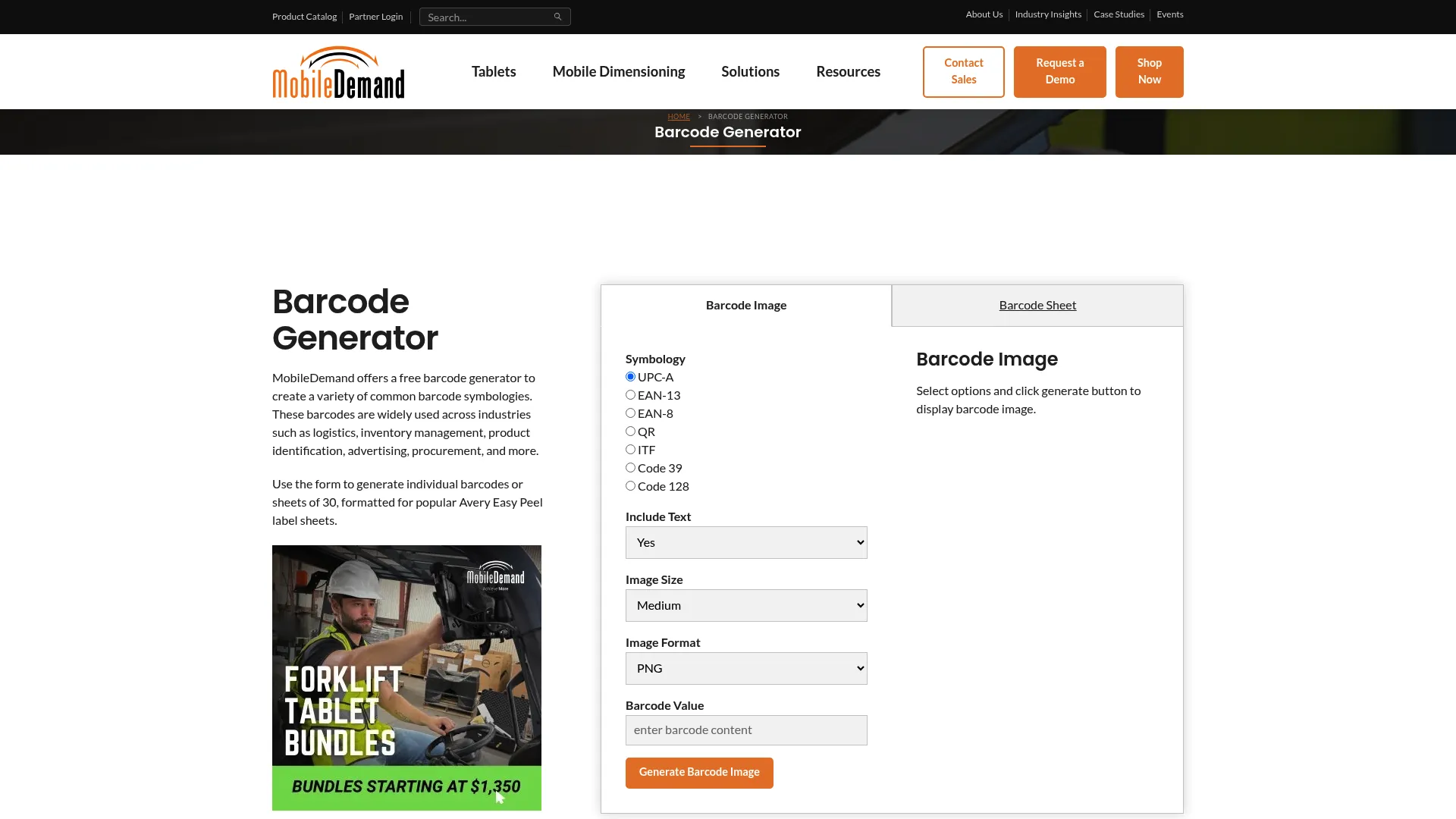
Field technicians, delivery drivers, and mobile inventory teams need barcode generation that works on phones and tablets, not just desktop computers. MobileDemand built their solution specifically for these mobile-first scenarios.
Delivery driver needs to generate a replacement label on-site because the original got damaged? This solves that.
The interface adapts to smaller screens without sacrificing functionality. You can generate, scan, and verify barcodes from your phone with the same reliability as desktop tools. Offline functionality means you’re not dependent on cellular coverage in warehouses, remote locations, or areas with spotty connectivity.
Cloud storage integration keeps your barcodes accessible across devices. Generate a barcode on your phone in the field, and it’s immediately available on your office computer through cloud sync.
Features
- Mobile-first design optimized for phones and tablets
- QR code and linear barcode support
- Instant generation and scanning capabilities
- Offline functionality for areas without connectivity
Pros
Excellent mobile experience designed for touchscreens and small displays.
Works offline after initial setup, protecting field operations from connectivity issues.
Quick generation process gets mobile workers results without delays.
Good for field operations, delivery services, and distributed teams.
Free basic version covers essential mobile needs.
Cloud backup options prevent data loss.
Cons
Limited desktop functionality. This tool prioritizes mobile over traditional computers.
Fewer barcode format options compared to professional desktop software.
Basic customization capabilities focus on functionality over design.
Requires app installation for full features rather than pure web access.
Limited enterprise features compared to industrial solutions.
Criteria Evaluation
- Barcode Type Support: 3/5 – Covers essential mobile-friendly formats
- Ease of Use: 5/5 – Designed for mobile simplicity
- Output Quality: 4/5 – Optimized for mobile device scanning
- Integration Capabilities: 4/5 – Good mobile app integration
- Pricing: 4/5 – Free with optional premium features
- Compliance: 3/5 – Meets standard requirements
Community Reviews and Expert Recommendations
Field service teams praise the mobile optimization. One delivery company noted their drivers could generate shipping labels on-site without returning to the office.
Users appreciate offline functionality, with several reviews mentioning reliability in areas with poor cellular coverage.
The main limitation mentioned is the reduced feature set compared to desktop solutions, though most mobile users find the tradeoff worthwhile for portability.
Source: Mobile workforce forums, field service communities, app store reviews
Price
Free with premium features available through subscription.
Visit MobileDemand Barcode Generator
Barcode Studio by TEC-IT
TEC-IT’s Premium Desktop Version (Think of It as TEC-IT Pro)
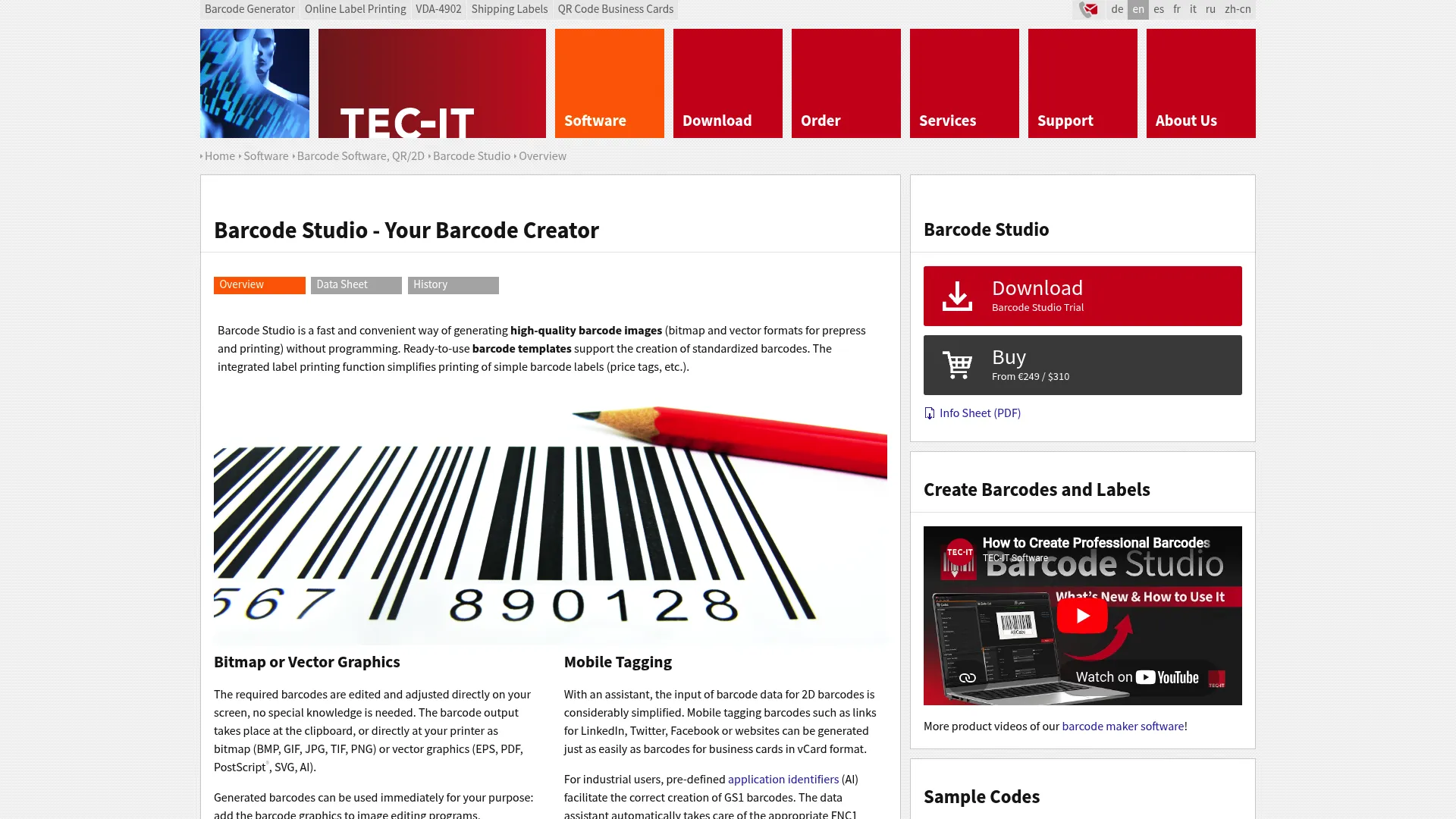
Barcode Studio represents TEC-IT’s premium desktop offering, delivering professional-grade features for businesses that need more control than online tools provide but want to avoid enterprise software complexity.
The professional design suite goes beyond basic barcode generation to provide complete label creation with WYSIWYG editing. You see exactly what will print, eliminating the trial-and-error process of adjusting settings and reprinting.
Database connectivity transforms Barcode Studio into an automation powerhouse. Connect to your product database, and the software generates thousands of unique barcodes automatically, pulling data directly from your existing systems without manual entry.
What’s Different from Standard TEC-IT
- Professional barcode design suite with WYSIWYG editor
- Label design capabilities for complete solutions
- Variable data printing for personalized output
- Automation via COM interface for workflow integration
Pros
Comprehensive barcode support covers virtually any format you’ll encounter, including specialized industrial and pharmaceutical codes.
Professional-grade features rival enterprise solutions at a fraction of the cost.
Excellent documentation includes tutorials, examples, and detailed technical references.
One-time purchase option avoids subscription fatigue and provides predictable costs.
Works offline after installation, protecting secure environments.
GS1 certified output meets international retail standards.
Cons
Requires software purchase for desktop version. The free online tool doesn’t include these advanced features.
Windows-focused with limited Mac support through compatibility layers.
May be complex for beginners who just need basic barcodes.
No free tier for desktop version means you’re committing before testing full capabilities.
Interface could be more modern, though functionality compensates.
Criteria Evaluation
- Barcode Type Support: 5/5 – Industry-leading 100+ symbologies
- Ease of Use: 4/5 – Professional tools with manageable learning curve
- Output Quality: 5/5 – Print-ready, high-resolution output
- Integration Capabilities: 5/5 – Extensive API and plugin support
- Pricing: 3/5 – Starting at $199 for desktop license
- Compliance: 5/5 – Full GS1 and industry compliance
Community Reviews and Expert Recommendations
Professional users appreciate the depth of features without enterprise complexity. One packaging company mentioned replacing a $4,000/year enterprise solution with Barcode Studio and gaining functionality.
The automation capabilities receive consistent praise, with users highlighting time savings from database integration and batch processing.
Criticism focuses on the dated interface and Windows requirement. Several users mention wishing for a modern cloud version while acknowledging the offline benefits.
Source: Software review sites, professional forums, TEC-IT user community
Price
Desktop license from $199 for single-user.
Server license from $799 for multi-user environments.
No recurring subscription required.
Free Barcode Generator by Barcode-Generator.org
Maximum Simplicity. Zero Features. Sometimes That’s Exactly What You Need
Barcode-Generator.org strips barcode creation down to absolute essentials. You won’t find advanced features, database integration, or professional design tools. You will find the fastest path from needing a barcode to having a scannable image.
This is the barcode generator equivalent of a hammer. It does one thing. It does it fine. That’s the whole story.
The web interface loads quickly and presents a simple form. Select your barcode type, enter your data, click generate, and download. No tutorials required, no settings to configure, no decisions beyond the basics.
This simplicity makes the tool perfect for occasional use. You’re not investing time learning software you’ll use once a month. You’re getting a barcode when you need one without friction.
Features
- Web-based generation requiring no installation
- Support for Code 128, Code 39, EAN-13, UPC-A, and QR codes
- Instant preview of generated barcode
Pros
Completely free forever with no hidden costs or premium upsells.
No account needed means you can generate barcodes anonymously without managing another login.
Simple and fast process completes in seconds.
Works on any browser across all devices.
No software installation or updates to manage.
Good for occasional use when you need a quick barcode.
Cons
Very limited features compared to professional tools. You get basic generation, nothing more.
No batch processing means generating multiple barcodes requires repetitive manual work.
Basic output quality suffices for simple needs but lacks professional polish.
Limited format options won’t cover specialized industrial requirements.
No customer support if you encounter problems.
Requires internet connection for every use.
No advanced customization beyond basic size adjustments.
Criteria Evaluation
- Barcode Type Support: 3/5 – Covers common formats only
- Ease of Use: 5/5 – Extremely simple, no learning curve
- Output Quality: 3/5 – Adequate for basic needs
- Integration Capabilities: 1/5 – Manual download only
- Pricing: 5/5 – Completely free
- Compliance: 2/5 – Basic standards met, no verification
Community Reviews and Expert Recommendations
Users appreciate the tool for what it is: a simple, free solution for occasional needs. Reviews mention using it for one-off projects, testing purposes, or when primary tools aren’t available.
The lack of features receives understanding rather than criticism. Users recognize this as a basic tool and adjust expectations accordingly.
Some users mention keeping it bookmarked as a backup option when more sophisticated tools are inaccessible.
Source: Web tool directories, casual user mentions, forum recommendations
Price
Free with no limitations or costs.
Specialized Tools for Edge Cases
These didn’t make the main list because they’re too specialized for most readers. But if your situation matches their niche, they’re perfect.
Wasp Barcode Technologies
Wasp takes a complete ecosystem approach to barcode implementation. Rather than just providing generation software, they bundle hardware (printers and scanners) with software and support into turnkey solutions.
This works particularly well for small to medium businesses starting from scratch with barcode systems. You’re not piecing together compatible components or troubleshooting integration issues. Everything works together out of the box because Wasp designed it as a complete system.
The asset tracking solutions integrate barcode generation with inventory management, providing end-to-end visibility from barcode creation through scanning and data analysis. For businesses that need the entire infrastructure, not just barcode generation, Wasp delivers comprehensive packages.
Skip this unless you’re building a barcode system from the ground up and want one vendor to handle everything.
Visit Wasp Barcode Technologies
IDAutomation Barcode Generator
IDAutomation targets developers and businesses needing barcode generation embedded within existing applications. Their barcode fonts and components integrate directly into Microsoft Office, Crystal Reports, and custom software.
This approach works brilliantly for businesses that need barcodes as part of document workflows rather than standalone labels. Generate barcodes directly in Word documents, Excel spreadsheets, or Access reports without switching between applications.
Developers appreciate the SDK options for embedding barcode generation into custom applications. You’re adding barcode capabilities to your software rather than directing users to external tools. The data matrix barcode generator components handle 2D codes, while the UPC-A barcode generator functions cover retail needs.
Skip this unless you’re a developer or need barcodes embedded in Office documents.
Cognex Barcode Generator
Cognex brings their machine vision expertise to barcode generation, focusing on manufacturing environments where quality verification matters as much as creation.
Their solution ensures generated barcodes meet strict quality standards for high-speed automated scanning. You’re not just creating barcodes that scan under ideal conditions; you’re creating barcodes that scan reliably on fast-moving production lines with varying lighting and angles.
This verification capability matters tremendously in large manufacturing operations where barcode reading failures cause expensive line stoppages. The upfront investment in quality pays for itself through reduced downtime.
Ignore this unless you’re in manufacturing with machine vision systems.
ByteScout Barcode Generator SDK
ByteScout serves software companies and developers needing white-label barcode generation built directly into their products. The SDK supports multiple programming languages including C#, VB.NET, JavaScript, and Python.
This developer-focused approach
works for SaaS companies wanting to offer barcode generation as a feature within their applications. Your customers generate barcodes without leaving your software or knowing they’re using ByteScout’s technology.
The extensive API documentation and code examples reduce development time. You’re implementing proven barcode generation rather than building from scratch.
Skip this unless you’re building software and need embedded barcode generation.
Frequently Asked Questions
What barcode format should I use for my business?
Your barcode format depends entirely on your industry and use case. Retail products sold through traditional channels require UPC-A or EAN-13 codes, which are standardized globally and recognized by point-of-sale systems. You’ll need to purchase these codes through GS1 to ensure uniqueness.
Internal inventory tracking works well with Code 128 or Code 39, which offer flexibility in encoding alphanumeric data without external registration requirements. These formats let you create your own numbering system that makes sense for your operations.
Marketing and customer engagement applications benefit from QR codes, which can encode URLs, contact information, or other data that customers access by scanning with their smartphones. The high data capacity and error correction make QR codes versatile for consumer-facing applications.
Specialized industries have specific requirements. Pharmaceuticals often use DataMatrix for small items where space is limited. Logistics companies frequently employ Code 128 for shipping labels. Healthcare facilities use specialized formats like HIBC for medical supplies. Research your industry standards before committing to a format.
Do I need to buy barcode numbers or can I just make them up?
This depends on where your products will be sold. Retail products going through traditional distribution channels (grocery stores, big-box retailers, Amazon, etc.) require GS1-registered UPC or EAN codes. These aren’t free to generate; you purchase them through GS1 to ensure global uniqueness and retailer acceptance.
Internal use barcodes for inventory tracking, asset management, or internal processes don’t require external registration. You can generate Code 128, Code 39, or other formats using your own numbering system. Create whatever structure makes sense for your operations without external costs.
The confusion often comes from tools that “generate” UPC codes. They can create the barcode image, but that doesn’t mean the number is registered for your use. Using unregistered UPC codes will cause problems when retailers scan them and find conflicts or unregistered numbers.
Can free barcode generators produce professional-quality output?
Yes, but with limitations. Free tools like Shopify’s generator or Barcodes Inc.’s online tool produce perfectly scannable barcodes suitable for most retail and logistics applications. The barcode image quality meets professional standards for printing and scanning.
Where free tools fall short is in advanced features rather than basic quality. You won’t get batch processing, database integration, extensive customization, or specialized format support. The barcodes themselves work fine; the workflow efficiency suffers.
For occasional needs or straightforward applications, free generators handle the job. For high-volume operations, complex labeling requirements, or regulated industries, professional tools justify their cost through time savings and compliance features.
How do I ensure my barcodes will scan reliably?
Reliable scanning starts with adequate resolution. Print barcodes at minimum 300 DPI for paper labels. Higher resolution (600 DPI) improves reliability, especially for small barcodes or challenging scanning conditions.
Maintain proper quiet zones (the blank space around barcodes). These margins let scanners identify where the barcode begins and ends. Most generators include quiet zones automatically, but verify they’re preserved during printing and label application.
Contrast matters tremendously. Black bars on white backgrounds provide maximum contrast and reliability. Colored barcodes can work but test extensively before committing to production. Ensure your printer produces solid black bars without gaps or fading.
Test your barcodes with the actual scanners your customers or operations will use. Different scanner types (laser vs. camera-based) perform differently with various barcode formats and print qualities. What scans perfectly with your smartphone might fail with a handheld scanner in a warehouse.
What’s the difference between 1D and 2D barcodes?
1D barcodes (like UPC, Code 128, Code 39) encode data in one dimension using varying bar widths. They’re the normal barcodes you see on cereal boxes, storing relatively small amounts of data (typically up to 20-25 characters). Scanners read them with a single laser pass across the bars.
2D barcodes (like QR codes, DataMatrix, PDF417) encode data in two dimensions using patterns of squares, dots, or other shapes. They store significantly more information (up to several thousand characters) in the same physical space. Camera-based scanners or specialized 2D scanners read them by capturing the entire image.
Choose 1D barcodes for simple identification numbers where space isn’t extremely limited. They’re cheaper to print, scan faster with basic equipment, and work well for retail and logistics applications.
Choose 2D barcodes when you need to encode more data (URLs, detailed product information, serial numbers plus additional data) or when space is limited. They also offer error correction, meaning damaged codes can still scan successfully.
Final Thoughts: Choosing Your Perfect Match
Here’s what most of you should do: if you’re on Shopify, use their free tool. If you’re a small business not on Shopify, buy Labeljoy for $69. If you’re enterprise or in a regulated industry, invest in TEC-IT or BarTender.
Choosing a barcode generator isn’t about finding the objectively “best” tool. It’s about matching capabilities to your specific situation.
Small e-commerce operations selling through Shopify don’t need enterprise features. The free Shopify generator handles retail barcodes perfectly. Pharmaceutical manufacturers can’t compromise on compliance. BarTender’s premium pricing makes sense when regulatory violations cost millions.
Consider your growth trajectory. Free tools work until they don’t. If you’re generating five barcodes monthly now but planning to scale to thousands, invest in scalable solutions early. Migrating barcode systems mid-growth creates headaches you can avoid with proper planning. Understanding ecommerce optimization strategies helps you see how barcode implementation fits within your broader operational infrastructure as you scale.
Test before committing. Most paid solutions offer trials or demo versions. Generate actual barcodes for your products, print them on your equipment, and scan them with your devices. What works in theory sometimes fails in practice.
That retail client from the intro? They’re still using the same barcode system three years later. Zero inventory errors last quarter. That’s what happens when you pick the right tool.
We’ve helped businesses across manufacturing, retail, and healthcare implement barcode systems that integrate seamlessly with their broader digital infrastructure. From e-commerce platforms requiring product identification to warehouse operations needing inventory tracking, the right barcode solution connects with your existing systems rather than creating isolated processes. Whether you’re implementing industrial marketing solutions that require robust tracking systems or optimizing retail operations efficiency through better inventory management, barcode generators serve as foundational tools.
At The Marketing Agency, we understand barcode implementation extends beyond generating codes. Our web development team builds integrations between barcode systems and your e-commerce platforms, inventory management, and customer-facing applications. We’ve implemented solutions for e-commerce businesses needing seamless product tracking and manufacturing operations requiring compliance documentation.
Your barcode strategy should support your business goals, not complicate them. Whether you need help selecting the right generator, integrating it with existing systems, or building automated workflows that leverage barcode data, we provide the technical expertise and strategic guidance to ensure success.
Reach out to discuss your barcode implementation needs and discover how the right solution, properly integrated, transforms operations from chaotic to streamlined.