



Table of Contents
-
Why Most People Mess Up Their Ahrefs Setup (And Pay For It Later)
-
What You Need to Figure Out Before You Even Sign Up
-
Actually Creating the Account (Finally)
-
What to Do in Your First 48 Hours
-
Adding Team Members Without Creating a Mess
-
Picking the Right Plan (Hint: You’re Probably Overthinking It)
-
Connecting Your Sites the Smart Way
-
Making Your Ahrefs Investment Actually Work
Quick Version
Most people rush through Ahrefs setup and regret it within weeks. Spend 30 minutes planning your account structure now; save dozens of hours later. This guide shows you exactly what to think through before you click “Sign Up.”
Why Most People Mess Up Their Ahrefs Setup (And Pay For It Later)
I need to tell you about my friend Sarah’s Ahrefs disaster.
She signed up last year. $249/month, big investment for her freelance business. She was pumped. Spent four minutes creating the account, added her main client’s domain, and immediately dove into keyword research.
Three months later, she had seven projects with names like “Client Site,” “ClientSite2,” “Test,” and “IDK which one.” She’d hit her project limit. She couldn’t remember which email she used to sign up. And she was spending 15 minutes every time she needed data just figuring out where to find it.
Don’t be Sarah.
According to Ahrefs’ own setup documentation, the initial project creation takes minutes. They’re right. But what they don’t tell you is how many ways you can screw it up during those minutes.
Here’s what usually happens: You sign up with whatever email is handy. You skip through the prompts as fast as possible. You add your main domain. You immediately jump into Site Explorer to check your backlinks. Three months later, you’re juggling multiple projects with inconsistent naming, you can’t remember which email owns the account, and you’re hitting project limits because you added test sites you forgot about.
Your Ahrefs account isn’t just another tool. It becomes the place where all your SEO work lives. Mess up the foundation, and everything you build on it is shaky.
Here’s what happens when you rush it: You end up with an account structure that reflects your thinking on day one, not the evolved understanding you’ll have after month three. You make billing decisions based on guesswork. You set up projects in ways that make analysis unnecessarily complicated later.
I know an agency in Austin that learned this the hard way. They onboarded fast, named projects carelessly, and by month six had things like “ClientOld,” “ClientOld2,” “ClientOld-ACTUAL,” and “WhichOneIsTheRealOne.” I’m not exaggerating. Every report took them 10 minutes just to find the right project. That’s 100+ hours wasted annually, all because they didn’t spend 20 minutes planning a naming convention on day one.

The cost isn’t just time. It’s the mental energy of working around a poorly organized system every time you need insights. It’s explaining to team members why things are set up in confusing ways. And if you’re solo now but planning to grow, it’s the embarrassment of handing off an account that looks like a digital junk drawer.
We’re going to walk through account creation differently. Treat it like building a foundation, not filling out a form.
What You Need to Figure Out Before You Even Sign Up
Stop. Before you click “Sign Up,” grab a notepad. Seriously. The five minutes you spend planning will save you hours of reorganization later.
Here’s what you need to think through:
Which Domains Actually Matter
Which domains do you need to monitor continuously versus occasionally check? This distinction matters because Ahrefs project slots are finite.
List out:
-
Primary domains you own or manage
-
Competitor domains you need to track regularly (not just check once)
-
Client properties if you’re an agency
-
Subdomain situations that might need separate tracking
For each domain, note whether you have verification access. If you’re planning to use Ahrefs Webmaster Tools (and you should, it’s free and gives you extra data), you’ll need the ability to verify ownership through DNS, HTML file upload, or Google Analytics connection.
Who Needs Access (Including Future You)
Who needs access to this account, now or in the next six months? Think beyond your current situation.
Think about:
-
Will you have contractors or VAs who need limited access to specific projects?
-
Are you planning to bring on a team member who should see everything?
-
Do clients need view-only access to their projects?
-
Will your future self need different permission levels for different contexts? (This sounds weird, but it matters if you’re managing both your own properties and client work through one account.)
Write down each potential user and what they should be able to do. Ahrefs permission levels are straightforward, but you need to know your requirements before you start adding people.
What Other Tools You’re Using
What other tools are you currently using that might connect with or complement Ahrefs? Your existing setup influences how you should configure projects.

Take stock of:
-
Google Analytics and Search Console properties
-
CMS platforms (WordPress, Shopify, etc.) where you might install Ahrefs plugins
-
Reporting tools where you’ll want to pull Ahrefs data
-
Project management systems where SEO tasks live
You’re not connecting everything on day one, but knowing what integrations you’ll eventually want helps you structure projects in compatible ways from the start.
How You’ll Name Things
How will you organize projects in a way that makes sense three months from now when you have 15 of them? The naming conventions you establish early become harder to change as you accumulate saved reports and historical data.
Think through:
-
Naming convention (client name vs. domain vs. project type)
-
How you’ll distinguish between similar projects (multiple clients in the same industry, or your own multiple properties)
-
Whether you need groupings that reflect your business structure
This feels bureaucratic, but inconsistent naming is one of those small frustrations that compounds daily. I once named a project “TestClient” because I was in a hurry. That client is still with me two years later. Every time I open that project, I cringe a little.
What You’re Actually Trying to Accomplish
What questions are you trying to answer with Ahrefs? This determines which features you’ll use heavily and therefore which projects need the most detailed configuration.
Be specific:
-
Are you primarily doing competitive analysis?
-
Is content gap identification your main use case?
-
Do you need rank tracking for specific keyword sets?
-
Are backlink audits and monitoring your priority?
Your primary use cases should influence which data you start collecting immediately versus what can wait.
Actually Creating the Account (Finally)
Okay. You’ve done the prep work. Now you’re ready to create the account.
Head to ahrefs.com and look for the “Start trial” or “Sign up” button. It’s prominently placed in the header. Creating your account properly starts with understanding that this process, while technically simple, sets the foundation for everything that follows.
According to recent reporting on Ahrefs’ trial options, the platform discontinued its $1 seven-day trial offer. New users must commit to a full subscription plan from the start. This makes the decisions during account creation even more critical since there’s no low-risk trial period to experiment with different configurations before committing financially.
Pick Your Email Address Carefully
You’ll need to provide an email address first. This isn’t just a login credential; it’s the administrative anchor for the entire account.
Use an email you’ll have forever. Not your contractor’s email. Not the address you’re planning to phase out. And if you’re an agency, for the love of God, don’t use your client’s email as the account owner. Use yours, then add them as a user.
If you’re an agency, think carefully here. Generally, you want to maintain control with your email as the owner, then add the client as a user with appropriate permissions.
Type in your chosen email, create a strong password (use a password manager, this account will contain valuable competitive intelligence), and proceed.
Name Your Account Something That Makes Sense
Ahrefs will ask you to name your account. This name appears in the interface and in any email notifications, so choose something that makes sense to everyone who’ll use the account.
For solo practitioners: Your name or business name works fine.
For agencies: Consider whether to use your agency name or create separate accounts per client (more on this decision in the billing section).
For in-house teams: Use your company name.
You’ll also select your country and currency preference. This affects billing and can’t be easily changed later, so double-check before confirming.
Pick Your Plan (Based on Reality, Not Hope)
Here’s where many users make an expensive mistake: choosing a plan based on what they hope to accomplish rather than what they’ll do in the first 90 days.
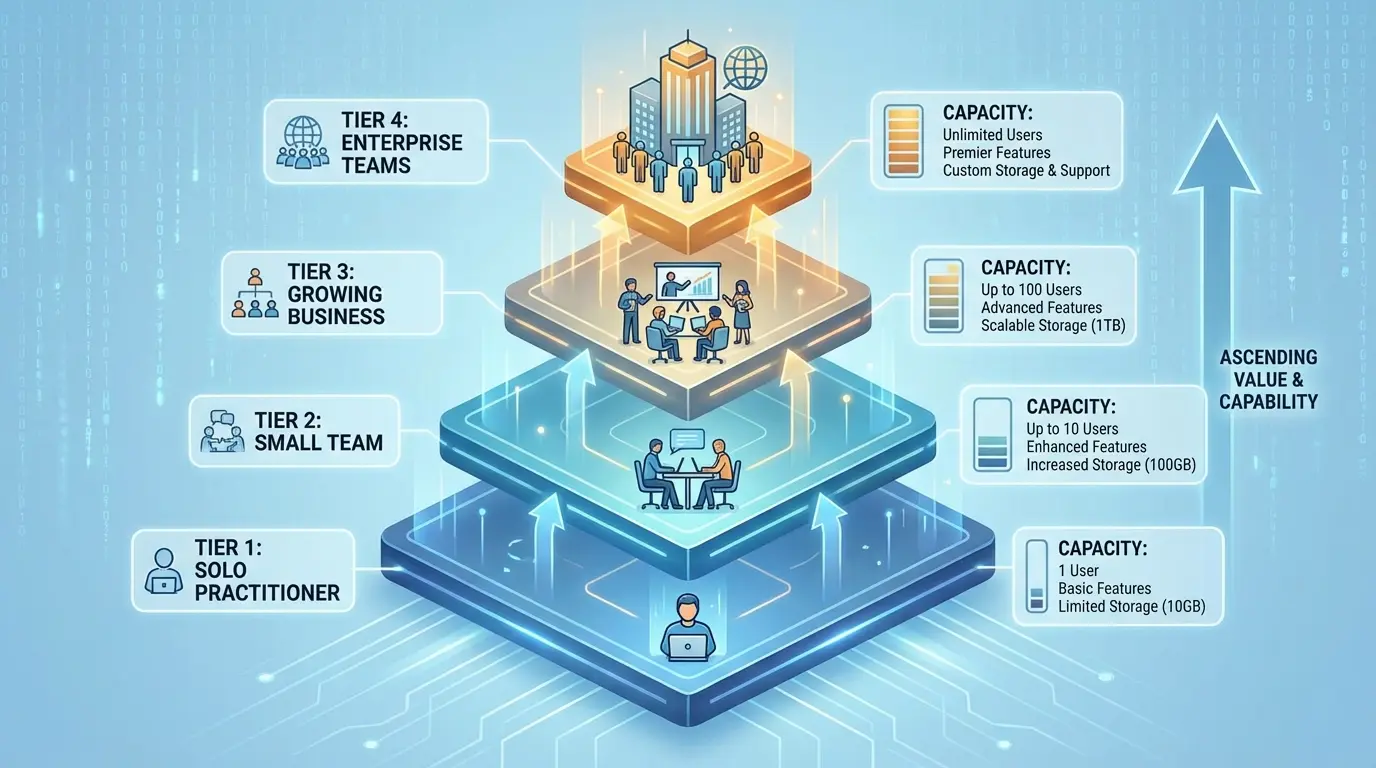
Ahrefs offers several tiers (Lite, Standard, Advanced, Enterprise), each with different limits on projects, keywords to track, and reports per day. The pricing difference is significant.
|
Plan Tier |
Monthly Price |
Projects |
Keywords Tracked |
Reports/Day |
Best For |
|---|---|---|---|---|---|
|
Lite |
$129 |
5 |
500 |
500 |
Solo practitioners, small sites, single-focus SEO |
|
Standard |
$249 |
20 |
1,500 |
3,000 |
Small agencies, growing businesses, multi-site management |
|
Advanced |
$449 |
50 |
5,000 |
10,000 |
Established agencies, enterprise teams, heavy users |
|
Enterprise |
$1,499 |
100+ |
Custom |
Unlimited |
Large agencies, enterprise organizations, API needs |
Be honest with yourself:
-
How many domains will you actively monitor (not occasionally check) in the next three months?
-
Do you need 500 keyword tracking slots, or will 100 cover your priority terms?
-
Will you hit the report limits based on your workflow, or are you overestimating your usage?
You can always upgrade. It’s much easier to move from Lite to Standard after you’ve confirmed you need more capacity than to pay for Advanced tier features you never use. The exception: if you’re an agency with multiple active clients, you probably need Standard minimum from day one.
Select your tier and enter payment information.
The Setup Wizard (Don’t Just Click Through It)
After account creation, Ahrefs walks you through a brief setup wizard. This is where your prep work pays off.
You’ll be prompted to add your first project. Don’t just throw in your main domain and move on. Take a moment to:
-
Enter the domain exactly as you want it tracked (with or without www, http vs. https)
-
Set up Google Search Console integration if you have access (this enriches your data significantly)
-
Configure your initial rank tracking keywords if that’s part of your use case
The wizard keeps things simple, which is fine, but remember that you’re establishing patterns. If you carelessly add your first project, you’ll probably add subsequent projects carelessly too.
What to Do in Your First 48 Hours
You’ve got an account and your first project is added. Most users immediately start exploring data, running reports, and generally clicking around to see what Ahrefs can do. That’s fine for 20 minutes, but then you need to shift gears.
The next 48 hours are when you should build the systems that make Ahrefs genuinely useful rather than just interesting.
Side note: Brand mentions are becoming huge for AI search rankings. According to Search Engine Journal’s coverage of Ahrefs’ Brand Radar data, brand mentions on third-party websites now correlate strongly with improved visibility across AI search surfaces, with a correlation coefficient of 0.67. This represents what industry experts are calling “the new era of off-page SEO.” Worth setting up alerts for this during your initial configuration.
Set Up Ahrefs Webmaster Tools Right Away
If you added a domain you own, verify it through Ahrefs Webmaster Tools (AWT) immediately. This is separate from your main Ahrefs subscription but integrates seamlessly, and it provides data you won’t get otherwise.
Go to the Webmaster Tools section in your account, select your domain, and follow the verification process. You’ll need to either:
-
Add a DNS TXT record
-
Upload an HTML verification file to your site
-
Connect through your existing Google Analytics property
Verification typically takes a few minutes to propagate. Once confirmed, AWT starts crawling your site and providing insights about technical issues, internal linking opportunities, and search performance data directly from Google Search Console (if you’ve connected it).
This step matters because it transforms Ahrefs from a competitive intelligence tool into a comprehensive SEO platform for your own properties. You get both the external view (how Ahrefs sees your site) and the internal view (what’s happening in your code and search performance).
Configure Alerts That Actually Help
Ahrefs allows you to set alerts for various events: new backlinks, lost backlinks, keyword ranking changes, mentions of your brand, and more.
Most people either ignore them completely or set up 47 alerts and then ignore them because it’s too much noise.
Here’s what actually works: Set up alerts only for things you’ll act on. That’s it. If you won’t do anything with the information, don’t alert yourself about it.
Configure alerts like this:
-
For owned properties, set up new/lost backlink alerts so you can identify link building wins and diagnose sudden losses
-
For competitors, set alerts on their top-performing content or significant ranking changes in keywords you care about
-
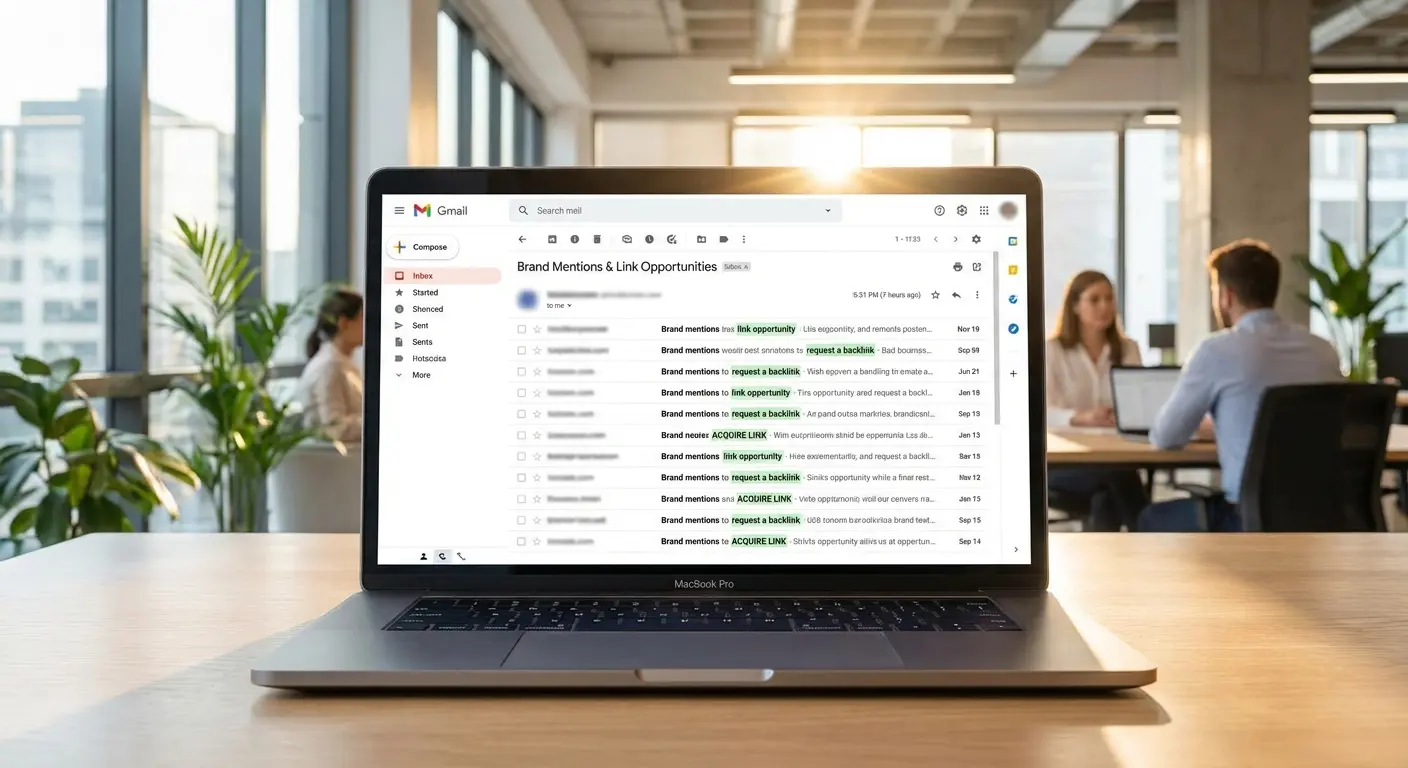
For your brand, set mention alerts that catch unlinked references (link building opportunities)
A SaaS company I worked with set up alerts for unlinked brand mentions across competitor sites and industry publications. Within the first month, they identified 12 instances where their product was mentioned in comparison articles without a link. They reached out to the authors, provided updated information and resources, and converted 8 of those mentions into backlinks. This single alert configuration, set up during their first 48 hours, generated link equity that would have cost thousands of dollars through traditional outreach.
Save the Reports You’ll Actually Use
Ahrefs lets you save specific reports and customize your dashboard view. This is where you translate your reporting requirements into systems.
Identify the 3-5 reports you’ll run most frequently and save them with clear naming:
-
“Monthly Keyword Ranking Changes” (not just “Rankings”)
-
“Competitor Backlink Analysis – [Competitor Name]” (not “Competitor Check”)
-
“Content Gap vs. Top 3 Competitors” (not “Content Ideas”)
Specific naming helps future you find the right report quickly instead of trying to remember which of the five saved reports titled “Backlinks” contains the analysis you need.
Customize your dashboard to surface the metrics that matter for your specific use case. If you’re primarily focused on content strategy, your dashboard should emphasize content-related metrics. If you’re doing outreach, backlink metrics should be prominent.
Create Project Groups If You’re Managing Multiple Sites
If you’re managing multiple properties (multiple clients, or several of your own sites), create project groups immediately. This organizational layer prevents the overwhelming list of individual projects that makes finding anything a chore.
Group projects logically:
-
By client if you’re an agency
-
By site type if you have different categories of properties
-
By priority tier if some projects need daily attention while others are monthly check-ins
Project groups are simple to set up but easy to forget, and they’re much harder to implement after you already have 20 ungrouped projects.
Adding Team Members Without Creating a Mess
Ahrefs supports multiple users per account, with different permission levels for different needs. Even if you’re currently solo, understanding this structure helps you make better decisions about account setup.
The Three Permission Levels
Ahrefs offers three main permission tiers:
-
Admin: Full access including billing, user management, and all projects
-
Standard: Access to all projects and features except billing and user management
-
Limited: Access only to specific projects you assign, with full features within those projects
Your account owner (the email used to create the account) is automatically an admin. Any additional users you add can be assigned one of these three levels.
When to Use Each One
Admin access should be limited to people who genuinely need to manage billing and add/remove users. This is typically just you, or you plus one other key person in your organization. Don’t hand out admin access casually. It includes the ability to delete projects and change billing information.
Standard access works well for team members who work across multiple projects and need full tool functionality. If you have an in-house SEO team where everyone should see all properties, Standard is probably right.
Limited access is perfect for contractors, VAs, or clients who should only see specific projects. An agency might give a client Limited access to their own project so they can view reports without seeing competitor data or other clients’ information.
|
Permission Level |
Billing Access |
User Management |
Project Access |
Best Use Case |
|---|---|---|---|---|
|
Admin |
Full |
Can add/remove users |
All projects |
Account owners, C-level executives |
|
Standard |
View only |
No access |
All projects |
In-house SEO teams, full-time employees |
|
Limited |
No access |
No access |
Assigned projects only |
Contractors, VAs, clients, freelancers |
Actually Adding People
When you’re ready to add someone, go to Settings > User management and click “Add user.” You’ll enter their email and select their permission level.
Before you click send, ask yourself:
-
Does this person need ongoing access, or do they need a one-time report you could export?
-
Have you explained to them how you’ve organized projects so they can navigate effectively?
-
If they’re a contractor, have you documented what they should and shouldn’t do in the account?
The invitation sends immediately, and once they accept, they have access according to the permissions you set. You can modify permissions later, but it’s cleaner to get it right initially.

Clean Up Your User List Every Quarter
Every 90 days, review who has access to your account. People leave companies, contractor relationships end, and clients churn. Orphaned user accounts are both a security risk and a waste of your user slots (which are limited based on your plan tier).
Create a recurring calendar reminder to:
-
Check the user list against your current team roster
-
Remove access for anyone no longer working with you
-
Verify that permission levels still match current roles (someone promoted might need elevated access)
This takes five minutes quarterly and prevents the awkward situation of realizing a former contractor still has access to all your competitive intelligence.
Picking the Right Plan (Hint: You’re Probably Overthinking It)
Your initial tier selection was based on projections. After your first 30 days of usage, you have data to make smarter billing decisions.
Annual vs. Monthly Payment
Ahrefs offers a discount (typically around 20%) if you pay annually instead of monthly. That sounds like an obvious choice, but it’s not always the right one.
Pay monthly if:
-
You’re still validating whether Ahrefs fits your workflow
-
Your client roster is volatile (agencies with high churn might not need the tool year-round)
-
You’re experimenting with different SEO tool combinations and might consolidate
Pay annually if:
-
You’ve confirmed Ahrefs is essential to your process after the trial period
-
Your usage is stable or growing
-
The cash flow impact of annual payment won’t strain your business
The discount is real money, but being locked into a year of payments for a tool you’re not fully utilizing costs more than you save.
Should Agencies Run One Account or Multiple?
Should you run one Ahrefs account for your entire agency, or create separate accounts per client (or per client tier)?
Here’s my take: Start with one account unless you have a specific reason not to. Here’s why.
One account is simpler to manage, easier for you to access all client data, and more cost-effective if you’re within the project limits of a single higher-tier plan. The downside is that all client data lives in the same place, which can be a concern if you have competitive clients, and user management gets complicated with many clients wanting access.
Multiple accounts give you complete separation of client data and make it easy to transfer entire accounts if a client wants to take over their SEO. But they’re much more expensive (multiple subscriptions), you need to switch between accounts constantly, and it’s harder to do cross-client analysis.
Most agencies start with one account and split into multiple accounts only when they have clients who specifically require data separation or when they grow beyond the project limits of even the highest single-account tier.
Check Your Usage After Month One
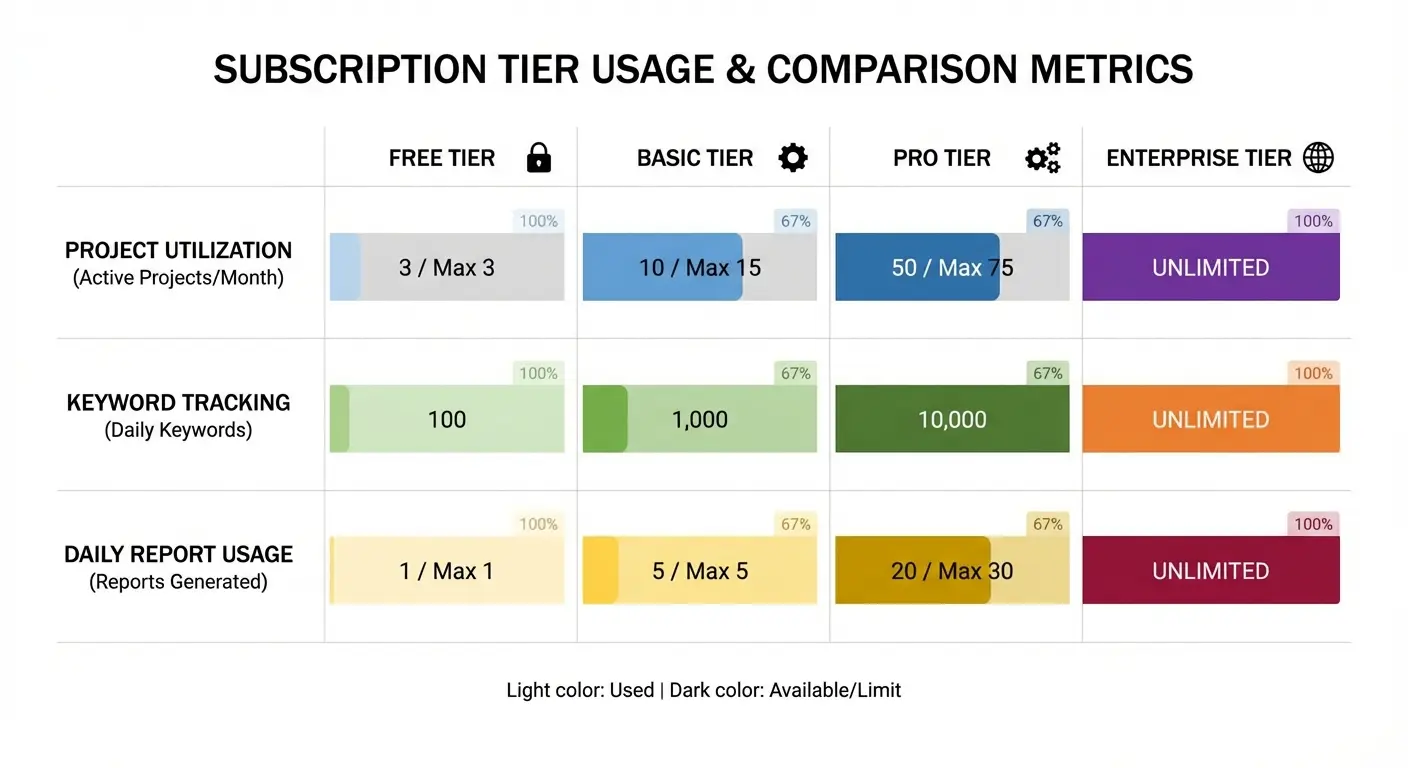
You’ve been using Ahrefs for 30 days. Pull up your usage statistics (Settings > Subscription) and look at:
-
How many projects you added versus your limit
-
Whether you hit your daily report limits (and on how many days)
-
How many keyword tracking slots you used versus your allocation
-
Whether you needed features that were tier-locked
If you’re consistently hitting limits, upgrade. The frustration of hitting your report cap mid-analysis costs more in wasted time than the price difference between tiers.
If you’re using less than 50% of your allocation across multiple metrics, consider downgrading. You can always upgrade again if needs change.
A digital marketing consultant I know started with the Advanced plan ($449/month) because they anticipated managing 10-15 client sites. After 30 days, their usage data showed they had only added 6 projects, used 800 of their 5,000 keyword tracking slots, and averaged 1,200 reports per day against their 10,000 limit. They downgraded to Standard ($249/month), saving $2,400 annually while still having plenty of capacity for growth. Six months later, when they hit 18 projects, they upgraded back to Advanced, but saved thousands by not overpaying during their growth phase.
Connecting Your Sites the Smart Way
The technical details of how you connect properties to Ahrefs directly impact your data quality. Small mistakes here create persistent problems.
Connect Google Search Console First
For any property you own, connecting Google Search Console should be your first move after adding the project. This integration provides search query data, impressions, and click information that Ahrefs can’t get from external crawling.
Go to your project settings, find the Google Search Console section, and click “Connect.” You’ll authenticate with Google and select which GSC property to link. Make sure you’re connecting the exact property match (if your GSC has both www and non-www properties, connect the one that matches your primary domain).
Once connected, Ahrefs starts pulling GSC data into your reports. This shows up in the Organic Search report and enriches several other areas. The historical data import can take a few hours, so don’t worry if you don’t see everything immediately.
Get the Domain Format Right
When you add a project, Ahrefs asks for the domain. How you enter it affects which data you see.
You need to specify:
-
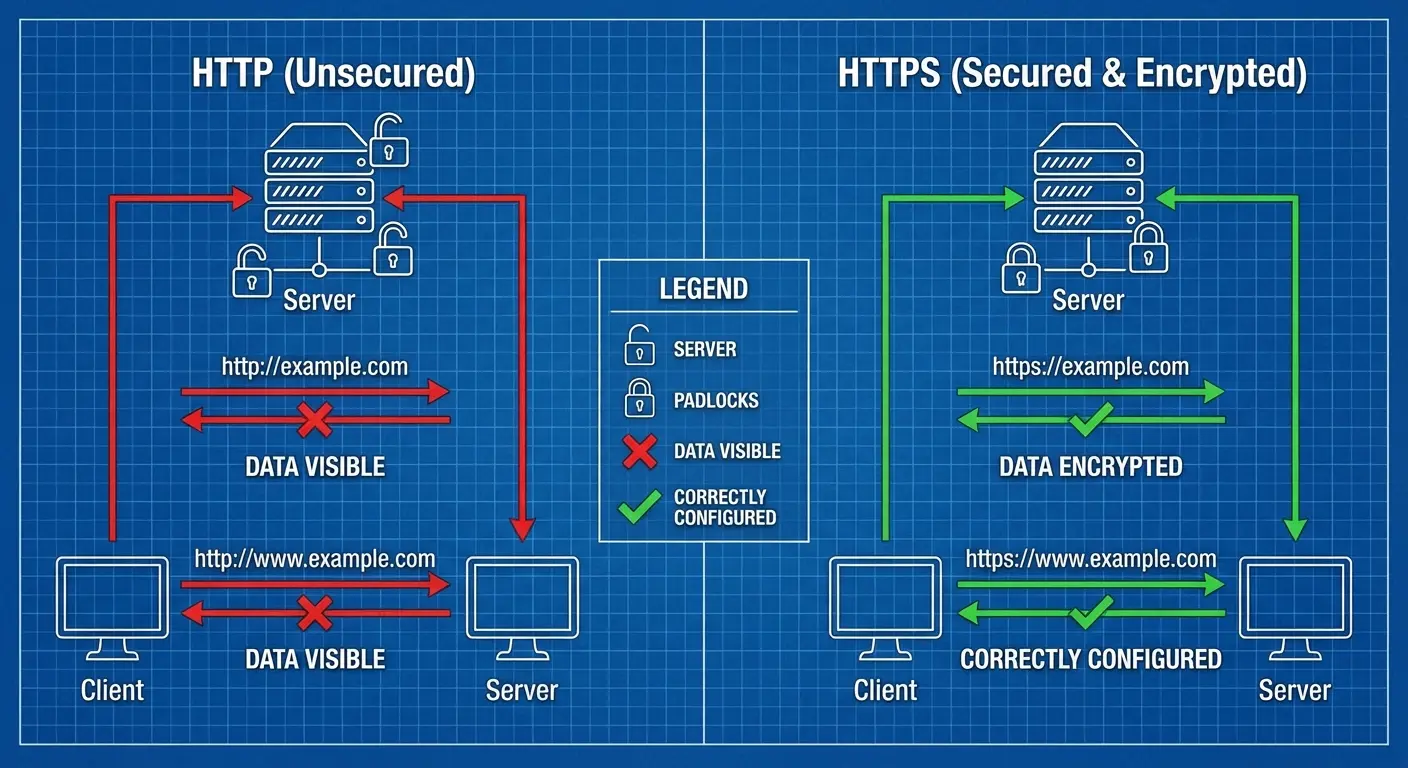
Protocol: http or https (use https if your site supports it, which it should)
-
Subdomain: www or non-www (whichever is your canonical version)
If you enter “http://example.com” but your site runs on “https://www.example.com,” you’ll get incomplete data because Ahrefs is tracking the wrong version. Check your site’s configuration before adding the project.
For most sites, you want to track the version that your canonical tags point to. If you’re not sure, check your site’s homepage source code and look for the canonical tag, or check which version Google has indexed (search for “site:yourdomain.com” and see which format appears in results).
Decide on Subdomains
Subdomains can be tracked as separate projects or included with the main domain, depending on your needs. A blog on “blog.example.com” might warrant its own project if it’s substantial and you want detailed separate tracking, or it might be fine to monitor as part of the main domain.
Consider separate projects for subdomains when:
-
The subdomain serves a completely different purpose (e.g., a separate product on “app.example.com”)
-
You need different team members to have access to subdomain data without seeing main domain data
-
The subdomain is large enough that combining it with the main domain would make reports unwieldy
Include subdomains in the main project when:
-
The subdomain is a small blog or support section
-
You want unified reporting across all your web properties
-
You’re trying to conserve project slots
International Sites Need Special Attention
If you’re managing a site with multiple country versions or languages, you need to decide whether to track them as one project or separate projects.
One project works if:
-
All versions live on the same domain with subdirectories (example.com/en/, example.com/es/)
-
You want to see aggregate performance across all versions
-
The versions share most of their content structure
Separate projects make sense if:
-
Each country has its own domain (example.com, example.co.uk, example.de)
-
You need to track different competitor sets per market
-
Different team members manage different geographic versions
There’s no universally right answer here. It depends on how you need to analyze and report on the data.
Making Your Ahrefs Investment Actually Work
You can set up the perfect Ahrefs account with ideal project structure, proper integrations, and smart permission setup. You can run reports and identify opportunities. But there’s often a gap between having data and knowing how to turn it into a coherent plan that drives business results.
This is where many businesses get stuck. They’re paying for Ahrefs, they’re collecting insights, but they’re not seeing the ROI because they haven’t connected the tool to a comprehensive SEO and content strategy that aligns with their business goals.

Look, I’m going to be straight with you. Setting up Ahrefs correctly is one thing. Actually using it to grow your business is another.
I’ve seen too many companies pay for Ahrefs, collect data, and then… nothing. They have reports. They have insights. But they don’t have a plan for turning that into content, links, or rankings that actually move revenue.
If that sounds familiar, we should talk. At The Marketing Agency, we don’t just help you understand your data. We help you do something with it. Not consulting for the sake of consulting. Actual execution that shows up in your analytics.
Want to talk about turning your Ahrefs subscription into actual ROI? Reach out to The Marketing Agency for a strategy consultation that focuses on execution, not just insights.
Whether you work with an agency or build this capability in-house, the point is the same: the account setup is just the foundation. The value comes from what you build on top of it.
Wrapping This Up
Alright, that’s it.
You now know more about setting up an Ahrefs account than 95% of people who use the tool. Which is kind of sad when you think about it, but also means you have an advantage.
The actual signup takes ten minutes. The thinking beforehand is what matters. Do that part right, and you won’t be the person reorganizing projects at 11 PM on a Tuesday, wondering why you named something “Test2Final.”
Your account structure either works for you or against you every single day. There’s no neutral.
Real talk: if you’re not sure you’ll actually use Ahrefs regularly, don’t buy it yet. The free trial is gone, so you’re committing real money. Make sure you have a plan for what you’ll do with the data before you pay for it.
But if you’re ready, and you’ve done the prep work, and you know what you’re trying to accomplish? Set it up smart. Then go use it to build something.
