



“Which blog platform should I use?”
I’ve gotten this question 47 times in the past year. (Yes, I counted. Yes, I need better hobbies.)
The answer is always the same, and it’s always disappointing: it depends.
I know that’s not helpful. You want me to say “WordPress” or “Ghost” or whatever platform I’m secretly being paid to promote (I’m not, for the record). But here’s the truth: there is no “best” platform. Anyone who tells you otherwise is either lying or trying to sell you something.
What exists is the best platform for YOUR specific needs, technical comfort level, and content goals. I’ve spent the past three months testing every major blogging platform (and several obscure ones) to give you the real story behind each option. Some I loved. Some I hated. Some I’m still using.
This guide breaks down the 8 platforms that matter in 2026. Let’s get into it.
Table of Contents
-
TL;DR: Quick Platform Comparison
-
What You Need to Consider Before Choosing a Blog Platform
-
WordPress (WordPress.org & WordPress.com)
-
Ghost
-
Medium
-
Micro.blog
-
Squarespace
-
Tumblr
-
Substack
-
Bear Blog
-
Notable Mentions Worth Your Attention
-
Frequently Asked Questions
-
Final Thoughts: Choosing Your Platform and What Comes Next
TL;DR: Quick Platform Comparison
Short on time? Here’s the rapid-fire version.
WordPress gives you complete control and maximum flexibility, but you’ll become a part-time system administrator. Ghost is what WordPress would be if it started fresh today, with built-in membership features and way less complexity. Medium lets you publish immediately to millions of readers, though you’re building on rented land.
Micro.blog combines blogging with social networking minus the toxicity, perfect for people who care about owning their content. Squarespace makes your site look expensive without hiring a designer, best for creatives who want beautiful templates. Tumblr is free microblogging with social features (though it’s not really for serious blogging anymore).
Substack turns your writing into a subscription business with zero technical setup, taking 10% of your revenue for the privilege. Bear Blog strips away everything except words and loads faster than you thought possible.
Comparison Table
|
Platform |
Best For |
Starting Price |
The Catch |
My Take |
|---|---|---|---|---|
|
WordPress |
Everything |
Free (hosting $3-25/mo) |
You’ll spend weekends troubleshooting |
Powerful but exhausting |
|
Ghost |
Professional publishers |
$8/month |
Costs more upfront |
Worth it if you’re serious |
|
Medium |
Instant audience |
Free |
Not your platform |
Great for testing ideas |
|
Micro.blog |
IndieWeb community |
$1-5/month |
Smaller audience |
Healthier social media |
|
Squarespace |
Design-focused sites |
$8/month |
Limited flexibility |
Premium look, premium price |
|
Tumblr |
Casual blogging |
Free |
Basically dead for serious work |
Only if you’re into fandoms |
|
Substack |
Newsletter businesses |
Free (10% fee) |
That fee adds up fast |
Simple but expensive long-term |
|
Bear Blog |
Speed demons |
Free ($5/mo premium) |
Almost no features |
Beautifully simple |
What You Need to Consider Before Choosing a Blog Platform
Choosing a blogging platform isn’t like picking a new notebook. You’re building a digital home for your ideas, and moving later means packing up years of content, redirecting links, and potentially losing SEO value you’ve built.
I’ve watched too many bloggers make impulsive platform decisions based on a single feature or recommendation, only to migrate six months later when they discover critical limitations. Don’t be that person.
Before committing to any platform, think through these eight factors. They’ll save you from costly mistakes later.
Longevity and Active Development
Your platform needs to outlive your initial enthusiasm.
We’re talking about stability, continuous development, and a business model that ensures the platform won’t disappear when venture capital dries up. Check the platform’s development roadmap. When was the last update? Is there a transparent team behind it?
What’s their funding situation?
You’re investing hundreds of hours into this ecosystem, so you need confidence it’ll be around in five years. VC-funded platforms have a habit of pivoting or dying when the money runs out.
Value for Money
Free doesn’t always mean better.
Some “free” platforms lock essential features behind paywalls or take significant cuts of your revenue. Others charge upfront but give you everything you need without nickel-and-diming you later.
Calculate the total cost of ownership. That includes hosting (if self-hosted), domain registration, premium themes, essential plugins, and any transaction fees on monetization. The cheapest option often becomes expensive when you factor in time spent troubleshooting or working around limitations.
Technical Complexity
Be honest about your technical skills.
Can you handle FTP uploads, database management, and CSS customization? Or do you want to write and publish without touching code?
There’s no shame in choosing simplicity. The best platform is the one you’ll use consistently, not the one with the most features you’ll never touch. If technical troubleshooting drains your creative energy, prioritize platforms with minimal learning curves.
SEO Capabilities
Your brilliant content means nothing if nobody finds it.
Search engines (and increasingly, AI models) need to read, index, and recommend your work. Look for platforms that handle metadata properly, generate sitemaps automatically, allow custom URLs, load quickly, and work flawlessly on mobile devices.
SEO isn’t just about keywords anymore. It’s about how discoverable your content is across traditional search engines and emerging AI answer engines. If you’re serious about organic traffic, choosing the best blog platform for SEO should be a top priority.
Customization vs. Simplicity
More features create more complexity. This trade-off is unavoidable.
Do you need extensive theme options, plugin ecosystems, and design flexibility? Or would you prefer a clean, distraction-free writing environment with limited but well-executed features?
Neither answer is wrong, but you can’t have both maximum customization and maximum simplicity.
Hosting and Maintenance
Who handles the technical infrastructure?
Managed platforms take care of hosting, security updates, backups, and performance optimization. You just write and publish.
Self-hosted solutions give you complete control but require technical knowledge and ongoing maintenance. How much time do you want to spend on technical tasks versus content creation? That question should drive this decision.
Content Portability
You should own your content and have the freedom to leave. Period.
Ensure your chosen platform allows easy content export in standard formats like Markdown or XML. This portability protects your investment and gives you flexibility if your needs change. Platforms that make it difficult to export your content are showing you exactly how much they value your freedom.
Community and Support
A healthy user community indicates platform viability and provides peer support when you’re stuck.
Check if there’s active discussion, shared resources, and responsive customer support. Being part of a community also helps with content discovery and networking. You’re not just choosing software; you’re joining an ecosystem of creators.
WordPress (WordPress.org & WordPress.com)
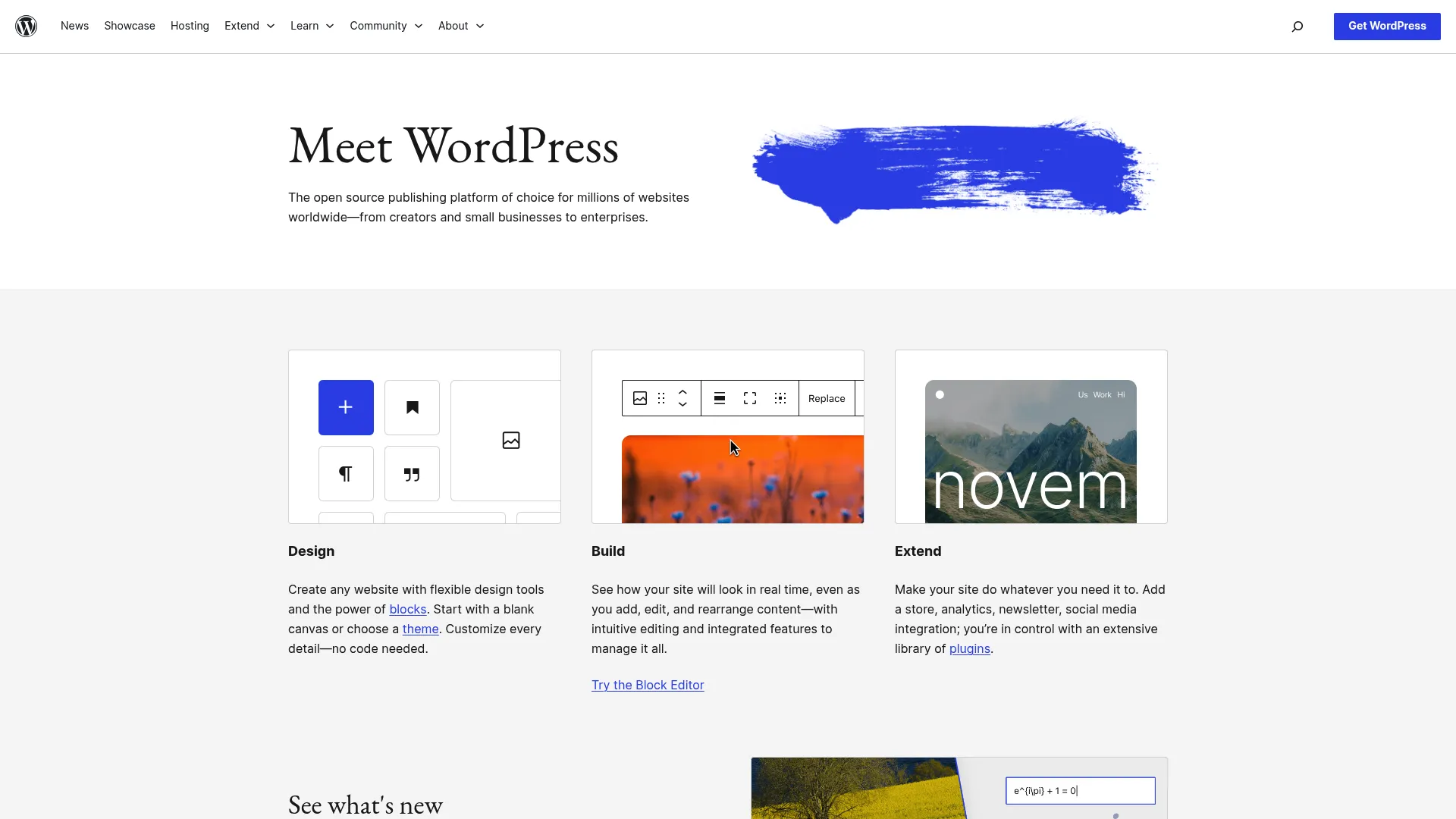
The 800-Pound Gorilla
WordPress runs 43% of the internet. That’s not a typo.
It’s powerful, flexible, and occasionally infuriating. I’ve built dozens of sites on WordPress. I’ve also rage-quit WordPress at 2 AM because a plugin update broke my entire site.
Here’s the thing about WordPress: it can do literally anything. Want to sell products? Build a membership site? Run a podcast? Create a recipe database? WordPress can do it. The plugin ecosystem is massive, the theme options are endless, and if you can imagine it, someone’s probably built it.
But that power comes with complexity.
You’re not just choosing a blogging platform; you’re choosing to become a part-time system administrator. Updates, security patches, plugin conflicts, performance optimization… it adds up.
What WordPress Actually Gives You
The Gutenberg block editor lets you build content without coding (though plenty of people still hate it and use the classic editor). Over 60,000 plugins provide virtually any functionality you can imagine. Thousands of free and premium themes cover every design aesthetic.
You can run multiple blogs from one installation if you need that. The media library handles all your visual content. User roles and permissions let teams collaborate without chaos. The REST API enables headless implementations if you’re into that kind of thing.
The Good Parts
WordPress gives you everything. And I mean everything.
The flexibility is unmatched. You can build exactly what you envision, assuming you have the skills or budget to make it happen. The community is massive, which means solutions exist for virtually every problem you’ll encounter. Someone, somewhere, has already solved your issue and posted about it.
WordPress kills it for SEO with proper optimization. Plugins like Yoast and RankMath make technical SEO accessible even if you’re not an expert. The platform scales from personal blogs to enterprise sites without requiring a platform change.
Being open-source means no vendor lock-in. You own your content, your data, and your destiny.
The Problems
WordPress can become bloated with too many plugins. Each plugin adds code, potential security vulnerabilities, and performance overhead. Managing this complexity requires discipline (which I clearly lack based on the 37 plugins currently running on one of my sites).
Security requires ongoing maintenance. WordPress’s popularity makes it a target for hackers, so you need to stay on top of updates and security best practices. Miss an update and you might wake up to a hacked site.
The self-hosted version demands technical knowledge. You’ll need to understand hosting, databases, and troubleshooting. Many bloggers find themselves spending 80% of their time managing WordPress and only 20% creating content.
Performance optimization requires expertise. Out of the box, WordPress can be slow. Making it fast requires caching plugins, CDN setup, and image optimization. It’s a whole thing.
Who Should Use WordPress
You want complete control and don’t mind getting technical. You need specific functionality that only exists as WordPress plugins. You’re building a business, not just a blog. You have time for maintenance or budget to hire someone.
Who Should Avoid It
You want to write, not troubleshoot. You’re not comfortable with FTP, databases, or CSS. You just want something that works without constant attention.
What Real People Say
WordPress users consistently praise the platform’s flexibility and extensive ecosystem. One long-time blogger told me, “WordPress lets me build exactly what I want, but I’ve learned to resist the temptation to install every plugin that looks interesting.”
Critics point to maintenance overhead. A developer I know who switched from WordPress to Ghost said, “I was spending more time updating plugins and troubleshooting conflicts than writing. For my needs, the complexity wasn’t worth it.”
SEO professionals universally recommend WordPress for serious content marketing. The combination of SEO plugins, customization options, and performance optimization capabilities makes it the gold standard for organic search.
What It Costs
WordPress.org is free but requires hosting (typically $3-25/month depending on your traffic and performance needs). You’ll also need a domain name ($10-15/year) and potentially premium themes or plugins.
WordPress.com offers a free tier with significant limitations. Premium plans start at $99/year and scale up based on features. The managed hosting removes technical complexity but limits customization compared to self-hosting.
Get started with WordPress.org or explore WordPress.com
Ghost
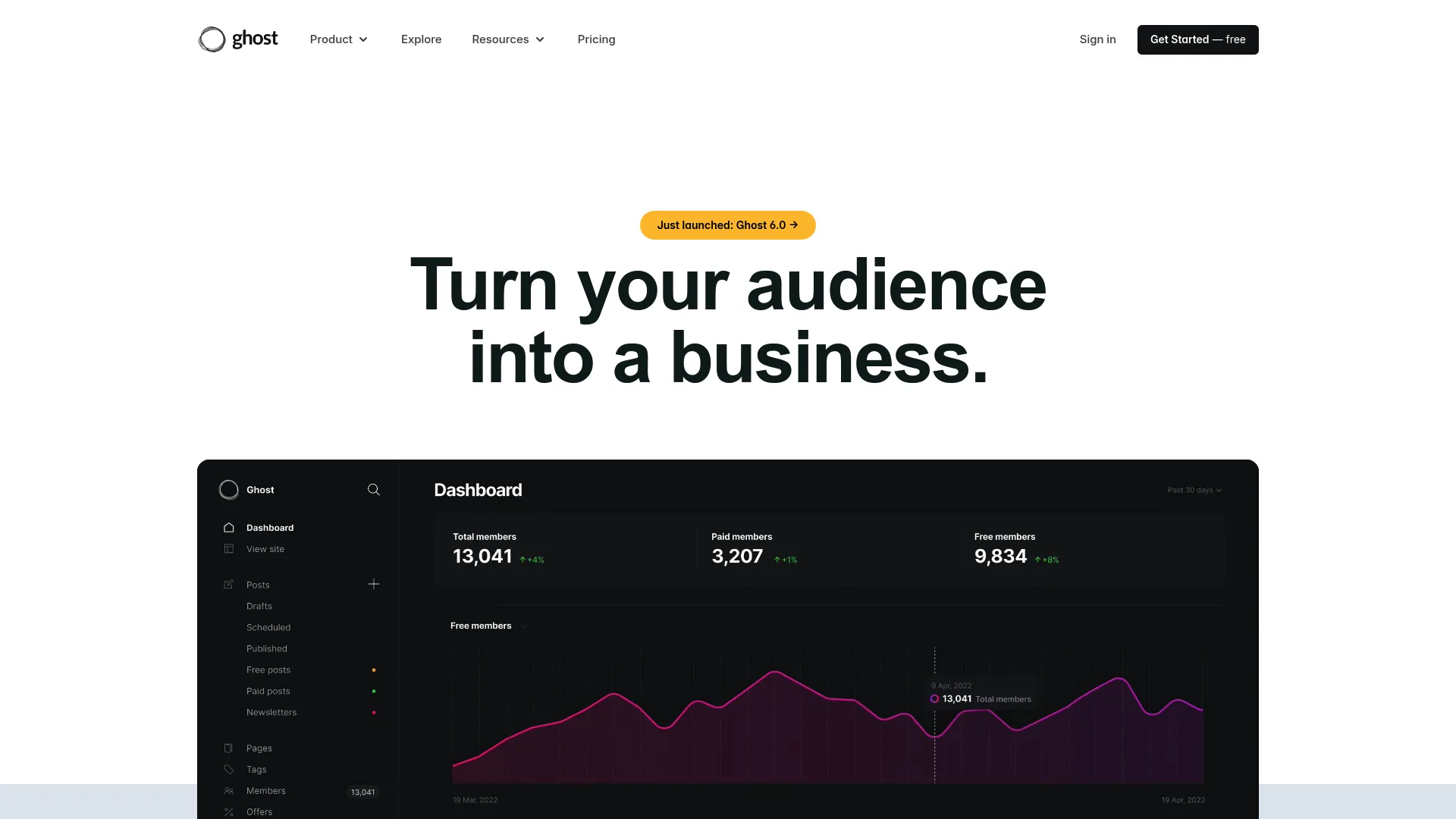
What WordPress Would Be If It Started Fresh Today
If WordPress feels like too much (and for many people, it is), Ghost is what happens when you strip away the complexity and focus on publishing.
Ghost emerged in 2013 as a direct response to WordPress’s increasing complexity. The founders asked a simple question: what if we built a platform focused exclusively on professional publishing?
The result is a beautifully designed, performance-optimized platform that handles everything modern publishers need without the bloat. Ghost feels clean in a way WordPress never will.
What Ghost Actually Gives You
The split-screen Markdown editor with real-time preview creates a distraction-free writing experience. Built-in membership and subscription management requires no plugins. Native newsletter functionality works seamlessly with your blog.
SEO optimization is baked into the core platform. Fast, modern architecture means excellent performance out of the box. Team collaboration tools support multi-author publications without complexity.
Analytics and insights help you understand your audience. The Content API enables headless implementations if you need that flexibility.
The Good Parts
Ghost’s interface is beautiful and uncluttered. You focus on writing, not navigating complex menus or managing plugins. The platform performs well without optimization work because it’s built on modern technology from the ground up.
No plugin bloat means no security vulnerabilities from third-party code. Features are built-in and work together seamlessly. The monetization features for creators are particularly strong, with membership tiers, subscriptions, and newsletter management all integrated.
Ghost is open-source and highly reputable. The non-profit foundation behind it ensures long-term sustainability without venture capital pressure to compromise the product.
I use Ghost for my main blog. Switched from WordPress last year and haven’t looked back. But that’s me; I got tired of plugin management and wanted something that just worked.
The Problems
The theme marketplace is smaller than WordPress. You’ll find quality options, but not thousands of choices. Customization requires some technical knowledge, particularly if you want to modify themes or build custom functionality.
Self-hosting Ghost can be complex. The platform runs on Node.js, which is less common than PHP (WordPress’s language), so finding hosting and support is harder.
The plugin ecosystem is limited compared to WordPress. Ghost’s philosophy is to build features into the core platform, which is great for simplicity but limiting if you need niche functionality.
Starting prices are higher than some alternatives, though the value proposition is strong for professional publishers.
Who This Works For
Professional publishers who value modern design and built-in monetization. Writers who want to focus on content rather than technical management. Anyone tired of WordPress complexity who still needs powerful features.
What Real People Say
Professional publishers consistently praise Ghost’s focus and performance. A journalist who migrated from WordPress told me, “Ghost lets me focus on writing and building my subscription business. I don’t miss the plugin ecosystem at all.”
Developers appreciate the modern technology stack. One developer noted, “Ghost’s API-first approach makes it perfect for headless implementations. The documentation is excellent.”
Some users miss WordPress’s extensive customization options. A blogger transitioning to Ghost mentioned, “I had to let go of some specific features I’d built with WordPress plugins, but the trade-off for simplicity was worth it.”
What It Costs
Ghost’s managed hosting starts at $8/month for up to 500 members and scales to $200/month for larger publications. The pricing is based on member count and features, making it predictable as you grow.
Self-hosting is free if you have the technical expertise, but you’ll need to handle server management, updates, and security yourself.
Explore Ghost’s features and pricing
Medium
Blogging on Training Wheels (And I Don’t Mean That as an Insult)
Medium changed blogging by flipping the traditional model. Instead of building your own audience from scratch, you publish to Medium’s existing community of millions of readers. The platform’s recommendation algorithm surfaces your content to people who care about your topics.
This approach removes the technical barriers to blogging entirely. You write, you publish, and Medium handles everything else.
Sometimes training wheels are exactly what you need.
What Medium Actually Gives You
Instant access to millions of readers happens without building an audience from zero. The built-in content discovery and recommendation engine surfaces your work to interested readers.
The Partner Program lets you monetize based on reading time and engagement. A distraction-free editor keeps you focused on words, not formatting. Publications allow collaborative publishing and building niche communities.
Reading time estimates help readers decide what to consume. Highlights and responses create engagement without traditional comments. Mobile apps support reading and writing on any device.
The Good Parts
Zero technical setup required. You can publish your first post within minutes of creating an account. The built-in audience exposure means your content has a chance to reach readers immediately, not after months of SEO work.
The reading experience is beautiful and consistent across all posts. Medium’s design team has optimized every detail for readability. This consistency helps readers focus on content rather than navigating different blog designs.
Medium works well for content-first writers who don’t care about branding or design customization. Network effects help content discovery through recommendations, publications, and the platform’s algorithm.
Publishing is free. You can start building an audience without any upfront investment.
The Problems
Customization and branding options are severely limited. Your Medium blog looks like every other Medium blog. You can’t use a custom domain, which means you’re building on rented land.
You don’t own the platform. Medium controls the algorithm, the monetization model, and the rules. Changes to any of these can dramatically affect your reach and income overnight.
Algorithm changes can tank your traffic. Several writers have reported significant drops in views after Medium adjusted its recommendation system. You’re at the mercy of platform decisions.
The subscription model may limit free reader access. Medium has experimented with various paywalls and metered access, which can reduce your potential audience.
SEO control is limited. You’re relying on Medium’s domain authority rather than building your own. If you ever leave Medium, you lose that SEO value.
Who This Works For
Writers who want to start immediately without technical barriers. People testing content ideas before committing to their own platform. Anyone prioritizing writing over branding.
Who Should Skip It
Anyone building a long-term content business. People who want to own their platform and audience. Bloggers serious about SEO and building domain authority.
What Real People Say
Writers appreciate Medium’s simplicity and audience access. A freelance journalist shared, “Medium let me start publishing immediately without worrying about hosting or design. The built-in audience helped me land clients.”
Critics worry about platform dependency. A blogger who left Medium explained, “I built a following of 10,000 readers, but when Medium changed their algorithm, my views dropped 70%. I realized I didn’t own my audience.”
Content strategists often recommend Medium as a supplementary platform rather than your primary home. One strategist noted, “Publish on Medium to reach their audience, but always drive readers back to your owned platform.”
What It Costs
Publishing on Medium is free. Medium membership costs $75/quarter for readers who want unlimited access to paywalled content. Writers can earn through the Partner Program, which pays based on reading time from Medium members.
Micro.blog
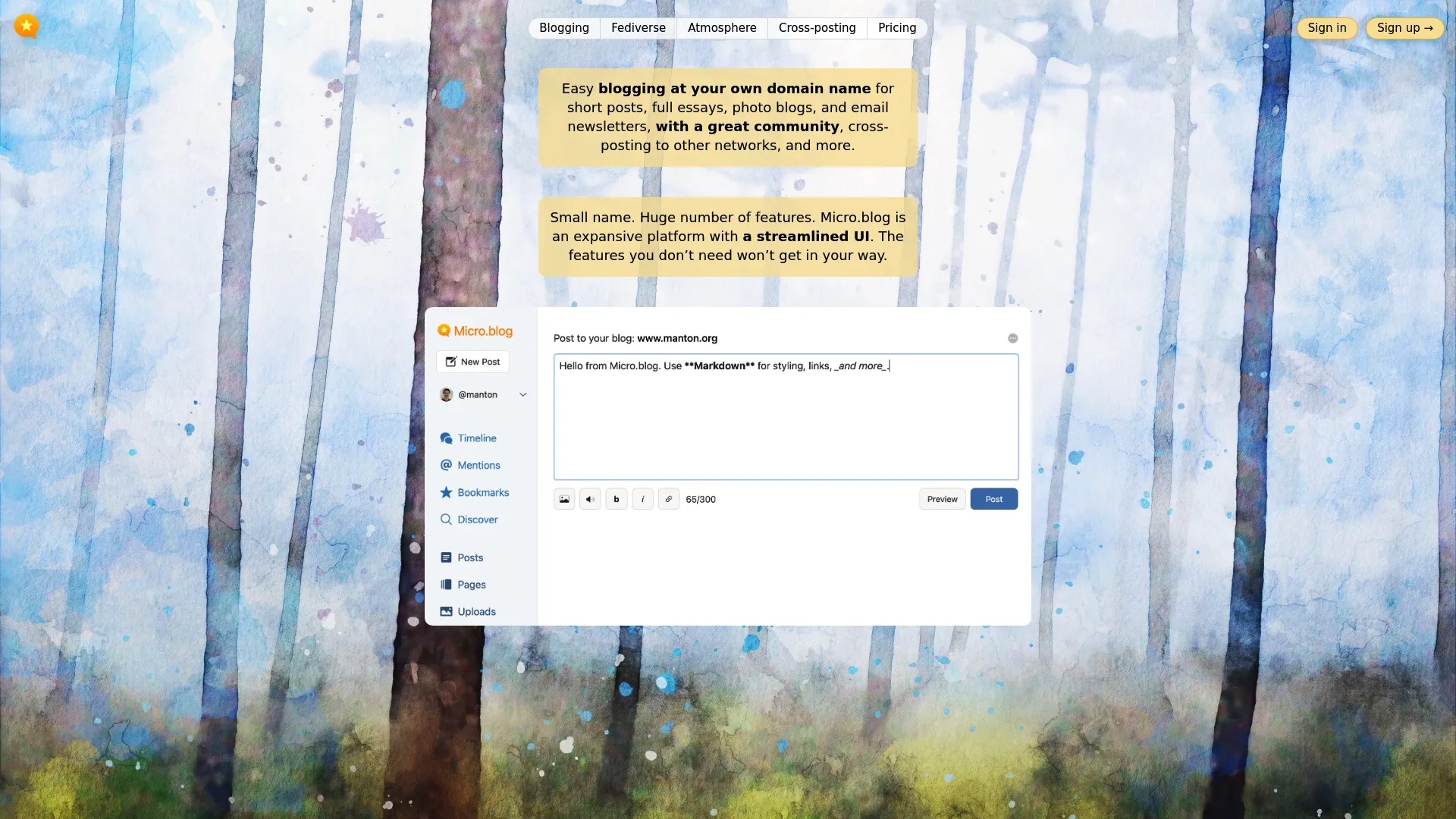
Social Media That Doesn’t Make You Want to Throw Your Phone
Micro.blog represents something different in the blogging world. It’s part blog platform, part social network, and entirely committed to the idea that you should own your content and control your online presence.
Created by Manton Reece, Micro.blog is part of the IndieWeb and Fediverse movements. These aren’t just buzzwords; they’re commitments to open web standards, content ownership, and community-driven platforms instead of algorithm-driven feeds.
What Micro.blog Actually Gives You
You can host your blog with optional custom domain support. The built-in social network features a chronological timeline with no algorithms manipulating what you see.
Cross-posting to major social platforms includes Twitter, Mastodon, and LinkedIn. No algorithms or advertising clutter your experience. Strong moderation and community standards maintain quality.
The platform supports both short posts and long-form content seamlessly. Photos, podcasts, and multimedia support are built-in. Companion smartphone apps work on iOS and Android.
The Good Parts
Micro.blog is extremely affordable. The $1/month tier exists, though the $5/month tier is recommended for full features. This pricing makes professional blogging accessible to everyone.
The platform combines blogging and social networking without the toxicity of mainstream social media. The chronological timeline means you see everything from people you follow, not what an algorithm thinks will keep you scrolling.
Content ownership is central to the platform’s philosophy. You own your posts, your domain, and your data. Micro.blog is part of open web standards like IndieWeb and Fediverse, which means your content can interact with other platforms that support these standards.
The community is active and supportive. Strong moderation keeps discussions civil and productive. It feels like the early internet; genuine conversations, no engagement farming, just people sharing ideas.
The Problems
The audience is smaller than mainstream platforms. You won’t find millions of readers waiting to discover your content. The community can feel insular to newcomers, though this also contributes to its quality.
Theme options are limited compared to larger platforms. You’ll find simple, clean themes, but not the extensive marketplace of WordPress or Ghost.
Engagement can be distracting from writing. The social networking features are designed to be healthier than Twitter or Facebook, but they still create the temptation to scroll instead of create. (I had to set boundaries for myself on this.)
The developer ecosystem is smaller. You won’t find extensive plugins or third-party tools.
Who This Works For
IndieWeb enthusiasts who value open standards. Writers who want community without algorithmic manipulation. Anyone tired of mainstream social media toxicity.
What Real People Say
IndieWeb enthusiasts love Micro.blog’s philosophy and execution. One user shared, “Micro.blog feels like the early internet; genuine conversations, no engagement farming, just people sharing ideas.”
Some bloggers find the social features distracting. A writer noted, “I came for the blogging platform but found myself spending too much time in the timeline. I had to set boundaries.”
Developers appreciate the open standards support. A technologist explained, “Micro.blog’s commitment to ActivityPub and IndieWeb standards means my content isn’t locked into a proprietary system.”
What It Costs
Plans start at $1/month for basic features. The $5/month tier includes cross-posting and full features. Premium tiers at $10 and $15/month add capabilities for power users and publications.
Squarespace
When You Want to Look Expensive Without Hiring a Designer
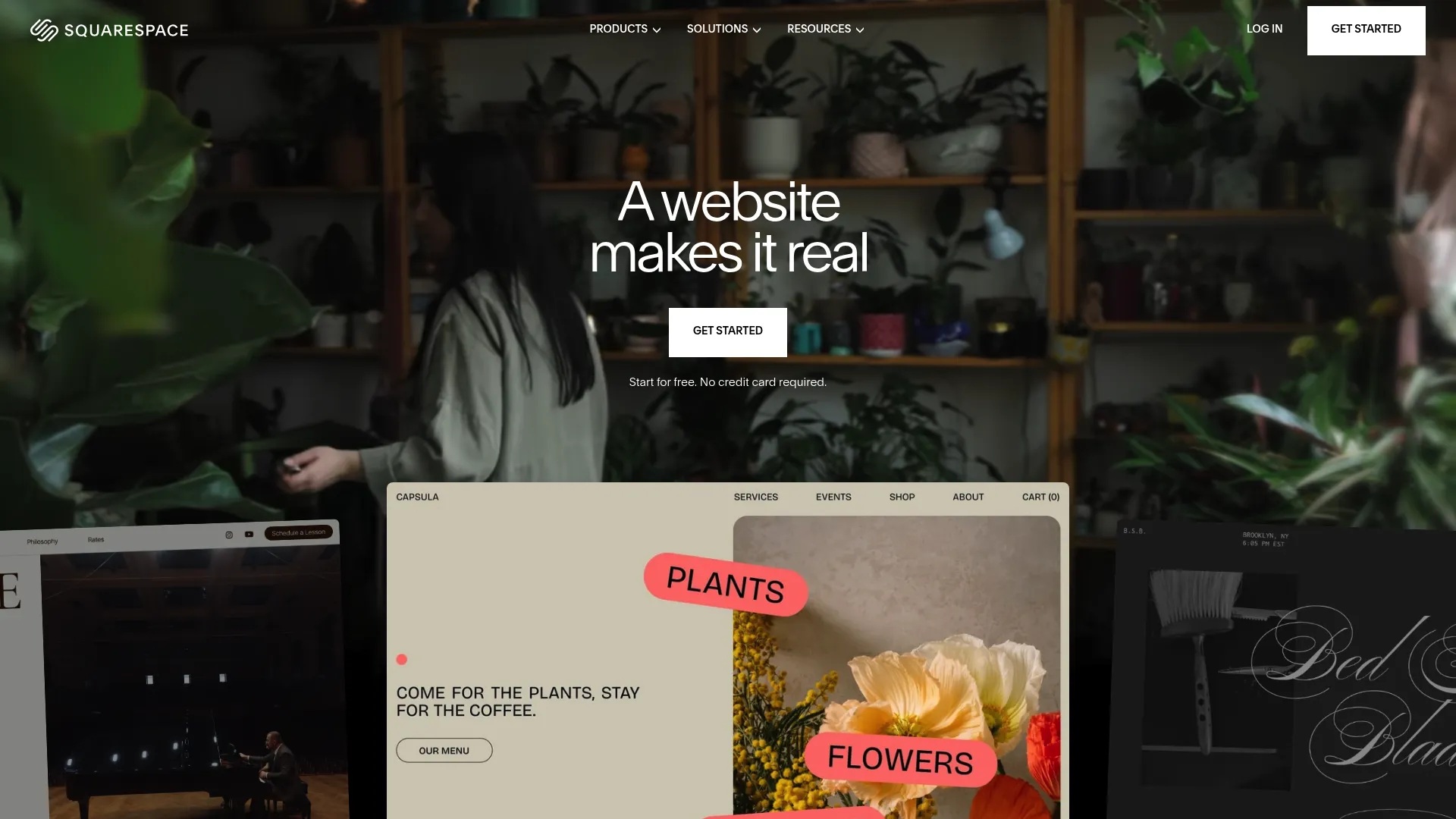
Squarespace built its reputation on one simple promise: your website should look professionally designed without hiring a designer. The platform delivers on this promise with templates that win awards and make other platforms look dated.
Founded in 2003, Squarespace has evolved from a simple website builder into a comprehensive platform that excels at blogging while offering e-commerce, portfolios, and business features.
What Squarespace Actually Gives You
Award-winning designer templates look professional immediately. The drag-and-drop page builder requires zero coding knowledge.
Built-in analytics and insights help you understand your audience. Team collaboration tools support multi-author blogs. E-commerce capabilities allow you to sell products if needed.
Email marketing integration helps build your list. Social media publishing and sync extend your reach. Mobile-responsive designs work perfectly on any device. Customer support is available 24/7 via chat and email.
The Good Parts
The templates are stunning. Squarespace’s design team creates templates that look expensive and professional. You can launch a blog that looks like you hired a design agency.
Everything is included in one platform: hosting, domain management, email marketing, analytics. You don’t need to piece together different services or manage multiple subscriptions.
Mobile responsiveness is excellent. Every template works flawlessly on phones and tablets without additional optimization.
Customer support is strong. The 24/7 availability means you can get help when you’re stuck, not just during business hours.
No technical knowledge is required. The drag-and-drop interface makes customization accessible to complete beginners.
The Problems
Flexibility is limited compared to WordPress. You’re working within Squarespace’s framework, which is polished but constraining for advanced users.
Template switching can be complex. If you want to change your design after launching, you may need to rebuild significant portions of your site.
The price point is higher for full features. While the entry tier is affordable, you’ll likely need a higher tier for serious blogging.
Third-party integrations are limited. Squarespace has built-in features for most needs, but if you want to connect niche tools, you may face limitations.
Backend code control is minimal. Developers who want to customize beyond Squarespace’s options will feel constrained.
Honestly? Squarespace is expensive for what you get. The templates are pretty, sure, but you’re paying $200+/year for something you could do cheaper elsewhere. Unless you’re a photographer or designer who absolutely needs those templates, I’d save your money.
Who This Works For
Creatives and small business owners who prioritize design. Anyone wanting an all-in-one solution. People willing to pay more for premium templates and support.
What Real People Say
Creatives and small business owners consistently praise Squarespace’s design quality. A photographer shared, “My portfolio looks incredible on Squarespace. Clients regularly compliment my website design.”
Some users feel limited by the platform’s constraints. A blogger transitioning to WordPress explained, “Squarespace was perfect when I started, but as my needs grew, I needed more flexibility than the platform offered.”
Web designers often recommend Squarespace for clients who want beautiful results without ongoing maintenance. One designer noted, “I build Squarespace sites for clients who don’t want to call me every time they need to update content.”
What It Costs
Plans start at $8/month for personal sites with basic features. Business plans ($16-$26/month) add advanced blogging features, e-commerce capabilities, and professional tools. All plans include a 14-day free trial.
Start your Squarespace free trial
Tumblr

Basically Dead for Serious Blogging (But I’m Including It Anyway)
Tumblr occupies a unique space between traditional blogging and social media. It’s where internet culture happens: memes, fan communities, art, photography, and creative expression thrive on the platform.
Now owned by Automattic (the company behind WordPress), Tumblr has stabilized after years of ownership changes and policy shifts. It remains one of the internet’s most active creative communities.
But let’s be honest: Tumblr is basically dead for serious blogging. Yes, it still has users. Yes, you can technically blog there. But unless you’re into fandom culture or reblogging memes, there are better options. I’m including it because people ask about it, not because I recommend it.
What Tumblr Actually Gives You
Quick posting of various content types includes text, photos, quotes, links, audio, and video. Built-in social networking features support following and reblogging.
Reblogging and content discovery spread ideas virally. Customizable themes with HTML/CSS access work for developers. Mobile apps enable posting and browsing on the go.
The dashboard feed of followed blogs creates a personalized experience. Tags organize content and aid discovery. Queue and scheduled posting maintain consistent content flow.
The Good Parts
Tumblr is completely free. You can build an audience and publish unlimited content without spending a dollar.
Sharing multimedia content
Sharing multimedia content is effortless. The platform was designed for quick, visual posts that spread through reblogging.
The built-in audience and discovery features help new bloggers find readers. Tags and reblogging create network effects that can amplify your content.
The interface is simple and intuitive. You can start posting within minutes of creating an account.
Community engagement is strong. Tumblr’s culture encourages interaction, conversation, and creative collaboration.
The Problems
Professional blogging features are limited. Tumblr works better for creative expression than business blogging or content marketing.
Business integration is minimal. If you’re blogging to build a business, Tumblr lacks the tools you need.
Branding control is limited. While you can customize themes, you’re still clearly on Tumblr.
SEO capabilities are basic. You have minimal control over optimization, and you’re building on Tumblr’s domain rather than your own.
Platform changes can affect reach. Tumblr has gone through several policy changes that impacted content visibility and community dynamics.
Long-form content isn’t the platform’s strength. Tumblr works best for shorter, visual posts.
Who This Works For
Fan communities and creative hobbyists. Artists and photographers sharing work casually. Anyone already embedded in Tumblr culture.
What Real People Say
Creative communities love Tumblr’s culture and ease of use. An artist shared, “Tumblr is where I built my following. The reblog feature helped my work reach thousands of people organically.”
Professional bloggers find it limiting. A content marketer noted, “Tumblr is great for building community around creative work, but it lacks the SEO and business features I need for client work.”
The platform’s ownership by Automattic has reassured users about long-term stability. A long-time user mentioned, “After years of uncertainty, having WordPress’s parent company own Tumblr gives me confidence it’ll stick around.”
What It Costs
Completely free to use. Premium themes are available for purchase if you want advanced design options, but the free themes work well for most users.
Substack
Simple but Expensive Long-Term
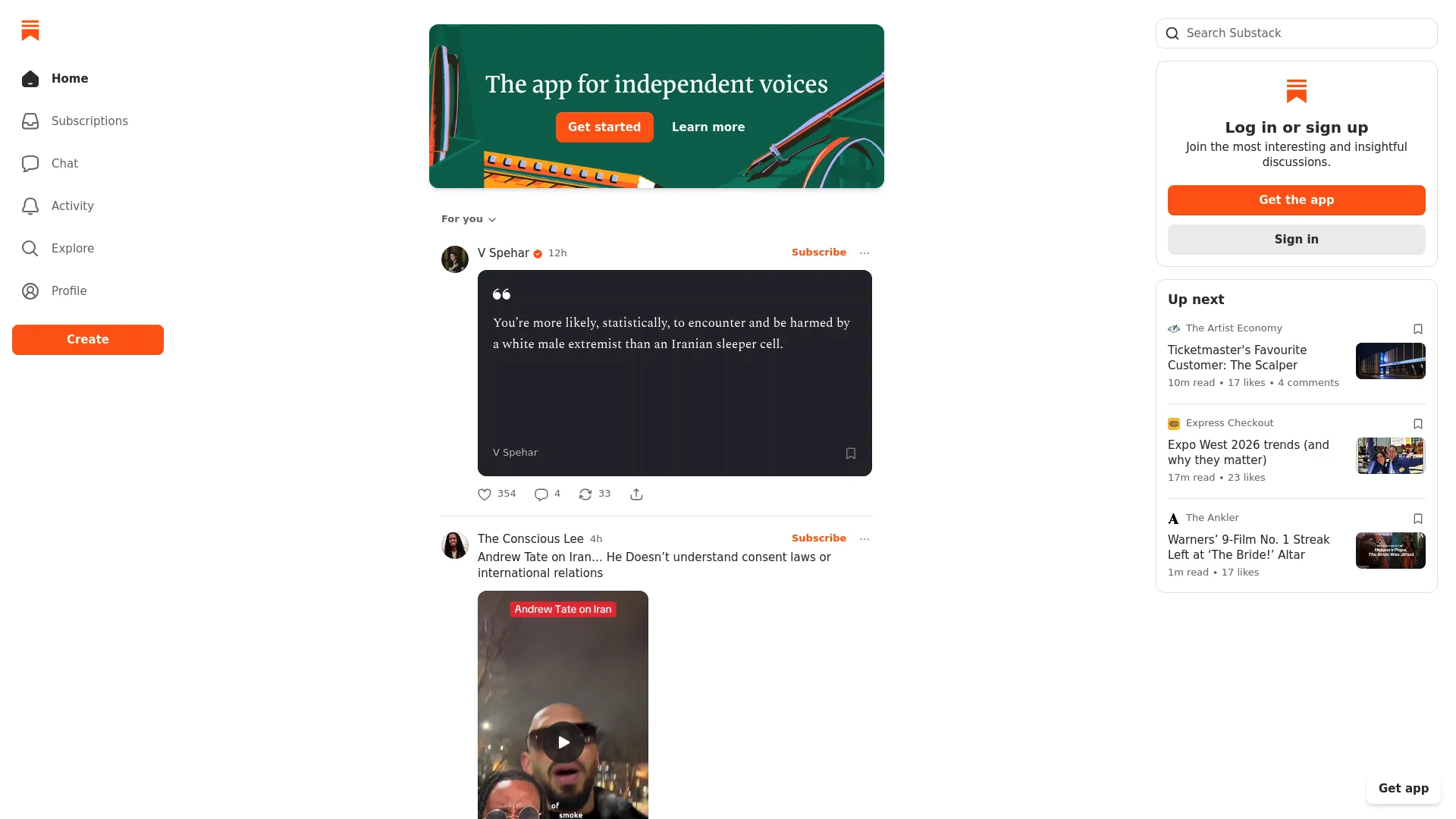
Substack didn’t just create another blogging platform. They built the infrastructure for independent writers to run subscription businesses without technical complexity or upfront investment.
Launched in 2017, Substack has enabled thousands of journalists, essayists, and thought leaders to leave traditional media and build direct relationships with paying subscribers. The model is simple: write, publish via email, and get paid.
What Substack Actually Gives You
The email-first publishing model sends content directly to subscribers. Built-in payment and subscription management requires no third-party tools.
Free and paid subscription tiers help build sustainable income. Podcast hosting capabilities support audio content. Reader discussion features build community.
Mobile apps help readers discover and consume content. The discovery and recommendation engine connects readers with new writers. A simple, clean writing interface removes distractions. Analytics and subscriber insights reveal audience behavior.
The Good Parts
Zero upfront costs make Substack accessible to anyone. You can start building a subscription business today without spending a dollar.
The monetization infrastructure is built-in. Payment processing, subscription management, and billing happen automatically. You focus on writing while Substack handles the business mechanics.
You maintain a direct relationship with subscribers. Unlike social media platforms, you own your subscriber list and can take it with you if you leave.
The writing experience is simple and focused. Substack removes complexity so you can concentrate on creating valuable content.
The discovery network is growing. Substack’s recommendation features help readers find new writers, creating opportunities for audience growth.
The Problems
The 10% platform fee adds up as you grow. On top of payment processing fees (typically 3%), you’re giving Substack 13% of your revenue.
I tried Substack for three months. Hated it. The 10% fee bothered me more than it should have, and I missed having a real website. But plenty of writers I respect love it, so clearly it’s a me problem.
Customization options are minimal. Your Substack looks like every other Substack. Branding opportunities are limited.
Traditional blogging features are absent. Substack is designed for newsletters, not comprehensive websites.
Custom domain support doesn’t exist. You’re publishing on substack.com, not your own domain.
SEO capabilities are basic. The email-first model means web discoverability takes a backseat to inbox delivery.
Who This Works For
Newsletter-focused writers building subscription businesses. Journalists and thought leaders monetizing expertise. Anyone prioritizing email over web traffic.
What Real People Say
Independent journalists praise Substack’s business model. A former newspaper reporter shared, “Substack gave me the freedom to leave traditional media and build a sustainable income writing about what I care about.”
Some writers resent the platform fee. A successful newsletter operator noted, “Once I hit $10,000/month in revenue, that 10% fee started feeling expensive. I’m considering moving to Ghost.”
Readers appreciate the email-first approach. A subscriber mentioned, “I prefer getting newsletters in my inbox rather than remembering to check blogs. Substack makes it easy to support writers I value.”
Marketing professionals often recommend Substack for thought leadership. One strategist explained, “If you’re building authority in your field, Substack’s newsletter model creates consistent touchpoints with your audience.”
What It Costs
Free to start. Substack takes 10% of subscription revenue plus payment processing fees (typically around 3%). You keep 87% of what subscribers pay.
Launch your Substack newsletter
Bear Blog
Beautifully, Ridiculously Simple
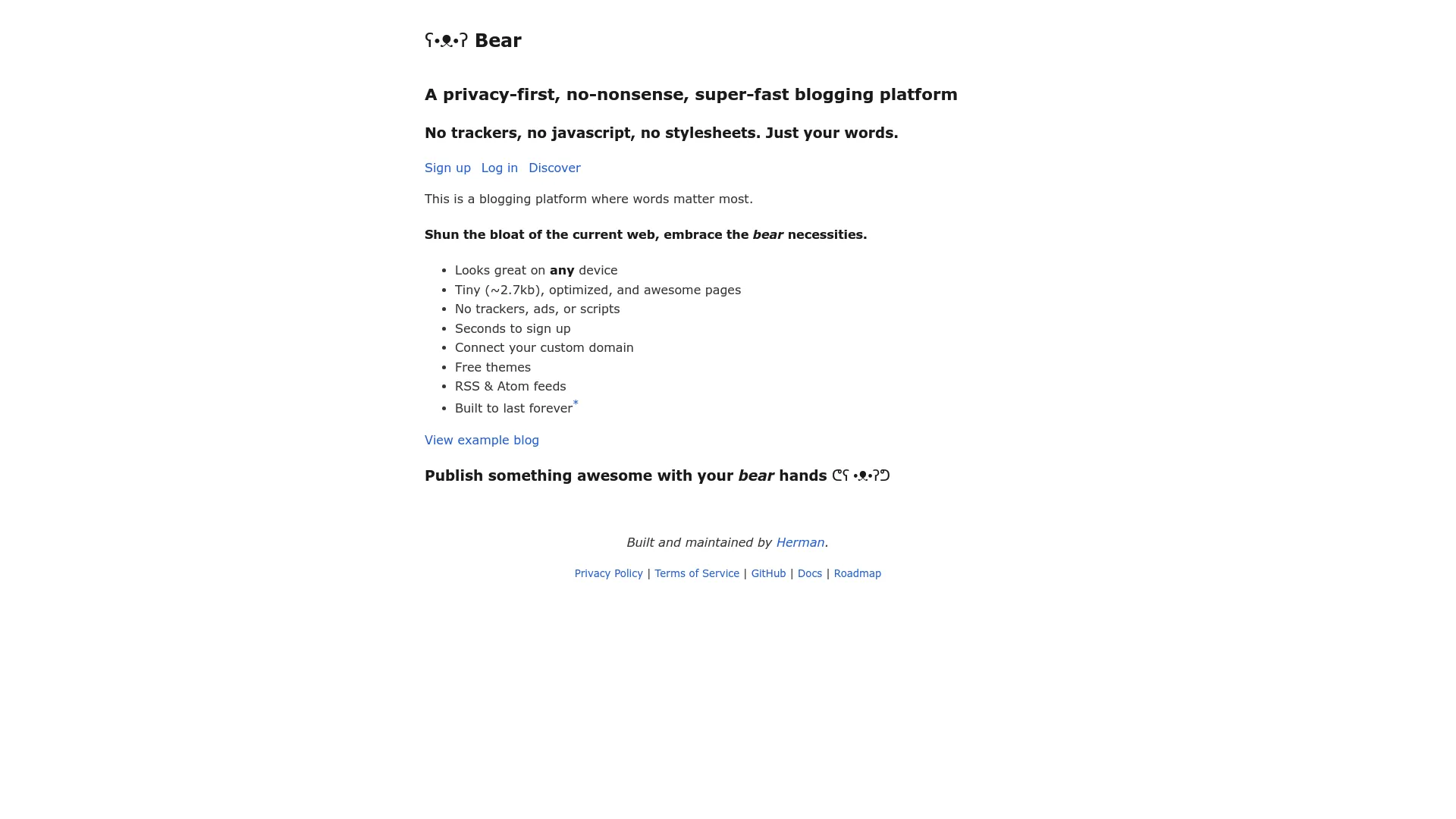
Bear Blog asks a provocative question: what if we removed everything except the words? No JavaScript. No tracking. No stylesheets. Just content that loads in milliseconds.
Created in 2020, Bear Blog embraces constraints as features. The result is the fastest blogging platform available and a refreshing alternative to the bloated web. For writers seeking the best blog platform focused purely on performance and content, Bear Blog strips away everything unnecessary.
Bear Blog loads so fast I thought my browser was broken. Pages load in under 100ms. Actually, I just tested it again and got 87ms. The point is: it’s stupid fast.
What Bear Blog Actually Gives You
Tiny file sizes enable blazing-fast load times. No JavaScript, trackers, or bloat slow down sites.
Auto-generated SEO metadata and sitemaps require no configuration. A privacy-first approach means no user tracking. The Markdown editor provides simple formatting.
Custom domain support comes with premium plans. RSS feeds enable syndication. The discovery tab helps you find other Bear blogs. Dark mode support respects reader preference.
The Good Parts
Loading speeds are unmatched. Bear Blog pages load faster than any other platform because there’s nothing to load except text.
SEO foundation is exceptional. The combination of speed, clean HTML, and auto-generated metadata gives you a strong search engine advantage.
The focus is completely on writing and words. No design decisions distract you from creating content.
Privacy is respected. Bear Blog doesn’t track visitors, respecting both your readers and your values.
Pricing is incredibly affordable. $5/month for premium features is accessible to everyone.
Maintenance is zero. You write and publish. Bear Blog handles everything else.
I keep a Bear Blog for quick thoughts and experiments. It’s perfect for that. Would I use it for my main site? No. But for $5/month it’s a great sandbox.
The Problems
Design options are extremely limited. If you want visual customization, Bear Blog isn’t for you.
Multimedia focus is absent. Bear Blog is designed for text, not photos, videos, or interactive content.
The community is small (though growing). You won’t find extensive resources or a large user base yet.
Some people find it too bare-bones. The minimalism that attracts some users repels others who want more features.
Monetization features don’t exist. Bear Blog is for writing, not building subscription businesses.
Analytics aren’t built-in. You won’t get visitor statistics unless you add external tools.
Who This Works For
Minimalists who value speed above all else. Writers who want pure content focus. Anyone tired of bloated platforms. People who journal or experiment with ideas.
What Real People Say
Minimalists love Bear Blog’s approach. A writer shared, “Bear Blog reminded me why I started blogging: to share ideas, not to fiddle with themes and plugins.”
SEO professionals appreciate the performance advantage. A technical SEO consultant noted, “Page speed is a ranking factor. Bear Blog’s sub-100ms load times give you an edge most platforms can’t match.”
Some bloggers find it too limiting. A content creator mentioned, “I tried Bear Blog but missed having images and formatting options. The minimalism was too extreme for my needs.”
Developers respect the philosophy. A programmer explained, “Bear Blog proves you don’t need JavaScript frameworks and complex infrastructure to publish content effectively.”
What It Costs
Free for basic use with Bear Blog branding. $5/month unlocks custom domains and removes platform branding.
Notable Mentions Worth Your Attention
A few platforms didn’t make the main list but are worth knowing about:
Pika
Launched in January 2024, Pika brings personality to minimalist blogging. With 200 subscribers by December 2024, it offers a clean writing interface, built-in guestbook entries, and charming design touches that make it feel less sterile than other minimal platforms.
Free up to 50 posts, then $6/month or $60/year for Pro features including custom domains. The Pika Pulse discovery tool helps you explore the platform’s culture before committing. Worth considering if you want simplicity with character rather than pure minimalism.
Scribbles
Created by Vincent Ritter (part of the Micro.blog team), Scribbles delivers modern, app-style aesthetics with quirky animations. The $5/month platform offers a Ghost-like editor, Kudos system for post appreciation, and minimal learning curve.
The community skews tech-focused and is still developing, but it’s an excellent testing ground for writers wanting a contemporary look without dated design patterns. Free trial includes 25 published posts.
Mataroa
Mataroa is the most stripped-down option available: so minimalist it doesn’t even have a logo. At $9/year (essentially free), Mataroa delivers bare-bones blogging: no ads, no tracking, system fonts, dark mode support, and Markdown editing.
Created by Theodore in 2020 and inspired by Bear Blog, it’s transparent about user numbers and finances. Perfect for journaling, experimentation, or writers who want pure speed without SEO concerns.
Typepad
One of the internet’s earliest blogging platforms, Typepad has endured for over a decade. Starting at $8.95/month, it handles hosting and technical details while allowing CSS customization for developers.
Features include mobile posting, email-to-blog functionality, monetization through ads and affiliate programs, and responsive customer support. A solid choice for those wanting established reliability without managing infrastructure.
Frequently Asked Questions
I’ve never done this before. Where do I start?
Medium. Just go to Medium.com, create an account, and start writing. You can figure out the fancy stuff later. Don’t overthink this.
If Medium feels too limiting after a few months, then look at Ghost or Bear Blog. But seriously, just start. The best platform is the one you’ll actually use, and Medium removes every excuse.
What if I want to switch platforms in a year?
Then you’ll spend a weekend migrating content and probably break some stuff. It’s annoying but not impossible. I’ve done it three times.
The difficulty varies significantly. WordPress, Ghost, and Bear Blog make migration relatively straightforward with export tools and standard formats like Markdown or XML.
Medium and Substack allow content export, but you’ll lose formatting and need to rebuild your design on the new platform. More importantly, you’ll lose the SEO value you’ve built on their domains.
Squarespace and Tumblr require more work to migrate because of their proprietary formats. Plan for manual reformatting and broken links.
The best strategy? Choose a platform that supports content portability from day one. Your future self will thank you.
How important is SEO when choosing a blogging platform?
Critical if you want organic traffic. Platforms like WordPress, Ghost, and Bear Blog give you strong SEO foundations through speed, clean code, and customization options.
Medium and Substack rely on their domain authority rather than building yours. This works initially but limits long-term growth. You’re borrowing SEO power instead of building it.
If your content strategy depends on search traffic, prioritize platforms with strong SEO capabilities. If you’re building through email lists or social media, SEO matters less.
Should I choose a free or paid blogging platform?
Free platforms work for testing ideas and casual blogging. Medium, Tumblr, and the free tiers of WordPress.com or Micro.blog let you start without financial commitment.
Paid platforms make sense when you’re serious about building an audience or business. The $5-15/month investment in platforms like Ghost, Micro.blog, or Bear Blog gives you custom domains, better features, and professional credibility.
Self-hosted WordPress sits in the middle. The software is free, but you’ll pay for hosting. Total cost typically runs $5-25/month depending on your traffic and performance needs.
Don’t let price be your only decision factor. A $5/month platform that you use consistently beats a free platform that frustrates you into quitting.
What’s the best platform for monetizing my blog?
Substack wins for newsletter-based monetization. The built-in payment infrastructure makes it effortless to charge for subscriptions.
Ghost excels for membership sites and paid content. The platform was designed for professional publishers who want to monetize through subscriptions, memberships, or premium content.
WordPress offers the most monetization flexibility through plugins. You can add ads, affiliate links, sell products, offer memberships, or build any monetization model you imagine.
Medium’s Partner Program works for supplemental income but won’t replace a full-time salary for most writers.
Bear Blog and Tumblr lack built-in monetization features. You’d need to add external tools or drive traffic to products hosted elsewhere.
Final Thoughts: Just Pick One and Start Writing
Here’s what I’ve learned after testing all these platforms: the choice matters less than you think.
The best writers I know are on different platforms. Some use WordPress. Some use Ghost. One very successful writer I know is still on Blogger (I don’t get it either, but it works for her).
What they have in common isn’t their platform choice; it’s that they publish consistently, they know their audience, and they don’t let perfect be the enemy of done.
Your blog platform matters less than what you do with it. I’ve seen successful blogs on every platform mentioned in this guide. I’ve also seen abandoned blogs on the “best” platforms.
Here’s what determines blogging success:
Consistency beats perfection. Publishing regularly on a simple platform outperforms sporadic posts on a sophisticated one.
Content quality matters more than design. Readers come for valuable insights, not beautiful templates.
Distribution strategy amplifies your work. The best content goes nowhere without promotion.
Audience understanding drives everything. Write for specific people with specific problems.
So pick a platform. Any platform. If you’re still paralyzed by choice, here’s my shortcut:
-
Total beginner who just wants to write? Medium or Bear Blog
-
Want to build a real business? WordPress or Ghost
-
Newsletter-focused? Substack
-
Just testing the waters? Micro.blog or Tumblr
Then start writing. You can always migrate later (though hopefully this guide helped you avoid that hassle).
The platform is just the tool. You’re the one who has to show up and create something worth reading.
Once your platform is live, the real work begins. Driving qualified traffic, converting readers into subscribers or customers, and measuring what works requires systems beyond what blogging platforms provide. Starting a blog involves more than just selecting software; you need a complete content strategy.
About The Marketing Agency
At The Marketing Agency, we help bloggers and businesses turn content into growth engines. Our AI-powered marketing systems integrate with any blogging platform to optimize for discovery, automate engagement, and drive measurable results.
We specialize in LLM Optimization and Answer Engine Optimization (AEO): ensuring your content appears in AI-generated search results, ChatGPT responses, and next-generation discovery engines. Large language models are changing how people find information, and understanding generative engine optimization ensures your content appears in AI-generated search results and ChatGPT responses. We structure your content so these systems can read, index, and recommend your brand.
Our marketing automation solutions integrate with your chosen platform to nurture readers from discovery to conversion. Automated email workflows, behavioral triggers, and personalized outreach help you build relationships at scale without burning out. Implementing marketing automation transforms your blog from a publishing tool into a growth engine.
We don’t track vanity metrics. Our analytics systems reveal which content drives conversions, which topics resonate with your audience, and where every marketing dollar goes. Real data. Real results.
Whether you’re a solo blogger looking to monetize your expertise or an enterprise scaling content operations, we engineer marketing systems that blend creativity, technology, and data to drive measurable outcomes.
Ready to transform your blog into a growth engine? Contact The Marketing Agency to discuss how we can amplify your content strategy and turn readers into customers.
