



Table of Contents
-
Your site is already broken
-
What reactive maintenance actually costs you
-
Your security plugins are lying to you
-
Death by a thousand plugins
-
That blog post from 2019 is costing you sales
-
The backup delusion
-
Why monitoring beats reacting
-
Building maintenance into your workflow
-
When to bring in specialized help
TL;DR
-
Your site won’t crash dramatically. It’ll rot slowly while looking fine in your admin dashboard
-
Reactive maintenance costs 3-5x more than proactive systems (and that’s just the direct costs)
-
Security isn’t about installing plugins. It’s about knowing what’s vulnerable and watching it
-
Backups only matter when you test restoration. Most businesses never do until it’s too late
-
Performance degradation happens invisibly as you add features, content, and integrations
-
Website maintenance should be embedded in your workflow, not treated as a separate task
-
The question isn’t whether to maintain your site. It’s whether you can afford not to
Your website is costing you money right now.
Not because it’s crashed. Not because it’s been hacked. Because it’s slow. Because it’s insecure. Because that blog post from 2021 is still ranking and making you look outdated.
You check it every day and it looks fine. Meanwhile, your users are watching loading spinners and leaving. The reality is that speed is everything—people won’t wait, they won’t tolerate buffering videos, slow apps, or websites that take too long to load.
Most businesses only discover these problems after they’ve already lost rankings, conversions, or customer trust. This isn’t about fixing what’s broken. It’s about protecting what’s working before invisible decay turns into visible disaster.
Your site is already broken
The silent degradation problem
Here’s what actually happens: Your site won’t explode. It rots. Slowly.
You check it every day. Homepage loads fine. Nav works. Contact form submits. Everything looks perfect from your chair.
But you’re looking at the wrong indicators.
Last month, a client called me panicking. “Our site is down!” It wasn’t down. It was taking 12 seconds to load, which to users is the same thing. They’d been checking it daily from their office (on the same network, with cached files) where it loaded instantly. Their customers? They’d been staring at white screens for three months.
Consider a B2B software company that launched their website in 2022 with a 1.8-second load time. By early 2025, that same homepage took 5.2 seconds to load. Not because anything broke. Because they’d added a live chat widget, three tracking pixels, a video background, an interactive product tour, and 47 new blog posts with unoptimized images.
Their bounce rate climbed from 34% to 61%. Organic traffic dropped 28% over six months.
When they finally hired an audit, the consultant found 14 unused JavaScript libraries still loading on every page, two abandoned A/B testing tools running simultaneously, and a caching plugin that had stopped functioning eight months earlier. Nothing had “broken.” The site just slowly became unusable while looking perfectly fine in the admin dashboard.
That’s website maintenance in a nutshell: stopping small problems before they become expensive ones. Most businesses notice these issues only after they’ve already lost traffic, conversions, or rankings. The invisible nature of decay (performance creep, outdated dependencies, accumulating technical debt) operates below the surface while you’re focused on the metrics that feel more immediate.

What you’re actually measuring (and what you’re missing)
There’s a massive disconnect between the numbers you watch and the health indicators you ignore.
You watch traffic spikes and new lead submissions. You celebrate when monthly visitors increase. You notice when a blog post gets shared. These feel like success indicators because they’re visible and immediate.
Meanwhile, your page load times are deteriorating. Your Core Web Vitals scores are dropping into the red. Error logs are filling with warnings nobody reads. Broken internal links are multiplying across your content.
Your site can look perfect on the surface while hemorrhaging performance and user experience quality.
Here’s what kills me: You probably have Google Analytics installed. You’re watching traffic numbers every week. But you don’t have uptime monitoring. You know how many people visited your site last Tuesday. You don’t know that it was down for three hours on Friday.
That’s backwards.
The gap between perception and reality is where website maintenance failures happen. What you see in your admin dashboard tells you almost nothing about what’s happening in the code, on the server, and in user sessions you never witness.
When evaluating your digital presence, consider how technical SEO audits reveal hidden issues that affect both search rankings and user experience beyond surface-level metrics.
|
What You’re Watching |
What You’re Missing |
Reality Check |
|---|---|---|
|
Total monthly traffic |
Core Web Vitals scores |
Google uses CWV as a ranking factor. Poor scores = lower visibility, period |
|
New leads submitted |
Form abandonment rate |
You may be losing 60% of potential leads before they even hit submit |
|
Homepage appearance |
Server response time |
Users leave before content renders if server response exceeds 600ms |
|
Plugin count in dashboard |
Active scripts loading per page |
Each script adds latency. Unused tools still execute and slow everything down |
|
Backup plugin status |
Last successful restoration test |
Untested backups fail when you need them most (and you will need them) |
|
Security plugin “active” indicator |
Actual vulnerability scan results |
That green checkmark is giving you false confidence |

What reactive maintenance actually costs you
The economics nobody talks about
Let’s talk about the real economics of waiting.
A $200 proactive fix becomes a $1,500 emergency restoration. That’s the direct cost everyone understands. But the opportunity cost (lost conversions during downtime, lost rankings during slow periods, lost trust from security incidents) dwarfs the direct repair costs.
You’re already paying for website maintenance through lost opportunity. You’re just not categorizing it that way in your budget.
|
Maintenance Approach |
Direct Cost |
Downtime Cost |
Lost Conversions |
SEO Recovery |
Total Real Cost |
|---|---|---|---|---|---|
|
Monthly preventive maintenance |
$300/month |
$0 |
$0 |
$0 |
$300/month |
|
Quarterly “catch-up” maintenance |
$150/quarter |
2-4 hours ($800-1,600) |
15-30 lost conversions ($1,500-6,000) |
Minimal |
$2,450-7,750/quarter |
|
Emergency-only response |
$0 regular + $2,500 emergency |
24-72 hours ($9,600-28,800) |
200+ lost conversions ($20,000+) |
3-6 months recovery ($5,000-15,000) |
$37,100-66,300/incident |
A regional e-commerce retailer delayed a critical PHP update for five months because “the site was working fine.” When they finally updated to maintain PCI compliance, the update broke compatibility with their custom checkout process.
The site went down at 10 AM on a Friday. Their internal team couldn’t fix it. They hired an emergency developer at $250/hour who worked 14 hours over the weekend to rebuild the checkout flow.
Direct cost: $3,500.
But during those 52 hours of downtime, they lost an estimated $47,000 in revenue, had 340 abandoned carts, and spent the next month recovering customer trust and dealing with support tickets from confused customers.
The proactive fix would have cost $180 and two hours of scheduled maintenance during low-traffic hours.
They lost $47,000 to save $180. That’s not strategy. That’s negligence dressed up as budget consciousness.

The technical debt interest rate
Every deferred update, every workaround, and every “we’ll fix that later” decision accumulates interest in the form of increased complexity.
Technical debt makes everything else harder and more expensive.
New features take longer to implement because developers have to work around existing problems. Troubleshooting becomes more complex because there are more potential failure points. Onboarding new developers costs more because they need to understand all the accumulated workarounds and patches.
This isn’t a developer problem. It’s a business efficiency problem that affects every department touching the website.
When your marketing team wants to launch a new campaign landing page, technical debt means it takes three weeks instead of three days. When your sales team needs a new integration with your CRM, technical debt means it costs $8,000 instead of $2,000. When your support team tries to troubleshoot a customer issue, technical debt means they can’t because the system has become too complex to diagnose without specialized help.
The interest rate on technical debt compounds faster than most businesses realize. What starts as a small shortcut to save time becomes a structural impediment that slows down everything you try to do with your website.
Your security plugins are lying to you
Why that green checkmark means nothing
Installing security plugins doesn’t equal being secure.
Let’s be clear about the difference between security theater (visible measures that make you feel protected) and actual security posture (knowing your vulnerabilities, monitoring access patterns, maintaining update cycles).
Businesses have multiple security plugins installed but still get compromised because they aren’t addressing their actual attack surface. The plugins scan for known malware signatures while the real vulnerability is an outdated theme with a remote code execution flaw, or an admin account with a weak password, or a third-party integration with excessive permissions.
The ongoing reality of security maintenance was recently highlighted when Rhino Web Studios noted that “most website problems do not begin with a dramatic failure—they usually start with something small that was overlooked, such as an update that was postponed or a plugin that was no longer supported” (Delaware Online).
Translation: Security vulnerabilities typically emerge from maintenance gaps rather than sophisticated attacks.
Your security plugin shows a green checkmark. Congratulations, you’ve achieved security theater. You feel safe, your site isn’t safe, and that’s exactly the problem.

Your actual vulnerability map
Your real security risks often aren’t what you think.
There’s the human element (admin access, password practices, user roles). There’s the integration element (third-party tools with access to your data). There’s the infrastructure element (server configuration, SSL management, file permissions).
Security maintenance is about continuous monitoring and response, not one-time setup.
Think about your site as an ecosystem with multiple entry points, each requiring different approaches. A real security strategy addresses all these layers simultaneously rather than focusing on the most visible or easiest to implement.
Security Vulnerability Assessment Checklist:
1. Access Layer
-
Audit all user accounts and remove inactive users
-
Verify admin accounts use unique, complex passwords (20+ characters)
-
Enable two-factor authentication for all administrative access
-
Review user role permissions and apply principle of least privilege
-
Check for default admin usernames and change immediately
2. Integration Layer
-
List all third-party tools with API access to your site
-
Verify each integration is still actively used
-
Review permissions granted to each connected service
-
Confirm all API keys are stored securely (not in code repositories)
-
Test integration failure scenarios
3. Infrastructure Layer
-
Verify SSL certificate is valid and auto-renewing
-
Review server file permissions (wp-config.php should be 440 or 400)
-
Confirm database access is restricted to localhost when possible
-
Check that directory browsing is disabled
-
Verify debug mode is disabled in production
4. Update Layer
-
Document current versions of CMS, themes, and all plugins
-
Identify any components more than 6 months out of date
-
Check for plugins/themes no longer supported by developers
-
Create update schedule based on criticality and risk
Death by a thousand plugins
The accumulation problem
Websites slow down. Naturally. Over time.
You add features. Plugins. Tracking scripts. Image galleries. Videos. Integrations with seventeen different tools.
Each one costs performance. And nobody ever removes anything. You just keep adding until your 1.2-second load time becomes 4.7 seconds and you wonder what happened.
A site that loaded in 1.2 seconds at launch now takes 4.7 seconds two years later, not because anything broke, but because of accumulated weight.
This isn’t a technical metric. It’s a revenue metric.
The connection between performance and business outcomes is well-documented: people won’t tolerate buffering videos, slow apps, or websites that take too long to load, and this impatience directly translates to lost revenue.
Every second of delay compounds the problem as users abandon slow-loading pages before they even see your content. Performance maintenance is a direct revenue protection strategy, not a technical nicety.

The plugin and script creep you’re not tracking
One of the most common but overlooked sources of performance decay is the gradual accumulation of plugins, tracking scripts, and third-party integrations.
Most businesses add tools for specific campaigns or tests and never remove them, even after the campaign ends.
You installed a countdown timer plugin for a Black Friday sale in 2022. The sale ended, but the plugin is still loading JavaScript on every page.
You added a heatmap tracking tool to analyze user behavior for two weeks. That was 18 months ago, and it’s still running.
Website maintenance includes subtraction, not just addition and updates.
Script and Plugin Audit Template:
For each plugin, script, or integration currently active on your site, document:
Tool/Plugin Name: _________________
Date Added: _________________
Original Purpose: _________________
Current Usage:
-
Active and essential
-
Active but rarely used
-
Purpose unclear
-
Campaign/test ended
Performance Impact:
-
Page load impact: _____ ms
-
Requests added: _____
-
Script size: _____ KB
Decision:
-
Keep (essential to current operations)
-
Replace with lighter alternative
-
Remove immediately
-
Schedule for removal after [date/event]
Dependencies: (List other tools/features that rely on this)
Removal Risk: Low / Medium / High
Responsible Party: _________________
That blog post from 2019 is costing you sales
Why outdated content is worse than no content
Most businesses completely ignore content decay as a website maintenance dimension.
Outdated information, broken examples, obsolete advice, and references to discontinued products or services actively damage credibility and SEO performance.
Google’s algorithms increasingly detect and demote stale content. Users definitely notice when your “latest insights” are from 2019.
Content maintenance isn’t about publishing more. It’s about keeping what you have accurate and relevant.
A marketing agency published a comprehensive guide to Facebook advertising in 2018 that ranked #3 for their target keyword and drove 400+ leads per month. They never updated it.
By 2024, the article still referenced News Feed ads (deprecated), included screenshots of the old Ads Manager interface, cited average CPM rates that were half of current costs, and recommended targeting options Facebook had removed.
The page still ranked #8, but the conversion rate had dropped from 4.2% to 0.7% because visitors immediately recognized the content as outdated and left to find current information.
Worse, the comment section filled with corrections from readers pointing out the inaccuracies, publicly damaging the agency’s credibility.
Want to know the worst part? They only discovered this because a prospect mentioned it during a sales call. “Hey, I read your Facebook ads guide, but it seems pretty outdated. Are you guys still active?”
That’s how they found out their #3 ranking article was actively losing them deals.
When they finally updated the content in late 2024, it took three months to recover their previous ranking position and conversion rates. Three months of lost leads that could have been prevented with quarterly content reviews.
Content maintenance extends beyond accuracy checks to include strategic optimization, which is why understanding internal linking strategies that drive results becomes essential for maintaining content value and search visibility.

The content audit nobody’s doing
We need a practical framework for content maintenance that goes beyond checking for broken links.
Update statistics and examples. Review claims that may no longer be accurate. Refresh outdated screenshots or visuals. Check that product or service descriptions match current offerings. Identify content that should be consolidated, redirected, or removed entirely.
This is a regular maintenance task with measurable SEO and conversion benefits, not a nice-to-have content project.
Start with your top 20 pages by traffic. These are the ones actively representing your business to the most people. Review each piece quarterly and ask: Would I publish this today in its current form?
If the answer is no, you have a maintenance problem.
Check publication dates against the subject matter. Technology content older than 12 months needs scrutiny. Industry statistics older than 18 months need updating. Product screenshots older than 24 months need replacement. Legal or compliance information needs verification regardless of age.
Create a content maintenance schedule based on topic sensitivity. High-change topics (technology, regulations, pricing) need quarterly reviews. Medium-change topics (best practices, strategies) need semi-annual reviews. Low-change topics (foundational concepts, historical information) need annual reviews.
Document what you update and why. This creates a knowledge base for future maintenance and helps you identify patterns in what needs frequent attention versus what remains stable.
The backup delusion
Having backups isn’t the same as being able to restore
Let me guess: Your backup plugin says “Last backup: 2 hours ago” and you’ve never actually tried restoring one.
You’re not alone. You’re also not prepared.
Most businesses assume their backups work without ever testing restoration. There’s a critical difference between having backup files and having a tested, documented restoration process.
Businesses discover during actual emergencies that their backups were corrupted, incomplete, or incompatible with their current configuration.
The backup plugin shows green checkmarks. The storage shows files accumulating. Everything looks fine until you need to restore and discover the database backups are missing critical tables, or the file backups don’t include your custom theme modifications, or the backup format isn’t compatible with your current hosting environment.
According to StatusCake’s analysis of incident response patterns, when incidents occur and systems don’t support people clearly in those moments, teams compensate through improvisation. That’s exactly the scenario that emerges when businesses discover their untested backups don’t work during actual emergencies.
The cognitive load of simultaneously troubleshooting backup failures while managing business-critical downtime creates the worst possible conditions for effective recovery.
Testing restoration should be among the most critical website maintenance tasks performed quarterly, yet it remains the most neglected aspect of backup strategies.
Backups are only as good as your last successful restoration test. If you’ve never tested, you don’t have backups. You have files that might work. Maybe. If you’re lucky.
And luck isn’t a disaster recovery strategy.

What a real backup strategy includes
A real backup strategy looks different than most businesses think.
Multiple backup locations protect against single points of failure. Regular automated backups at appropriate frequencies ensure you don’t lose more data than you can afford. Version retention policies let you restore from before a problem started. Documented restoration procedures mean anyone can execute recovery, not just one person. Scheduled restoration tests verify everything works before you need it in an emergency.
What should be backed up beyond database and files? Configuration files that define how your site operates. Custom code that isn’t in your theme or plugin directories. Environment variables that control integrations and API connections. DNS records that route traffic to your site.
Frame this in terms of recovery time objectives and recovery point objectives. How much downtime can you tolerate? Four hours? Twenty-four hours? How much data loss can you accept? One hour of transactions? One day?
Your backup frequency and restoration procedures should align with these business requirements, not arbitrary schedules.
Test restoration on a staging environment quarterly. Time how long it takes. Document every step. Identify what’s missing or broken. Fix those gaps before you need the backup for real.
Why monitoring beats reacting
The uptime monitoring gap
Checking your site manually isn’t sufficient monitoring.
You visit your homepage once a day, maybe twice. You see it loads. You assume everything is fine.
Meanwhile, your checkout process has been broken for three hours. Your contact form is returning 500 errors. Your site is down in Europe even though it loads fine from your office in Chicago.
Users are encountering these problems right now, and you have no idea.
Real monitoring includes uptime monitoring from multiple geographic locations, performance monitoring for page load times, error monitoring for broken pages and failed processes, security monitoring for suspicious access patterns, and functionality monitoring for critical user flows like checkout, form submissions, and account creation.
Monitoring isn’t about collecting data. It’s about getting actionable alerts before users encounter problems.
The practical implications of maintenance systems were recently demonstrated when Boothbay Region Water District announced website updates to make it easier for the public to keep updated on the district’s latest information (Boothbay Register), planning to double the size of their website with new sections on conservation and water quality.
This expansion underscores a common challenge: as websites grow in scope and content, the monitoring requirements grow proportionally, yet many organizations don’t scale their monitoring systems to match their expanded digital footprint.
Building your early warning system
Think through what you need to monitor based on your specific business model and user behavior.
An e-commerce site needs transaction monitoring. A lead generation site needs form submission monitoring. A membership site needs login and authentication monitoring.
Set meaningful thresholds, not defaults. If your average page load time is 2.1 seconds, an alert threshold of 10 seconds is useless. You want to know when performance degrades to 3.5 seconds so you can investigate before it becomes a user experience problem.
Determine who should receive alerts and how. Your developer needs technical alerts about server errors. Your marketing manager needs alerts about traffic anomalies. Your CEO needs alerts about extended downtime.
Different stakeholders need different information at different urgency levels.
Create response protocols for different types of issues. A 503 error requires immediate investigation. A 10% increase in page load time requires investigation within 24 hours. A broken image on a low-traffic page can wait until the next maintenance window.
Address alert fatigue by tuning monitoring so you’re notified about things that matter without drowning in noise. Too many alerts and people start ignoring them. Too few alerts and you miss critical issues.
The goal is creating a system that enables proactive response rather than documenting problems after they occur.

Building maintenance into your workflow
Why bolt-on maintenance always fails
Treating website maintenance as a separate, periodic task rather than an integrated workflow component consistently fails.
The “we’ll do maintenance quarterly” approach gets deprioritized when other work feels more urgent. It’s disconnected from actual changes happening on your site. It happens too infrequently to catch issues early.
Embedding maintenance checks into existing workflows works better.
Test backups when you launch new features. Review performance when you publish content. Audit security when you add integrations.
Website maintenance becomes part of how you work rather than something you do separately when you remember.
The maintenance checklist that works
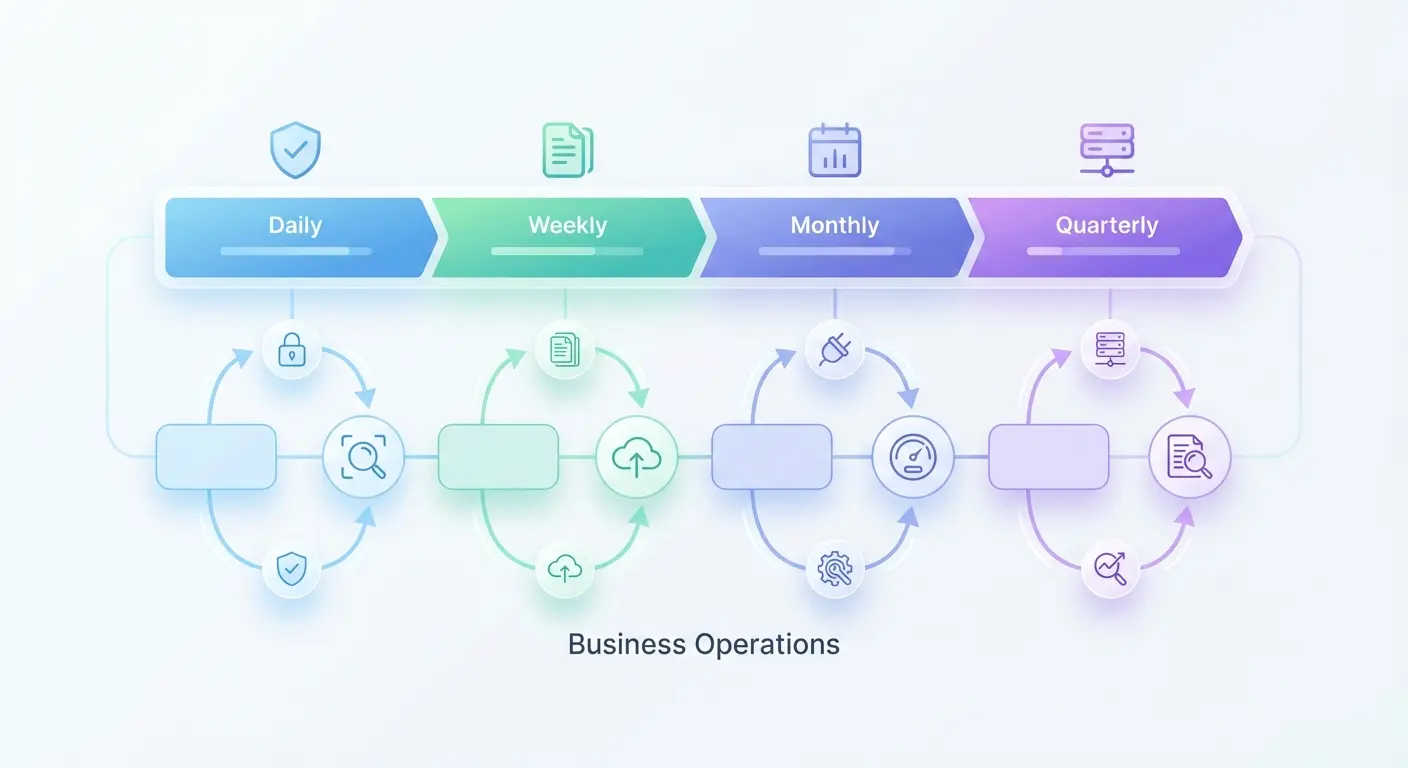
Frequency matters less than consistency. The specific tasks should map to your site’s complexity and business criticality.
Integrated Maintenance Framework:
Every Day (Set It and Forget It):
-
Uptime monitoring pings every 5-15 minutes from multiple locations (if your site’s down in Europe, you should know before your European customers email you)
-
Automated backup completion verification
-
Security scan for malware and unauthorized file changes
-
SSL certificate validity check
-
Critical functionality tests (checkout, form submissions, login)
Reality Check: If you’re doing this manually, you’re doing it wrong. Automate everything here.
Weekly (15-30 minutes):
-
Review error logs for patterns or new issues
-
Check Core Web Vitals in Google Search Console
-
Monitor page load times for top 10 pages
-
Review user-reported issues or support tickets related to site
-
Scan for broken internal and external links on high-traffic pages
Monthly (2-4 hours):
-
Update plugins, themes, and CMS (in staging first, then production)
-
Review and update outdated content (focus on top-performing pages)
-
Audit active plugins and scripts (remove unused tools)
-
Test backup restoration on staging environment
-
Review security scan results and address vulnerabilities
-
Analyze traffic patterns for unusual drops or spikes
-
Check mobile usability and cross-browser compatibility
Reality Check: This is where most people fail. Block the time now or it won’t happen.
Quarterly (Half-day):
-
Complete technical debt assessment
-
Full content audit (accuracy, relevance, performance)
-
Security posture review (access audit, vulnerability assessment)
-
Performance optimization review (database, caching, CDN)
-
Review and update documentation
-
Align maintenance priorities with business roadmap
-
Evaluate monitoring thresholds and alert effectiveness
The key lies in treating these tasks as non-negotiable workflow components rather than optional activities. When maintenance is embedded in your operational rhythm, it becomes preventive rather than reactive.
For businesses managing multiple digital properties, consider how specialized ecommerce SEO agencies handle maintenance at scale across complex platform ecosystems.
Documentation as a maintenance multiplier
Documentation is insurance against the “hit by a bus” problem.
What happens when the one person who knows where everything is quits? Gets sick? Goes on vacation?
You’re screwed, that’s what happens.
Good documentation means anyone can figure out how your site works without playing detective through your codebase.
Documentation reduces dependency on specific people, speeds up troubleshooting, enables better vendor management, and makes website maintenance more efficient over time.
Document your site’s configuration, customizations, integrations, and maintenance procedures. When someone needs to troubleshoot an issue or implement a change, they shouldn’t have to reverse-engineer how everything works or track down the one person who knows where things are.
What to document: Custom code locations and purposes. API keys and access credentials (stored securely). Plugin purposes and configurations. Backup and restoration procedures. User role structures and permission logic. Server and hosting configuration. Third-party integrations and their dependencies.
Keep documentation current without it becoming a burden. Update documentation when you make changes, not as a separate task you do later. Include documentation updates in your definition of “done” for any website modification.
Store documentation where your team can access it easily. A shared document, a wiki, a password manager for credentials. The format matters less than the accessibility and currency.
When to bring in specialized help
The capability assessment you need to do honestly
Evaluate whether you have the capability (not the theoretical ability) to maintain a website properly.
There’s a difference between being able to click update buttons and understanding what you’re updating and why. Between knowing how to troubleshoot when updates break things. Between having the time and attention to maintain monitoring and response systems.
Be honest about whether website maintenance is getting done consistently or getting added to a list of things you’ll “get to eventually.”
If you’ve been meaning to update your plugins for three months, or you can’t remember the last time you tested a backup restoration, or you’re not sure what’s actually running on your site, you have a capability gap.

What to look for in maintenance support
Real maintenance support should include more than “we’ll update your plugins.”
Proactive monitoring and alerting catch issues before they impact users. Documented maintenance procedures create consistency and knowledge transfer. Regular performance and security audits identify problems early. Strategic recommendations for improvements help your site evolve with your business. Emergency response capabilities provide backup when critical issues arise.
Understand the difference between basic maintenance packages and strategic partnerships that improve site performance over time. Basic packages execute checklists. Strategic partnerships understand your business context and align website maintenance with your goals.
When evaluating providers, ask specifically what website maintenance means from their perspective. Their answer reveals whether they view it as a checklist of tasks or as a strategic business function.
The partnership model that works
You’ve recognized that your site needs consistent attention. You understand the risks of neglect. What you might not have is the internal bandwidth or specialized expertise to maintain it properly.
We approach website maintenance as part of your broader digital strategy, not as an isolated technical task. We build monitoring and maintenance protocols around your business priorities, ensuring your site supports your goals rather than creating obstacles.
Our approach integrates seamlessly with content strategy, SEO initiatives, and conversion optimization, treating your website as the living business asset it truly is.
If you’re ready to shift from reactive firefighting to proactive site health, schedule a site health assessment to identify your specific maintenance gaps and build a plan that fits your workflow. We’ll help you understand what maintenance means in the context of your specific business model and competitive landscape, then create a customized plan that addresses your highest-priority needs first.
Our approach extends beyond basic upkeep to include strategic initiatives like knowledge graph optimization that enhance both site authority and search visibility as part of ongoing maintenance protocols.
Final Thoughts
Your website is either getting better or getting worse. There’s no standing still.
Every plugin you install without removing an old one. Every update you skip. Every backup you don’t test. Every piece of content from 2020 you leave up. It all compounds.
Website maintenance isn’t about fixing dramatic failures. It’s about preventing invisible decay that erodes performance, security, and credibility over time.
Look, I know this sounds like a lot. It is a lot. That’s why most businesses outsource it.
But here’s what it comes down to: The question isn’t whether you can afford to maintain your site properly. It’s whether you can afford not to.
The businesses winning online treat their sites like living things that need constant care. Everyone else treats them like brochures that need occasional dusting.
Every day you delay implementing maintenance protocols, your site accumulates technical debt, security vulnerabilities, and performance degradation that will eventually require exponentially more resources to resolve.
The businesses that understand this reality and act on it consistently are the ones that maintain competitive advantages while their competitors struggle with invisible decay.
Your website is your most important digital asset. Protecting it through proactive maintenance isn’t optional. It’s essential to sustainable growth and long-term success in an increasingly digital marketplace.
Which one are you?
