


Most warehouses run on systems that barely work. I’m talking about inventory you can’t find, orders that ship late, and managers who spend half their day fixing preventable errors.
The WMS market is exploding (from $3.8 billion in 2023 to a projected $9.4 billion by 2030) because companies are finally admitting their current setup is broken.
I worked with a manufacturer who made industrial valves. They couldn’t locate a third of their inventory. They knew it was in the building somewhere. They just didn’t know where. After six months with a proper WMS, they hit 98% accuracy. The difference? They could actually find their stuff.
Don’t mess this up. You’re looking at significant investment, months of implementation, and the potential to either streamline your operations or create a bottleneck that’ll haunt you for years.
I’ve broken down 10 systems across deployment models, integration capabilities, scalability, core functionality, ease of use, total cost, industry-specific features, and vendor support. This isn’t about listing features. It’s about helping you find the system that fits your specific operation. Cloud options offer lower upfront costs and easier scalability, but the right choice depends entirely on your situation.
Quick Navigation
- What Actually Matters When Choosing
- The 10 Systems (Quick Comparison)
- Detailed Breakdowns
- Three More Worth Mentioning
- Questions You’re Actually Asking
- Making Your Decision
TL;DR: Quick Takeaways
SAP Extended Warehouse Management: Enterprise-grade, enterprise-priced. If you’re not a Fortune 500 company, keep scrolling.
Dematic WMS: The automation king. Expensive, but if you’re going robotic, this is your system.
MaintainX: Not a WMS, it’s the maintenance layer that keeps your conveyors and forklifts running so the WMS has something to optimize. Free tier, phone-first, pairs with everything else on this list.
MRPeasy: Small manufacturers, this is your winner. Cheap, simple, actually works.
Oracle NetSuite WMS: Already using NetSuite? This is a no-brainer. Not using NetSuite? Might not be worth it.
Manhattan Associates: Complex distribution ops only. If you ship 10,000+ orders daily, take a look. Otherwise, you can’t afford it anyway.
Blue Yonder: AI-powered optimization sounds impressive in demos. In reality? Most companies don’t have the data quality to make it useful. But if you do, it’s powerful.
HighJump (Körber): Mid-market sweet spot. Enterprise features without the enterprise price tag or year-long implementation.
Infor CloudSuite: Industry-specific solutions with modern cloud architecture. Best for fashion, food, and manufacturing where specialized workflows matter.
Fishbowl: QuickBooks users, pay attention. Enterprise-level features at small business prices with seamless accounting integration.
Cloud deployment offers lower upfront costs and easier scalability than on-premises, though the best choice depends on your IT capabilities and data control requirements. Integration capabilities can make or break your implementation. Poor connectivity creates data silos that eliminate efficiency gains. Total cost extends far beyond initial licensing to include maintenance, training, customization, and hidden integration expenses. Selection requires matching system capabilities with your operation’s size, complexity, budget, and growth trajectory.
Quick Comparison
Here’s the fast version. If you’re in a hurry, this tells you most of what you need to know:
|
WMS Solution |
Best For |
Deployment |
Starting Price |
Scalability |
Ease of Use |
Integration |
|---|---|---|---|---|---|---|
|
SAP Extended Warehouse Management |
Enterprise global operations |
Cloud/On-Premises |
$100,000+/year |
Enterprise |
Moderate |
Excellent |
|
Dematic WMS |
Automation-focused warehouses |
Cloud/Hybrid |
Custom pricing |
Enterprise |
Good |
Excellent |
|
MaintainX |
Warehouse asset uptime (CMMS) |
Cloud/Mobile |
Free tier available |
Small-Enterprise |
Excellent |
Good |
|
MRPeasy |
Small manufacturers |
Cloud |
Affordable tiers |
Small-Mid |
Excellent |
Good |
|
Oracle NetSuite WMS |
ERP-integrated operations |
Cloud SaaS |
$999+/month |
Small-Enterprise |
Good |
Excellent |
|
Manhattan Associates |
Complex distribution/3PL |
Cloud/On-Premises/Hybrid |
$150,000+/year |
Enterprise |
Moderate |
Excellent |
|
Blue Yonder |
AI-powered optimization |
Cloud |
Enterprise pricing |
Enterprise |
Moderate |
Excellent |
|
HighJump (Körber) |
Mid-market operations |
Cloud/On-Premises |
Mid-tier pricing |
Mid-Enterprise |
Good |
Good |
|
Infor CloudSuite WMS |
Industry-specific needs |
Cloud |
Enterprise pricing |
Enterprise |
Good |
Excellent |
|
Fishbowl Warehouse |
QuickBooks users/SMBs |
Cloud/On-Premises |
$4,395 or $329/month |
Small-Mid |
Excellent |
Good |
Quick recommendations:
- Small and budget-conscious? MRPeasy or Fishbowl
- Mid-sized? HighJump or Infor
- Enterprise? SAP, Manhattan, or Blue Yonder
- Planning automation? Dematic
- Downtime eating your throughput? MaintainX
What to Consider When Choosing Warehouse Management Software
Deployment Model (Cloud vs. On-Premises)
Cloud or on-premises? This choice matters more than you think.
Cloud systems give you lower upfront costs, automatic updates, and easier scalability. You’re not maintaining servers or managing IT infrastructure.
On-premises systems offer greater customization and data control, but you’ll need dedicated IT resources. The hardware investment hits hard upfront, and you’re responsible for security patches, system updates, and disaster recovery planning.
Do you have an IT team that wants to manage servers? If yes, on-premises might work. If no (or if your IT team is already overworked), go cloud.
What’s your budget looking like? Can you handle significant upfront investment, or do predictable monthly costs make more sense? Cloud deployments eliminate capital expenditure concerns and shift everything to operational expenses, which works better for many finance teams.
Integration Capabilities
Your warehouse software needs to talk to everything else in your tech stack. We’re talking ERP systems, transportation management, e-commerce platforms, accounting software, and material handling equipment.
If your WMS can’t talk to your ERP, you’ve just bought an expensive problem.
You don’t want to be manually transferring data between systems or dealing with inventory discrepancies because your WMS can’t communicate with your online store.
Check what APIs are available. Ask about pre-built connectors for systems you’re already using.
Get specific about integration costs. Sometimes they’re hidden in implementation fees that only surface after you’ve committed. The best warehouse management software in the world becomes worthless if it can’t share data with your existing infrastructure. I’ve seen companies spend six figures on a WMS only to discover their critical legacy system requires custom integration work that doubles the total project cost.
Scalability and Flexibility
Will your business grow? Probably. Can your WMS handle it? Maybe not.
Can the system handle multiple warehouses across different territories? What happens during seasonal demand spikes? Will you need a complete system overhaul when you expand, or can the WMS grow with you?
3PL operations need different capabilities than wholesale or retail. Make sure the system adapts to your business model without forcing you into rigid workflows that don’t match how you operate.
Some systems charge per transaction, which sounds reasonable until your volume triples during peak season. Others charge per user, which gets expensive as you scale your team. Understanding the pricing model’s scalability implications matters as much as the system’s technical scalability.
Core Functionality
Essential features include inventory tracking, barcode/RFID support, receiving and putaway optimization, pick and pack management, shipping coordination, labor management, and real-time reporting. These aren’t nice-to-haves. They’re the foundation.
Advanced capabilities matter depending on your complexity. AI-driven optimization, voice picking, and automation integration might be critical for high-volume operations but overkill for simpler warehouses.
Don’t pay for features you won’t use. But don’t shortchange yourself either.
Map your current processes and pain points, then match them against software capabilities. If you’re doing 50 orders daily, you probably don’t need the same picking optimization algorithms that a facility processing 5,000 orders requires. But if you’re planning to grow from 50 to 500 orders, you need a system that scales without requiring replacement.
Ease of Use and Implementation
A powerful system that nobody can figure out is worthless.
Consider the learning curve for your team. Some systems require months of training and extensive setup. Others offer intuitive interfaces and rapid deployment.
Implementation timelines vary wildly. Enterprise systems might take 6-12 months. Smaller solutions can be operational in weeks. Factor in the vendor’s implementation support and training resources. You shouldn’t be figuring this out alone.
(And when vendors say “6 months,” mentally add 3 more. They’re always optimistic.)
Your warehouse staff will be using this system every day. If the interface frustrates them or slows them down, you’ve created a new problem instead of solving your old ones. Request demos with your actual team members, not just management. The people scanning barcodes and picking orders need to find the system intuitive, or adoption will fail regardless of how impressive the feature list looks.
Total Cost of Ownership
Sticker price is just the beginning.
You’ve got ongoing maintenance, updates, user licenses, training, and potential customization expenses. Cloud solutions typically offer predictable monthly costs. On-premises systems hit harder upfront but might cost less long-term.
Calculate what you’ll spend over 3-5 years, not just year one.
Include hidden costs like integration fees, additional modules, and consultant expenses. Ask about price increases. Some vendors raise rates significantly after the first contract period. I’ve seen contracts that looked affordable in year one balloon by 40% by year three due to “standard” annual increases and required module additions.
Support contracts, training refreshers for new employees, and inevitable customization requests all add up. The cheapest system isn’t always the best value, but the most expensive system isn’t always worth the premium either.
Why won’t vendors publish pricing? Because if you knew upfront, you’d eliminate half of them immediately. Make them give you numbers before the demo.
Industry-Specific Requirements
Different industries have unique needs that generic solutions might not address.
Pharmaceutical and food storage require lot tracking and expiration date management. E-commerce operations prioritize omnichannel fulfillment and rapid order processing.
Compliance requirements vary by industry. Make sure your WMS addresses regulatory needs specific to your sector. You don’t want to discover compliance gaps after implementation.
If you’re in food distribution, can the system handle FIFO and FEFO rotation automatically? Does it flag products approaching expiration dates? For pharmaceutical operations, does it maintain the chain of custody documentation required by regulators? These aren’t features you can bolt on easily. They need to be built into the core system architecture.
Vendor Support and Reliability
Your warehouse can’t afford extended downtime.
Assess the vendor’s track record, customer support quality, system uptime guarantees, and update frequency.
What happens when something breaks at 2 AM? Do they offer 24/7 support? What’s their average response time?
Check references and talk to current customers about their support experiences. Ask specific questions: How long did it take to resolve your last critical issue? Have you experienced unplanned downtime? How responsive is support when you need help?
Vendor financial stability matters too. A great system from a company that goes out of business leaves you stranded. Research the vendor’s funding, customer base size, and market position. Established vendors offer stability. Newer vendors might offer innovation and better pricing but carry more risk.
How We Evaluated Each System
We measured each WMS across eight critical dimensions using a 5-point rating scale:
Deployment Model examines cloud, on-premises, and hybrid options, rating flexibility and modern architecture.
Integration Capabilities assesses how well the system connects with ERP, TMS, e-commerce platforms, and material handling equipment. Poor connectivity creates bottlenecks that eliminate efficiency gains.
Scalability measures the system’s ability to grow from small operations to enterprise-level complexity across multiple locations without requiring complete replacement.
Core Functionality evaluates the depth and breadth of WMS features including inventory management, picking optimization, and automation support.
Ease of Use rates interface intuitiveness, learning curve, and implementation complexity. The most powerful system fails if your team can’t use it effectively.
Total Cost considers upfront investment, ongoing expenses, and overall value proposition (lower scores indicate higher costs). We looked beyond sticker price to calculate realistic 3-5 year ownership costs.
Industry Support measures specialization and capability across different verticals and operation types, including compliance and regulatory features.
Vendor Support assesses support quality, reliability, implementation assistance, and vendor stability. We checked references and evaluated real customer experiences.
These ratings provide objective comparison points, but remember: the “best” system depends entirely on your specific needs, budget, and operational complexity.
A perfect score doesn’t mean perfect fit.
Top 10 Warehouse Management Systems for 2026
1. SAP Extended Warehouse Management
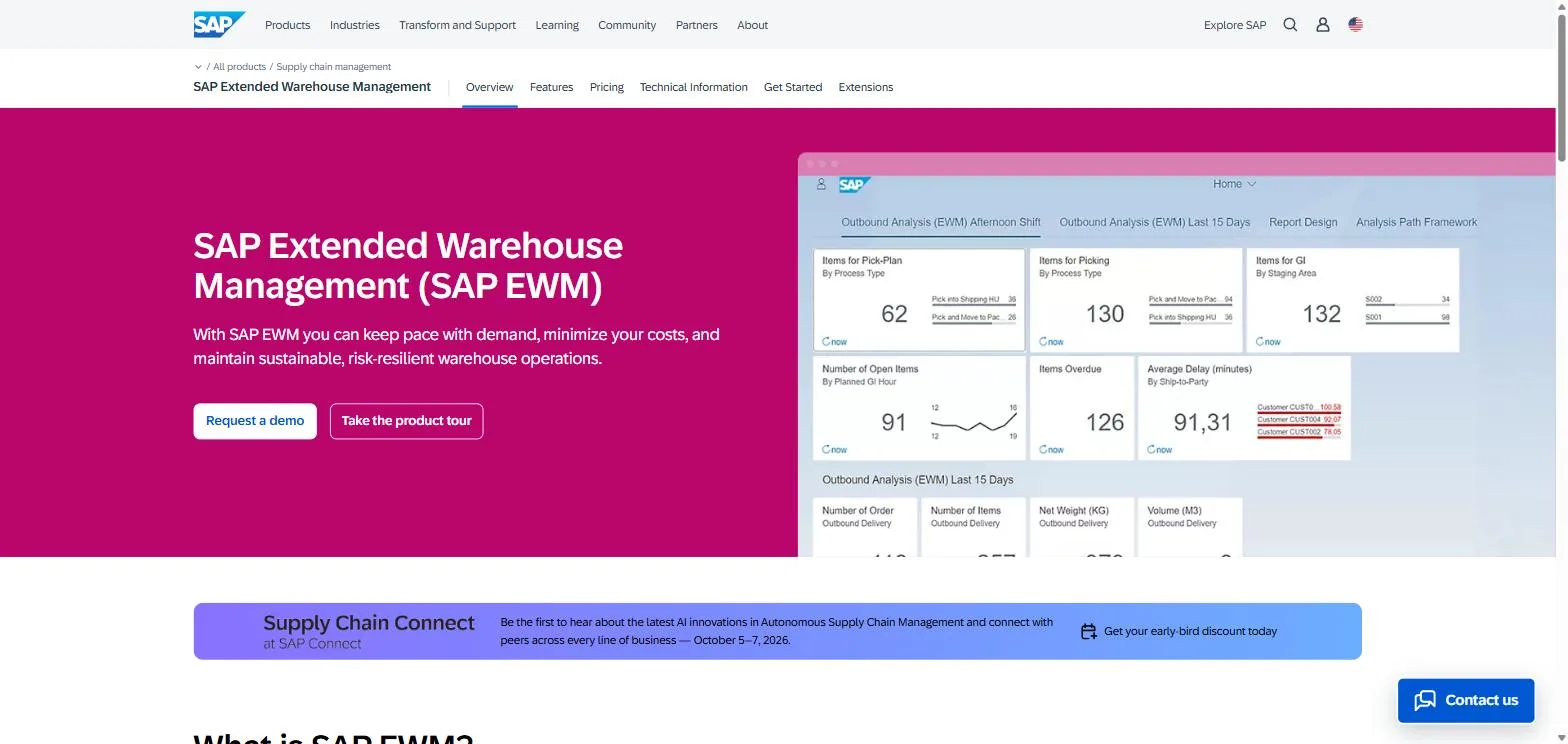
Screenshot of SAP Extended Warehouse Management website
SAP EWM is the system Fortune 500 companies use. It’s powerful, expensive, and probably overkill for your operation.
If you’re already invested in the SAP ecosystem, this integration is nearly seamless. For organizations managing complex, high-volume operations across multiple global locations, SAP EWM delivers functionality that’s hard to match.
The system handles everything from basic inventory tracking to advanced automation coordination. You’re getting real-time visibility across all locations, which becomes critical when you’re managing international supply chains with multiple stakeholders.
At the enterprise level, your WMS isn’t just tracking inventory. It’s coordinating everything from procurement to delivery across continents. SAP EWM provides that level of sophistication.
Best Known For: Enterprise-Grade Global Operations
SAP EWM’s reputation centers on handling the most complex warehouse operations imaginable. Fortune 500 companies rely on it because it scales to their needs without breaking.
The system’s integration with SAP’s broader supply chain platform provides holistic visibility that standalone WMS solutions can’t match. When your warehouse operations need to coordinate with procurement, manufacturing, sales, and financial systems in real-time across continents, SAP EWM delivers.
What SAP Extended Warehouse Management Features
- Real-time inventory visibility across all locations
- Advanced automation support (AGVs, AMRs, AS/RS systems)
- AI and IoT integration for predictive analytics
- Voice picking and AR/VR capabilities
- Comprehensive labor management tools
- Cross-docking and wave picking optimization
- Mobile device integration
- Advanced reporting and analytics
Pros
The functionality is industry-leading for complex operations. Integration with SAP ERP and supply chain platforms is exceptional. You’re getting robust automation and AI capabilities that support cutting-edge warehouse technology.
The system’s proven track record with Fortune 500 companies means you’re not taking a risk on unproven technology.
Holistic supply chain visibility helps you make better decisions across your entire operation. When your warehouse data feeds directly into financial forecasting, production planning, and customer service systems without middleware, you eliminate delays and discrepancies that plague multi-system environments.
Cons
Let’s be honest: unless you’re spending $500K+ on this, you’re probably choosing wrong. The implementation alone will take a year. A full year. Can your business wait that long?
The learning curve is steep and requires extensive training. For small to mid-sized operations, SAP EWM is overkill. You’re paying for capabilities you’ll never use.
Customization can be costly and time-consuming. You’ll need significant IT resources to manage the system effectively. The complexity that makes it powerful also makes it challenging to maintain without dedicated expertise.
Criteria Evaluation
- Deployment Model: 5/5 – Available as both cloud-based and integrated ERP solution
- Integration Capabilities: 5/5 – Seamless integration with SAP ecosystem and third-party systems
- Scalability: 5/5 – Enterprise-grade scalability across global operations
- Core Functionality: 5/5 – Comprehensive feature set with advanced automation
- Ease of Use: 3/5 – Powerful but complex, requires significant training
- Total Cost: 2/5 – Translation: Expensive. Really expensive. Budget $100K+ annually or don’t bother asking.
- Industry Support: 5/5 – Supports diverse industries with specialized modules
- Vendor Support: 5/5 – Extensive global support network
Community Reviews and Expert Recommendations
The sentiment on SAP EWM splits cleanly by company size. Enterprise supply chain teams consistently praise the depth: once it’s live, there’s almost nothing it can’t model, and the integration with the broader SAP stack is a genuine moat for companies already running S/4HANA. The recurring theme is “powerful, but earn it.”
The complaints are just as consistent: implementations run long, specialized consultants are expensive and scarce, and mid-sized operations frequently admit they’re paying for capability they’ll never switch on. Almost nobody recommends it outside the SAP ecosystem.
Source: Community review aggregation
Pricing
Enterprise pricing requires direct contact for quotes. You’re typically looking at organizations with substantial warehouse operations and budgets exceeding $100,000+ annually. This isn’t a system for businesses watching every dollar.
2. Dematic WMS (formerly Matflo WMS)
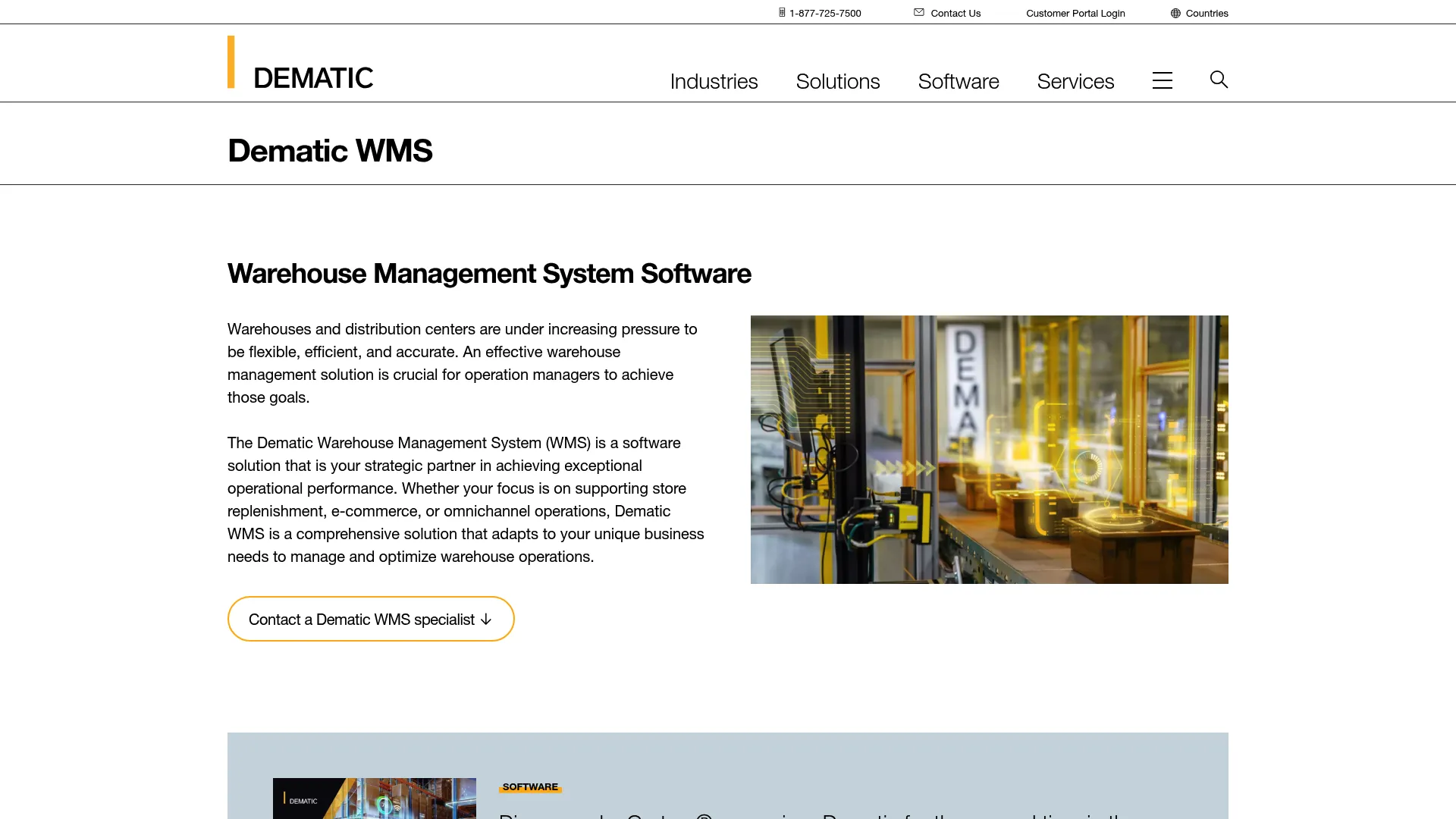
Screenshot of Dematic WMS website
This is for operations planning serious automation. If you’re not investing in robotics, conveyors, or AS/RS systems, Dematic is overkill.
But if you are? Nothing else comes close.
With over 200 years of supply chain innovation (yes, really), Dematic understands how warehouses evolve. The system supports everything from RF terminals to fully automated robotics, giving you a growth path from manual operations to complete automation.
Best Known For: Automation Integration Excellence
Dematic’s reputation centers on their unmatched expertise in connecting WMS software with automated material handling equipment. They don’t just sell you software. They provide strategic partnership to optimize your entire operation.
Whether you’re installing your first conveyor system or coordinating a fleet of autonomous mobile robots, Dematic’s software speaks the language of automation hardware.
What Dematic WMS Features
- Seamless integration with automated material handling equipment
- Support for RF terminals to fully automated robotics
- Omnichannel fulfillment optimization
- Real-time process coordination and prioritization
- Flexible adaptation to equipment upgrades
- Standard API specifications for third-party integration
- Advanced labor productivity tracking
- Store replenishment and e-commerce specialization
Pros
The automation integration expertise is unmatched. Dematic takes a strategic partnership approach rather than just selling software. They’ve proven success with major retail and e-commerce companies.
Scalability from manual to automated operations means you won’t outgrow the system as you upgrade equipment. The architecture is future-proof, supporting business growth without requiring system replacement.
Their consultants understand both the software and hardware sides of warehouse operations, which matters when you’re coordinating complex automation projects.
Cons
Pricing may be prohibitive for smaller operations. The system is best suited for operations planning automation investments. If you’re staying manual forever, you’re paying for capabilities you won’t use.
Implementation timelines can be extensive for complex setups.
You’ll need commitment to the Dematic ecosystem for optimal results. While they support third-party integrations, you get the most value when using Dematic for both software and automation hardware.
Criteria Evaluation
- Deployment Model: 4/5 – Flexible deployment options with cloud capabilities
- Integration Capabilities: 5/5 – Exceptional integration with material handling systems
- Scalability: 5/5 – Scales from manual to fully automated operations
- Core Functionality: 5/5 – Comprehensive WMS features with automation focus
- Ease of Use: 4/5 – Well-designed interface with strong implementation support
- Total Cost: 3/5 – Mid to high-tier pricing with strong ROI for automation-focused operations
- Industry Support: 5/5 – Specializes in retail, e-commerce, and logistics
- Vendor Support: 5/5 – Strategic partnership approach with expert consultants
Community Reviews and Expert Recommendations
Dematic’s reviews cluster around one idea: if you’re running their automation hardware, the software side feels like a natural extension rather than a bolt-on, and that combination is what users say justifies the spend. Operations teams running conveyor and robotic picking systems report the tight hardware-software loop is the whole point.
The friction shows up in buying and scoping: custom pricing means long sales cycles and hard-to-compare quotes, and warehouses without meaningful automation plans regularly conclude they’re looking at the wrong tool. “Great if you’re going robotic, overkill if you’re not” sums up most threads.
Source: Community review aggregation
Pricing
Custom enterprise pricing based on operation size and automation requirements. Contact Dematic directly for detailed quotes that match your specific needs.
3. MaintainX
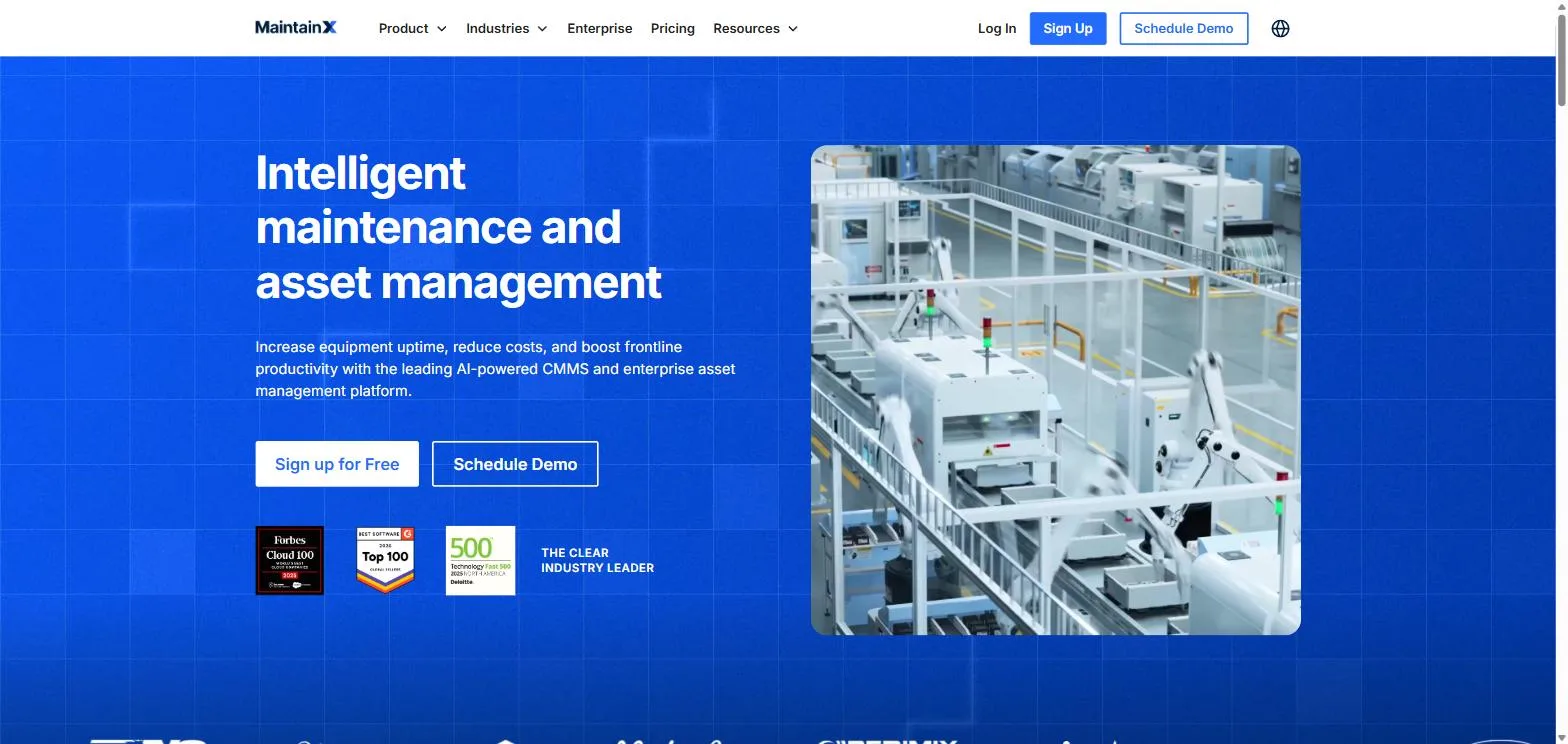
Screenshot of MaintainX website
A WMS optimizes flow across inventory, pickers, and orders, but that flow stops the moment a conveyor jams or a forklift goes down. Most operations still track equipment reliability on clipboards and tribal knowledge, which is why the same asset fails three times before anyone connects the dots.
MaintainX runs the maintenance side of the warehouse on the same principle a good WMS applies to inventory: put the work on phones the technicians already carry, capture every job as data, and use IIoT signals plus AI to flag issues before they become downtime.
Work orders, PMs, parts inventory, and asset history sit in one place, so a bearing that’s been rebuilt four times shows up as a replacement decision instead of another repair. Pair it with any WMS on this list and the picking optimization finally has assets reliable enough to keep up.
Best Known For: Keeping Warehouse Assets Running
MaintainX is the odd one out here on purpose: it’s a CMMS, not a WMS. It won’t slot your inventory or route your pickers. What it does is protect the throughput your WMS creates by making sure the conveyors, forklifts, dock doors, and packaging lines that execute those optimized workflows actually stay up. Customers report a 32% reduction in unplanned downtime, and in a warehouse, downtime is the tax every other system pays.
What MaintainX Features
- Mobile-first work orders technicians manage from the phones they already carry
- Preventive maintenance scheduling with digital checklists and procedures
- IIoT condition monitoring that feeds real equipment signals into the system
- AI-flagged anomalies that surface issues before they become downtime
- Parts inventory management with reorder points
- Complete asset history and audit trails on every piece of equipment
- Work request portal for operators to report problems from the floor
- Downtime, MTTR, and cost reporting by asset
- Team messaging attached directly to work orders
- API and integrations to connect with ERP and warehouse systems
Pros
Adoption is the quiet superpower. Because the whole thing runs on phones, technicians actually use it, and every job becomes data instead of a note on a clipboard. That’s what turns “this keeps breaking” into a pattern you can see and act on.
The free tier means you can put it on the floor this week without a procurement cycle. And because work orders, PMs, parts, and asset history live in one place, repair-or-replace decisions stop being guesswork.
The 32% reduction in unplanned downtime customers report compounds with everything else in this guide: a WMS can only optimize the flow your equipment can physically deliver.
Cons
It’s not a WMS, and it doesn’t pretend to be. No picking optimization, no slotting, no order orchestration. MaintainX complements the systems on this list rather than replacing any of them, so it’s an addition to your stack, not a consolidation.
Per-user pricing adds up for large maintenance teams, and the most advanced features (deeper analytics, integrations, IIoT) sit on the higher tiers. You’ll also need some discipline shift: teams that never logged maintenance work have to start.
Criteria Evaluation
- Deployment Model: 5/5 – Cloud-based with excellent mobile apps; running same-day
- Integration Capabilities: 4/5 – API plus IIoT sensor inputs and ERP connections on higher tiers
- Scalability: 4/5 – Works from a single site to multi-facility enterprise maintenance teams
- Core Functionality: 4/5 – Deep on the maintenance layer it owns; pairs with a WMS rather than replacing one
- Ease of Use: 5/5 – Phone-first design technicians adopt without resistance
- Total Cost: 4/5 – Free tier to start, per-user pricing as you scale
- Industry Support: 4/5 – Strong fit for warehousing, manufacturing, and facilities operations
- Vendor Support: 4/5 – Responsive support with an active product release cadence
Community Reviews and Expert Recommendations
The consistent theme in user feedback is adoption: maintenance software only works if technicians log the work, and the phone-first design is what gets crews who hated every previous CMMS to actually use this one. Warehouse operators pair it with their WMS and treat the two as one system, flow on one side, uptime on the other.
The gripes track the cons above: teams wanting full warehouse execution features need to look at the actual WMS platforms in this guide, and larger crews notice the per-user math. Neither complaint touches the core use case.
Source: Community review aggregation
Pricing
A free plan covers unlimited work orders for small teams, with paid per-user tiers adding advanced PMs, analytics, integrations, and IIoT capabilities. Enterprise pricing is custom. The practical path: start free on one problem line, prove the downtime math, then expand.
4. MRPeasy Warehouse Management Software
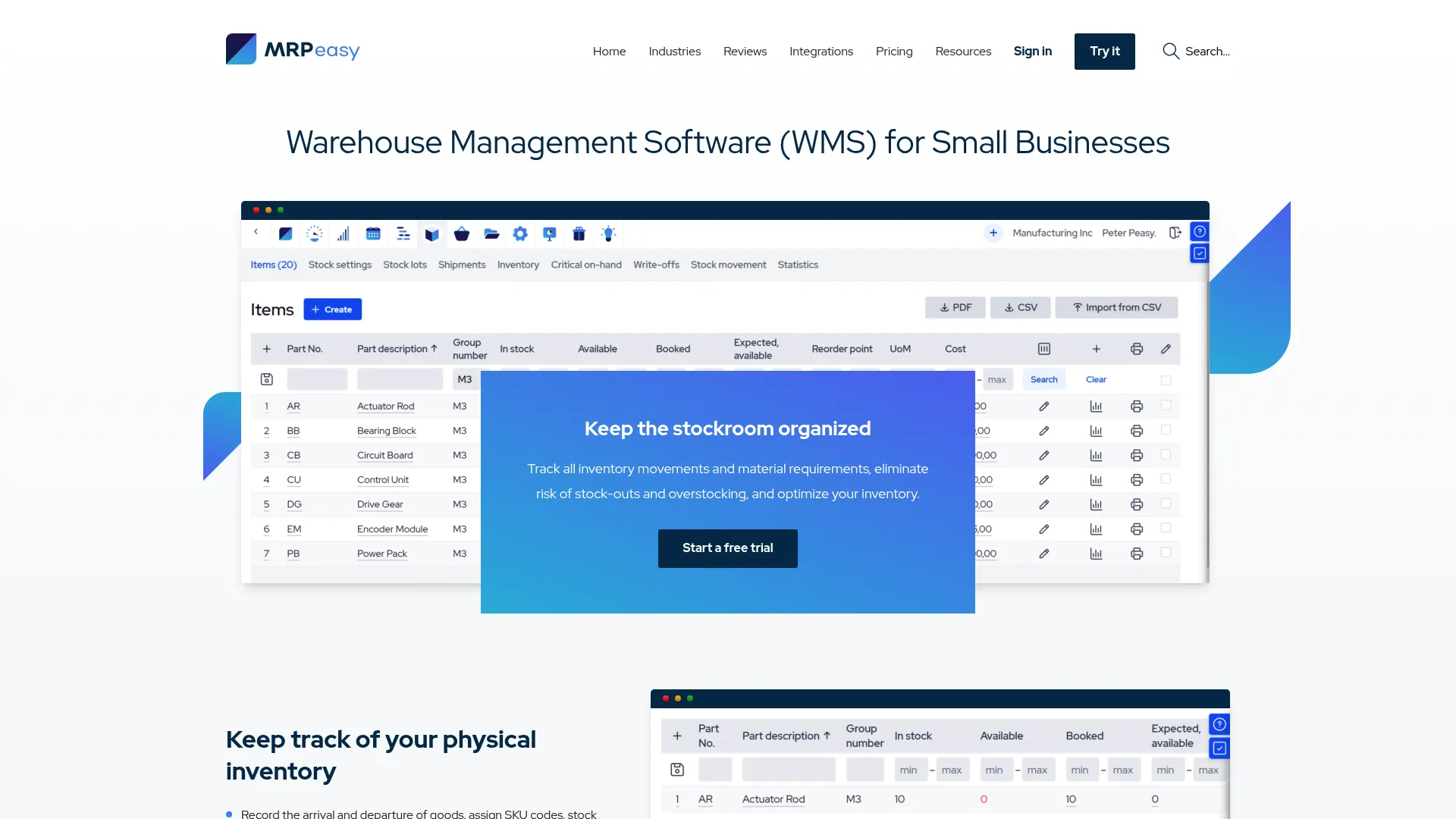
Screenshot of MRPeasy website
Small manufacturers, this is your winner. Stop overthinking it.
MRPeasy delivers exceptional value for small manufacturing operations. If you’re running a manufacturing operation and need warehouse management that integrates with production planning, this system punches way above its price point.
The cloud-based platform is simple yet powerful. You’re not drowning in unnecessary features, but you’re getting everything a small manufacturer needs. Integration with production planning means your warehouse operations and manufacturing schedule work together seamlessly.
Best Known For: Small Manufacturer Value Champion
MRPeasy’s reputation is built on being the best value WMS for small manufacturers. It’s simple, intuitive, and affordable—three things that rarely come together in warehouse management software.
What MRPeasy Warehouse Management Software Features
- Inventory tracking with lot numbers and serial numbers
- Barcode support for error reduction
- Multi-warehouse management in one cloud system
- SKU performance analysis
- Automated reorder point notifications
- Integration with manufacturing and production planning
- Receipt of goods and shipping digitization
- Stock location tracking
- Quality control workflows
- Seamless Xero and Shopify integration
Pros
Extremely affordable for small manufacturers. You can try it without a credit card, which shows confidence in the product. The interface is intuitive and requires minimal training.
Everything gets documented within the system (ISO auditor approved, which matters for compliance).
Uptime and reliability are excellent. Users report doubling capacity through streamlined operations. It’s an all-in-one system, eliminating the need for multiple platforms. Remote service delivery makes it accessible regardless of location.
This is the rare system that actually delivers on its promise. Small manufacturers: this is your answer. Stop looking.
Cons
Primarily designed for small manufacturers. If you’re a large enterprise, look elsewhere. Limited advanced automation features compared to enterprise solutions.
May lack specialized features for non-manufacturing industries. The vendor is smaller compared to enterprise providers, which could concern some buyers.
Criteria Evaluation
- Deployment Model: 5/5 – Cloud-based with excellent accessibility
- Integration Capabilities: 4/5 – Strong integrations with Xero, Shopify, and common platforms
- Scalability: 4/5 – Excellent for small manufacturers with growth potential
- Core Functionality: 4/5 – Comprehensive for manufacturing-focused warehousing
- Ease of Use: 5/5 – Exceptionally intuitive interface
- Total Cost: 5/5 – Best value in the small manufacturing space
- Industry Support: 4/5 – Specialized for small manufacturers
- Vendor Support: 5/5 – Highly responsive with excellent uptime
Community Reviews and Expert Recommendations
Small manufacturers are MRPeasy’s loudest fans, and the reviews read like relief: affordable, quick to learn, and the warehouse side talks to production planning without integration work. The no-credit-card trial comes up repeatedly as the reason teams gave it a shot in the first place.
Criticism is mostly about ceilings rather than defects: growing operations bump into feature limits, and non-manufacturing businesses find it’s simply not built for them. For its intended user, though, negative reviews are rare.
Source: Community review aggregation
Pricing
Tiered pricing based on features, starting at affordable rates for small businesses. Free trial available with no credit card required. Contact MRPeasy for specific pricing tiers that match your operation size.
Explore MRPeasy pricing options
5. Oracle NetSuite WMS
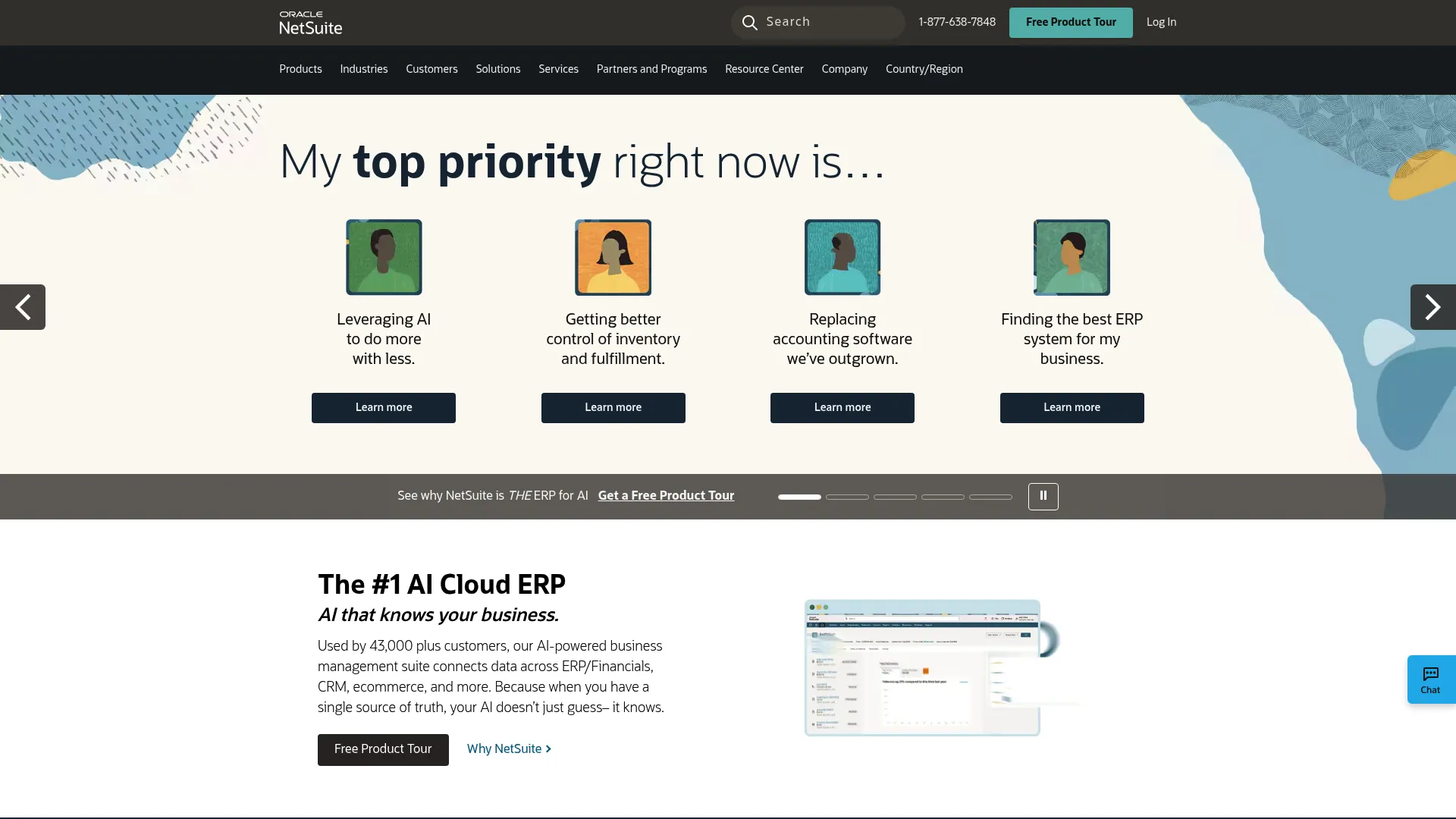
Screenshot of Oracle NetSuite website
Already using NetSuite? This is a no-brainer. Not using NetSuite? It gets complicated.
Oracle NetSuite WMS solves a problem that plagues many businesses: the gap between warehouse software and ERP systems. Native integration means you’re not dealing with data silos or synchronization headaches.
The cloud-native SaaS solution provides end-to-end business visibility. Your warehouse data flows directly into financial reporting, order management, and customer-facing systems without middleware or custom integrations.
Best Known For: Unified ERP and WMS Integration
NetSuite’s reputation centers on providing the tightest integration between warehouse management and ERP systems. You’re getting a single cloud platform for your entire business, not separate systems forced to communicate.
What Oracle NetSuite WMS Features
- Native ERP and WMS integration
- Real-time inventory visibility across channels
- Mobile RF barcode scanning
- Bin and lot tracking
- Wave and batch picking
- Automated replenishment
- Multi-location and multi-subsidiary support
- Advanced shipping and receiving
- Cycle counting and inventory adjustments
- Comprehensive reporting and dashboards
Pros
Integration challenges between WMS and ERP disappear. You’re managing your entire business on a single cloud platform. Regular automatic updates mean you’re always on the current version.
Strong e-commerce and omnichannel capabilities support modern selling strategies.
The system is flexible and scalable for growing businesses. Comprehensive financial and operational visibility helps you make better decisions. When your CFO needs to understand how warehouse performance impacts cash flow, the data is already there.
Cons
You’re committing to the NetSuite ecosystem. For very small operations, the cost can be prohibitive. Customization may require NetSuite consultants, adding to expenses.
Some advanced features require additional modules, increasing total cost.
Criteria Evaluation
- Deployment Model: 5/5 – Cloud-native SaaS solution
- Integration Capabilities: 5/5 – Native integration with NetSuite ERP ecosystem
- Scalability: 5/5 – Scales from small businesses to enterprises
- Core Functionality: 5/5 – Comprehensive WMS and ERP integration
- Ease of Use: 4/5 – Modern interface with moderate learning curve
- Total Cost: 3/5 – Mid-tier pricing with subscription model
- Industry Support: 5/5 – Broad industry support across sectors
- Vendor Support: 4/5 – Strong support network with global reach
Community Reviews and Expert Recommendations
Reviews from companies already on NetSuite are strongly positive for one reason: everything lives in one system. Inventory, orders, financials, and warehouse execution share the same data, and users say that eliminates the reconciliation work that eats their weeks on other setups.
Outside the NetSuite ecosystem the calculus flips. Standalone evaluations tend to conclude the WMS module doesn’t justify adopting the whole ERP, and users note costs climb as you add modules and users. It’s a no-brainer or a non-starter, with little in between.
Source: Community review aggregation
Pricing
Subscription-based pricing starting around $999/month for base ERP, with WMS functionality requiring additional licensing. Contact Oracle NetSuite for detailed quotes based on your specific requirements.
6. Manhattan Associates WMS

Screenshot of Manhattan Associates website
If you’re processing fewer than 1,000 orders daily, Manhattan is wrong for you. Too expensive, too complex, too much.
For everyone else processing thousands of orders? Pay attention.
Manhattan Associates dominates complex, high-volume distribution operations. If you’re running sophisticated fulfillment for retail, wholesale, or 3PL environments, Manhattan’s optimization algorithms are industry-leading.
The system excels at operations where efficiency gains directly impact profitability. We’re talking about environments processing thousands of orders daily where shaving seconds off pick times translates to significant cost savings.
Best Known For: Complex Distribution Mastery
Manhattan’s reputation is built on handling the most complex distribution operations. Major retailers and 3PLs rely on Manhattan when operational efficiency directly impacts their bottom line.
What Manhattan Associates WMS Features
- Advanced slotting and space optimization
- Intelligent order streaming and wave management
- Labor management and gamification
- Yard management integration
- Multi-channel fulfillment optimization
- Task interleaving and optimization
- Advanced analytics and machine learning
- Support for complex automation systems
- Distributed order management
- Returns management
Pros
Best-in-class for complex distribution operations. The optimization algorithms are exceptional. Strong track record with major retailers and 3PLs proves the system works at scale.
The comprehensive supply chain execution suite means you’re not cobbling together multiple systems.
Advanced labor management capabilities help you maximize workforce productivity. Continuous innovation and R&D investment keep the platform cutting-edge. The gamification features turn warehouse work into competitive performance tracking that employees engage with.
Cons
Premium pricing limits accessibility to well-funded operations. Complex implementation requires significant resources and expertise. The system may be over-engineered for simple operations.
You’ll need dedicated IT support. Implementation timelines are long, sometimes 12+ months for complex deployments.
(Yes, I said 12 months. Yes, that’s insane.)
Criteria Evaluation
- Deployment Model: 5/5 – Cloud, on-premises, and hybrid options
- Integration Capabilities: 5/5 – Extensive integration capabilities
- Scalability: 5/5 – Enterprise-grade for complex operations
- Core Functionality: 5/5 – Industry-leading feature depth
- Ease of Use: 3/5 – Powerful but requires training
- Total Cost: 2/5 – Premium enterprise pricing, budget $150K+ annually minimum
- Industry Support: 5/5 – Specialized solutions for multiple verticals
- Vendor Support: 5/5 – Comprehensive support and consulting
Community Reviews and Expert Recommendations
Among high-volume distribution and 3PL operators, Manhattan has something close to a default-choice reputation: reviews consistently describe it as the system that handles complexity nothing else can, with wave logic and labor management called out as best-in-class.
The other half of the reviews are sticker shock: six-figure annual costs, long implementations, and a learning curve that assumes a dedicated ops team. Smaller shippers who evaluated it almost universally walked away, which is less a criticism than a boundary line.
Source: Community review aggregation
Pricing
Enterprise pricing requires direct contact for quotes. You’re typically looking at large operations with annual software budgets exceeding $150,000+.
Contact Manhattan Associates for pricing
7. Blue Yonder WMS (formerly JDA)

Screenshot of Blue Yonder website
Blue Yonder sells hard on AI and machine learning. Some of it is real, some is marketing. Here’s what actually works.
The system uses artificial intelligence and machine learning to optimize warehouse operations in ways traditional systems can’t match. Predictive and prescriptive analytics enable proactive decision-making rather than reactive problem-solving.
The AI capabilities continuously learn from your operations, improving recommendations over time. For organizations with data maturity and complex operations, Blue Yonder’s intelligence layer adds significant value.
But here’s the thing: most companies don’t have the data quality or volume to make the AI features useful. If you do, it’s powerful. If you don’t, you’re paying for capabilities that won’t deliver.
Best Known For: AI-Powered Optimization
Blue Yonder’s reputation centers on using AI and machine learning for warehouse optimization. The system doesn’t just execute tasks. It predicts problems and recommends solutions before issues impact operations.
What Blue Yonder WMS Features
- AI-powered demand forecasting and optimization
- Machine learning for continuous improvement
- Autonomous task assignment and optimization
- Advanced labor planning and execution
- Integrated transportation and yard management
- Real-time visibility and control tower
- Slotting optimization
- Waveless picking capabilities
- IoT sensor integration
- Digital twin simulation
Pros
Leading AI and machine learning capabilities set Blue Yonder apart. The comprehensive supply chain execution platform provides end-to-end visibility. Strong retail and CPG industry expertise means they understand your challenges.
Continuous optimization and learning improve operations over time.
Advanced analytics and insights support data-driven decision-making. Cloud-native architecture ensures scalability and reliability. The digital twin capability allows you to test operational changes virtually before implementing them in your actual warehouse.
Cons
Premium enterprise pricing limits accessibility. Complex implementation and change management require significant organizational commitment. You need data maturity for AI benefits. Garbage in, garbage out applies.
May require dedicated data science resources to maximize value. Best suited for large, complex operations that can leverage advanced capabilities.
Criteria Evaluation
- Deployment Model: 5/5 – Cloud-first with flexible options
- Integration Capabilities: 5/5 – Comprehensive supply chain integration
- Scalability: 5/5 – Enterprise scalability with AI capabilities
- Core Functionality: 5/5 – Advanced WMS with AI/ML optimization
- Ease of Use: 3/5 – Feature-rich but complex
- Total Cost: 2/5 – Enterprise-level investment required
- Industry Support: 5/5 – Strong retail, manufacturing, and logistics focus
- Vendor Support: 4/5 – Global support with consulting services
Community Reviews and Expert Recommendations
Users with mature, clean data report the AI-driven optimization genuinely moves numbers: better labor forecasting, smarter slotting, fewer surprises in peak season. Those reviews read like the demos came true.
The skeptical reviews come from teams that bought the AI story without the data quality to feed it, and they say the sophisticated features mostly sat idle. The consistent advice in community threads: audit your own data maturity before you sign, because the platform amplifies whatever you give it.
Source: Community review aggregation
Pricing
Enterprise SaaS pricing model requires direct contact for quotes. Significant investment suitable for large organizations with complex operations.
Request Blue Yonder pricing information
8. HighJump WMS (Körber Supply Chain)

Screenshot of Körber Supply Chain website
HighJump (now part of Körber Supply Chain) balances enterprise-grade functionality with mid-market accessibility. You’re getting comprehensive capabilities without the complexity and cost of top-tier enterprise systems.
The flexible configuration approach means you can adapt the system to your workflows without heavy customization. For 3PLs and mid-sized operations, HighJump offers a sweet spot of functionality, cost, and implementation speed.
Best Known For: Mid-Market Balance
HighJump’s reputation centers on providing enterprise features at mid-market prices with reasonable implementation timelines. You’re not sacrificing functionality, but you’re also not paying premium prices.
What HighJump WMS (Körber Supply Chain) Features
- Flexible configuration without heavy customization
- RF-directed workflows
- Multi-warehouse management
- Wave and batch picking
- Cross-docking capabilities
- Labor management
- Yard management
- Billing and 3PL support
- EDI integration
- Reporting and analytics
Pros
Good balance of functionality and cost makes HighJump accessible. Faster implementation than top-tier enterprise systems gets you operational quicker. Flexible configuration options adapt to your needs.
Strong 3PL capabilities support multi-client operations. Reasonable total cost of ownership compared to premium alternatives.
Established vendor with solid track record provides confidence. The system handles complexity well without requiring a team of specialists to maintain it.
Cons
May lack some cutting-edge features of premium systems. Less brand recognition than top-tier providers might concern some decision-makers. Integration capabilities aren’t as extensive as market leaders.
Smaller partner ecosystem means fewer implementation options.
Criteria Evaluation
- Deployment Model: 4/5 – Cloud and on-premises options
- Integration Capabilities: 4/5 – Strong integration framework
- Scalability: 4/5 – Suitable for mid-market to enterprise
- Core Functionality: 4/5 – Comprehensive WMS capabilities
- Ease of Use: 4/5 – User-friendly with good configurability
- Total Cost: 3/5 – Competitive mid-market pricing
- Industry Support: 4/5 – Broad industry coverage
- Vendor Support: 4/5 – Solid support and implementation services
Community Reviews and Expert Recommendations
Mid-market operators give HighJump (now Körber) steady marks for hitting the balance the segment actually needs: enough configurability to fit real workflows, without enterprise implementation timelines or pricing. Reviews frequently mention getting live in months, not years.
Recurring gripes are incremental rather than structural: parts of the interface feel dated, the module lineup can be confusing to scope, and the Körber rebrand created some support-navigation confusion. Few reviewers regret the purchase; many wish the edges were more polished.
Source: Community review aggregation
Pricing
Mid-market pricing with both subscription and perpetual license options. Contact Körber for specific quotes based on your requirements.
Get HighJump pricing from Körber
9. Infor CloudSuite WMS

Screenshot of Infor CloudSuite website
Infor CloudSuite WMS delivers industry-specific warehouse management solutions with modern cloud technology. The system particularly excels in fashion, food and beverage, and manufacturing sectors where specialized workflows matter.
Industry-specific configurations mean you’re not adapting a generic system to your needs. The system already understands your industry’s unique requirements. The modern UI and cloud-native architecture provide a better user experience than older enterprise systems.
Best Known For: Industry-Specific Cloud Solutions
Infor’s reputation is built on delivering vertical-specific WMS solutions. They understand that fashion distribution operates differently than food warehousing, and the system reflects those differences.
What Infor CloudSuite WMS Features
- Industry-specific configurations and workflows
- 3D visual warehouse management
- Advanced labor management with gamification
- Slotting and space optimization
- Multi-channel fulfillment
- Mobile and voice-directed picking
- Yard management
- Billing for 3PL operations
- Advanced analytics with Birst integration
- Automated material handling integration
Pros
Strong industry-specific functionality addresses unique vertical requirements. Modern, intuitive user interface improves adoption and productivity. Cloud-native architecture with regular updates keeps you current.
Good integration with Infor ERP systems simplifies implementation for existing customers.
Competitive pricing for enterprise features provides value. Strong performance in fashion and food industries where they’ve invested heavily. The 3D visual warehouse management helps with layout optimization and training.
Cons
Best value comes when using other Infor products. Integration with non-Infor systems may be more complex. Smaller market share than top competitors could concern some buyers.
Implementation can be complex for highly customized needs. Partner ecosystem is smaller than SAP or Oracle, limiting implementation options.
Criteria Evaluation
- Deployment Model: 5/5 – Cloud-native with modern architecture
- Integration Capabilities: 5 /5 – Excellent integration with Infor ecosystem and third-party systems
- Scalability: 5/5 – Enterprise scalability with multi-tenant cloud
- Core Functionality: 5/5 – Comprehensive WMS with industry-specific features
- Ease of Use: 4/5 – Modern UI with good user experience
- Total Cost: 3/5 – Competitive enterprise pricing
- Industry Support: 5/5 – Strong vertical-specific solutions
- Vendor Support: 4/5 – Good support with industry expertise
Community Reviews and Expert Recommendations
The strongest reviews come from fashion, food and beverage, and manufacturing users who say the industry-specific workflows fit out of the box where generic systems needed customization. The cloud architecture and steady release cadence also earn regular praise.
Common complaints center on implementation partners more than the product: experiences vary widely by integrator, and companies outside Infor’s core verticals report a more generic fit. Brand recognition trails the megavendors, which shows up in reviews as “surprisingly good, wish we’d heard of it sooner.”
Source: Community review aggregation
Pricing
Subscription-based cloud pricing requires contact for quotes. Competitive enterprise pricing with industry-specific packages available.
Request Infor CloudSuite pricing
10. Fishbowl Warehouse

Screenshot of Fishbowl website
QuickBooks users, pay attention.
Fishbowl is the go-to warehouse and inventory management solution for small to mid-sized businesses using QuickBooks. You’re getting enterprise-level functionality at SMB-friendly prices, which is rare in the WMS space.
The seamless QuickBooks integration means you don’t need to replace your accounting system. For businesses already comfortable with QuickBooks, Fishbowl extends that familiarity into warehouse management without forcing a complete platform change.
Best Known For: QuickBooks Integration Champion
Fishbowl’s reputation centers on being the best WMS for QuickBooks users. The integration is seamless, and the pricing makes enterprise features accessible to small businesses.
What Fishbowl Warehouse Features
- Seamless QuickBooks integration
- Barcode scanning and generation
- Multi-location inventory tracking
- Pick, pack, and ship workflows
- Receiving and putaway
- Cycle counting
- Manufacturing integration
- Sales order management
- Purchase order management
- Reporting and analytics
Pros
Extremely affordable for small businesses. You’re not paying enterprise prices. Best-in-class QuickBooks integration eliminates accounting headaches. Easy to learn and implement with quick deployment timelines.
No need to replace your accounting system saves money and reduces disruption.
Good feature set for the price provides strong value. Active user community offers peer support and knowledge sharing. The system handles growth well for businesses expanding from basic spreadsheets to proper warehouse management.
Cons
Limited scalability for very large operations. There’s a ceiling. Lacks advanced automation features found in enterprise systems. Not suitable for complex multi-national operations with sophisticated requirements.
Fewer integration options than enterprise systems. Basic analytics compared to enterprise solutions that offer advanced reporting and predictive capabilities.
Fishbowl is great until you try to do anything complex. Then you’ll realize why it’s so cheap.
Criteria Evaluation
- Deployment Model: 4/5 – On-premises and cloud options available
- Integration Capabilities: 4/5 – Strong QuickBooks integration, good third-party connectivity
- Scalability: 3/5 – Best for small to mid-sized businesses
- Core Functionality: 4/5 – Solid core WMS features for SMBs
- Ease of Use: 5/5 – Very user-friendly and intuitive
- Total Cost: 5/5 – Excellent value for small businesses
- Industry Support: 3/5 – General purpose across industries
- Vendor Support: 4/5 – Good support for SMB segment
Community Reviews and Expert Recommendations
QuickBooks-based businesses dominate the positive reviews, and they all say a version of the same thing: enterprise-feeling inventory and warehouse control at a price a small business can actually pay, with the accounting integration doing exactly what it promises.
The negatives are familiar small-vendor territory: support response times draw complaints during busy stretches, occasional sync hiccups need attention, and the interface won’t win design awards. Most reviewers accept the trade-off given the price gap to everything else on this list.
Source: Community review aggregation
Pricing
Starting around $4,395 for perpetual license or subscription options starting around $329/month. Significantly more affordable than enterprise alternatives.
Check Fishbowl pricing options
Three More Worth Mentioning
I’m keeping these short:
3PL Warehouse Manager
If you run a 3PL, this might be your system. It’s built specifically for multi-client operations with comprehensive billing capabilities and flexible workflows that adapt to diverse customer requirements with varying service levels and billing structures.
Everyone else can skip it.
Cin7 Omni (formerly DEAR Systems)
E-commerce businesses selling on multiple channels, pay attention. This syncs inventory across Shopify, Amazon, and your own site without the usual headaches.
A cloud-based inventory and warehouse management system that excels at omnichannel retail operations. The platform combines WMS functionality with POS, e-commerce, and B2B capabilities in one system.
Ideal for product businesses selling across multiple channels who need integrated inventory management.
Logiwa WMS
High-volume DTC fulfillment. If you’re shipping thousands of orders daily direct to consumers, Logiwa is worth a demo.
A cloud-based WMS specifically designed for high-volume B2C fulfillment operations. Features include real-time inventory sync, automated picking optimization, and seamless integration with major e-commerce platforms.
Excellent choice for fast-growing DTC brands requiring rapid fulfillment and the ability to scale quickly during peak seasons.
Deposco Bright Warehouse
A modern cloud WMS that combines warehouse management with order management and inventory optimization in a unified platform. Particularly strong for omnichannel retailers and brands requiring tight integration between warehouse operations and customer-facing order management.
Good balance of functionality and implementation speed for mid-market operations that need to be operational quickly without sacrificing capabilities.
Discover Deposco Bright Warehouse
Questions You’re Actually Asking
What’s the difference between cloud-based and on-premises WMS?
Cloud = you pay monthly, vendor handles updates, you don’t touch servers.
On-premises = you buy it, you own it, your IT team manages it.
Cloud-based WMS runs on vendor servers with subscription pricing, automatic updates, and lower upfront costs. You’re accessing the system through the internet without managing infrastructure.
On-premises WMS installs on your servers, requiring IT resources but offering greater customization and data control. Cloud systems typically cost less initially and scale easier, while on-premises solutions may cost less long-term for stable operations.
Most companies should go cloud unless you have specific reasons not to (data sovereignty requirements, existing infrastructure investment, or an IT team that really wants to manage this).
Do you have the internal resources to manage servers, handle security patches, and maintain backup systems? If not, cloud makes more sense. If you have stringent data sovereignty requirements or existing infrastructure investments, on-premises might work better.
How long does WMS implementation typically take?
It depends. A lot.
Small business solutions like Fishbowl or MRPeasy can be operational in 4-8 weeks. Mid-market systems like HighJump typically require 3-6 months.
Enterprise systems like SAP EWM, Manhattan Associates, or Blue Yonder often take 6-12+ months for complex deployments.
Factors affecting timeline include data migration complexity, integration requirements, customization needs, automation integration, and team training. Rushing implementation usually creates problems. Plan realistically and allocate sufficient resources. I’ve seen companies try to compress 6-month implementations into 3 months and end up spending 9 months fixing the problems they created.
And when vendors say “6 months,” mentally add 3 more. They’re always optimistic.
Can WMS integrate with my existing ERP system?
Most modern WMS solutions offer integration capabilities with popular ERP systems, but integration quality varies significantly.
Systems like Oracle NetSuite WMS provide native ERP integration since they’re the same platform. SAP EWM integrates seamlessly with SAP ERP. Other systems use APIs, middleware, or pre-built connectors.
Before selecting a WMS, verify specific integration capabilities with your ERP, ask about integration costs (often substantial), review data synchronization frequency and reliability, and check if the vendor has successful implementations with your ERP.
If your WMS can’t talk to your ERP, you’ve just bought an expensive problem.
Get references from companies using your specific ERP and ask about their integration experience. Here’s what to actually ask references: “What broke during implementation that the vendor didn’t warn you about?” and “What’s one feature you thought you’d use but never do?”
What’s the typical ROI timeline for WMS implementation?
ROI timelines typically range from 12-36 months depending on operation complexity, implementation costs, and efficiency gains achieved.
Small businesses with simpler systems often see ROI faster (12-18 months) through reduced errors, improved inventory accuracy, and labor savings.
Enterprise implementations may take 24-36 months due to higher costs but deliver substantial long-term savings.
Key ROI drivers include reduced labor costs through optimized workflows, improved inventory accuracy reducing stockouts and overstock, faster order fulfillment increasing throughput, reduced errors and returns, and better space utilization.
Track metrics before and after implementation to calculate actual ROI. The companies that measure baseline performance before implementation are the ones that can prove ROI to stakeholders.
Do I need a WMS if I’m using spreadsheets successfully?
If you’re asking this question, the answer is yes.
Spreadsheets work until they don’t. Usually, they stop working right when you can’t afford the disruption during growth, seasonal peaks, or when adding locations.
Signs you’ve outgrown spreadsheets:
- You can’t find inventory you know you have
- Multiple people can’t work in the system simultaneously
- You’re spending hours manually updating data
- You have no idea what your inventory accuracy actually is
- Frequent inventory discrepancies
- Missing shipment deadlines
- Lacking real-time visibility
- Planning to add locations or automate
Spreadsheets can’t support barcode scanning, real-time updates, or multi-user access effectively. They’re prone to human error and don’t scale.
Small businesses often resist WMS due to cost concerns, but solutions like MRPeasy or Fishbowl are affordable and deliver immediate value through error reduction and time savings. Calculate how many hours per week your team spends on manual inventory management, then multiply that by your labor cost. The WMS often pays for itself in saved labor alone.
Systems like Fishbowl or MRPeasy cost less than you think and pay for themselves in months through error reduction alone.
Making Your Decision
Here’s what actually matters:
If you’re a small manufacturer: MRPeasy or Fishbowl. Stop overthinking it.
If you’re mid-market: HighJump or Infor CloudSuite. They balance features and cost.
If you’re enterprise: SAP, Manhattan, or Blue Yonder. You already know this.
If you’re doing automation: Dematic. Nothing else comes close.
If you use QuickBooks: Fishbowl. The integration alone makes it worth it.
The biggest mistake? Buying more system than you need because a salesperson convinced you to “future-proof.” Buy for where you are now, with room to grow. Not for where you might be in 10 years.
Second biggest mistake? Cheaping out so much that you outgrow the system in 18 months and have to go through this nightmare again.
Match system complexity to operation complexity. Don’t pay for enterprise features you won’t use, but don’t shortchange yourself either.
Prioritize integration capabilities. Your WMS must communicate seamlessly with existing systems or you’ll create new problems.
Calculate total cost of ownership realistically. Look beyond initial pricing to understand true 3-5 year costs. Get pricing in writing with specific scenarios: “What happens to our costs if we double volume?” Don’t accept “we’ll work with you” as an answer.
Consider implementation timelines and resources. The most powerful system fails if you can’t implement it effectively.
Verify industry-specific capabilities. Generic systems may not address your compliance or operational requirements.
Test vendor support quality. Talk to current customers. Not the ones the vendor gives you—find them yourself on LinkedIn. Ask about implementation disasters, hidden costs, and whether they’d choose the same system again.
During demos, bring your warehouse staff—not just managers. Ask them to complete a typical task. If they struggle, that’s your answer.
Look, I’m going to level with you: most of you reading this don’t need enterprise WMS. You just don’t. The vendor will tell you otherwise because their commission depends on it.
For businesses managing complex inventories across multiple channels, reviewing proven inventory management strategies offers insights into how WMS selection impacts overall supply chain performance.
Understanding how warehouse automation transforms operations can help you determine whether automation-ready systems like Dematic or Blue Yonder align with your strategic roadmap.
If you’re evaluating technology investments more broadly, exploring when custom software makes sense versus off-the-shelf solutions can clarify whether a standard WMS meets your needs or if customization is worth the investment.
One more thing: A great WMS is worthless if nobody knows you have it.
We work with 3PL s and manufacturers to turn operational improvements into actual marketing advantages. Faster fulfillment? Better inventory accuracy? Those become selling points when you communicate them right.
At The Marketing Agency, we understand that operational excellence needs to translate into market leadership. Once you’ve optimized your fulfillment operations with the right WMS, you need marketing systems that showcase those capabilities to customers and drive revenue growth.
We help businesses leverage their operational improvements through AI-powered marketing automation, targeted lead generation campaigns, and integrated digital strategies. Your enhanced fulfillment capabilities become competitive advantages when communicated effectively to the right audiences.
Whether you’re a 3PL promoting faster turnaround times or a manufacturer highlighting improved inventory accuracy, we engineer marketing systems designed to scale alongside your warehouse operations.
If you’ve optimized your warehouse and need help telling that story to customers, we should talk.