



Last quarter I spent three days at a manufacturing plant outside Cleveland. Three people there were burning 20+ hours every single week just chasing purchase order approvals. Twenty hours. The plant manager kept apologizing for “the chaos.” I told him this is completely normal, which somehow made it worse.
We sat down and actually calculated what each PO was costing them. Turns out they were spending over $500 in labor alone to process a single purchase order. They were spending $500 to buy $200 worth of office supplies. Nobody had bothered to add it up until we did it together.
Here’s what that $500 doesn’t include: delayed approvals that stall projects, budget overruns you discover after the damage is done, duplicate payments that slip through when someone pays the same invoice twice, vendor relationships that deteriorate when orders get lost in email chains, and the nightmare of audit prep when your documentation lives everywhere and nowhere.
Good purchase order software fixes this. Not all of it does, though. I’ve tested these nine platforms because I got tired of watching companies waste money on tools that promise automation but deliver glorified spreadsheets.
This guide breaks down what each system actually does well, what it costs (including the stuff vendors don’t mention upfront), and how to pick the right one without getting sold something you don’t need.
Quick Version If You’re In a Meeting
-
Purchase order software cuts processing costs from $500+ per order down to under $50 through actual automation
-
Budget controls stop overspending before it happens instead of showing you the damage report later
-
Three-way matching (PO, invoice, receipt) catches payment errors automatically so you’re not paying for stuff you never received
-
Mobile access isn’t optional anymore if you have remote workers or field teams
-
Pricing ranges from free (Jotform, Tradogram’s basic tier) to $1,000+ monthly depending on what you actually need
-
Integration with whatever accounting system you’re using (QuickBooks, NetSuite, Xero, Sage) is non-negotiable
-
Implementation takes anywhere from a few hours (Jotform) to 8 weeks (enterprise solutions)
-
ROI typically shows up within 3-6 months through reduced processing time and prevented screw-ups
-
Construction teams need specialized tools (Digital Purchase Order) while eCommerce buyers benefit from marketplace integration (Order.co)
Comparison Table
|
Platform |
Best For |
Starting Price |
Key Strength |
Implementation Time |
Mobile App |
|---|---|---|---|---|---|
|
Precoro |
Budget Control |
$499/month |
Real-time budget monitoring prevents overspending |
2-8 weeks |
Yes (iOS/Android) |
|
ProcureDesk |
Approval Workflows |
$518/month |
Intelligent routing with auto-approve/deny logic |
2-4 weeks |
Yes (iOS/Android) |
|
Procurify |
Multi-level Approvals |
~$1,000/month |
Virtual spending cards with approval integration |
2-4 weeks |
Yes (iOS/Android) |
|
Order.co |
eCommerce Purchasing |
Custom pricing |
Marketplace integration with bulk payments |
2-3 weeks |
Mobile-responsive |
|
Sage Intacct |
ERP Integration |
Custom pricing |
Native financial system integration |
4-8 weeks |
Mobile-responsive |
|
Digital Purchase Order |
Construction |
$3/month |
Job site tracking with QuickBooks sync |
1-2 weeks |
Yes (iOS/Android) |
|
Zoho Books |
Order-to-Bill |
$20/month |
One-click PO to bill conversion |
1-2 weeks |
Mobile-responsive |
|
Tradogram |
Vendor Management |
Free-$195/month |
Comprehensive supplier relationship tools |
2-3 weeks |
Mobile-responsive |
|
Jotform Workflows |
Customization |
Free |
Drag-and-drop workflow builder |
Hours-1 week |
Yes (Mobile Forms) |
Quick note about this table: Those “starting prices” are basically fiction. You’ll never pay the starting price and actually get what you need. Budget 2-3x the listed amount. Implementation times are vendor estimates, which means they’re optimistic. Add 50% for reality. And “mobile-responsive” is not the same thing as having an actual mobile app. Responsive means it works on your phone but feels clunky. A real app is designed for mobile use. The difference matters.
How I Evaluated These
I looked at seven things that actually matter in real-world use:
Automation (20% of my evaluation) – Does it actually eliminate manual work or just move it around? Can it generate purchase orders from approved requests without someone retyping everything? Does it handle recurring purchases? Does it convert approvals into vendor communications automatically?
Approval Workflows (20%) – Can you set up routing that matches how your company actually works? Rigid workflows create bottlenecks. Good ones keep things moving while maintaining the controls you need.
Real-time Visibility (15%) – Can you see where every purchase order is right now without digging through multiple systems? Do you get notifications that matter? Is there an audit trail that would actually hold up if you needed it?
Budget Management (15%) – Does it track spending in real-time and alert you before you blow past limits? Or does it just show you reports after the damage is done?
Integration (15%) – Does it actually connect to your accounting system (QuickBooks, NetSuite, Xero, Sage), or are you stuck exporting and importing files manually? If you’re moving data by hand, you’re not really automating anything.
Mobile Access (10%) – Can your team create, approve, and track orders from their phones? Full mobile apps, not just websites that technically load on mobile devices.
Vendor Management (5%) – Can you keep supplier records, track performance, store contracts, and communicate with vendors in one place instead of scattered across email?
What Makes Purchase Order Software Actually Worth It
Your current process is bleeding money in ways you probably don’t track.
Sarah in accounting spends 45 minutes matching a single invoice to its PO because the line items don’t line up perfectly. That’s $35 in labor to process a $200 purchase.
Your marketing director’s $5K software order sits in the CFO’s inbox for 8 days because he’s traveling. The project launches late. You lose the client. But hey, you followed your approval process.
Someone in AP pays the same vendor invoice twice because it came through different email addresses and nobody noticed. You discover it six months later during an audit. The vendor ghosts you when you ask for a refund.
I watched all three of these happen at the same client last quarter. This isn’t hypothetical.
The Automation That Actually Matters
Turning requests into orders automatically – Someone on your team submits a purchase request. The system routes it through approvals based on your rules. Once approved, it becomes a purchase order and goes to the vendor. No one retyped anything. No data entry errors. No delays.
If a platform can’t do this without manual steps, keep looking.
Blanket purchase orders – You buy the same supplies every month but quantities change. Blanket POs let you set up terms once, then release orders against that agreement without recreating everything. Essential if you have recurring purchases.
Three-way matching – The system compares purchase orders, invoices, and receiving documents automatically. When something doesn’t match, it flags the problem before you pay. This catches errors that cost you money.
Companies without automated matching usually discover these problems months later, if they ever find them at all. By then, getting your money back is basically impossible.
Flexible approval routing – Your $500 office supply order shouldn’t need the same approval chain as a $50,000 equipment purchase. You need routing based on dollar amounts, departments, vendors, projects, or who’s requesting it. One-size-fits-all workflows slow everything down.
Integration and Scaling
Your accounting system connection – This is non-negotiable. The software needs to sync with QuickBooks, NetSuite, Xero, Sage, or whatever you use. Real-time sync means purchase orders create commitments in your accounting system automatically, approved invoices flow to accounts payable, budget data updates instantly, and reconciliation happens without manual matching.
If you’re exporting from procurement and importing to accounting, you’re wasting time and creating errors.
Vendor catalog connections – Direct links to supplier catalogs (especially Amazon Business, Grainger, Office Depot) speed up ordering significantly. Your team shops from approved vendors at negotiated prices without leaving the system. This keeps spending compliant and prevents people from buying from random suppliers.
Budget visibility without full accounting access – Department managers need to see their budgets without accessing your complete accounting system. Good software shows real-time budget tracking by department, project, or cost center with alerts when you’re approaching limits.
This prevents the awkward conversation where someone finds out they’re over budget after they’ve already committed to purchases.
API access – Even with pre-built connections, you’ll eventually need custom integrations. Open APIs let you connect to your own systems, build custom reports, or link to specialized tools. Platforms without APIs create data silos that limit what you can do later.
Advanced Features That Actually Deliver ROI
AI-driven insights – Modern platforms analyze your purchasing patterns to predict demand based on history and seasonal trends, suggest optimal reorder quantities, identify spending anomalies that might indicate fraud or errors, and recommend vendor consolidation opportunities.
These insights turn procurement from reactive order-taking into actual cost management.
Mobile that works – Your approvers travel. Your purchasing team works remotely. Field operations need to order supplies on-site. Web-only solutions create delays.
Real mobile apps (not just responsive websites) let you create purchase requests from job sites, approve orders during travel, track deliveries in real-time, and upload receiving documentation immediately.
The difference between “mobile-responsive” and “mobile app” actually matters. Responsive sites adapt to small screens but lack the speed and functionality of native apps.
Complete audit trails – Every action needs documentation: who requested, who approved, when changes happened, what communications occurred, why exceptions were granted.
This isn’t just about internal controls. Regulatory compliance, financial audits, and legal disputes all require documentation. The software should capture everything automatically.
Expense and inventory modules – The best platforms extend beyond purchase orders to handle employee expense reimbursements with receipt capture and policy enforcement, inventory tracking that triggers reorders automatically, and full procure-to-pay workflows from requisition through payment.
Integrated solutions mean you don’t need multiple systems and the headaches that come with keeping them synchronized.
What You’ll Actually Pay
Most platforms cost $500-$2,000+ monthly. But published pricing rarely tells the full story.
Implementation fees – Some vendors charge thousands for setup, data migration, and training. Others include onboarding in base pricing. Ask specifically about setup costs, data migration help, initial training, and ongoing support.
Per-user vs. flat-rate pricing – Per-user models seem affordable initially but costs grow as you add team members. Flat-rate pricing is predictable but may include features you don’t need. Calculate total cost based on your actual user count, not just the base tier.
Transaction limits – Free and low-tier plans often cap monthly purchase orders. Go over and you’ll hit overage fees or forced upgrades. Know your monthly PO volume before committing.
Add-on modules – Base packages typically include core procurement. Advanced features cost extra: inventory management, expense tracking, analytics, additional integrations, premium support. Build your total cost based on what you’ll actually use, not the advertised base price.
Contract terms – Annual contracts offer discounts but lock you in. Monthly billing costs more but gives you flexibility. Some vendors require multi-year commitments for enterprise features. Read the cancellation policies, data export terms, and price increase clauses.
The 9 Platforms Worth Considering
1. Precoro – For When Budget Overruns Keep You Up at Night
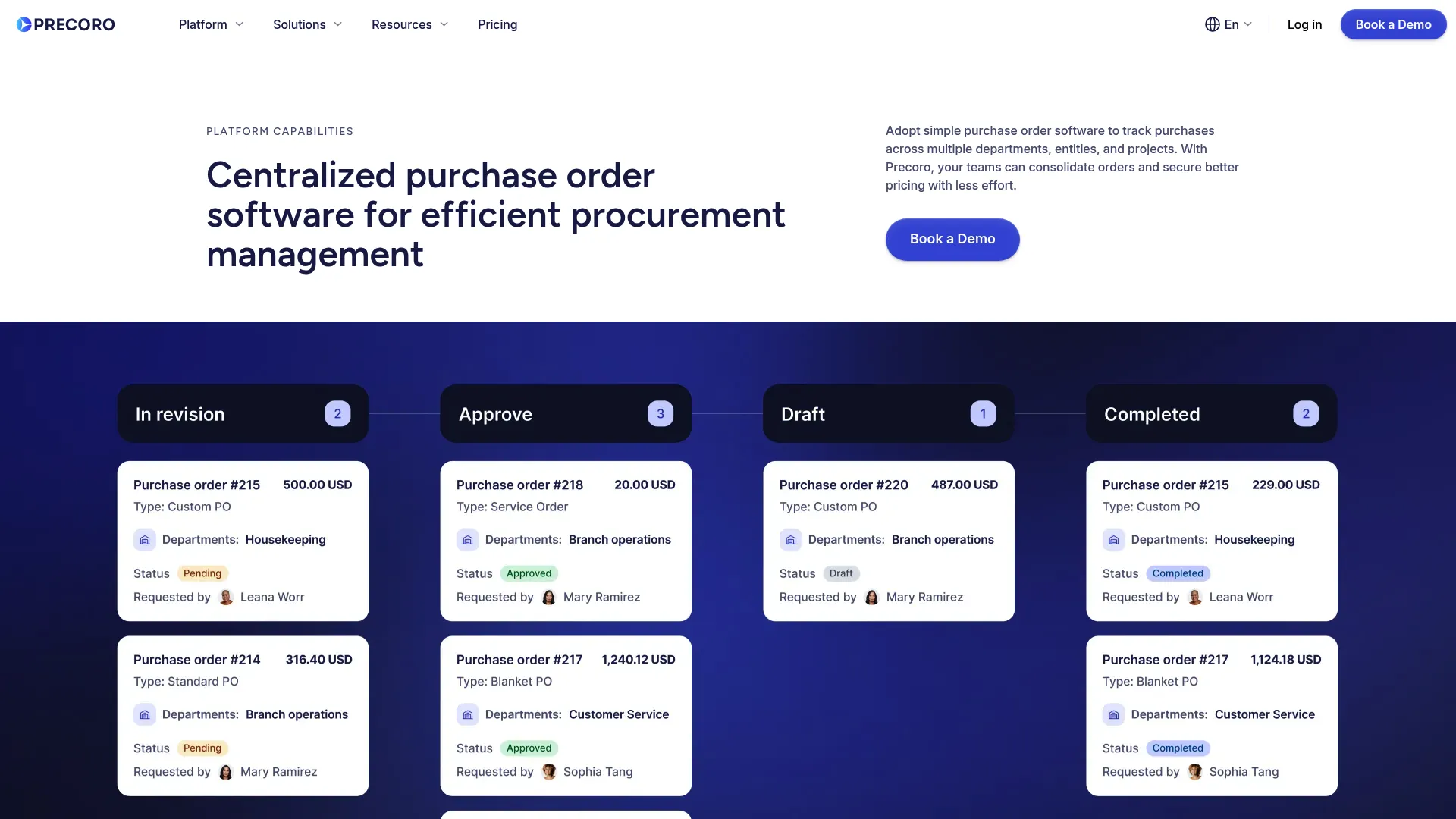
I’m starting with Precoro because it solves the problem that costs companies the most money: budget overruns you don’t discover until it’s too late to fix.
Most PO software shows you budget status. Great. You’re over budget. Now what? Precoro stops over-budget purchases from happening in the first place. The system flags out-of-budget requests during submission, before anyone approves anything, before vendors get involved, before you’re committed.
This sounds basic. It’s not. I’ve watched three companies prevent five-figure budget disasters in their first month using this feature alone.
What It Actually Does
The budget tracking updates in real-time. Like, actually real-time, not “refreshes every hour” real-time. Someone in Denver submits a PO at 2pm. Someone in New York sees the budget impact at 2:01pm.
You can slice budgets by department, location, project, time period, or custom categories. Set different limits for different things. When spending approaches limits (you define the threshold), alerts go out. When a request would exceed budget, the system blocks it automatically.
The invoice matching is fast. Upload an invoice PDF. The AI reads it (actually works, unlike some competitors where “AI” means “barely functional OCR”). Compares to the PO and receiving doc. Flags discrepancies. Takes about 30 seconds total. Manual matching takes 20-30 minutes. Do the math on 50 invoices monthly.
Blanket purchase orders – Set up terms with vendors for recurring purchases, then release orders against those agreements without recreating everything. Perfect
for monthly supplies or ongoing services where quantities vary.
Supplier portal – Vendors get a dedicated portal to view orders, upload docs, communicate about deliveries, and track payment status. This centralizes vendor communication instead of scattering it across endless email threads.
Mobile apps – Full iOS and Android apps. Not just a responsive website but actual native apps with offline capabilities. Create requests, approve orders, track status from anywhere.
Custom reporting – Build reports with 20+ filters and 120+ custom fields. Export to Excel or PDF, or integrate with BI tools. The flexibility handles unique reporting needs without requiring IT help.
The Good Parts
Budget visibility is genuinely excellent. Best I’ve tested. You always know where you stand financially without generating reports or asking accounting.
Implementation is 2-8 weeks depending on your complexity. Most platforms quote 2-4 weeks then take 12. Precoro’s estimates are more honest.
Support is responsive. They claim 96% of tickets resolved within 2 hours. I tested this by submitting intentionally difficult questions. Got answers in 90 minutes and 3 hours. Acceptable.
The interface is intuitive enough that non-technical users learn it quickly. Low learning curve means faster ROI.
The Annoying Parts
Punchout catalogs are limited to two on standard plans. If you need direct integration with multiple vendor catalogs, you’ll pay more or work around it.
Advanced features require premium tiers. The core plan handles basic procurement fine. Sophisticated analytics cost extra.
Small businesses might find this over-engineered. It shines for mid-sized to enterprise organizations with actual complexity. If you’re processing 20 POs monthly, this is overkill.
Real Talk
I’ve implemented Precoro for four clients. Three are still using it 12+ months later. The fourth switched to Sage Intacct when they did a full ERP overhaul, which wasn’t Precoro’s fault.
The budget controls prevented one client from overspending their Q3 marketing budget by $22K. The software costs them $6K annually. ROI was immediate and obvious.
Another client hated the learning curve for advanced reporting. They’re using maybe 40% of the features they’re paying for. Still worth it for the budget controls alone, but they probably could have gone with something simpler.
How It Scores
Automation: 5/5 – Everything that should be automatic is automatic. Converts requisitions to purchase orders instantly. Handles blanket orders. Automates two-way and three-way matching in 30 seconds using AI-powered OCR.
Approval Workflows: 5/5 – Multi-level routing adapts based on department, location, project, or budget thresholds. Time limits prevent approvals from stalling forever. Line-item editing during approval keeps things moving without rejecting entire orders.
Real-time Visibility: 5/5 – Complete order tracking from initial request through final payment. Instant notifications via email, mobile push, and in-app alerts. Dashboard shows spending analytics without requiring report generation.
Budget Management: 5/5 – Best-in-class controls with real-time tracking across multiple dimensions. Alerts trigger before limits are exceeded. System prevents out-of-budget purchases from reaching approval stage.
Integration: 4/5 – Connects to major accounting and ERP systems including QuickBooks, NetSuite, Xero, and Sage. API available for custom work. Loses one point for limited punchout catalog support on standard plans.
Mobile Access: 5/5 – Full native apps for iOS and Android with offline capabilities. Not just responsive design but actual mobile applications with complete functionality.
Vendor Management: 5/5 – Dedicated supplier portal with contract storage, performance tracking, and centralized communication. Vendors can view orders, upload documents, and track payment status independently.
Users consistently praise the budget control accuracy and support responsiveness. Finance teams appreciate the proactive spending alerts that prevent budget overruns before they happen. Procurement managers highlight the 30-second invoice matching as a game-changer for month-end closing.
Common complaints center on the learning curve for advanced features and needing higher-tier plans for sophisticated analytics.
Source: Aggregated from G2, Capterra, and Software Advice reviews
Pricing
Core package starts at $499/month, billed annually. Includes essential procurement features, basic reporting, and standard integrations.
Automation package costs $999/month with advanced matching, enhanced analytics, and additional punchout catalogs.
Both tiers include implementation support, though complex deployments may incur additional consulting fees.
Visit Precoro for detailed pricing based on your specific requirements.
2. ProcureDesk – If Precoro Is Too Expensive
Look, ProcureDesk costs about the same as Precoro ($518/month), but hear me out. Where Precoro focuses on budget control, ProcureDesk obsesses over approval workflows. The routing logic can auto-approve orders that meet specific criteria, auto-deny requests that violate policies, or route to appropriate reviewers based on complex rules.
This intelligence cuts out bottlenecks where simple, policy-compliant purchases sit waiting for rubber-stamp approvals. Your team focuses on exceptions and high-value decisions rather than processing routine orders.
The platform creates controlled shopping environments where employees purchase from approved vendors within budget constraints while procurement maintains oversight without micromanaging every transaction.
What Makes It Different
Vendor catalog connections – Direct integration with 200+ vendor websites including Amazon Business, Thermo Fisher Scientific, Grainger, and Office Depot. Employees shop from approved suppliers at negotiated prices without leaving the platform. Punchout technology means real-time pricing, availability, and product info flow directly from vendor systems.
Intelligent approval routing – Configure rules that automatically approve, deny, or route based on requestor, vendor, amount, category, department, or any combination. The system evaluates each request against your policies and takes appropriate action.
Automatic PO generation – Approved requests convert to purchase orders and transmit to vendors automatically via email, EDI, or vendor portal. No manual order creation or data reentry.
OCR invoice processing – Upload invoices and the system extracts data automatically. AI reads line items, amounts, and vendor information, then matches to corresponding purchase orders.
Spend monitoring dashboards – Real-time visibility into spending by vendor, category, department, or individual. Out-of-the-box reports provide immediate insights without custom configuration.
Why People Choose It
White-glove onboarding is included with all plans. You’re not left to figure things out alone.
No formal training required. The interface is intuitive enough that most users start working productively within minutes. Training materials exist but aren’t mandatory for basic operations.
Extensive vendor integration. 200+ pre-built catalog connections exceed what most competitors offer. This breadth handles diverse purchasing needs without custom integration work.
Scales across business sizes. Works for small businesses with straightforward needs and enterprises with complex multi-location requirements. You won’t outgrow it.
The Frustrating Bits
Mobile app limitations. While functional, the mobile apps lack some advanced features available in the web platform. Complex configurations and detailed reporting require desktop access.
Initial setup time investment. Despite white-glove onboarding, configuring approval rules, vendor catalogs, and custom fields takes time. Expect several weeks to optimize the system for your specific workflows.
Premium pricing. ProcureDesk costs more than basic alternatives. The investment makes sense for organizations that need sophisticated automation but may exceed budgets for simpler operations.
Scoring
Automation: 5/5 – Automatically converts approved requests to purchase orders and transmits to vendors via multiple channels. Handles complex approval logic without manual intervention. Processes invoices using OCR technology.
Approval Workflows: 5/5 – Intelligent routing with auto-approval, auto-denial, and custom review paths based on virtually any criteria. Conditional logic handles complex organizational policies without creating bottlenecks.
Real-time Visibility: 5/5 – Dashboard, email, and mobile notifications keep stakeholders informed. Spending analytics update continuously. Complete audit trail documents every action and decision.
Budget Management: 5/5 – Proactive controls by vendor, category, department, or individual. System flags out-of-budget requests before approval. Real-time tracking prevents surprises.
Integration: 5/5 – Pre-built connections to QuickBooks, Xero, Sage, Bill.com, AvidXchange, and major ERP systems. API available for custom integrations. 200+ vendor catalog connections via punchout technology.
Mobile Access: 4/5 – Full mobile apps for iOS and Android with push notifications. Some advanced features require web platform access. Loses one point for feature parity gaps.
Vendor Management: 5/5 – Unlimited vendor records with supplier acknowledgment and performance tracking. Centralized communication and documentation. Contract management with renewal alerts.
Users frequently mention the intelligent approval routing as ProcureDesk’s standout feature. Finance teams appreciate how auto-approval of policy-compliant orders reduces their workload while maintaining control. Procurement professionals highlight the extensive vendor catalog integration as a major time-saver.
Source: Aggregated from G2, Capterra, and TrustRadius reviews
What You’ll Pay
Purchasing Automation package costs $518/month and includes core procurement features, approval workflows, and vendor catalog integration.
Complete Procure-to-Pay package runs $850/month and adds accounts payable automation, advanced analytics, and additional integrations.
Both packages include white-glove onboarding, training, and ongoing support. Pricing is billed annually with discounts for multi-year commitments.
Explore ProcureDesk for detailed feature comparisons and custom quotes.
3. Procurify – Multi-Level Approvals Plus Virtual Cards
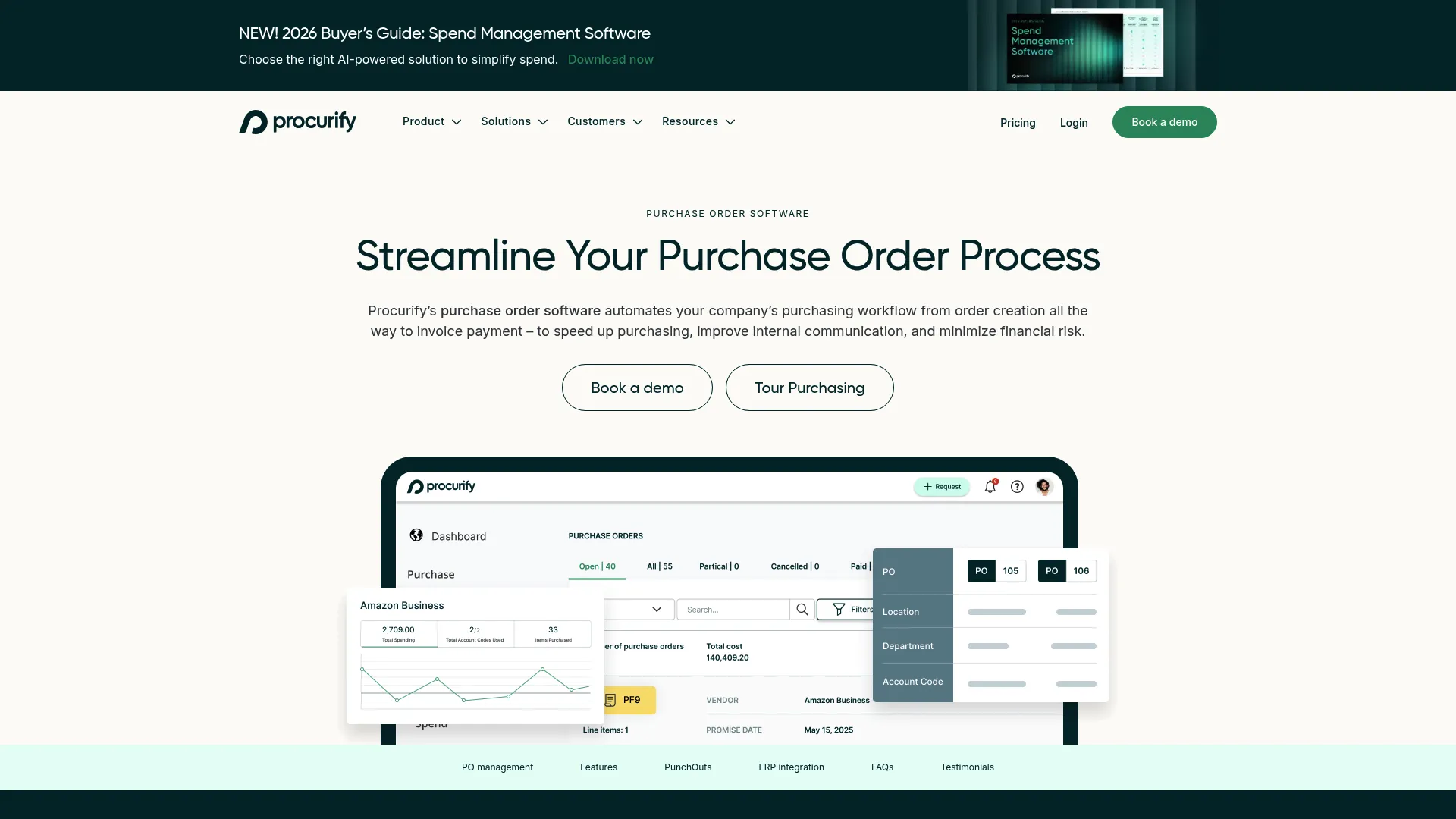
Here’s the quick version: If Precoro is too expensive and ProcureDesk doesn’t quite fit, Procurify sits in that premium space around $1,000/month with one killer feature the others don’t have: virtual spending cards.
The approval workflows handle multi-level routing based on budget thresholds, departments, locations, and custom criteria while keeping orders moving. But those virtual cards add payment flexibility that traditional PO systems lack. Teams can make approved purchases immediately without waiting for physical cards or reimbursement processes.
Budget visibility without accounting system access means department managers see real-time spending status without exposing sensitive financial data.
Key Features
Approved purchase requests transform into purchase orders without manual recreation. The system carries forward all details, attachments, and approvals.
Custom PO fields capture cost center impact, project codes, or any organization-specific data. Custom fields integrate with accounting systems to ensure proper expense allocation.
Blanket PO capabilities set up agreements for recurring purchases where future quantities or timing remain uncertain. Release orders against blanket POs without renegotiating terms.
Suggested items from preferred vendors appear during request creation based on purchase history and negotiated contracts. This guides employees toward compliant purchasing.
Automatic three-way matching compares purchase orders, invoices, and receipts automatically. Exceptions get flagged for review before payment processing.
Virtual spend cards issue for approved purchases with spending limits and merchant restrictions. Transactions sync automatically with purchase orders.
What Works Well
Real-time budget tracking updates continuously across all dimensions. Department managers know exactly where they stand financially without waiting for reports.
Customizable reporting builds reports by location, department, user, account code, or any custom field. Export options accommodate various analysis needs.
Mobile approval flexibility lets approvers review and authorize purchases from anywhere. Travel and remote work don’t create procurement bottlenecks.
Virtual card convenience means approved purchases happen immediately without physical card distribution or reimbursement delays. Spending limits and merchant restrictions maintain control.
What Doesn’t
Cumbersome PO editing. Modifying purchase order requests after submission can be awkward. The interface doesn’t make changes as intuitive as initial creation.
Limited advanced analytics. While reporting is customizable, the platform lacks sophisticated predictive analytics and AI-driven insights that newer competitors offer.
Pricing opacity. Procurify doesn’t publish pricing publicly. Getting cost information requires sales conversations, which slows evaluation for budget-conscious buyers.
Performance Ratings
Automation: 5/5 – Auto-generates purchase orders from approved requisitions and emails vendors automatically. Handles blanket orders for recurring purchases. Three-way matching runs without manual intervention.
Approval Workflows: 5/5 – Configurable routing based on thresholds, departments, locations, and custom rules. Multi-level approval chains adapt to organizational structure without creating bottlenecks.
Real-time Visibility: 5/5 – Complete audit trail tracks every action. Transaction visibility spans the full procurement cycle. Dashboard analytics provide instant spending insights.
Budget Management: 5/5 – Category-level budget visibility with pre-approval checks. Real-time tracking prevents overspending. Department managers see budgets without full accounting access.
Integration: 5/5 – Pre-built connections to QuickBooks, NetSuite, Sage Intacct, and other major systems. Custom API available for proprietary integrations. Virtual cards sync with accounting automatically.
Mobile Access: 5/5 – Full-featured native apps for iOS and Android. Complete procurement cycle management from mobile devices. Not just approval-only functionality.
Vendor Management: 4/5 – Catalog and PunchOut support for major suppliers. Contract storage and basic performance tracking. Could expand supplier analytics and relationship management tools.
Users consistently praise approval workflow flexibility and mobile functionality. Finance teams appreciate the budget visibility controls that empower department managers without compromising security. Procurement professionals highlight the virtual spending cards as a differentiator.
Source: Aggregated from G2, Capterra, and Software Advice reviews
Pricing
Procurify uses custom pricing based on organization size and requirements. Published reports suggest pricing starts around $1,000/month for mid-sized organizations.
Implementation, training, and ongoing support are typically included. Virtual spending card features may incur additional costs depending on usage volume.
Contact Procurify for pricing specific to your organization’s needs.
4. Order.co – Buying Everything from Amazon Business? This Is Your Answer
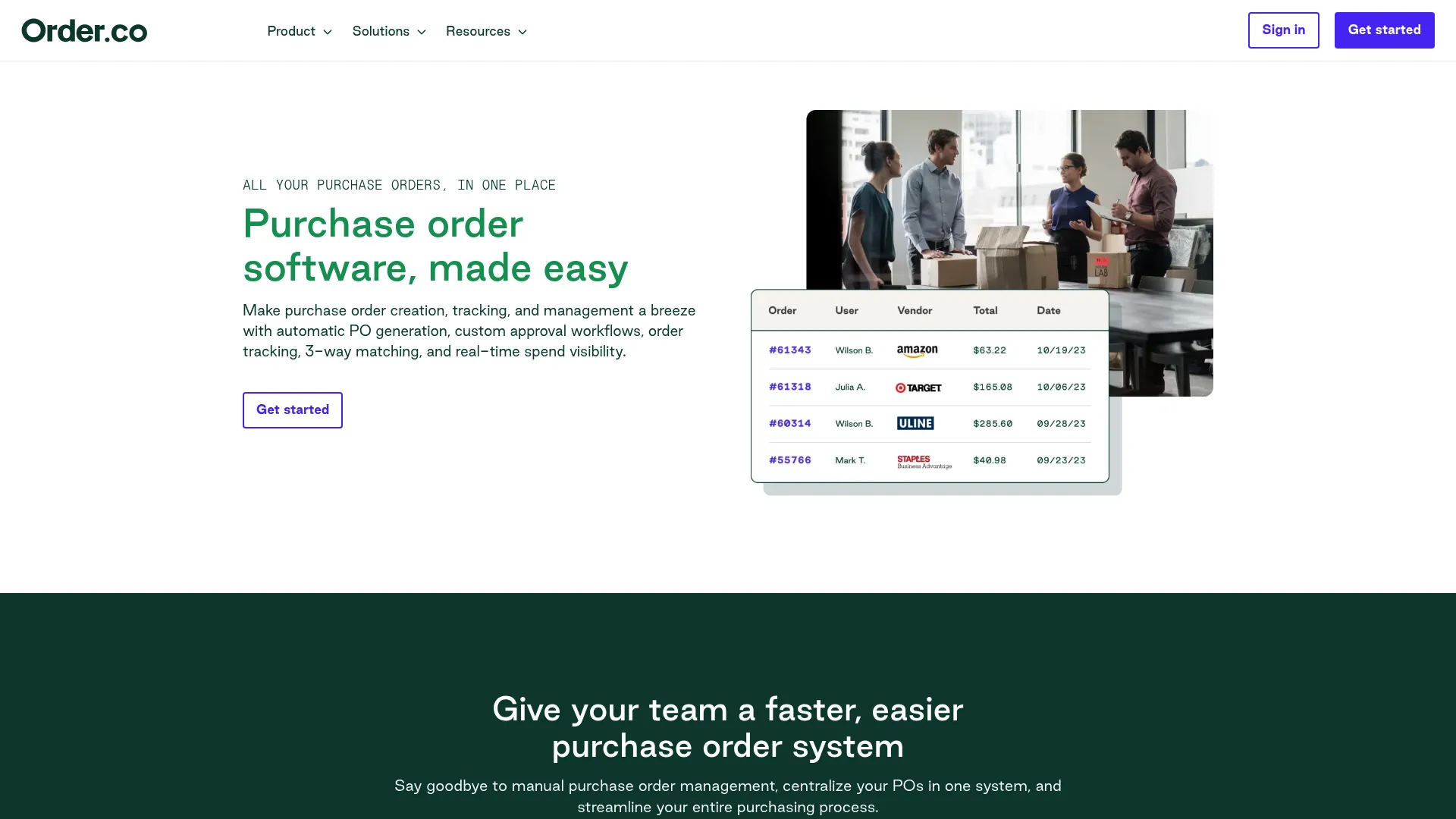
Order.co specializes in streamlining purchases from online marketplaces rather than traditional vendor relationships. If your team buys primarily from Amazon Business, Costco, Office Depot, or similar eCommerce sites, this tool eliminates the chaos of scattered accounts and fragmented purchasing.
The system provides a single catalog view of approved products across all vendors. Employees shop from one interface while Order.co handles the backend complexity of multiple marketplace accounts.
Bulk payment features allow you to pay multiple vendors with one transaction, simplifying accounts payable for organizations that make dozens of small purchases monthly across various online retailers.
What It Does
Approved purchase requests convert to orders instantly. The system sends orders to appropriate vendors through their preferred channels (email, portal, EDI).
Custom approval workflows route orders based on user, location, cost center, vendor, or subtotal amount. Line-item editing during approval prevents rejecting entire orders for minor issues.
Recurring order scheduling sets up automatic reordering for regular purchases. Product lists enable quick reordering without searching catalogs repeatedly.
Real-time order tracking monitors every purchase from approval through delivery in one unified dashboard. No more checking multiple vendor sites for status updates.
Automated matching compares orders, invoices, and receipts automatically. Discrepancies trigger alerts before payment processing.
Centralized purchasing data consolidates all vendor transactions in one system regardless of where you buy. Analytics span your complete purchasing activity.
Bulk payment processing pays multiple vendors simultaneously with consolidated transactions, reducing the administrative burden of processing dozens of individual payments.
Accounting system integration syncs with QuickBooks, NetSuite, Sage Intacct, LeafLink, and Workday. Purchase orders and invoices flow automatically to your financial system.
The Advantages
Automation removes manual retyping between systems. Product details, pricing, and vendor information transfer accurately.
Single catalog interface lets you shop from all approved vendors in one place. Employees don’t need separate accounts for each marketplace.
Simplified accounts payable through consolidated invoicing and bulk payments reduces the time finance teams spend processing marketplace purchases.
Perfect for distributed purchasing. Teams buying from various online sources benefit from centralized visibility and control without restricting vendor choice.
The Downsides
Limited direct vendor management. The platform optimizes for marketplace purchasing rather than traditional vendor relationships. Contract management and supplier negotiations aren’t primary focuses.
Price fluctuation challenges. Marketplace pricing changes frequently. This complicates spend forecasting and budget planning compared to negotiated vendor contracts.
Less suitable for complex procurement. Organizations with sophisticated vendor relationships, custom contracts, or specialized purchasing requirements may find the marketplace focus limiting.
How It Performs
Automation: 5/5 – Transforms approved requests to purchase orders automatically. Sends orders to suppliers via email, portal, or EDI. Handles recurring orders without manual intervention.
Approval Workflows: 5/5 – Highly customizable routing by user, location, cost center, vendor, or amount. Line-item editing keeps approvals moving without rejecting entire orders.
Real-time Visibility: 5/5 – Unified tracking system consolidates all vendors in one location. Dashboard provides instant status updates across all marketplace purchases.
Budget Management: 4/5 – Solid spending controls and real-time tracking. Loses one point because marketplace price fluctuations complicate forecasting compared to fixed vendor contracts.
Integration: 5/5 – Connects to QuickBooks, NetSuite, Sage Intacct, LeafLink, and Workday. API available for custom integrations. Marketplace connections handle vendor-specific requirements.
Mobile Access: 4/5 – Mobile-responsive interface works on smartphones and tablets. Not a dedicated native app, which limits offline functionality and some advanced features.
Vendor Management: 3/5 – Focuses on eCommerce purchasing efficiency rather than vendor relationship management. Basic supplier tracking but lacks contract management and performance analytics.
Users praise Order.co’s ability to consolidate marketplace purchasing chaos into manageable workflows. Finance teams appreciate the bulk payment features that reduce AP processing time. Procurement professionals highlight the unified catalog view as a significant productivity improvement.
Source: Aggregated from G2, Capterra, and user testimonials
What It Costs
Order.co uses custom pricing tailored to organization size and purchasing volume. Pricing structure considers monthly transaction counts and number of users.
Implementation support and training are included. Integration setup may incur additional fees depending on complexity.
Request Order.co pricing based on your specific purchasing patterns.
5. Sage Intacct – Warning: This Is Enterprise Software
If the word “enterprise” scares you, skip to the next option.
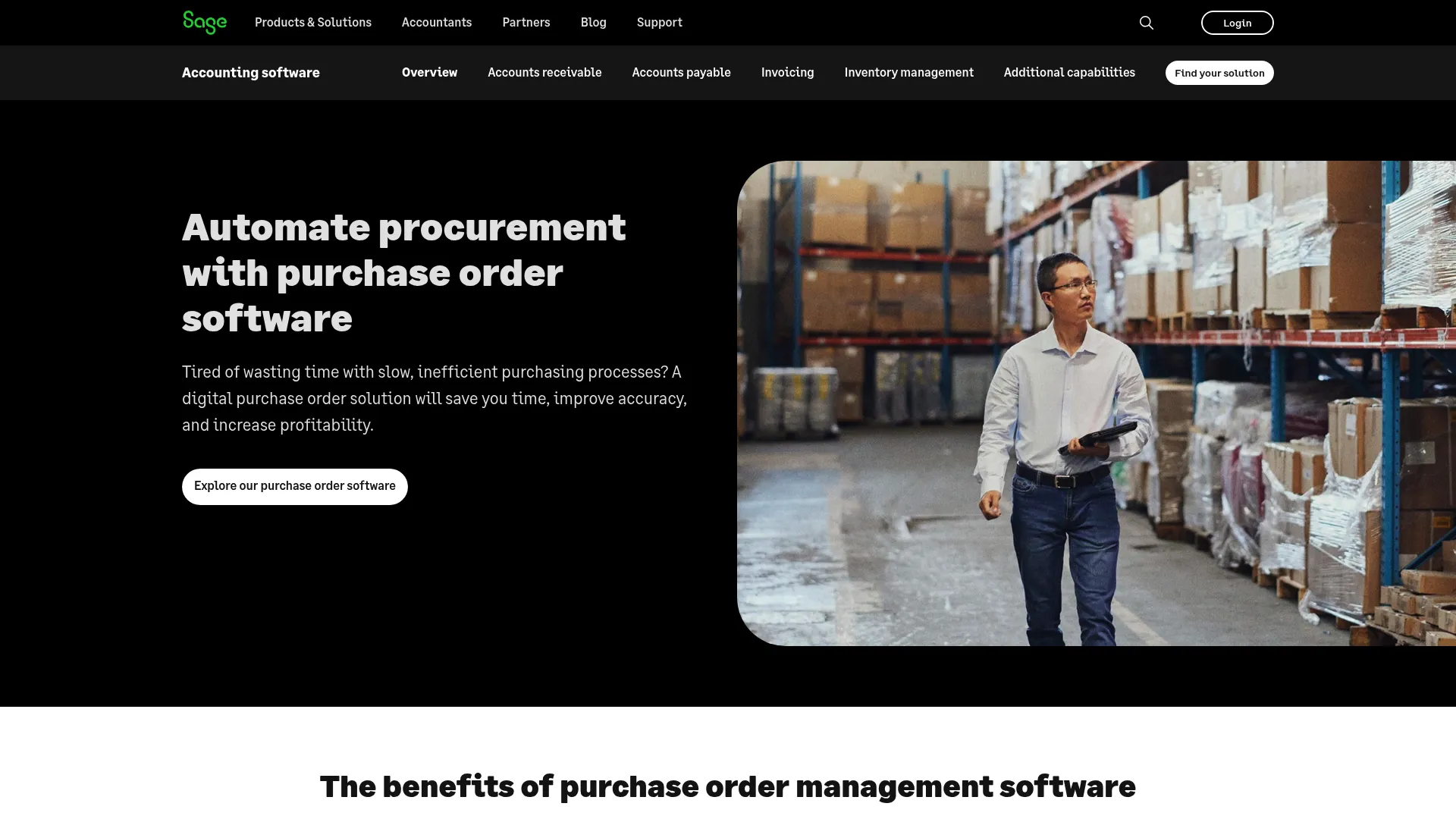
Sage Intacct approaches purchase orders as part of a complete cloud ERP solution rather than a standalone procurement tool. This integration means purchasing, accounting, budgeting, and financial reporting work together natively without requiring data synchronization.
Organizations already using Sage Intacct for financial management gain procurement capabilities that share the same data foundation. No integration headaches. No data discrepancies between systems.
Customizable dashboards and reporting provide deep insights that standalone procurement tools can’t match because they access complete financial context.
What You Get
Auto-generated purchase orders from approved requisitions become purchase orders without manual recreation. All details, approvals, and documentation carry forward automatically.
Customizable dashboards build real-time views of purchasing activity, vendor performance, and spending patterns. Drag-and-drop interface creates personalized dashboards without IT involvement.
Digital document centralization stores all purchase-related documents in one location with instant access. Search capabilities find specific orders or documents in seconds.
Automated approval workflows configure routing based on organizational structure, budget thresholds, or custom criteria. Electronic notifications keep approvals moving.
Budget and cash flow controls track in real-time to prevent overspending. Delivery matching ensures you only pay for received goods.
Pre-built and ad-hoc reporting provides standard reports for immediate insights. Custom report builder accommodates unique analysis requirements without programming.
Compliance capabilities include built-in controls that support regulatory requirements across various industries. Audit trails document every transaction and modification.
Scalability for growth means the platform expands from small operations to enterprise complexity. You won’t outgrow the system as your business evolves.
Why It Works
Deep financial integration connects purchase orders directly to general ledger, budgets, projects, and financial statements. No data synchronization required.
Customizable reporting builds exactly the reports you need with access to complete financial data. Pre-built templates provide starting points.
Real-time spend visibility shows purchasing impact on budgets and cash flow instantly. Financial context improves decision-making.
Strong compliance features include audit trails, approval documentation, and control frameworks that support regulatory requirements across industries.
The Problems
Enterprise complexity. Advanced features and comprehensive capabilities create a learning curve. Best suited for mid-sized to large organizations with dedicated finance teams.
Implementation requirements. Setting up an ERP system requires more time and expertise than standalone procurement tools. Expect weeks or months for full deployment.
Premium pricing. Comprehensive functionality comes at enterprise pricing levels. Small businesses with simple needs may find the investment excessive.
Performance Scores
Automation: 5/5 – Eliminates manual data entry throughout the procurement cycle. Accelerates workflows from requisition through payment with minimal human intervention.
Approval Workflows: 5/5 – Configurable routing adapts to organizational structures and policies. Electronic notifications and escalations prevent bottlenecks.
Real-time Visibility: 5/5 – Instant access to all purchasing documentation and activity. Dashboards update continuously with current data across the entire financial system.
Budget Management: 5/5 – Built-in spending controls integrate with enterprise budgeting. Real-time tracking prevents overruns before they occur.
Integration: 5/5 – Native ERP eliminates integration challenges. Pre-built connections to third-party systems plus open APIs for custom requirements.
Mobile Access: 4/5 – Mobile-responsive interface works on various devices. Limited native app features compared to dedicated mobile applications.
Vendor Management: 4/5 – Solid vendor tracking and performance monitoring. Could expand supplier relationship analytics and contract management capabilities.
Users emphasize Sage Intacct’s financial integration as its primary advantage. Finance teams appreciate having procurement data in the same system as accounting, eliminating reconciliation headaches. CFOs highlight the real-time budget visibility that improves financial planning.
Source: Aggregated from G2, Gartner Peer Insights, and TrustRadius reviews
Pricing Reality
Sage Intacct uses custom pricing based on modules selected, user count, and company size. Purchase order functionality is part of the broader financial management suite.
Implementation costs vary significantly based on complexity, data migration requirements, and customization needs. Professional services for setup and training typically add to base subscription costs.
Contact Sage Intacct for pricing tailored to your organization’s requirements.
6. Digital Purchase Order – Construction Only. Everyone Else Can Skip This
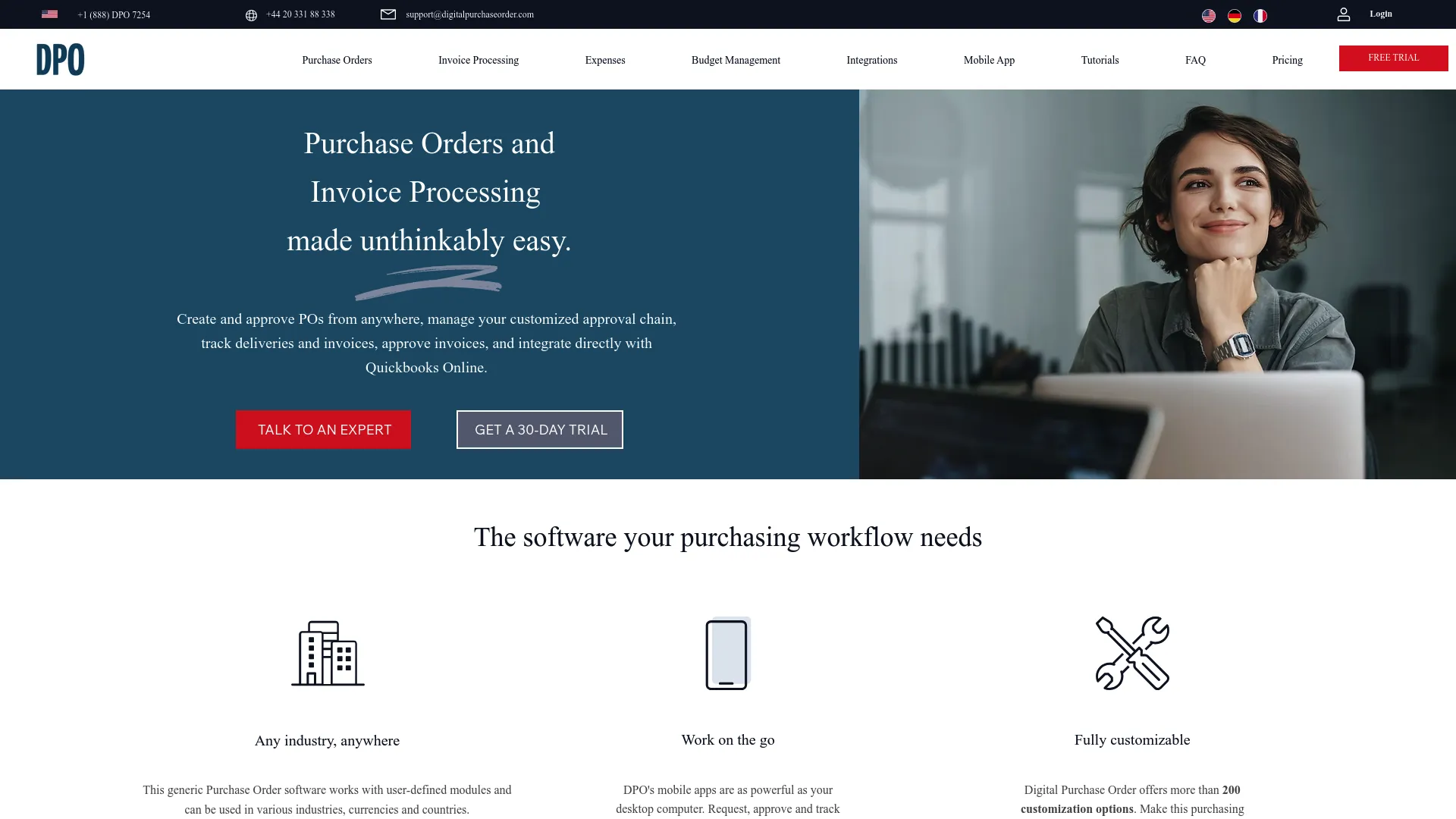
Digital Purchase Order was built specifically for construction and project-based businesses where purchasing happens across multiple job sites with varying budgets, timelines, and requirements.
The platform’s customization capabilities (over 200 settings) allow construction companies to configure workflows that match their unique project structures. Mobile functionality enables field teams to create orders, track deliveries, and manage budgets without returning to the office.
QuickBooks integration synchronizes project accounting, ensuring job costs stay current as purchases occur. This real-time connection between field purchasing and project accounting prevents the budget surprises that plague construction projects.
Built for Job Sites
Extensive customization through over 200 settings personalizes purchase order management to match construction workflows. Configure fields, approval chains, and processes without coding.
Multi-site tracking monitors purchase orders across numerous job sites simultaneously. Each project maintains separate budgets and approval workflows.
Customizable approval workflows mean different project types get different approval chains. Configure routing based on project size, client, or budget thresholds.
Instant budget control provides real-time visibility to ensure purchases align with project budgets. Alerts trigger when spending approaches limits.
QuickBooks Online integration directly synchronizes with QuickBooks to maintain accurate job costing. Purchase orders update project financials automatically.
Mobile apps for iOS and Android enable on-site order management. Field teams create orders, approve purchases, and track deliveries from job sites.
Invoice approval reviews and approves invoices within the system. Match invoices to purchase orders before payment processing.
Delivery receipt tracking uploads documentation instantly from job sites. Photos and signatures capture proof of receipt.
PO closing capabilities mark orders complete when all items are received. Closed orders prevent accidental duplicate payments.
What Construction Teams Like
Industry-specific design built for construction workflows rather than adapted from generic procurement. Features address job site challenges.
Mobile-first functionality lets field teams manage purchasing without office access. Critical for construction operations where decisions happen on-site.
Strong QuickBooks integration keeps project accounting current automatically. Job cost reports reflect purchases immediately.
Real-time budget visibility lets project managers see spending status instantly. Prevents the budget overruns that damage construction profitability.
The Limitations
Construction industry focus means features optimize for project-based work. Organizations outside construction may find the specialization limiting.
Limited integration options beyond the strong QuickBooks connection. Fewer integrations with other systems compared to enterprise platforms.
May lack features for non-construction needs. Businesses with diverse purchasing requirements beyond project-based work might need additional tools.
How It Rates
Automation: 4/5 – Good automation for construction workflows including automatic order generation and QuickBooks synchronization. Less comprehensive than enterprise platforms but well-suited to industry needs.
Approval Workflows: 5/5 – Highly customizable approval chains accommodate project-based purchasing. Different workflows for different project types prevent one-size-fits-all bottlenecks.
Real-time Visibility: 5/5 – Excellent tracking across multiple job sites with mobile access. Project managers see spending status instantly from anywhere.
Budget Management: 5/5 – Project-level budget controls are critical for construction profitability. Real-time tracking and alerts prevent overruns that damage margins.
Integration: 3/5 – Strong QuickBooks integration handles primary accounting needs. Limited connections beyond that restrict ecosystem flexibility.
Mobile Access: 5/5 – Full mobile functionality designed specifically for field use. Native apps provide complete features, not just basic functions.
Vendor Management: 3/5 – Basic vendor tracking sufficient for construction needs. Not designed for sophisticated supplier relationship management.
Construction companies praise Digital Purchase Order’s job site focus and mobile functionality. Project managers appreciate the real-time budget visibility that prevents cost overruns. Field supervisors highlight the mobile apps as essential for on-site operations.
Source: Aggregated from construction industry forums, Capterra, and user testimonials
Pricing
Digital Purchase Order starts at just $3/month for up to 3 users, making it one of the most affordable options available. This pricing includes core features sufficient for small construction teams.
Higher tiers accommodate larger teams and additional job sites. A 30-day free trial allows you to test functionality before committing.
Try Digital Purchase Order with their free trial to evaluate fit for your construction operations.
7. Zoho Books – The Cheap Option That Doesn’t Suck
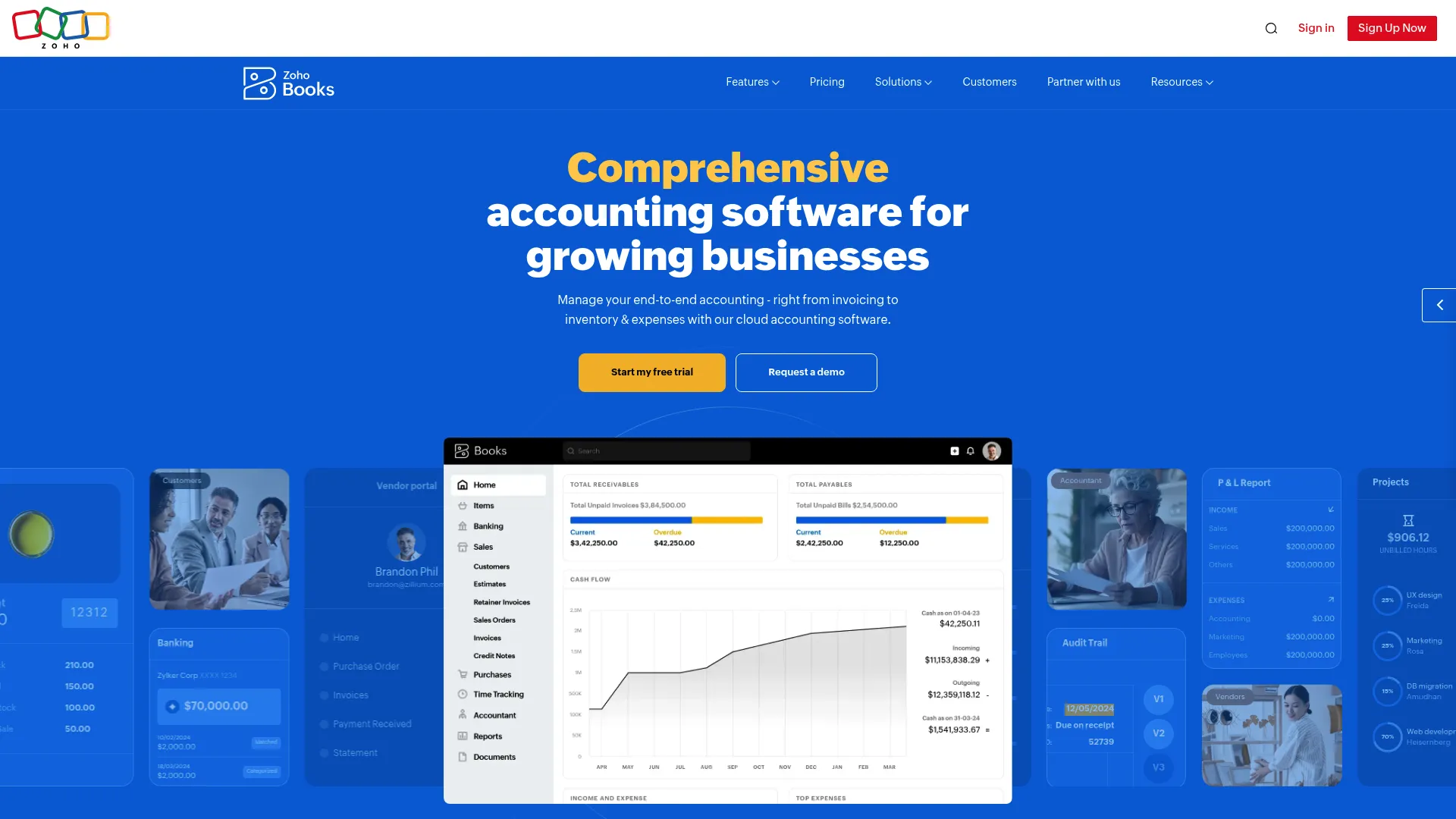
Zoho Books treats purchase orders as the first step in a complete financial workflow rather than an isolated procurement function. The platform’s standout capability is converting purchase orders into bills instantly, eliminating the data reentry that creates errors and wastes time.
This tight integration between purchasing and accounts payable means your finance team processes vendor invoices in seconds instead of minutes. The system carries forward all order details, pricing, and terms automatically.
The broader Zoho ecosystem provides additional capabilities (CRM, inventory, projects) that share the same data foundation. Organizations already using Zoho products gain procurement without adding another disconnected system.
What Powers It
Instant PO-to-bill conversion transforms purchase orders into bills with one click. All line items, pricing, vendor details, and terms transfer automatically without retyping.
Real-time purchase tracking monitors orders from creation through fulfillment. Status updates keep stakeholders informed without manual check-ins.
Customizable automated workflows configure repetitive tasks to run automatically. Reduce manual work for routine purchasing activities.
Advanced reporting tools analyze procurement data with pre-built reports or create custom views. Export capabilities support various analysis needs.
Vendor portal gives suppliers a dedicated portal for order viewing, document uploads, and communication. Centralizes vendor interactions instead of scattering them across email.
Built-in document management attaches files to purchase orders, bills, and vendor records. Everything related to a transaction lives in one place.
Zoho ecosystem integration connects with Zoho CRM, Inventory, Projects, and other modules. Data flows between applications without manual transfer.
Sales tax automation calculates and tracks sales tax automatically based on vendor location and product type. Simplifies compliance for multi-jurisdiction operations.
The Benefits
Real-time tracking and reporting means visibility into purchasing activity updates continuously. Generate reports instantly without waiting for data compilation.
Streamlined vendor communication through a portal provides suppliers with self-service access. Reduces back-and-forth emails about order status and documentation.
Eliminates duplicate data entry by converting orders to bills automatically, preventing the errors that come from manual retyping. Saves time and improves accuracy.
Affordable pricing starting at $20/month makes Zoho Books accessible for small businesses. Free plan and trial available for evaluation.
The Drawbacks
Basic approval workflows lack the depth of dedicated procurement platforms. Routing capabilities may feel restrictive for complex approval chains.
Ecosystem dependency means maximizing features often requires using additional Zoho products. Standalone functionality is more limited.
Enterprise restrictions mean organizations with sophisticated procurement needs may find the platform too simple. Better suited for small to medium-sized businesses.
Performance Assessment
Automation: 4/5 – Solid workflow automation for core functions. Converts orders to bills instantly. Not as comprehensive as dedicated procurement platforms but handles essential tasks well.
Approval Workflows: 3/5 – Basic approval routing covers simple scenarios. Lacks the sophisticated multi-level routing and conditional logic of enterprise solutions.
Real-time Visibility: 5/5 – Excellent tracking throughout the procurement-to-payment cycle. Dashboard provides instant insights into purchasing activity and vendor status.
Budget Management: 4/5 – Good budget tracking integrated with accounting functions. Real-time visibility into spending against budgets. Could expand forecasting capabilities.
Integration: 5/5 – Extensive Zoho ecosystem connections plus integrations with Stripe, Shopify, WooCommerce, and other external platforms. API available for custom connections.
Mobile Access: 4/5 – Mobile-responsive interface with dedicated apps for core functions. Some advanced features require desktop access.
Vendor Management: 4/5 – Strong vendor portal and communication tools. Basic performance tracking. Could expand supplier analytics and contract management.
Users frequently mention Zoho Books’ order-to-bill conversion as a major time-saver. Accounting teams appreciate how the feature eliminates duplicate data entry and associated errors. Small business owners highlight the affordable pricing and ease of use.
Source: Aggregated from G2, Capterra, and Zoho user community
What It Costs
Zoho Books starts at $20 per organization per month when billed annually. This includes core purchase order and billing features for small teams.
Higher tiers add users, transactions, and advanced features. A free plan covers very basic needs for startups. Free trial available for all paid plans.
Explore Zoho Books pricing tiers and start your free trial.
8. Tradogram – Free Tier! (With Caveats)
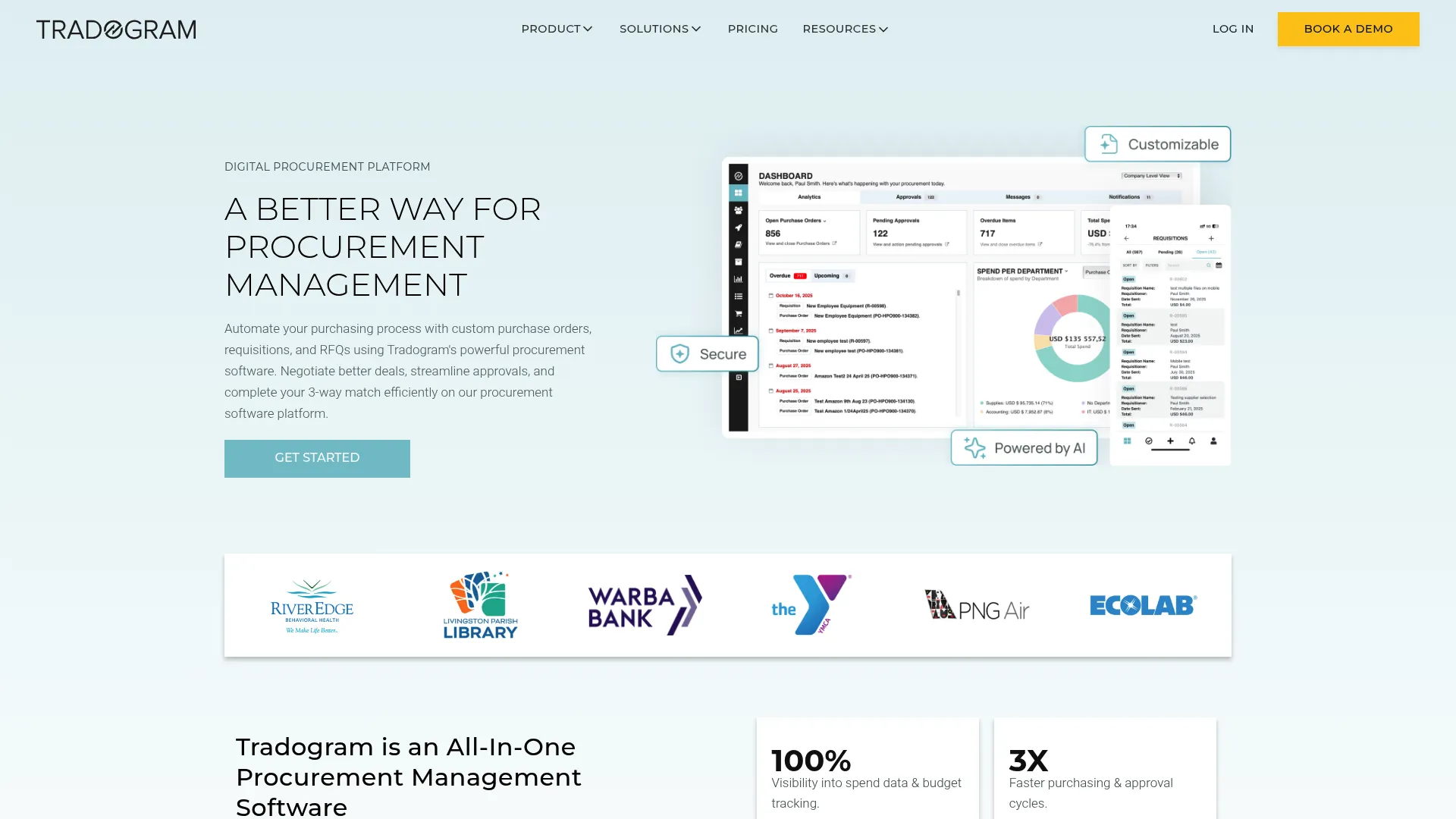
Tradogram stands out by treating supplier relationships as equally important as purchase order processing. The platform provides robust tools for managing vendor performance, communication, and contracts alongside standard procurement functions.
A genuinely free tier (though limited to 5 monthly transactions) makes Tradogram accessible for very small businesses or those wanting to test procurement software without financial commitment.
Project management capabilities make it particularly attractive for construction and project-based industries where tracking purchases by project is essential for profitability.
Core Capabilities
Centralized supplier communication means all vendor interactions happen in one platform. Messages, documents, and order history consolidate instead of scattering across email threads.
Full-featured PO management creates, approves, and tracks purchase orders through complete lifecycles. Standard procurement functions work alongside supplier relationship tools.
Budget tracking monitors spending against financial objectives in real-time. Align purchasing decisions with budget constraints automatically.
Unlimited supplier management adds as many vendors as needed without per-supplier fees. Catalog management accommodates extensive product lists.
Project management capabilities track purchases by project for construction and similar industries. Maintain separate budgets and reporting for each project.
Inventory management module monitors stock levels, sets reorder points, and tracks inventory movements. Integrates with purchasing to automate replenishment.
Two-way and three-way matching compares purchase orders to invoices (two-way) or adds receiving documents (three-way). Automated matching catches discrepancies before payment.
Expense management integration handles employee expenses alongside procurement. Unified spend management across purchasing and expenses.
The Strengths
Free plan availability with a genuinely free tier (5 transactions monthly) allows small businesses to start without investment. Rare among procurement platforms.
Centralized vendor hub puts all supplier interactions in one location, improving relationship management. Reduces time spent searching for vendor information.
Strong project tracking benefits construction and project-based businesses with detailed project-level purchasing visibility. Essential for accurate job costing.
Affordable premium tier at $195/month costs less than many competitors while delivering comprehensive features.
The Weak Points
Free plan limitations mean five monthly transactions only work for very low purchasing volumes. Most businesses quickly outgrow the free tier.
Dated interface feels older compared to newer platforms. Functionality is solid but aesthetics lag modern design standards.
Limited advanced analytics in lower tiers lack sophisticated reporting and predictive analytics. Advanced insights require higher-tier plans or manual analysis.
Rating Breakdown
Automation: 4/5 – Handles core automation well including order generation and invoice matching. Not as sophisticated as top-tier platforms but covers essential functions effectively.
Approval Workflows: 4/5 – Configurable routing with good flexibility for most scenarios. May lack some advanced conditional logic of enterprise solutions.
Real-time Visibility: 4/5 – Solid tracking throughout procurement cycles. Reporting could be more robust in lower tiers but provides necessary visibility.
Budget Management: 4/5 – Effective budget controls integrated with procurement. Real-time tracking prevents overspending. Could expand forecasting and predictive capabilities.
Integration: 4/5 – Connects to QuickBooks, Xero, NetSuite, and major accounting systems. API available for custom integrations. Covers most common requirements.
Mobile Access: 3/5 – Mobile-responsive interface works on smartphones and tablets. Lacks dedicated native apps with offline capabilities and optimized mobile experiences.
Vendor Management: 5/5 – Best-in-class supplier relationship and performance tools. Centralized communication, contract management, and performance analytics exceed most competitors.
Users consistently praise Tradogram’s supplier management capabilities and affordable pricing. Procurement teams appreciate the centralized vendor communication that eliminates scattered email threads. Project-based businesses highlight the project tracking as essential for job costing.
Source: Aggregated from G2, Capterra, and Software Advice reviews
Pricing
Free plan available with 5 monthly transactions. Suitable for very small businesses or evaluation purposes.
Premium package costs $195/month (previously $198/month) and removes transaction limits while adding advanced features.
Custom enterprise plans available for larger organizations with specific requirements.
Start with Tradogram’s free plan or request premium pricing details.
9. Jotform Workflows – For the DIY Crowd
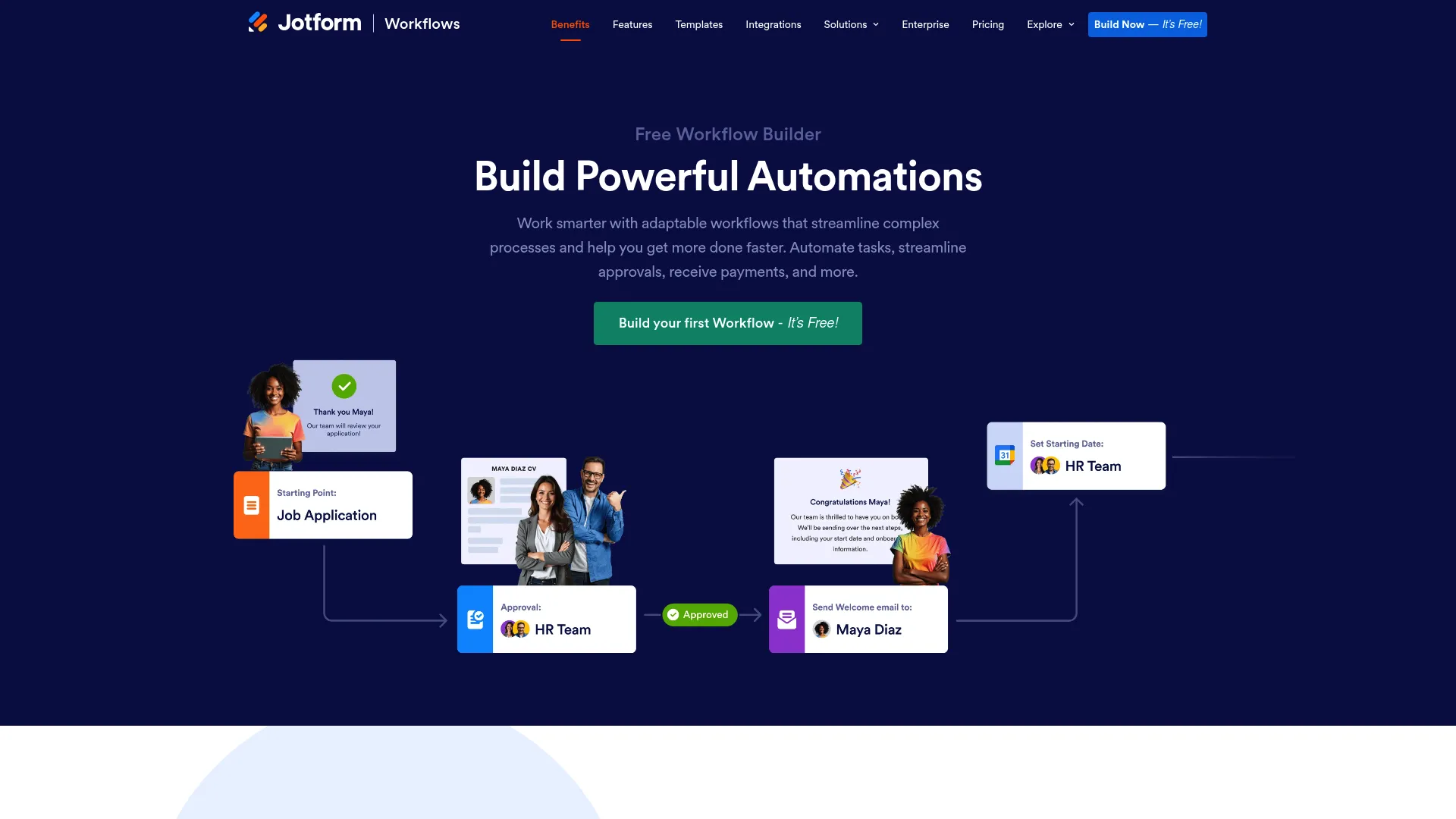
Jotform Workflows provides unmatched flexibility through drag-and-drop workflow building that requires zero coding knowledge. Organizations with unique procurement processes that don’t fit standard software templates can build exactly what they need.
The platform’s core functionality is free, making it accessible for businesses that want procurement automation without monthly subscription costs. Premium features are available but many organizations operate successfully on the free tier.
Dozens of purchase order form templates provide starting points that you customize to match your specific requirements. This approach works for businesses that know their processes but don’t want to pay for features they won’t use.
What Makes It Flexible
Drag-and-drop workflow builder creates custom approval processes visually without writing code. Add steps, conditions, and actions by dragging elements onto a canvas.
Purchase order form templates include dozens of pre-built templates covering common scenarios. Customize fields, layouts, and logic to match your needs.
Conditional logic uses if-then rules to create dynamic workflows that adapt based on form responses. Route approvals differently based on amount, department, or any other criteria.
Notification system configures email and push notifications for approvals, status changes, and exceptions. Keep stakeholders informed automatically.
Jotform Inbox provides centralized approval tracking showing all pending requests in one location. Approvers see everything requiring attention without checking multiple places.
Mobile Forms app manages workflows from smartphones and tablets. Create requests, approve orders, and track status on the go.
Wide integration variety connects to hundreds of applications through Jotform’s integration marketplace. Payment processors, accounting systems, and productivity tools.
Digital audit trail logs every action, approval, and modification automatically. Complete documentation for compliance and dispute resolution.
Why People Use It
Free to use means core functionality costs nothing. Organizations can implement procurement automation without subscription fees.
No coding required through a truly user-friendly interface that allows non-technical users to build sophisticated workflows. No developer resources needed.
Highly customizable to match unique business processes exactly rather than adapting to software limitations. Build what you need, not what vendors think you need.
Quick implementation creates functional workflows in minutes rather than weeks. No lengthy setup or configuration processes.
The Tradeoffs
Not a dedicated procurement platform, which requires more manual configuration than purpose-built purchase order software. You’re building rather than buying.
Limited native vendor management offers basic supplier tracking possible but lacks sophisticated vendor relationship tools. Not designed for complex supplier management.
May lack enterprise depth for complex procurement needs with extensive integrations and advanced analytics that may exceed the platform’s capabilities.
How It Measures Up
Automation: 3/5 – Automates approvals and notifications effectively. Requires manual workflow building rather than pre-configured procurement automation. Flexibility comes at the cost of setup time.
Approval Workflows: 5/5 – Extremely flexible with drag-and-drop customization. Build exactly the approval chains you need with conditional logic for complex scenarios.
Real-time Visibility: 4/5 – Good tracking through Jotform Inbox and notifications. Not as comprehensive as dedicated procurement dashboards but provides necessary visibility.
Budget Management: 2/5 – Limited native budget tracking. Would require custom setup using forms and conditional logic. Not designed for sophisticated budget management.
Integration: 4/5 – Wide variety of integrations available through Jotform’s marketplace. Covers common business applications though may lack specialized procurement tool connections.
Mobile Access: 4/5 – Mobile Forms app provides good functionality for creating and managing workflows. Some advanced configuration requires desktop access.
Vendor Management: 2/5 – Not designed for vendor relationship management. Basic supplier information capture possible but lacks performance tracking and contract management.
Users praise Jotform Workflows’ flexibility and zero-cost entry point. Small businesses appreciate building custom procurement processes without monthly fees. Non-technical teams highlight the drag-and-drop interface as genuinely accessible.
Source: Aggregated from G2, Capterra, and Jotform community forums
What You’ll Pay
Jotform Workflows is free for core functionality including workflow building, form creation, and basic integrations.
Premium upgrades available for advanced features like increased submission limits, additional storage, and enhanced integrations. Pricing varies based on specific needs.
Start building with Jotform Workflows free today.
Worth Mentioning
Coupa Procurement Cloud
Enterprise organizations with multi-region operations and complex procurement requirements should evaluate Coupa. The platform delivers comprehensive spend management, strategic sourcing tools, and advanced analytics that exceed what mid-market solutions offer.
Integration with Oracle and SAP ERP systems positions Coupa well for established enterprise technology stacks. However, complexity and enterprise-level pricing create barriers for small to mid-sized businesses.
Explore Coupa if your organization operates at enterprise scale with sophisticated procurement needs.
Kissflow Procurement Cloud
Starting at $1,500/month, Kissflow opens its code to developers for deep customization beyond standard configuration options. The template-based approach provides procurement foundations that technical teams can extend.
Organizations with unique workflows that off-the-shelf purchase order solutions can’t accommodate benefit from this flexibility. However, you’ll need coding expertise to unlock the platform’s full potential.
Learn about Kissflow if your team has development resources and requires extensive customization.
Spendwise
At $9 per user monthly, Spendwise delivers affordable spend management for small to mid-sized teams with straightforward needs. The platform handles budgets, approvals, bills, expenses, and receiving in one accessible system.
Basic reporting capabilities and search limitations may frustrate teams accustomed to sophisticated tools. Web-only access and frequent updates create slight learning curves, but the price point attracts budget-conscious businesses.
Check out Spendwise for simple, affordable spend management.
QuickBooks Online
Starting at $38/month, QuickBooks Online includes purchase order functionality as part of its broader accounting platform. Small businesses already using QuickBooks for bookkeeping gain procurement without separate systems.
Customizable PO creation, automatic bill conversion, and inventory tracking (in Plus tier) cover basic needs. The vendor dashboard provides visibility into open orders and payment status . While not as feature-rich as dedicated platforms, it eliminates system proliferation in smaller operations.
Explore QuickBooks Online if you’re already in the QuickBooks ecosystem.
Questions People Actually Ask
What’s the difference between purchase order software and procurement software?
Purchase order software focuses specifically on creating, approving, and tracking purchase orders. Procurement software encompasses the broader procure-to-pay process including sourcing, vendor management, contract management, receiving, and invoice processing.
Think of PO software as a subset of procurement software. Many platforms blur these lines by offering both capabilities, but understanding the distinction helps you evaluate whether you need focused PO functionality or comprehensive procurement management.
Organizations with simple purchasing needs may only require PO software. Those with complex vendor relationships, strategic sourcing requirements, and extensive contract management need full procurement platforms.
How much does this stuff cost?
Anywhere from $0 to “holy crap that’s expensive.”
Free options exist (Jotform, Tradogram’s basic tier) but you’ll outgrow them fast if you’re doing more than 20 POs monthly.
Most companies land in the $500-$1,500/month range. Enterprise solutions run $2K-$5K+.
But here’s the catch nobody mentions: the subscription is usually the cheap part. Implementation costs 2-3x your first year’s subscription. Training costs another $10K-$20K in lost productivity. Integration debugging costs your sanity.
Total cost of ownership for year one? Multiply that monthly price by 30-40, not 12.
Still cheaper than your current process if you’re doing 50+ POs monthly. Run the math.
Can purchase order software integrate with my existing accounting system?
Most modern platforms integrate with major accounting systems including QuickBooks, Xero, NetSuite, Sage Intacct, and Microsoft Dynamics. Integration quality varies from basic data export to real-time bidirectional synchronization.
Before selecting software, verify specific integration capabilities with your accounting system version. Some platforms offer native integrations while others use third-party connectors like Zapier.
Key integration features to confirm: automatic PO creation in accounting system, invoice synchronization, budget data sharing, vendor record syncing, and payment status updates. Real-time synchronization prevents the data discrepancies that plague manual transfer processes.
Platforms without direct integration to your accounting system create ongoing manual work that defeats automation’s purpose. This is a deal-breaker criterion, not a nice-to-have feature.
How long does it take to implement purchase order software?
Implementation timelines range from hours (Jotform Workflows) to 8 weeks (enterprise solutions like Precoro or Sage Intacct). Most mid-market platforms deploy in 2-4 weeks.
Factors affecting timeline: data migration complexity, integration requirements, customization needs, team size, and vendor onboarding. Organizations with clean data and simple workflows implement faster than those with legacy system migrations.
Typical implementation phases: initial setup and configuration (1-2 weeks), data migration and integration (1-2 weeks), user training (1 week), pilot testing (1 week), and full rollout. Some vendors offer phased deployments that get core functionality running quickly while adding advanced features over time.
Cloud-based solutions deploy faster than on-premise systems. Platforms with white-glove onboarding (ProcureDesk, Precoro) provide implementation support that accelerates deployment.
What ROI can I expect from purchase order software?
Organizations typically see ROI within 3-6 months through reduced processing costs, prevented errors, and improved budget compliance. The average company reduces per-order processing costs from $500+ to under $50 through automation.
Quantifiable benefits: eliminated duplicate payments, reduced processing time (from hours to minutes per order), prevented budget overruns, improved vendor terms through consolidated spending visibility, and reduced audit preparation time.
Intangible benefits: faster approval cycles that don’t delay operations, improved vendor relationships through better communication, enhanced financial visibility for strategic decisions, and reduced employee frustration with manual processes.
Calculate your potential ROI by estimating current processing costs (staff time × hourly rate × monthly PO volume), error costs (duplicate payments, late fees, budget overruns), and opportunity costs (delayed projects, missed discounts). Compare against software costs including subscription, implementation, and training.
Most organizations with 50+ monthly purchase orders see clear positive ROI. Smaller volumes may still benefit from improved accuracy and visibility even if pure cost savings are modest.
What is purchase order software and why do businesses need it?
It’s a digital solution that automates the creation, approval, tracking, and management of purchase orders throughout their lifecycle. The software replaces manual, paper-based, or spreadsheet-driven procurement processes with automated workflows.
Businesses need it because manual procurement creates costly inefficiencies: delayed approvals that stall operations, budget overruns discovered too late, duplicate payments from poor invoice matching, scattered vendor communication, and compliance risks from inadequate documentation.
The software eliminates these problems by automating order generation from approved requests, routing approvals based on configurable rules, providing real-time spending visibility, preventing out-of-budget purchases before they happen, maintaining complete audit trails automatically, and integrating with accounting systems to eliminate data silos.
Organizations of any size benefit once purchasing volume reaches levels where manual processes become bottlenecks or error-prone. Even small businesses with 20-30 monthly purchase orders see meaningful improvements in efficiency and control.
Final Thoughts
After looking at all these, here’s what I’d actually do:
Start with Precoro or ProcureDesk if you have budget and need sophisticated features. The $500-$1,000/month investment pays off quickly if you’re processing 50+ POs monthly.
Try Tradogram’s free tier if you don’t have budget but need something better than spreadsheets. You’ll outgrow it, but it’s a solid starting point.
Skip Sage Intacct unless you’re already knee-deep in enterprise ERP complexity or planning a full financial system overhaul.
For construction teams, Digital Purchase Order is the obvious choice. Don’t overthink it.
And for the love of all that’s holy, don’t choose based on feature lists. Choose based on what problem is costing you the most money right now. Budget overruns? Precoro. Approval delays? ProcureDesk. Marketplace purchasing chaos? Order.co. Job site tracking? Digital PO.
The right choice isn’t the one with the most features. It’s the one that solves your specific expensive problem.
One last thing: This is my agency. We implement this stuff for clients because I got tired of watching bad implementations waste money. If you want help choosing or implementing, reach out. If not, no worries. Everything you need is above.
The Marketing Agency merges human creativity with data-driven strategy to solve business problems, whether that’s driving customer acquisition or eliminating operational waste through automation. Much like evaluating a digital marketing agency provides frameworks for assessing strategic partners, choosing procurement software requires understanding how technology serves broader business goals, not just feature checklists.
For organizations considering comprehensive operational improvements, our experience with marketing automation implementation demonstrates how we architect integrated systems that scale. The same principles of workflow optimization, data integration, and change management apply whether you’re automating email campaigns or purchase approvals.
Understanding how agencies build scalable operations reveals the operational foundations that support growth. Agencies scaling from 5 to 50 employees face the same procurement challenges as any growing business: scattered approvals, budget overruns, and vendor chaos that distracts from revenue-generating activities.
Contact us to discuss how we can help you build systems that transform operations, not just manage purchase orders.
