



I’ve been using both Claude Code and Cursor pretty heavily this year. Like, probably too much. But here’s what I actually learned: the marketing BS doesn’t match reality, and which one you should use depends on how you actually code—not which one has better buzzwords on their landing page.
Look, I’m going to show you what actually matters when you’re choosing between these tools. Real context window sizes (spoiler: Cursor lies about theirs), actual token costs (the difference is kind of insane), and which workflows each tool is actually good at. No corporate speak, just what I’ve noticed after months of daily use.
Table of Contents
- Too Long? Start Here
- The Real Breakdown: Claude Code vs Cursor
- Claude Code: For When You Want to Walk Away
- Cursor: For When You Need to See Everything
- 4 Other Options That Don’t Suck
- Questions You’re Probably Asking
- So… Which One Should You Actually Use?
Too Long? Start Here
Claude Code actually gives you the 200K tokens it promises (1M beta on Opus 4.6 if you’re into that). Cursor? They say 200K, but you’re really getting 70-120K. Found that out the hard way.
Token usage isn’t even close—Claude Code used 33K tokens for a task that cost me 188K tokens in Cursor. That’s 5.5x more efficient, which adds up fast.
Cursor’s tab completions are genuinely unmatched. Like, nothing else predicts my next move across multiple lines like Cursor does. That alone keeps it installed even when I’m using Claude Code for refactoring work.
Team pricing has a massive gap: Cursor Teams is $40/user while Claude Code Premium is $125/user. For 10 developers, that’s $850/month difference.
Claude Code absolutely destroys for autonomous multi-file refactoring and CI/CD stuff. Cursor wins for interactive workflows where you want to see every single change.
Okay, real talk—the recent Claude Code updates made it slower. Like, annoyingly slower. It used to fire up instantly, now I’m waiting 5+ seconds every time. And don’t get me started on the escape key thing.
The credit system in Cursor is honestly kind of bullshit. I had a day where someone burned through a $7,000 annual subscription in like 24 hours. Set spending limits immediately or you’ll regret it.
Plot twist: most devs I know just use both. Different tools for different jobs. Shocking, I know.
The Real Breakdown: Claude Code vs Cursor
Okay, so here’s the actual breakdown. Forget what the marketing pages say—this is what you’re really getting:
I spent months testing both tools on real projects—not toy examples, actual work. What I found was pretty different from what both companies want you to believe.
| Feature | Claude Code | Cursor |
|---|---|---|
| Context Window | 200K reliable (1M beta on Opus 4.6) | 70K-120K usable (they say 200K though) |
| Primary Workflow | Autonomous, CLI-first | Interactive, IDE-first |
| Model Options | Anthropic Claude only | GPT-5.3, Claude Sonnet 4.5, Gemini 3 Pro, Composer |
| Token Efficiency | 33K tokens (benchmark task) | 188K tokens (same task) |
| Individual Pricing | $20-$200/month | $20-$200/month |
| Team Pricing | $125/user/month | $40/user/month |
| Best Feature | Multi-file autonomous refactoring | Tab completions across lines/blocks |
| CI/CD Integration | Native support | Not designed for it |
| Learning Curve | Requires terminal comfort | Zero (VS Code fork) |
| Cost Structure | Rolling rate limits with weekly ceilings | Credit-based (unpredictable) |
| MCP Servers | Unlimited with per-agent configs | 40-tool hard limit |
| Performance Issues | 5+ second startup, unresponsive stops | Electron/VS Code overhead |
What Actually Matters When Choosing
Here’s the thing—you probably need to know where you fit before picking one. Six things really matter: whether you like autonomous or interactive workflows, how big your codebase is (context windows matter way more than you’d think), if you’re comfortable in the terminal, whether you need to switch between different AI models, how you feel about unpredictable costs, and if you’re working solo or with a team.
I’ve tested both tools on everything from tiny side projects to massive refactors, and some pretty clear patterns emerged about when each one shines and when it just… doesn’t.
Claude Code: For When You Want to Walk Away
What It’s Actually Good At
Autonomous Work and Multi-File Refactoring
If you like setting something running and walking away, Claude Code is your tool. I’ll start a refactor, grab coffee, and come back to find it’s already done. Cursor? Not so much—it wants you there the whole time.
It’s great for the boring stuff—upgrading frameworks, refactoring a bunch of files at once, automating your CI/CD pipeline. You know, the tasks where you know exactly what needs to happen, you just don’t want to do it manually.
When people ask me about claude code vs cursor for autonomous work, it’s not even close. I’ve watched Claude Code coordinate changes across 40+ files while keeping everything consistent—naming conventions, imports, architectural patterns. That would take me hours of careful attention to detail.
Source: claude.ai
What You’re Actually Getting
Claude Code gives you the full 200K token context without any weird truncation. The 1M token beta on Opus 4.6 is pretty wild—scored 76% on some benchmark I can’t remember the name of. Works seamlessly with Git, Docker, kubectl, Terraform, all that stuff.
You can run multiple agents at the same time handling different tasks. GitHub Actions integration is built-in for automated code review when PRs come in.
Extended thinking mode on Opus is there if you need it for complex problems. Deep MCP server integration with per-agent configs and tool search.
The commit message generation is actually useful—it explains the “why” behind changes instead of generic “fixed bug” messages. I’ve found this super helpful when I come back to projects after a few weeks and need to remember what the hell I was thinking.
The Good Stuff
It’ll refactor 40+ files and actually keep everything consistent. I’ve watched it update import statements across an entire codebase without screwing up once. Pretty wild.
The autonomous thing is legit—you can delegate background work like test generation and well-scoped bug fixes while you focus on the hard problems. Just set it running and forget about it.
Works naturally if you’re already comfortable in the terminal. No need to learn a new IDE or change your entire workflow.
Runs in CI/CD pipelines without needing a human there. Companies like ShopBack use it to check out repos, read internal docs, apply changes, run validations, and report results—all automated inside their own infrastructure.
Token efficiency is exceptional. I tracked this for two weeks and the difference was substantial—I hit Cursor’s limits by Wednesday while Claude Code kept going through Friday.
When you give it clear, structured instructions, the code quality is solid and reviewable. Not perfect, but good enough that I’m not rewriting everything.
You can build custom automation with the programmatic SDK in Python, TypeScript, or CLI. Composable sub-agents with lifecycle hooks if you’re into that level of control.
The Annoying Parts
The escape key thing in Claude Code drives me insane. I’ll be hammering escape like I’m playing a video game, and it just sits there mocking me. Eventually I started just letting it finish rather than dealing with the frozen screen.
Startup time went from roughly one second to 5+ seconds. It’s annoying enough that I’ve caught myself just staring at the screen waiting for it to load. Breaks my flow every single time.
You need to be comfortable in the terminal. If you’re not, this tool will frustrate you.
You’re stuck with Anthropic models only—no switching to GPT or Gemini when one works better for your specific task.
Team pricing at $125/user/month is rough. For a 10-person team, you’re looking at $1,250/month versus Cursor’s $400/month.
Rate limits can feel restrictive. I’ve hit the weekly ceiling on the Pro tier before the week was over during intensive coding sessions.
How It Actually Performs
Autonomous workflows: If you want to spawn multiple agents to handle different tasks simultaneously, this is it. The CLI-first design treats AI as background workers rather than interactive assistants. Perfect for delegating work while you context-switch to other stuff. (5/5)
Context windows: Delivers the full 200K tokens without any BS truncation. The 1M token beta on Opus 4.6 is a game-changer for massive operations. One engineer used 5.5x fewer tokens than Cursor for the same task. (5/5)
Terminal integration: If you’re already living in the terminal, this fits right in. Works with Git, Docker, kubectl, Terraform, everything. The VS Code extension exists now too, but the core experience is CLI-native. (4/5)
Model integration: You’re locked into Anthropic, but it’s deeply integrated. Sub-agent model selection, extended thinking on Opus, 1M context beta access. MCP servers are built-in with per-agent configs. (5/5)
Speed: The recent updates honestly made it worse. What used to launch instantly now takes 5+ seconds. The escape key unresponsiveness is more frustrating—you’re just sitting there waiting 5-10 seconds wondering if you need to kill the process. (4/5)
Cost: $20/month base, $100-200/month for max plans. Rolling rate limits with weekly ceilings. Token efficiency is excellent (5.5x fewer than Cursor), but Pro tier limits can feel restrictive when you’re coding all day. (4/5)
What Other Devs Are Saying
People love Claude Code for spinning up multiple tasks at once, but everyone’s complaining about the same thing lately—it got slow. Like, noticeably slow. The autonomous execution works well for well-defined tasks, though devs keep emphasizing that code quality depends way more on how you write your prompts than which tool you’re using.
A bunch of users mentioned that planning and clarity matter more than anything else when it comes to output quality.
Someone on Reddit nailed it: “Startup time used to be maybe a second, tops. Now it regularly takes 5+ seconds. During generation, you press escape to stop and nothing happens for 5-10 seconds. The screen flashes, input doesn’t register, and you’re left wondering if you need to kill the process entirely.”
And yeah, I’ve noticed this too. It’s annoying enough that I’ve caught myself just staring at the screen waiting for it to respond.
From a Hacker News thread: “As I see no significant difference in code quality between Cursor and Claude Code anymore. Planning, decomposition, and clarity dominate everything else. The belief that one tool is inherently ‘smarter’ doesn’t survive real-world testing.”
An engineering blog mentioned: “ShopBack pushes hard on running Claude Code inside their CI/CD pipelines for workflows where intent is clear and execution is mechanical. The agent checks out repositories, reads internal documentation, applies changes, runs validations, and reports results—all inside infrastructure they control.”
What It’ll Cost You
Pro tier is $20/month for individual developers with basic rate limits. Max tier runs $100-200/month and gives you way higher limits for serious work where you’re running commands and iterating all day.
Enterprise pricing is custom based on your organization. Teams need Premium seats at $125/user/month, which includes SSO, RBAC, and programmatic control features.
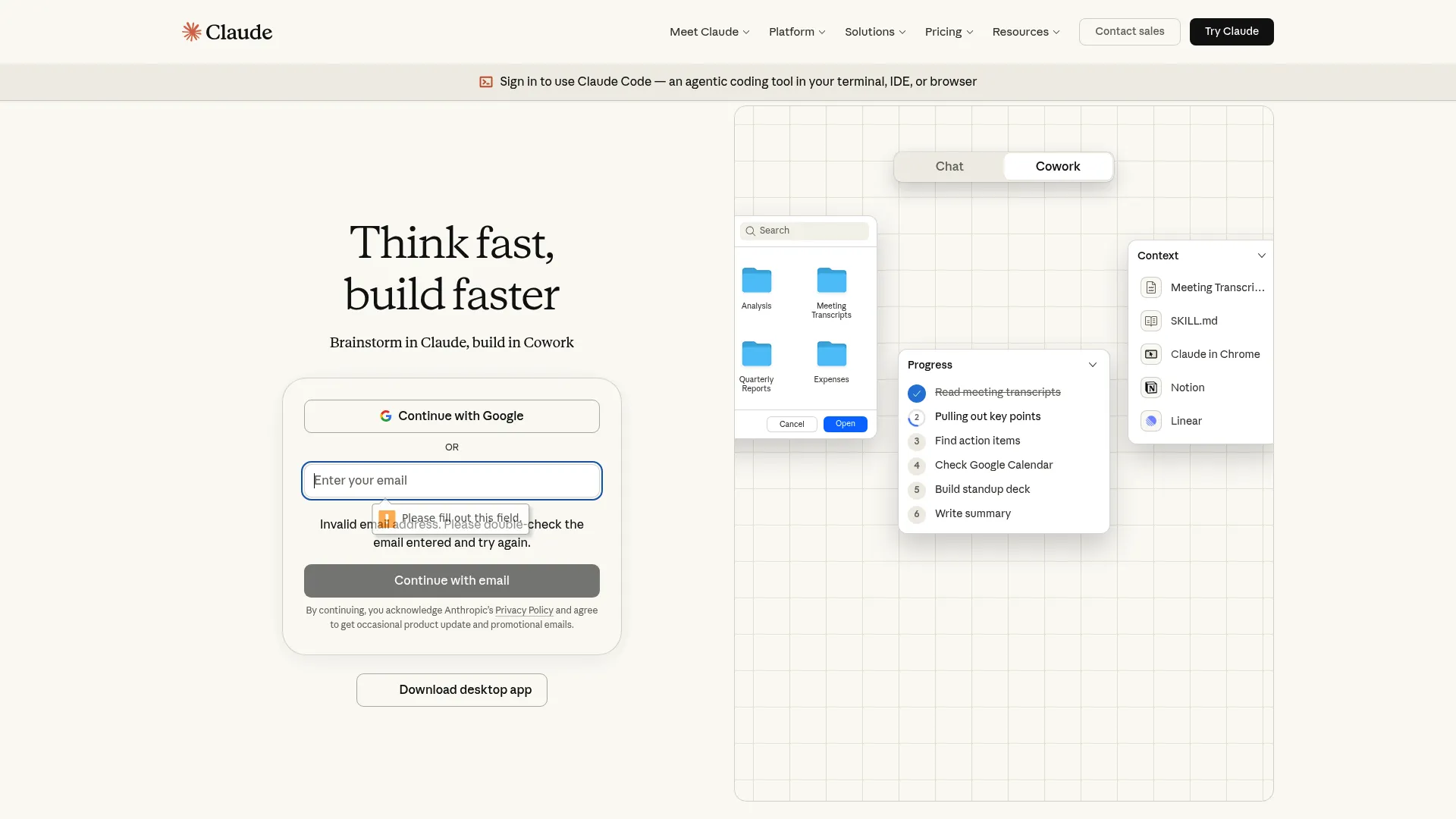
Find Claude Code at claude.ai/code
Cursor: For When You Need to See Everything
What It’s Actually Good At
Interactive Editing and Those Tab Completions
Cursor’s tab completions are genuinely unmatched. I’ve tried every AI coding tool available, and nothing predicts my next move across multiple lines like Cursor does. That alone keeps it installed even when I’m using Claude Code for refactoring work.
It’s a VS Code fork, so if you’re already using VS Code, there’s literally zero learning curve. File trees, tabs, integrated terminals, debuggers, language servers, extensions, themes, remote dev containers—everything just works exactly like you expect.
Engineers pick Cursor when they need to slow down, understand code deeply, and see every change before it happens through visual diff inspection.
The cursor vs claude code distinction becomes super obvious when you’re working through unfamiliar codebases or debugging complex issues where you need to see exactly what’s changing and why.
Source: cursor.sh
What You’re Actually Getting
Multi-model support is nice—GPT-5.3-Codex, Claude Sonnet 4.5, Gemini 3 Pro, and their Composer model (supposedly 4x faster than similar models). Tab completions use a specialized model that predicts across lines and blocks.
Since it’s a VS Code fork, there’s no learning curve. Visual diff inspection lets you hover over changes
and accept/reject at the line level.
Background agents run in isolated Ubuntu VMs with full internet access. Built-in browser for live preview.
One-click MCP setup from a curated list makes initial configuration pretty simple, though there’s a hard 40-tool limit. I’ve hit this ceiling twice on larger projects with extensive tooling, which forced some uncomfortable decisions about what to prioritize.
The Good Stuff
If you’re coming from VS Code, you’re productive from day one. No new keyboard shortcuts, navigation patterns, or interface conventions to learn.
Those tab completions remain Cursor’s strongest feature. If you spend most of your day writing code line by line, this alone justifies keeping Cursor installed.
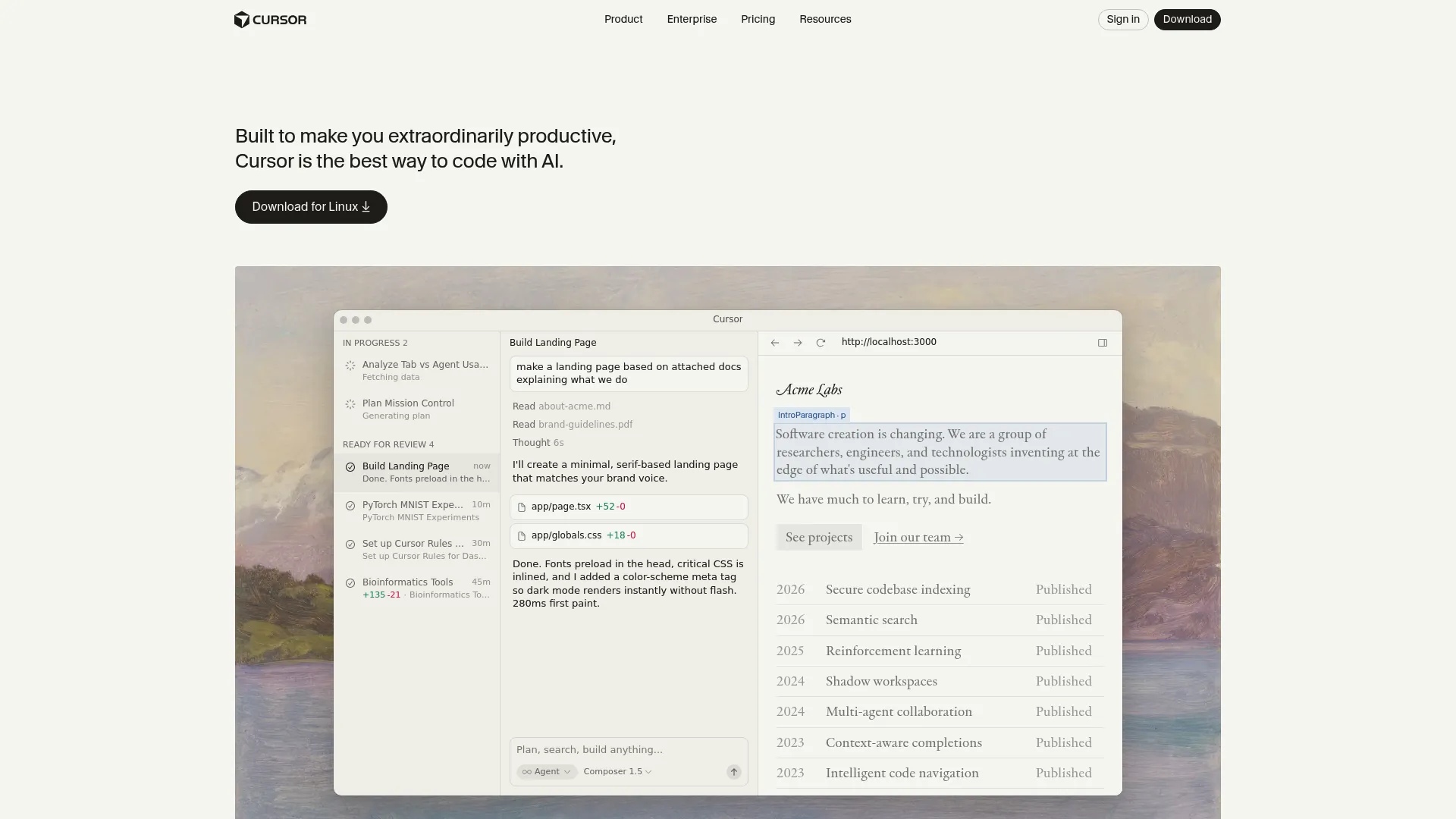
Visual feedback for every change is great—you see diffs highlighted inline, hover over modifications, and accept/reject at the line level. Perfect for careful inspection when you need to understand what’s happening.
Model flexibility is genuinely useful. You can switch between GPT-5.3, Claude Sonnet 4.5, Gemini 3 Pro, and Composer within the same session. I’ve found GPT-5.3 handles frontend work better while Claude excels at backend logic, and being able to switch mid-session actually matters.
Team pricing at $40/user/month versus Claude Code’s $125/user creates real budget advantages. For 10 developers, that’s $400/month versus $1,250/month.
Background agents with full internet access handle tasks that need external resources, running in isolated Ubuntu VMs that keep your local environment clean.
Great for focused, single-file tasks where you need tight feedback loops and want to maintain spatial awareness of file structure.
The Annoying Parts
Context window truncation is the biggest problem. They advertise 200K tokens, but you’re really getting 70K-120K after internal truncation. Multiple forum threads document this, and it becomes a real issue for large refactors across big codebases.
I experienced this firsthand when trying to refactor a monorepo—Cursor just couldn’t hold enough context to maintain consistency across all the files that needed coordinated changes.
The credit system is honestly kind of bullshit. Heavy users report $10-20 daily overages. One documented case showed a $7,000 annual subscription depleting entirely in a single day . Set spending limits immediately or you’ll regret it.
Not designed for CI/CD integration—Cursor excels at human-in-the-loop workflows but isn’t built to run autonomously in pipelines without human oversight.
Feels sluggish because of Electron/VS Code overhead. Opening the application takes time, and moving between files has noticeable lag that disrupts flow state if you’re used to lightweight editors.
40-tool hard limit on MCP servers is restrictive for teams with specialized tooling needs or extensive integration requirements.
How It Actually Performs
Interactive workflows: Optimized for visual workflows where you see diffs highlighted inline, hover over changes, and accept/reject at the line level. Perfect for careful inspection when you need to slow down and understand code deeply. (5/5)
Context windows: They say 200K but you’re really getting 70K-120K after truncation. For most daily tasks this works fine, but for large refactors across big codebases, the gap becomes a real problem. Multiple forum threads document this as a recurring frustration. (3/5)
IDE experience: Zero learning curve if you’re coming from VS Code since it’s literally a fork. File trees, tabs, integrated terminals, debuggers, language servers, extensions, themes, remote dev containers—everything carries over. Perfect for developers who aren’t comfortable with terminal commands. (5/5)
Model flexibility: Switch between GPT-5.3-Codex, Claude Sonnet 4.5, Gemini 3 Pro, and Composer within the same session. Composer is supposedly 4x faster than similarly intelligent models. This flexibility matters for teams experimenting with which model works best on their specific stack. (5/5)
Tab completions: This remains Cursor’s strongest exclusive feature. The specialized model predicts next edits across lines and blocks with unmatched accuracy. If you spend most of your day writing code line by line, tab completions alone justify keeping Cursor installed regardless of which primary tool you choose. (5/5)
Cost structure: Credit-based pricing replaced request-based billing in June 2025. Heavy users report $10-20 daily overages. That $7,000 annual subscription depletion story is real. The unpredictability is rough for budget planning—enable spend limits immediately. (3/5)
What Other Devs Are Saying
Developers consistently highlight tab completions as Cursor’s killer feature while expressing frustration about context window limitations and cost unpredictability. The VS Code familiarity removes friction for teams, but the Electron overhead and credit system create ongoing pain points.
Engineers appreciate the visual workflow for understanding complex code but acknowledge the tool isn’t built for autonomous execution patterns.
From GitHub Discussions: “VS Code has always felt unreasonably heavy to me. Opening it takes time. Traversing files has this noticeable lag that pulls you out of flow state when you’re trying to move quickly through a codebase.”
Yeah, I’ve noticed this too. Maybe it’s just me, but it bugs me every morning.
A Twitter thread mentioned: “One team’s $7,000 annual subscription depleted in a single day. Enable spend limits immediately. The credit-based system drains faster than you expect, especially when using Claude Opus for complex tasks.”
From a Dev.to community post: “Tab completions are genuinely unmatched. I’ve tried every AI coding tool available, and nothing predicts my next move across multiple lines like Cursor does. That alone keeps it installed even when I’m using Claude Code for refactoring work.”
What It’ll Cost You
Hobby tier is free with limited features for testing stuff out. Pro tier costs $20/month for individual developers. Pro+ runs $60/month with higher usage limits.
Ultra tier at $200/month targets heavy users who need maximum capacity. Teams pricing sits at $40/user/month, including SSO, RBAC, analytics, and shared rules—way cheaper than Claude Code’s team offering.
Access Cursor at cursor.sh
4 Other Options That Don’t Suck
GitHub Copilot
Microsoft’s Enterprise Thing
GitHub Copilot works directly in VS Code, Visual Studio, and JetBrains IDEs without making you switch editors. It’s built for developers who need AI assistance with enterprise security compliance already handled.
Copilot Chat gives you conversational coding help while Copilot Workspace handles multi-file edits.
The real differentiator here is native integration with GitHub repos and enterprise SSO. If you’re already deep in the Microsoft/GitHub ecosystem and need SOC 2, GDPR, and HIPAA compliance out of the box, Copilot is the smoothest path.
It’s less powerful for autonomous work than Claude Code but more stable than Cursor for daily autocomplete tasks.
Pricing runs $10/month for individuals and $19/user/month for business accounts. Find it at GitHub Copilot
Codeium
The Free One That’s Actually Good
Codeium provides completely free AI coding assistance for individual developers with no usage limits. It supports 70+ languages and works with 40+ editors including VS Code, JetBrains, Vim, and Emacs.
The autocomplete functionality delivers roughly 80% of Cursor’s capabilities at zero cost.
If you’re broke or just want to try this stuff before spending money, start here. The team plan at $12/user/month is way cheaper than both Claude Code and Cursor for organizations.
You won’t get the advanced autonomous workflows or massive context windows, but for standard autocomplete and chat assistance, Codeium removes the financial barrier entirely.
Individual use is free, teams pay $12/user/month. Check it out at Codeium
Replit AI
Browser-Based Development Environment
Replit AI operates as a complete development environment in the browser with an AI agent that builds entire applications from natural language descriptions. The platform handles deployment, database setup, and hosting without local configuration.
Replit Agent can construct full apps from a single prompt.
Rapid prototyping, learning to code, or building full-stack applications without local setup all fit Replit’s strengths. The AI agent handles more of the full stack than either Claude Code or Cursor, though with less control over the development process.
Side projects and MVPs benefit from the infrastructure friction removal.
Free tier available for testing, $20/month unlocks AI features. Visit Replit
When You Need Actual Developers
Look, after using both Claude Code and Cursor for months, here’s my take: AI coding tools help you write code faster. They don’t replace knowing what good code looks like, understanding architecture decisions, or having the experience to recognize when generated code is heading down the wrong path.
If you’re spending more time debugging AI-generated code than shipping features, or if your business depends on getting it right the first time, you might need actual developers who use AI as a tool rather than trying to do everything with AI yourself.
Similar to how AI search engine optimization tools serve different purposes in content strategy, choosing between coding tools or hiring developers depends on your current situation and what’s actually at stake.
The Marketing Agency builds production systems for SaaS platforms, eCommerce businesses, and enterprise clients. Our dev team uses AI tools like Claude Code and Cursor to move faster, but we bring the strategic thinking, technical architecture, and quality assurance that ensures what we build actually works in production.
We start with business goals and user needs, not code generation. Custom development built for your specific requirements, not generic templates. Every line reviewed by experienced engineers who understand production implications. Integration expertise so new systems work with your existing stack. Ongoing support when issues arise.
Pricing is custom based on project scope. Simple marketing sites start around $5,000, while custom platforms and eCommerce builds range $10,000-$50,000+.
Visit The Marketing Agency to discuss your project.
Questions You’re Probably Asking
Does the context window thing actually matter?
Claude Code gives you reliable 200K token context with 1M token beta access on Opus 4.6, scoring 76% on some benchmark. Cursor says 200K but you’re really getting 70K-120K after internal truncation.
For large refactors across massive codebases, this gap is real. Multiple forum threads document Cursor’s context limitations as an ongoing issue, while Claude Code users report getting the full advertised capacity.
I’ve tested both on the same codebase migrations, and Claude Code maintained coherence across files where Cursor started losing track of earlier changes. If you’re working on framework upgrades or coordinated changes across dozens of files, the context window difference is substantial.
Can I just use both, or is that stupid?
Yeah, absolutely. In fact, most devs I know use both. It’s not some either/or thing. Claude Code handles autonomous multi-file operations, background work, and CI/CD integration. Cursor handles interactive editing, code review, and line-by-line development with tab completions.
The $40/month combined cost ($20 each for Pro tiers) covers both workflows without redundant spending.
I’ve found this dual-tool approach more productive than trying to force either tool into workflows where it doesn’t excel. Use Claude Code when you need it to go off and do something on its own, use Cursor when you want to see every change. Pretty simple.
How do the costs actually compare for heavy users?
Claude Code uses rolling rate limits with weekly ceilings that prevent runaway costs but can feel restrictive during intensive sessions. The Pro tier at $20/month works for moderate use, while Max tier ($100-200/month) suits heavy work.
Cursor’s credit-based pricing creates unpredictability—heavy users report $10-20 daily overages, and that $7,000 annual subscription depletion story is legit. Enable spend limits immediately in Cursor or you’ll regret it.
Token efficiency favors Claude Code at 5.5x fewer tokens for identical tasks, which compounds over time. For teams, the gap widens: Cursor Teams at $40/user versus Claude Code Premium at $125/user creates an $850/month difference for 10 developers.
What about CI/CD integration and automation?
Claude Code’s CLI-first architecture works directly in continuous integration and delivery pipelines. Companies like ShopBack run Claude Code inside CI/CD systems for targeted code changes, issue tracing, well-scoped bug fixes, and automated code review triggered by PR events.
The agent checks out repositories, reads internal documentation, applies changes, runs validations, and reports results—all inside infrastructure they control.
Cursor’s strength lies in human-in-the-loop workflows and isn’t built to run in automated pipelines without human oversight. If automation and pipeline integration matter for your workflow, Claude Code is purpose-built for it while Cursor isn’t.
Which tool is better for teams?
Cursor Teams at $40/user/month includes SSO, RBAC, analytics, and shared rules with an IDE-first approach that works for team members with varying technical backgrounds. Developers uncomfortable with terminal commands can still use AI coding effectively.
Claude Code’s team features at $125/user/month focus on programmatic control and enforcement through hooks that intercept operations before execution, letting teams enforce code quality standards, auto-formatting, and validation rules.
The programmatic SDK in Python, TypeScript, and CLI enables custom automation tailored to specific team workflows.
Budget-conscious teams with mixed skill levels lean toward Cursor, while teams prioritizing automation and programmatic control choose Claude Code despite higher costs.
So… Which One Should You Actually Use?
Look, after using both of these for months, here’s my take: they’re both good. They’re also both annoying in different ways. Pick the one that annoys you less for whatever you’re doing right now.
The question isn’t which tool is objectively better—it’s which workflow you’re executing right now. Refactoring across dozens of files with coordinated changes? Claude Code. Writing code line by line with tight feedback loops? Cursor. Integrating AI into CI/CD pipelines? Claude Code. Need visual diff inspection and careful review? Cursor.
What I’ve noticed is that forcing a single-tool standard is usually counterproductive. Strong engineers use whatever works for what they’re doing. Just use whatever works for what you’re doing. Don’t overthink it.
Similar to how AI search engine optimization tools serve different purposes in content strategy, the claude code vs cursor decision depends on matching tool capabilities to immediate needs.
The performance regressions in Claude Code (5+ second startup times, unresponsive escape commands) are frustrating and represent a step backward. Cursor ‘s context window truncation and credit-based pricing unpredictability create their own friction. Neither tool is perfect, and both have real limitations you’ll hit in daily use.
What I’ve learned from extensive testing:
Context window size matters more than marketing claims suggest—Claude Code’s reliable 200K versus Cursor’s truncated 70K-120K becomes decisive for large-scale work
Token efficiency compounds over time—Claude Code’s 5.5x advantage means more tasks within rate limits and lower costs at scale
Tab completions in Cursor remain unmatched and justify keeping it installed even if Claude Code is your primary tool
Team pricing creates real budget implications—$850/month difference for 10 developers isn’t trivial
AI tools help you write code faster but don’t replace strategic thinking, architecture decisions, or production experience
Code quality depends more on how clearly you structure prompts than which tool you use once you reach baseline capability
If you’re spending more time debugging AI-generated code than shipping features, or if your business depends on getting it right the first time, you might need developers who use AI as a tool rather than trying to do everything with AI yourself.
Just as enterprise marketing automation requires strategic implementation, the claude code vs cursor comparison ultimately leads to a bigger question about whether speed or reliability matters more for your specific situation.
Understanding when to leverage automation versus when to apply human expertise separates successful implementations from expensive learning experiences. Much like how continuously learning AI systems require thoughtful architecture, choosing between development tools or development partners depends on your team’s current capabilities and business risk tolerance.
Talk to us about your project and figure out whether AI-assisted development or full custom development makes sense for your specific challenges.
