



Look, AI assistants have come a long way. By 2026, ChatGPT and Copilot aren’t just fancy chatbots anymore—they’re actually useful.
Here’s the thing nobody tells you: picking between them isn’t about which is “better.” It’s about which one fits how you actually work. Are you deep in Microsoft 365 all day? Do you need creative firepower? Are you coding or crunching data?
We’ve been putting both through their paces for weeks now. Real work—the kind you’d actually need to do on a Tuesday afternoon when you’re behind on deadlines. Marketing copy, data analysis, code, images, everything. What we found surprised us.
Neither tool is perfect. But one might be way better for you. Here’s how to figure out which.
Table of Contents
-
TL;DR: Quick Decision Framework
-
Comparing ChatGPT and Copilot: The Essential Criteria
-
ChatGPT: The Versatile Creative Powerhouse
-
Microsoft Copilot: Speed Meets Integration
-
Head-to-Head Testing: Real Tasks, Real Results
-
Four Alternatives Worth Considering
-
FAQ: Your Burning Questions Answered
-
Final Thoughts: Tools Don’t Build Strategies
TL;DR: Quick Decision Framework
ChatGPT crushes creative work, customization, and output quality—if you’re doing content creation, coding, or open-ended problem-solving, it’s not even a fair fight.
Copilot dominates on speed, Microsoft 365 integration, and structured tasks—perfect if your team lives in Office apps and you prioritize efficiency over creativity.
ChatGPT runs on GPT-5.2 with clear model access and specialized tools (Sora 2, o3-deep-research, GPT Image 1.5). Copilot delivers faster responses across the board but you can’t customize it like ChatGPT.
During testing, ChatGPT took 30+ minutes for image generation. Copilot? Minutes.
Copilot has always-on web browsing through Bing. ChatGPT makes you turn it on manually every. single. time. (Still annoyed about this.)
Pricing: ChatGPT Plus at $20/month vs. Copilot bundled into Microsoft 365 at $18-30/user/month.
Head-to-head testing score: ChatGPT 4, Copilot 3 across seven practical challenges.
Real talk? Neither of these tools is magic. You can’t just subscribe and expect your business to transform overnight.
Comparing ChatGPT and Copilot: The Essential Criteria
We put both platforms through eight tests that actually matter for daily work.
|
Criteria |
ChatGPT |
Microsoft Copilot |
Winner |
|---|---|---|---|
|
Creative Writing Quality |
Actually sounds like a human wrote it. Has personality. |
Professional but generic—reads like a press release |
ChatGPT |
|
Response Speed |
Slower (30+ min for images) |
Faster every single time—not even close |
Copilot |
|
Ecosystem Integration |
Standalone—you build your own workflows |
Lives inside Microsoft 365 |
Copilot |
|
Customization |
Custom GPTs, memory, voice options |
What you see is what you get |
ChatGPT |
|
Model Transparency |
Clear access to GPT-5.2, you know what you’re getting |
GPT-5-class via Azure, less visibility |
ChatGPT |
|
Real-Time Information |
Web browsing (if you remember to turn it on) |
Always-on Bing integration |
Copilot |
|
Coding Assistance |
Collaborative, asks good questions |
Functional but needs more hand-holding |
ChatGPT |
|
Data Analysis |
Describes what’s in your data |
Actually gives you insights you can use |
Copilot |
|
Pricing Value |
$20/month individual subscription |
$18-30/user bundled with M365 |
Tie (depends on your setup) |
|
Overall Rating |
4.25/5 |
4.0/5 |
ChatGPT |
Criteria Breakdown
Your use case determines everything. Do you need a standalone creative assistant or AI embedded in the tools you already use? Does Microsoft Copilot use ChatGPT? Not exactly—Copilot uses GPT-5-class models through Azure OpenAI, but it’s a different implementation than ChatGPT’s direct access to GPT-5.2.
If you’re living in Office apps daily, Copilot’s integration is huge. No switching between tools, no copying and pasting. It’s just there when you need it.
Model stuff matters for output quality. ChatGPT gives you clear access to GPT-5.2 and specialized tools. Copilot uses GPT-5-class models through Azure, but you don’t always know which version is handling your request.
Customization separates these platforms dramatically. ChatGPT lets you build Custom GPTs—specialized assistants tailored to specific workflows, complete with uploaded files and customized behavior. Copilot? You get what you get.
Real-time information favors Copilot’s always-on Bing connection. With ChatGPT, I wasted two weeks getting outdated information before I realized I had to manually turn on web browsing for EVERY conversation. Still annoyed.
Pricing works differently—ChatGPT is individual subscriptions, Copilot bundles into Microsoft 365. The difference between ChatGPT and Copilot pricing is less about raw cost and more about what you’re already paying for.
Output quality versus speed creates a trade-off: ChatGPT delivers more creative results but takes longer. Copilot prioritizes efficiency. Both work cross-platform, though ChatGPT offers more consistent experiences as a standalone tool.
ChatGPT: The Versatile Creative Powerhouse
What ChatGPT Does Best
ChatGPT is the go-to for creative professionals, developers, and anyone who needs responses with actual depth.
The platform is scary good at creative writing. Like, sometimes I forget I’m talking to AI good. The tone actually matches what you ask for, and the stories don’t sound like a robot wrote them. When we need marketing copy that actually sounds human, ChatGPT delivers.
Coding assistance is a core strength. ChatGPT explains code logic, generates scripts across multiple languages, and debugs with a collaborative approach that feels like working with a knowledgeable partner. The o3-deep-research mode does intensive multi-source analysis that goes way beyond surface-level summaries.
Custom GPTs are game-changing. You can build specialized assistants tailored to specific workflows, complete with uploaded files, APIs, and customized behavior. We’ve created Custom GPTs for brand voice consistency, technical documentation, and client-specific content frameworks.
The conversational depth is unmatched—ChatGPT maintains context over long, complex discussions without losing the thread or making you re-explain everything.
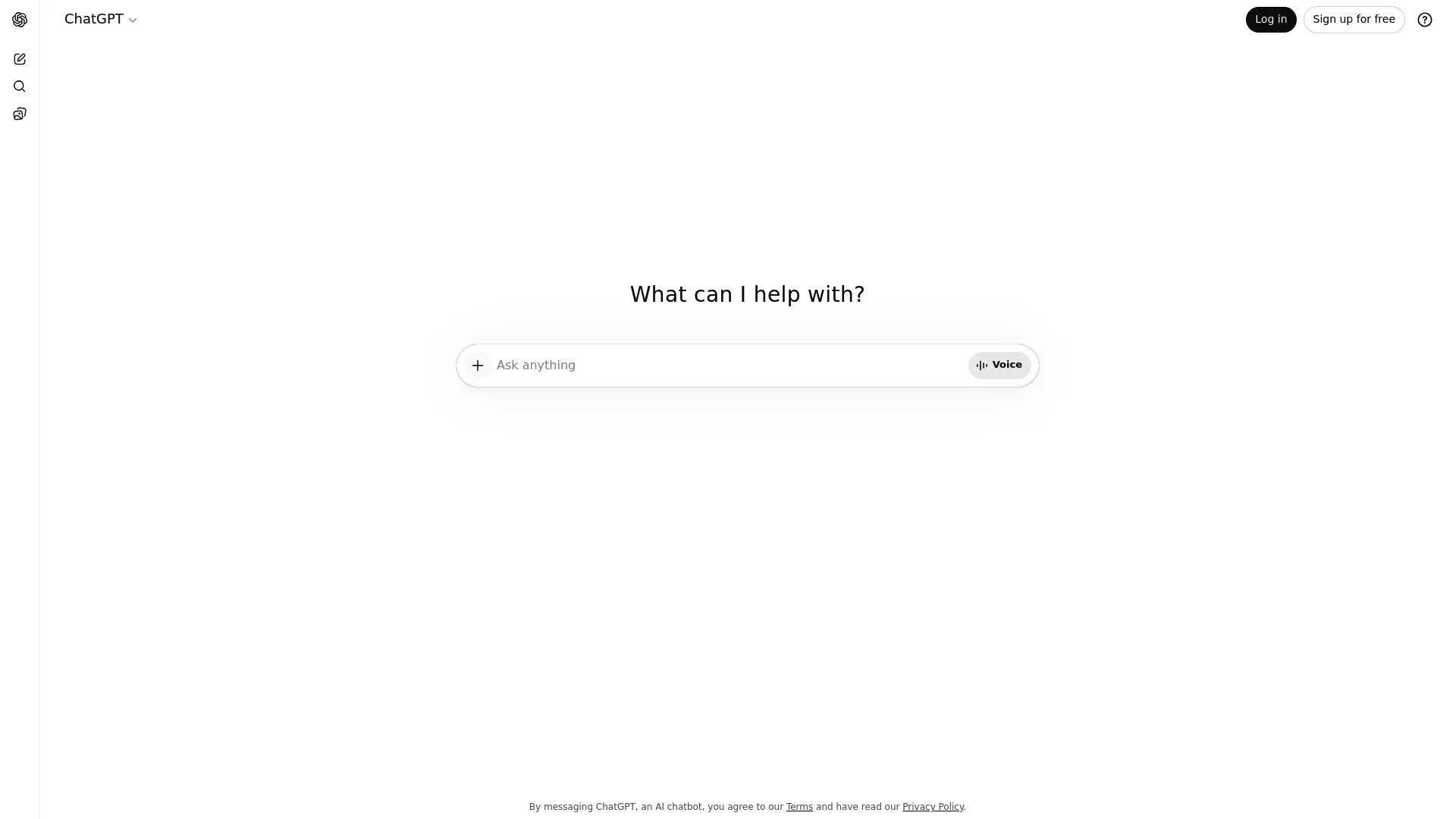
ChatGPT Features That Actually Matter
The GPT-5.2 model family gives you access to GPT-5, GPT-5.1, and legacy models. You’re not guessing which AI is working on your project—you know.
Sora 2 integration handles video generation directly in the platform, though it’s slower than competitors. GPT Image 1.5 creates visual content with high quality but requires patience—our testing showed 30+ minute wait times that make it impractical when you’re on deadline.
Custom GPTs with file uploads, API connections, and tailored behavior let you build specialized assistants for recurring tasks. We’ve built Custom GPTs that understand specific client industries, maintain consistent brand voices, and reference uploaded style guides automatically.
Memory across sessions (on paid plans) means ChatGPT remembers your preferences, writing style, and project context. After a few conversations, it starts anticipating your needs.
Voice conversations support multiple voice styles for natural spoken interactions. Web browsing exists but you have to turn it on in each chat session, which adds friction. Data analysis accepts file uploads including PDFs, CSVs, and spreadsheets.
ChatGPT Pros
Creative writing output beats competitors with natural phrasing, appropriate tone, and narrative coherence that feels human-authored rather than AI-generated.
Complete customization through Custom GPTs transforms ChatGPT from a general assistant into specialized tools—marketing copywriters, code reviewers, research analysts—each with persistent instructions and uploaded knowledge bases.
Model transparency eliminates guesswork about which AI version handles your request. You control whether to prioritize speed (GPT-5) or maximum capability (GPT-5.2).
Coding and debugging go beyond simple script generation into collaborative problem-solving, with ChatGPT proactively suggesting improvements and asking clarifying questions about what you’re trying to build.
Cross-platform consistency means the experience stays uniform whether you’re using the web app, mobile iOS/Android apps, or API integration—no feature gaps or confusing differences.
Memory features create genuinely personalized experiences where ChatGPT recalls your industry, writing preferences, project details, and communication style without requiring you to explain everything again.
Works across industries and use cases—marketing agencies, software developers, educators, researchers, creative professionals—without needing specialized versions.
ChatGPT Cons
Response times lag behind Copilot, particularly for image generation where 30+ minute waits make the feature impractical for time-sensitive projects. I literally started image requests, made coffee, answered emails, and still had to wait.
Web browsing needs manual activation in each new chat session. So frustrating when you need current information and forget to enable it before asking questions.
Standalone architecture means you’re building your own integrations and workflows rather than getting native embedding in productivity software you already use daily.
Sometimes ChatGPT has too many options. You just want to ask a quick question and suddenly you’re wondering if you should enable web browsing, switch models, create a custom GPT… it’s exhausting.
Learning curve for advanced features gets steep once you move beyond basic chat into Custom GPT creation, API integration, or complex multi-step workflows.
ChatGPT Criteria Evaluation
Use Case Flexibility: 5/5 — Handles creative writing, brainstorming, coding, research, and long-form content generation better than any competitor. Adapts to wildly different request types without needing specialized modes or configurations.
Ecosystem Integration: 3/5 — Standalone platform means you’re building your own workflows and manually moving content between tools. Works everywhere but requires intentional effort rather than automatic embedding.
Model Capabilities: 5/5 — GPT-5.2 with specialized tools (Sora 2, o3-deep-research, GPT Image 1.5) provides cutting-edge performance. Clear model transparency lets you choose exactly which AI version handles your request.
Customization: 5/5 — Custom GPTs, memory features, voice personalities, and file uploads give you complete control over AI behavior. You can build assistants that understand your specific needs and maintain that context indefinitely.
Real-Time Information: 4/5 — Web browsing works well when activated, but manual enablement in each chat session creates friction. Not as smooth as Copilot’s always-on approach, though the research quality often beats competitors once you remember to turn it on.
Pricing Value: 4/5 — Clear subscription tiers without hidden costs. ChatGPT Plus at $20/month offers strong value for individual power users who need creative assistance, coding help, and research capabilities.
Output Quality: 5/5 — Creative writing, detailed responses, and thorough analysis beat competitors. Takes more time but delivers depth that justifies the wait for projects where quality matters more than speed.
Speed: 3/5 — Noticeably slower than Copilot across all task types. Image generation taking 30+ minutes represents a real limitation for time-sensitive creative work.
ChatGPT Community Reviews
G2 community data shows high satisfaction across key performance indicators.
Ease of use scores 96%, which honestly surprised me given how many features it has. Apparently most people find it intuitive. (I still get lost in the settings sometimes.) Setup also hits 96%, suggesting onboarding friction stays minimal even for less technical users.
Meeting requirements reaches 93%, showing ChatGPT successfully addresses what users need. Natural language understanding scores 94%, reflecting the model’s ability to parse complex, ambiguous, or poorly-worded prompts.
Intent inference at 94% demonstrates ChatGPT’s capability to understand what you actually want even when requests lack precision. Context maintenance achieves 93%, validating the platform’s strength in long conversations.
Controlled response generation scores 91%—the lowest metric but still strong—indicating occasional challenges in constraining output to specific formats or requirements.
One marketing director noted: “ChatGPT transformed our content workflow. We use Custom GPTs for brand voice consistency across blog posts, social media, and email campaigns. The memory feature means we’re not constantly re-explaining our tone and audience.”
A software developer shared: “The coding assistance goes beyond Stack Overflow answers. ChatGPT asks clarifying questions about my implementation goals and suggests architectural improvements I hadn’t considered.”
However, a small business owner mentioned: “The creative output is incredible, but I wish image generation was faster. Waiting 30+ minutes makes it impractical for social media content when I need quick turnaround.”
Sources: g2.com, trustpilot.com, reddit.com/r/ChatGPT
ChatGPT Pricing
Free Plan provides access to GPT-5.2
Free Plan provides access to GPT-5.2 with usage limitations—good enough for casual users exploring AI capabilities but restrictive for daily professional use.
ChatGPT Plus at $20/month targets individual power users with unlimited GPT-5.2 access, Custom GPT creation, memory features, priority response times, and access to specialized tools like Sora 2 and o3-deep-research.
ChatGPT Pro offers a higher tier with enhanced priority access and advanced features, though specific pricing and capabilities vary based on OpenAI’s current offerings.
Enterprise provides custom pricing for organizations needing team management, enhanced security, admin controls, and usage analytics.
Access ChatGPT at chat.openai.com or through mobile apps on iOS and Android.
Microsoft Copilot: Speed Meets Integration
What Microsoft Copilot Does Best
Microsoft Copilot dominates productivity-focused AI by embedding directly into the tools millions of professionals use daily.
Native Microsoft 365 integration means AI assistance appears exactly where you need it—inside Word documents, Excel spreadsheets, PowerPoint presentations, Outlook emails, and Teams conversations—without switching contexts or copying content between applications.
Speed is Copilot’s most significant advantage, delivering faster responses across all task types compared to ChatGPT. When we’re racing against deadlines, Copilot wins every time.
Structured productivity tasks like summaries, rewrites, data analysis, and email drafting get polished, professional output optimized for workplace use. Real-time web results through always-on Bing integration automatically pull fresh information with sources, eliminating the manual activation friction that plagues competitors.
Business-ready output maintains professional tone and formatting that needs minimal editing before sharing with colleagues or clients.
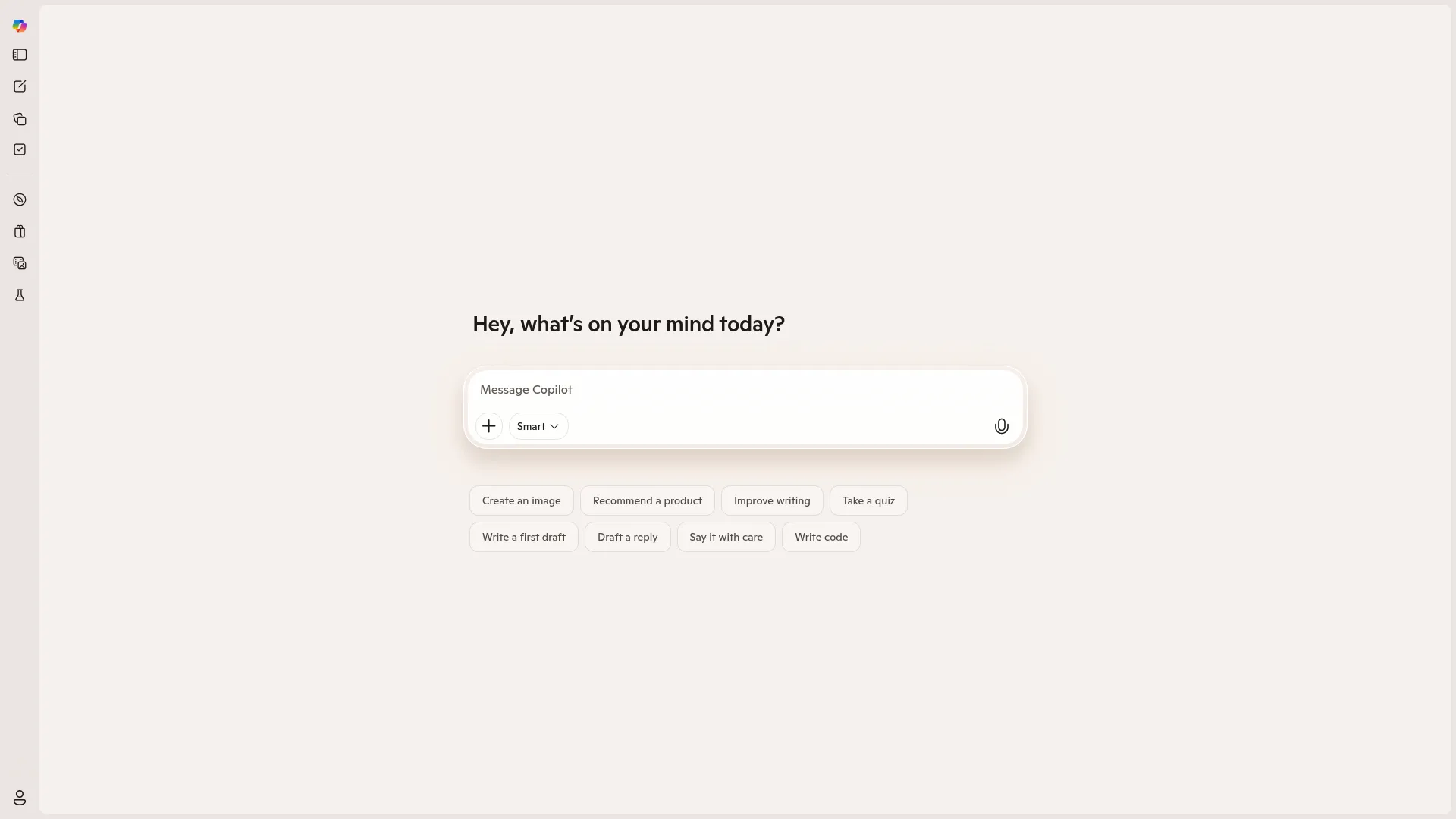
Microsoft Copilot Features That Actually Matter
GPT-5-class models through Azure OpenAI power Copilot’s responses, though Microsoft provides less transparency about which specific model version handles individual requests. You’re getting powerful AI, but you won’t always know exactly which version is working.
Quick and deep thinking modes let you choose between fast responses for straightforward tasks or more thorough analysis for complex problems.
Copilot Actions handle web task automation including booking, ordering, and navigation—though these function more like automated errands than the customizable intelligence offered by ChatGPT’s Custom GPTs.
Native integration across Microsoft 365 apps eliminates the context-switching that fragments workflows when using standalone AI tools. Windows and Edge integration extends Copilot’s presence beyond Office apps into the operating system and browser.
Always-on web browsing via Bing automatically incorporates current information without requiring manual feature activation. Voice functionality in Bing, Edge, and Windows enables hands-free interaction across Microsoft’s ecosystem. File and data analysis within Microsoft apps processes documents and spreadsheets without uploading to external platforms.
Microsoft Copilot Pros
Seamless Microsoft 365 integration eliminates the productivity friction of switching between AI tools and work applications—Copilot appears exactly where you need assistance without disrupting your workflow.
Fastest response times across all task categories make Copilot the clear choice when speed matters. Image generation completing in minutes versus ChatGPT’s 30+ minute wait times? Game-changer for time-sensitive projects.
Always-on web browsing with automatic source citation means you’re getting current information by default without remembering to activate features or verify that real-time data is included.
Excellent performance on structured business tasks—meeting summaries, email drafts, data analysis, presentation outlines—where professional tone and efficient formatting matter more than creative flair.
Strong data analysis capabilities in Excel transform raw numbers into actionable insights with visualizations and trend identification that go beyond basic calculations.
Professional, polished output needs minimal editing before sharing with colleagues or clients, maintaining workplace-appropriate tone and structure automatically. No app-switching required for Microsoft users means AI assistance integrates into existing habits rather than demanding new workflow patterns.
Microsoft Copilot Cons
What you see is what you get with Copilot. No tweaking, no customizing, no making it “yours.” Some people will love that simplicity. I found it frustrating.
No memory or custom assistants prevents Copilot from learning your preferences, remembering project context, or adapting to your specific communication style across sessions.
Less creative output than ChatGPT becomes apparent when you need marketing copy, storytelling, or content with personality—Copilot defaults to safe, corporate language that lacks energy.
Model transparency issues make it unclear which AI version is handling your request, removing your ability to optimize for speed versus capability based on task requirements.
Weaker performance outside Microsoft’s world means Copilot loses most of its advantages if you’re not deeply invested in Office apps and Windows. Generic tone for creative projects produces functional but uninspiring content when you need writing that connects emotionally or stands out from competitors.
If you’re not already paying for Microsoft 365, adding $18-30/user/month on top of existing software costs makes Copilot a tough sell for small teams or individual users.
Microsoft Copilot Criteria Evaluation
Use Case Flexibility: 3/5 — Excellent for structured productivity tasks within Microsoft apps but limited for creative, open-ended work outside that world. You’re getting a specialized tool rather than a versatile assistant.
Ecosystem Integration: 5/5 — Seamless presence across Microsoft 365 makes this the gold standard for embedded AI. Assistance appears exactly where you need it without context-switching or workflow disruption.
Model Capabilities: 4/5 — GPT-5-class models through Azure OpenAI deliver strong performance, though reduced transparency about which specific model handles tasks prevents optimization based on your needs.
Customization: 2/5 — Copilot Actions handle web tasks but aren’t customizable. Missing features like custom assistants, memory, and persistent instructions limit personalization compared to competitors.
Real-Time Information: 5/5 — Always-on Bing integration provides automatic real-time results with sources. No manual activation needed—current information comes standard with every query.
Pricing Value: 4/5 — Bundled into Microsoft 365 subscriptions creates strong value if you’re already in that world. Expensive if you’re not, but the integration justifies the cost for Office-dependent teams.
Output Quality: 4/5 — Strong for summaries, structured content, and business writing. Professional and polished but lacks the creative depth and understanding that ChatGPT delivers.
Speed: 5/5 — Faster responses across all task types. Image generation in minutes versus 30+ for ChatGPT makes this a decisive advantage for time-sensitive work.
Microsoft Copilot Community Reviews
G2 community feedback shows solid performance with some gaps compared to ChatGPT.
Ease of use reaches 93%, indicating most users find Copilot intuitive within familiar Microsoft interfaces. Setup also scores 93%, reflecting straightforward activation for existing Microsoft 365 subscribers.
Meeting requirements drops to 88%—the lowest metric—suggesting Copilot doesn’t fully satisfy user expectations in some scenarios.
AI text generation achieves 94%, demonstrating strong capability for written content creation. AI text summarization scores 92%, validating Copilot’s strength in condensing information efficiently. Personalization reaches only 88%, confirming the platform’s limitations in adapting to individual user preferences without memory or custom assistant features.
An education administrator reported: “Copilot transformed how we handle meeting notes and email responses. The integration with Teams and Outlook means I’m not copying content between apps—everything happens where I’m already working.”
An accounting professional shared: “Excel analysis with Copilot saves hours on financial reports. It identifies trends and creates visualizations I would’ve built manually, and the speed is impressive.”
A marketing consultant noted limitations: “For productivity tasks, Copilot is fantastic. But when I need creative campaign concepts or engaging copy, the output feels too corporate. I end up using ChatGPT for anything requiring personality.”
Sources: g2.com, microsoft.com/reviews, reddit.com/r/MicrosoftCopilot
Microsoft Copilot Pricing
Free Plan offers basic features for casual users exploring AI capabilities within Microsoft’s world.
Microsoft 365 Copilot Business at $18/user/month bundles advanced AI features into business subscriptions, making it cost-effective for teams already paying for Office apps.
Microsoft 365 Copilot Enterprise at $30/user/month provides enhanced capabilities, security features, and admin controls for larger organizations with complex compliance requirements.
Advanced features integrate into existing Microsoft 365 plans rather than requiring separate AI subscriptions, simplifying billing for IT departments managing multiple software licenses.
Access Copilot through copilot.microsoft.com, integrated Microsoft 365 apps, Windows 11, Edge browser sidebar, or mobile apps for iOS and Android.
Head-to-Head Testing: Real Tasks, Real Results
So in January 2026, we decided to actually put these to the test. Not the marketing fluff—real work. The kind of stuff you’d actually need to do on a Tuesday afternoon when you’re behind on deadlines.
We threw everything at these tools. Content summarization, marketing campaigns, creative storytelling, coding, image generation, data analysis, and research. Here’s how it actually went down.
Results? ChatGPT won four categories (summarization, marketing content, coding, research), Copilot won three (creative writing, image generation, data analysis), with the final tally favoring ChatGPT 4-3 overall.
Task 1: Content Summarization
The challenge: condense a 1,000+ word announcement into three bullet points under 50 words total.
ChatGPT’s version? I could’ve copied it straight into an email. Done. Clearer, more natural phrasing that felt immediately usable. The output ignored the word count restriction but captured core insights with better readability. Source attribution appeared automatically without prompting.
Copilot provided well-formatted output with bold headings that enhanced scannability. However, the takeaways remained surface-level without deeper analysis. Word limit violations matched ChatGPT’s, but the professional structure maintained visual polish.
Winner: ChatGPT for better copywriting and natural flow, though Copilot’s formatting deserves recognition.
Task 2: Multi-Format Marketing Content Creation
The challenge: complete product launch package for “LumaFlex” (a fictional pocket-sized creator light) including description, tagline, social posts, email teaser, and video script.
ChatGPT delivered campaign-ready copy with creator-focused tone that understood the target audience. Multiple tagline options appeared unprompted, with “Your pocket-sized light crew” standing out as particularly memorable.
Instagram visual suggestions and a timestamped video script felt production-ready. The writing carried natural confidence and energy appropriate for marketing creative work.
Copilot produced clean, structured output hitting all requirements but leaned too formal for a creative product. Heavy bolding made sections blur together visually. Safe execution lacked the energy expected for marketing materials, though hashtag inclusion added practical value.
Winner: ChatGPT decisively. The creative depth, unprompted extras, and audience understanding made this a clear victory.
Task 3: Creative Storytelling
The challenge: 150-word story about discovering a device feature that lets you relive one memory, but only once.
ChatGPT delivered sensory-driven prose with vivid detail, focusing on a daughter revisiting a morning with her father. Warm, emotionally resonant writing built the moment through subtle description. No title appeared, which felt like a minor presentation oversight.
Copilot crafted a quiet, reflective narrative about a son and his mother. Subtle pacing avoided overdramatization while maintaining emotional impact. The inclusion of a title (“The Last Echo”) added a polished finishing touch that elevated the presentation.
Winner: Slight edge to Copilot for presentation completeness with the title, though both delivered emotionally effective stories within the word limit.
Task 4: Basic Coding
The challenge: build a daily affirmation generator—a simple HTML/JavaScript page with button functionality and clipboard copying.
ChatGPT’s initial version was plain and functional. After requesting styling improvements, it delivered a well-balanced design with softer colors. The platform proactively asked about adding animations or sound effects, making the interaction feel collaborative. Final output achieved both functionality and visual polish.
Copilot delivered working code immediately but with bland visual presentation by default. Additional prompting for background and emoji additions improved aesthetics, but the second iteration came out too loud visually—functional but lacking design refinement.
Winner: ChatGPT for better design sensibility and collaborative approach to enhancement requests.
Task 5: AI Image Generation
The challenge: create a casual image of a crocheter working on a plushie inside a cozy café, including specific details like yarn, scissors, half-finished project, matcha latte, and open laptop.
Thirty. Minutes. I’m not kidding. ChatGPT took over 30 minutes to generate a single image. I literally went to lunch and came back and it still wasn’t done. Final quality was high with good anatomy and an adorable amigurumi bear. The cozy atmosphere came through clearly, though some specific storefront details were missing. Matcha latte art added a nice touch. Crochet hook accuracy failed.
Copilot generated the image in just a few minutes. Meanwhile, Copilot had the image ready before I finished my coffee. This isn’t even a competition. The platform understood the vibe immediately with creative energy evident throughout.
All requested elements appeared: yarn, scissors, half-finished bunny, matcha latte, and laptop displaying an actual storefront with product pricing and named crochet bears. Impressive attention to detail despite incorrect crochet hook rendering.
Winner: Copilot dominates on speed and detail inclusion. The 30-minute wait for ChatGPT is a dealbreaker for practical use.
Task 6: Data Analysis
The challenge: analyze mock LumaFlex product reviews (star ratings and user comments) to surface themes, patterns, and actionable insights.
ChatGPT provided a well-structured breakdown with three sections: common themes, repeated complaints, and standout positives. Average rating calculation was accurate. However, content felt generic without deep insight into user experience or decision-making implications. Surface-level analysis didn’t explore the “why” behind feedback patterns.
Copilot delivered detailed sections with clear headers and highlighted takeaways. Descriptions provided genuine insight into how users interact with the product.
An unprompted “Actionable Insights” section demonstrated understanding beyond mere summarization. Same accurate average rating. Output felt immediately valuable for actual product decisions.
Winner: Copilot by a significant margin. The actionable insights and contextual understanding made this output immediately valuable for business use.
Task 7: Real-Time Research
The challenge: find 2-3 creator economy updates from the past 10 days, focusing on monetization tools, platform
The challenge: find 2-3 creator economy updates from the past 10 days, focusing on monetization tools, platform features, or funding news, with sources and relevance explanations.
ChatGPT’s sources were recent and fairly relevant to the current landscape. Timeline adherence wasn’t perfect—didn’t fully stick to the 10-day requirement but pulled newer information. The platform followed prompt structure by explaining why each update mattered to creators. Usable output overall despite timeline flexibility.
Copilot completely missed the timeline requirement—pulled sources from 2021 and 2022. Structure looked fine superficially but failed on accuracy. The requested relevance section was skipped entirely, providing no context for why updates mattered.
Winner: ChatGPT clearly. While neither nailed the date filter perfectly, Copilot’s 3-4 year old sources made the output worthless for “recent updates.”
Four Alternatives Worth Considering
While ChatGPT and Copilot dominate the AI assistant market, four alternatives offer compelling features for specific use cases.
Google Gemini provides deep integration with Google Workspace for organizations avoiding Microsoft’s world. Claude from Anthropic emphasizes AI safety with a 200K token context window ideal for processing lengthy documents. Perplexity AI focuses exclusively on research with automatic source citation for fact-checking and verification. Jasper AI targets marketing teams with brand voice customization and campaign-ready templates.
Each alternative addresses gaps left by the two dominant platforms, particularly around your preferred tools, document length handling, research transparency, and marketing-specific workflows.
Google Gemini
Google’s AI assistant integrates with Google Workspace (Docs, Sheets, Gmail) and offers multimodal capabilities similar to ChatGPT. Gemini Ultra provides advanced reasoning and creative task handling for users invested in Google’s productivity world.
When to actually choose this instead:
Pick Google Gemini if your company already uses Google Workspace and the idea of switching to Microsoft makes you want to quit your job.
Key differentiator: Deep integration with Google’s search infrastructure and Knowledge Graph enhances factual accuracy beyond competitors relying on different data sources.
Pricing includes a free tier with Gemini Advanced at $19.99/month bundled with Google One AI Premium.
Access Gemini at gemini.google.com.
Claude (Anthropic)
Claude 3.5 Sonnet focuses on safety, understanding, and long-context conversations with a 200K token window. Excellent for research, analysis, and ethical AI applications where thoughtful, measured responses matter more than speed.
When to actually choose this instead:
Pick Claude if you’re processing really long documents—like, 100+ page contracts or research papers. Its 200K token limit is insane. Also if you’re paranoid about AI safety (valid).
Key differentiator: Constitutional AI approach emphasizes helpful, harmless, and honest responses. Superior for processing lengthy research papers, legal documents, and complex analyses requiring extended context.
Pricing includes a free tier with Claude Pro at $20/month.
Access Claude at claude.ai.
Perplexity AI
Research-focused AI that combines conversational interaction with real-time web search. Every response includes citations and sources, making it ideal for fact-checking, academic research, and journalism where verification matters.
When to actually choose this instead:
Pick Perplexity if you’re a researcher or journalist who needs sources for everything. It’s basically Google Scholar meets ChatGPT.
Key differentiator: Built specifically for research with automatic source citation. Focuses on accuracy over creativity, making it the opposite of ChatGPT’s open-ended approach.
Pricing includes a free tier with Perplexity Pro at $20/month providing GPT-4 and Claude access.
Access Perplexity at perplexity.ai.
Jasper AI
Marketing-focused AI writing assistant with brand voice customization, templates for ads/emails/social posts, and team collaboration features. Built specifically for content marketing rather than general-purpose assistance.
When to actually choose this instead:
Pick Jasper if you’re a marketing team that needs brand voice consistency and you have the budget ($49/month minimum). It’s overkill for individuals.
Key differentiator: Built specifically for marketing with campaign-ready templates and brand voice memory that maintains consistency across team members and content types.
Pricing starts with Creator plan at $49/month, with Pro and Business plans offering custom pricing for larger teams.
Access Jasper at jasper.ai.
FAQ: Your Burning Questions Answered
Can I use ChatGPT for business if my team uses Microsoft 365?
Yeah, totally. In fact, a lot of teams run both. Use Copilot for the boring daily stuff in Office, use ChatGPT when you need actual creative work. They’re not enemies.
ChatGPT crushes marketing copy, long-form content, and open-ended problem-solving. Copilot handles meeting summaries, email drafts, and data analysis within Office apps.
Running both subscriptions makes sense for organizations where different team members have different needs, or where the same person needs creative depth for some projects and productivity speed for others. The key is understanding which tool serves which workflow rather than forcing one platform to handle everything.
For teams looking to build comprehensive marketing automation systems that leverage AI capabilities, integrating both platforms into your broader technology stack can maximize efficiency while maintaining creative quality.
Is Copilot worth it if I don’t use Microsoft apps?
Not really—Copilot’s primary value comes from native integration within the Microsoft world. As a standalone web tool, it doesn’t offer enough differentiation from ChatGPT to justify the cost.
You’d be paying for seamless Office app integration without actually using those apps, which means you’re missing the core benefit. The always-on Bing search and faster response times exist, but ChatGPT provides similar capabilities (with manual web activation) at a lower price point for individual users.
If you’re working primarily in Google Workspace, standalone tools, or non-Microsoft environments, ChatGPT or Google Gemini make more financial sense. Copilot becomes compelling only when you’re already invested in Word, Excel, PowerPoint, Outlook, and Teams as your daily workflow foundation.
Which tool has better data privacy and security?
Both platforms offer enterprise-grade security with different infrastructure approaches.
Microsoft Copilot benefits from Azure’s enterprise infrastructure with extensive compliance certifications including SOC 2, ISO 27001, GDPR, HIPAA, and industry-specific standards. Data processing happens within Microsoft’s cloud environment with encryption at rest and in transit.
ChatGPT Enterprise provides similar security features with data encryption, admin controls, and compliance documentation. OpenAI doesn’t train models on Enterprise customer data, addressing a common privacy concern.
The practical difference comes down to your existing infrastructure—if you’re already on Azure with Microsoft 365, Copilot integrates into established security policies. If you’re platform-agnostic or using AWS/Google Cloud, ChatGPT Enterprise offers comparable protection.
Review each platform’s specific compliance documentation based on your industry requirements, particularly for healthcare, finance, or government sectors with strict regulatory demands.
Can either tool replace human writers or marketers?
No—both tools accelerate and enhance human work but lack strategic judgment, brand intuition, and the ability to understand complex business contexts.
AI generates content based on patterns and training data, but it can’t grasp your competitive positioning, understand why certain messaging resonates with your specific audience, or make strategic decisions about campaign direction.
ChatGPT might write compelling copy, but it won’t know whether that copy aligns with your Q3 revenue goals or conflicts with messaging from your sales team. Copilot can draft emails efficiently, but it won’t understand the political dynamics of your organization or the relationship history with a particular client.
Think of these tools as amplifiers—they make skilled professionals more productive by handling routine tasks, generating first drafts, and processing information quickly. They don’t replace the strategic thinking, creative direction, and business judgment that experienced marketers and writers provide.
Organizations seeking to maximize AI’s impact should focus on digital transformation strategies that integrate AI as one component within a comprehensive marketing system, rather than viewing it as a standalone solution.
How do Custom GPTs compare to Copilot Actions?
Different purposes entirely—Custom GPTs let you build specialized assistants with specific instructions, uploaded files, and customized behaviors. Think of them as personalized AI employees trained on your particular needs.
You might create a Custom GPT that understands your brand voice, has access to your style guide, and consistently generates content matching your tone. Another Custom GPT could analyze financial data using your specific frameworks and terminology.
These persist across sessions, remember context, and behave according to your defined parameters.
Copilot Actions, by contrast, handle web-based tasks like booking reservations, placing orders, or navigating websites—more like automated errands than customized intelligence. They’re useful for repetitive online tasks but don’t offer the deep personalization or knowledge retention that Custom GPTs provide.
If you need an AI that learns your business and adapts to your specific workflows, Custom GPTs win decisively. If you need automation for routine web tasks, Copilot Actions serve that narrow function adequately.
Which tool is better for teams?
If your team lives in Microsoft 365—like, you’re in Word and Excel all day—Copilot’s the obvious choice. It’s already there. Why make people learn something new?
Shared documents in Word, collaborative spreadsheets in Excel, and team conversations in Teams all benefit from embedded AI without requiring everyone to adopt a separate platform.
ChatGPT for cross-platform teams needing flexible AI that works anywhere. Teams using a mix of Google Docs, Notion, Slack, and various project management tools benefit from ChatGPT’s standalone nature—it doesn’t favor one world over another.
Consider team size, existing software investments, and primary use cases. A 50-person marketing agency using Microsoft 365 gets immediate value from Copilot. A 10-person startup using diverse tools and needing creative content benefits more from ChatGPT Plus subscriptions.
Larger enterprises might run both, assigning ChatGPT to creative teams and Copilot to operations/finance departments based on workflow requirements.
Final Thoughts: Tools Don’t Build Strategies
After weeks of testing across multiple scenarios, one truth becomes clear: neither ChatGPT nor Copilot will transform your business on its own.
ChatGPT offers superior creativity, customization, and depth for open-ended work. Copilot delivers unmatched speed, integration, and structured productivity within Microsoft’s world. Both excel at what they’re designed to do.
But here’s the thing nobody tells you: the real question isn’t “Which AI tool should I choose?” It’s “How do I turn AI capabilities into business results?”
That requires strategy, integration, and continuous optimization—not just access to powerful technology. We’ve watched businesses spend thousands on AI subscriptions while their actual marketing systems remain disconnected, their content lacks strategic direction, and their customer acquisition processes show no improvement.
The issue isn’t the tools—it’s the absence of a cohesive system connecting AI capabilities to revenue-generating activities.
Most companies approach AI adoption backwards. They buy subscriptions, maybe watch a few tutorial videos, then expect transformative results.
What actually happens? Teams generate inconsistent content because nobody established prompt frameworks. AI outputs sit unused because they don’t integrate with existing workflows. Subscription costs pile up without measurable ROI because the technology isn’t connected to business objectives.
Here’s what actually works: treating AI as one component within a larger marketing infrastructure designed to drive measurable growth.
At The Marketing Agency, we build systems where AI-powered content feeds into automated email sequences, where data analysis informs campaign optimization, and where every piece of technology serves a strategic purpose tied to revenue.
We don’t just recommend ChatGPT or Copilot—we integrate them into your complete marketing system including lead generation, customer nurturing, and conversion optimization. You’re not getting AI responses; you’re getting AI-powered campaigns that convert.
We design the prompts, templates, and automation sequences that ensure consistent, high-quality output aligned with your brand voice and business goals. We connect your CRM, email platform, and analytics so AI-generated content is personalized and optimized based on actual performance metrics.
We stay with you, continuously testing and refining your AI-powered marketing systems to maximize ROI with transparent reporting on what’s working and exactly how AI impacts your bottom line.
Whether you’re exploring agentic AI solutions for autonomous marketing workflows or need help building scalable content systems, the focus should remain on strategic implementation rather than tool selection alone.
Bottom line:
-
ChatGPT wins on creative depth, customization through Custom GPTs, and output quality for detailed content—ideal when you need marketing copy, strategic content, or coding assistance
-
Copilot dominates on speed (minutes vs. 30+ for images), Microsoft 365 integration, and structured business tasks—perfect for teams living in Office apps who prioritize efficiency
-
Head-to-head testing across seven real-world tasks scored ChatGPT 4, Copilot 3, with each platform showing clear strengths in different categories
-
Neither tool transforms business outcomes without strategic integration into revenue-driving workflows and continuous optimization based on performance data
-
Alternative platforms like Google Gemini, Claude, Perplexity AI, and Jasper serve specific needs around your preferred tools, document processing, research transparency, and marketing specialization
-
The real competitive advantage comes from building systems that connect AI capabilities to measurable business growth rather than simply accessing powerful technology
Look, I tested these tools for weeks so you don’t have to. Here’s my actual advice:
Get ChatGPT Plus if you’re doing creative work, coding, or need flexibility. It’s $20/month and works everywhere.
Get Copilot if you’re already paying for Microsoft 365 and you work in Office apps all day. The integration alone is worth it.
Get both if you’re a team with different needs—creative people get ChatGPT, operations people get Copilot.
The biggest mistake? Subscribing and then not actually integrating it into your workflow. These tools are powerful, but they’re not autopilot. You still need to know what you’re trying to accomplish.
Start with the free versions. Test them on real work. Then upgrade when you’re sure you’ll actually use them.
And please, for the love of all that is holy, learn how to write good prompts. That’s where the magic actually happens.
Ready to move beyond tool comparisons and start seeing actual results? We help businesses leverage AI within comprehensive marketing strategies that drive measurable growth. From AI-powered email campaigns to automated content systems to data-driven optimization—we build marketing infrastructure that works together. Contact us to start building your AI-powered marketing strategy today.
