


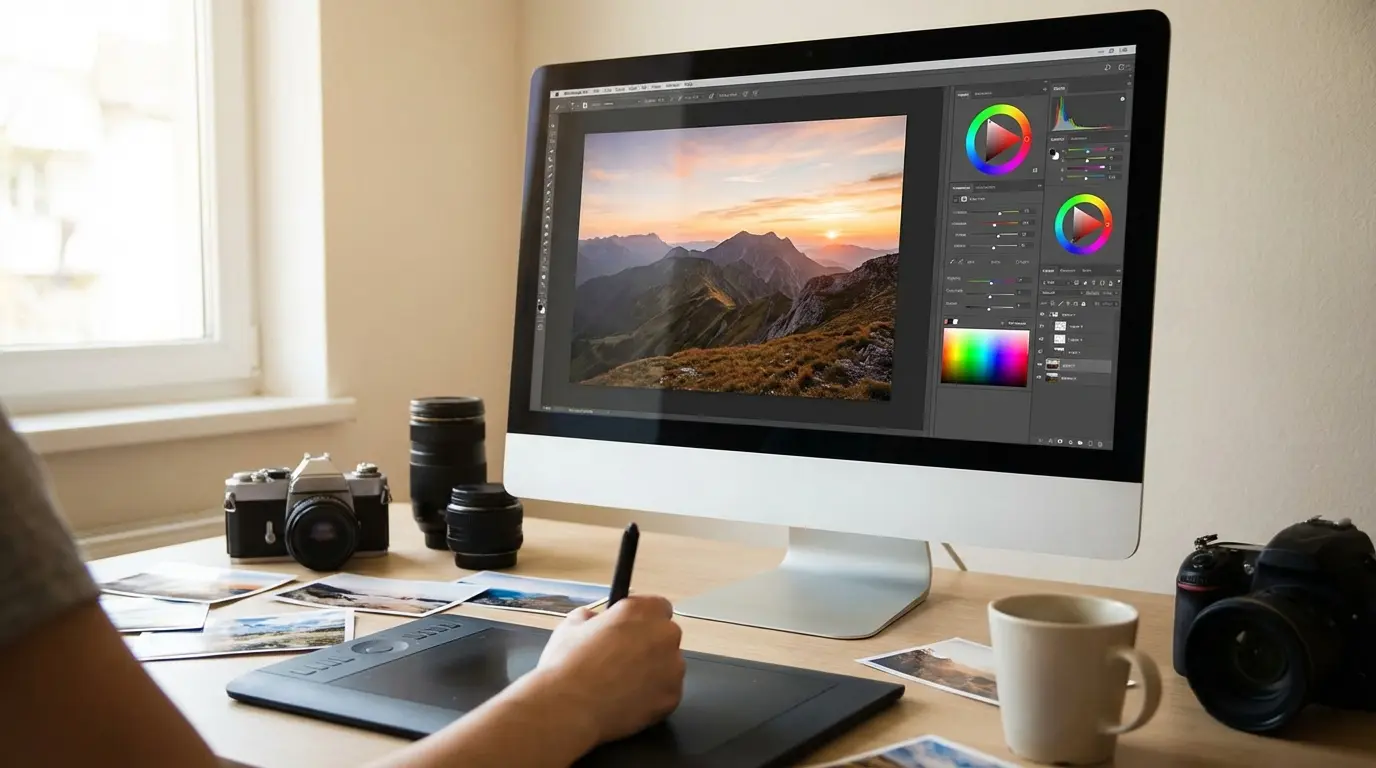
I’ve got a folder from a restaurant shoot in 2022 I almost deleted entirely. Shot at noon because the client couldn’t do morning — classic mistake — and every frame came back with blown highlights on the white tablecloths and muddy shadows in the booth seating. Lightroom’s masking tools and the AI denoising on the shadow recovery are literally the reason that client renewed their contract. I’m not being dramatic. The software did the heavy lifting.
I still have that folder. I open it occasionally when someone asks me whether software actually matters or whether it’s just gear-head obsession. It matters. Here’s what we’ve found after testing nine of the most-used options available right now.
We spent real time with all nine of these tools, and we didn’t always agree. There were some heated discussions about whether Capture One’s color rendering is actually better than Lightroom’s or just different, and whether Luminar Neo’s AI tools are useful or just impressive demos. You’ll see where we landed.
Table of Contents
Quick Navigation
If you’re a working professional photographer, start with Lightroom Classic or Capture One. Everything else is a specialty tool or a compromise. If you’re newer to editing or on a tight budget, jump straight to the Luminar Neo or GIMP sections. Everyone else: the comparison table below will get you to the right entry fast.
-
Best All-Around Workflow: Adobe Lightroom Classic
-
Best for AI Shortcuts: Luminar Neo
-
Best for High-End Studio Work: Capture One
-
Best for Creative Compositing: Adobe Photoshop
-
Best Subscription-Free Pro Tool: Affinity Photo 2
-
Best for Noise Reduction: DxO PhotoLab 8 Elite
-
Best All-in-One Suite: ON1 Photo RAW 2025
-
Best for Beginners: Adobe Photoshop Elements 2025
-
Best Free Option: GIMP
Comparison Table
|
Software |
Best Known For |
Pricing Model |
Workflow Rating |
|---|---|---|---|
|
Adobe Lightroom Classic |
All-Around Workflow |
Subscription |
5/5 |
|
Luminar Neo |
AI Shortcuts |
Sub & Perpetual |
4.5/5 |
|
Capture One |
High-End Studio Work |
Sub & Perpetual |
4.8/5 |
|
Adobe Photoshop |
Creative Compositing |
Subscription |
3/5 |
|
Affinity Photo 2 |
Subscription-Free Pro Tool |
Perpetual |
3.5/5 |
|
DxO PhotoLab 8 Elite |
Noise Reduction |
Perpetual |
4/5 |
|
ON1 Photo RAW 2025 |
All-in-One Suite |
Sub & Perpetual |
4/5 |
|
Adobe Photoshop Elements |
Beginners |
Perpetual |
3.5/5 |
|
GIMP |
Free Option |
Free |
3/5 |
What to Consider When Choosing Photo Editing Software
The workflow vs. layer-based question trips people up more than almost anything else. I’ve seen photographers buy Photoshop because it sounds more “professional,” then spend 45 minutes trying to organize a shoot’s worth of files in a tool that was never designed for that. Lightroom will batch-process 300 images while you’re getting coffee. Photoshop will let you spend three hours perfecting one of them. Neither is better, but using the wrong one for the wrong job is genuinely painful.
Before you commit to any of the photo editing programs in this guide, here are the criteria worth thinking through.
Workflow vs. Layer-Based Editing
Workflow tools are built for volume: organizing, rating, and batch-processing hundreds of files efficiently. Layer-based tools are built for precision, giving you pixel-level control over a single image. Knowing which one you need most of the time will immediately narrow your options. If you’re shooting weddings or events, you need a workflow tool first. If you’re building composites or doing heavy retouching, you need layers. Some photographers need both, which is why Lightroom and Photoshop are often used together.
AI Implementation
AI is useful when it handles the repetitive stuff: background masking, subject selection, noise reduction, sky replacement. Where it gets less useful is when it starts generating content that wasn’t in the original frame. For most photographers, practical AI utility beats generative novelty every time. The tools that have figured this out are the ones worth paying for.
RAW Processing Quality
RAW engines vary more than most people realize until they switch tools. If you’ve ever imported a Sony A7 file into Lightroom and then opened the same file in Capture One, you’ll know what I mean. The color rendering is noticeably different, and in most cases Capture One’s version looks closer to what you saw when you pressed the shutter. That’s not a minor thing if color accuracy is part of your deliverable.
Pricing Model
If you’re shooting professionally and billing clients, just do the math. Adobe’s Photography Plan runs about $120 a year. Capture One perpetual is $299 upfront. Over three years, the subscription costs less. But if you stop shooting, you stop paying for Capture One. You can’t say the same for Adobe. Default advice: perpetual license for tools you’re confident you’ll use long-term, subscription only when the continuous updates matter to your workflow.
Learning Curve
Some tools are built for speed and accessibility. Others reward the time you put into learning them. Neither is wrong, but your frustration tolerance and available training time should factor into the decision. A tool you’ll actually open every day beats a more powerful one you avoid because it’s confusing.
1. Adobe Lightroom Classic
Best Known for Workflow Efficiency
For high-volume photographers, Lightroom Classic remains the benchmark for managing and processing large batches of images. It’s been the industry standard for over a decade, and despite the push toward cloud-based alternatives, the desktop-first Classic version continues to hold its ground.
Lightroom Classic’s interface hasn’t changed dramatically since 2007, which is either a comfort or a frustration depending on how you feel about learning curves. Digital Camera World’s take is that the AI updates have kept it relevant despite the dated bones, and that tracks with what we’ve found. The masking tools in particular have gotten good enough that I rarely reach for Photoshop for selection work anymore.
Overview
Lightroom Classic functions as a complete digital darkroom. Its catalog system lets you organize thousands of images with metadata, keywords, and star ratings, while the Develop module handles everything from basic exposure corrections to advanced color grading. The integration with the broader Adobe ecosystem means round-tripping to Photoshop is seamless when you need it.
Screenshot of Adobe Lightroom Classic interface
Features
The AI-powered denoising holds up at ISOs where Lightroom used to start producing that waxy, over-processed look. That’s a real differentiator, not marketing copy. The masking system, which includes AI subject, sky, and background selections, has matured into something that saves real time on complex edits. The Lens Blur tool adds creative depth-of-field effects non-destructively, and the Develop module’s range of tonal controls gives you precise command over every part of the image.
The ongoing debate between Lightroom Classic and the cloud-based Lightroom CC tends to come down to one thing: do you want your catalog local or in the cloud? For most working professionals, local wins.
Pros
-
Unrivaled batch editing capabilities
-
Industry-standard file management
-
Extensive plugin support
Cons
-
Subscription-only model
-
Large catalogs can become hardware-intensive
Criteria Evaluation
-
Workflow Efficiency: 5/5
-
Feature Set: 5/5
-
Value: 4/5
(Source: Digital Camera World)
Price
Available through the Adobe Photography Plan starting at approximately $9.99/month.
Where to find: Adobe Lightroom Classic
2. Luminar Neo
Best Known for AI Magic
Luminar Neo isn’t trying to replace Lightroom’s cataloging depth or Photoshop’s compositing power. What it does is give photographers access to complex edits through tools that feel almost effortless to use, making it one of the more intuitive photo editing options on the market right now.
The interface is modern and visually clean, which makes it far less intimidating than Adobe’s ecosystem for users who are newer to editing. Luminar Neo’s modular approach means you can add or remove tool panels based on what you actually use.
Overview
Features like Sky AI, which replaces skies with convincing results, and GenErase, which removes unwanted objects, are capable tools rather than gimmicks. The Light Depth tool is the one I’d put in the novelty category. It’s impressive the first time you use it, and then you realize you’re reaching for it maybe once every 20 shoots. GenErase and Sky AI are the ones that actually stay in rotation. They’re not perfect, but they’re fast enough that even when you need to clean up the edges manually, you’re still saving time overall.
Screenshot of Luminar Neo interface
Features
Super Contrast gives you granular control over micro-contrast without blowing out edges. The AI Assistant guides users through edits with contextual suggestions, which is useful for those still building their editing instincts. Reviews from The M Frames describe Luminar Neo as a “new kid on the block” that has earned its place through ease of use and creative flexibility, and that’s a fair read. The core AI features hold up well in real-world use, even if a few of the more creative tools are things you’ll try once and move on from.
Pros
-
Intuitive AI tools
-
Perpetual desktop license option available
-
Innovative features like Light Depth
Cons
-
AI tools can produce inconsistent results
-
Performance isn’t as snappy as competitors
Criteria Evaluation
-
Workflow Efficiency: 4.5/5
-
Feature Set: 4.5/5
-
Value: 5/5
(Source: The M Frames)
Price
Perpetual desktop license available at approximately $119, with subscription options also available.
Where to find: Luminar Neo
3. Capture One
Best Known for Color Accuracy
I resisted Capture One for years because the price felt hard to justify when Lightroom was doing the job fine.
3. Capture One
Best Known for Color Accuracy
I resisted Capture One for years because the price felt hard to justify when Lightroom was doing the job fine. I was wrong, at least for the kind of color-critical work I do now. Whether it’s worth it for you depends almost entirely on how much your RAW rendering actually matters to your clients.
Studio photographers and commercial shooters tend to have strong opinions about Capture One, and those opinions are almost always positive. Its RAW processing engine is widely regarded as the best available for tethered shooting and color-critical work.
Overview
The interface is fully customizable, which takes some setup time but pays off once you’ve built a workspace that matches your process. Capture One’s RAW rendering is particularly strong with Fujifilm and Sony files, pulling out detail and color accuracy that other tools can struggle to match. The sharpness on RAW output is consistently impressive.
Screenshot of Capture One interface
Features
The “Sessions” workflow is a standout feature for commercial photographers. Unlike Lightroom’s catalog system, Sessions let you work on a project-by-project basis without a centralized database, which keeps things clean and portable. For photographers who work across multiple clients simultaneously, it’s a meaningfully different approach that’s worth understanding before you dismiss it as a quirk.
The color grading tools are advanced, and adjustment layers in Capture One give you full feature access at every level, not a stripped-down version. Digital Camera World notes that while Capture One lacks the broader creative ecosystem that Adobe offers, its workflow is purpose-built for professional efficiency, and the Sessions-based approach gets particular praise from photographers juggling multiple clients.
Pros
-
Excellent RAW processing quality
-
Highly customizable interface
-
Industry-leading tethering
Cons
-
Significantly more expensive than Lightroom
-
Steeper learning curve
Criteria Evaluation
-
Workflow Efficiency: 4.8/5
-
Feature Set: 5/5
-
Value: 3.5/5
(Source: Digital Camera World)
Price
Perpetual license at approximately $299, or a subscription at approximately $24/month.
Where to find: Capture One
4. Adobe Photoshop
Best Known for Creative Freedom
Photoshop is in a category of its own when it comes to image manipulation. It’s not a workflow tool. It’s a creative environment. For compositing, retouching, and any edit that requires working at the pixel level, it remains the go-to for deep creative work.
Overview
The addition of Firefly Generative AI has changed how many photographers and designers use Photoshop. Generative Fill allows you to extend backgrounds, remove objects, and add elements to a scene using text prompts, all within the existing layer structure. It’s a significant shift in how the software handles creative problem-solving.
Adobe trained Firefly on licensed content, which matters more than it might seem. Since the wave of lawsuits against image generators starting in 2023, clients in commercial photography have started asking where AI-generated content comes from. Adobe’s licensing approach gives you a defensible answer, and for commercial photographers whose clients ask about AI provenance, that’s actually a selling point worth mentioning in client conversations.
Screenshot of Adobe Photoshop interface
Features
Generative Fill changes how you handle problem frames. Extending a background that was cut too tight, or removing a distracting element, now takes minutes instead of an afternoon of clone-stamping. Generative Expand lets you increase canvas size and fill the new area with AI-generated content that matches the existing image. The Object Selection tool has become remarkably accurate, making complex masking tasks much faster. Neural Filters handle tasks like skin smoothing and color transfer with a level of control that would have taken hours manually.
Amateur Photographer’s review confirms that Photoshop remains the industry standard for creative editing, and that’s still accurate. Worth knowing: Firefly’s output quality is inconsistent. Complex scenes with fine detail often require significant manual cleanup after generation.
Pros
-
Limitless creative possibilities
-
Generative Fill changes how problem frames get handled
-
Unmatched layer support
Cons
-
Overkill for basic photo adjustments
-
Steep learning curve
-
Subscription only
-
Firefly output requires manual cleanup on complex scenes
Criteria Evaluation
-
Workflow Efficiency: 3/5
-
Feature Set: 5/5
-
Value: 4.5/5
(Source: Amateur Photographer)
Price
Included in the Adobe Photography Plan starting at approximately $9.99/month.
Where to find: Adobe Photoshop
5. Affinity Photo 2
Best Known for Value
If you’re paying Adobe $120 a year and you’re not using Lightroom’s cloud features, you’re probably overpaying. Affinity Photo 2 is the strongest subscription-free alternative to Photoshop available, and for many photographers it’s the professional-grade tool they’ve been looking for without the ongoing cost.
I keep waiting for Affinity Photo to feel like a compromise, and it mostly doesn’t, which still surprises me at that price point.
Overview
Affinity Photo 2 covers a wide range of editing tasks: HDR merge, panorama stitching, layer-based retouching, and RAW processing are all handled within a single application. Performance on both Mac and Windows is smooth, and the interface, while dense, is logically organized once you spend time with it.
Rod Lawton’s review on Life After Photoshop describes Affinity Photo 2 as a major refresh that delivers an extremely powerful professional rival at an exceptionally low price. The absence of generative AI tools is a real gap compared to Adobe, but for photographers who don’t need that functionality, it’s a non-issue.
Screenshot of Affinity Photo 2 interface
Features
The Develop persona handles RAW processing with solid results, giving you exposure, white balance, and lens correction controls before you move into the Photo persona for retouching. Live filter layers are non-destructive and can be stacked and adjusted at any point in the editing process, which keeps your workflow flexible. There’s no built-in file management, which is a real limitation if you’re coming from Lightroom and expecting a catalog system. You’ll need to handle organization separately.
Pros
-
One-time purchase model
-
Professional-grade feature set
-
Smooth performance
Cons
-
No advanced AI generative tools
-
No built-in file management
Criteria Evaluation
-
Workflow Efficiency: 3.5/5
-
Feature Set: 4.5/5
-
Value: 5/5
(Source: Life After Photoshop)
Price
One-time purchase at approximately $69.99.
Where to find: Affinity Photo 2
6. DxO PhotoLab 8 Elite
Best Known for Noise Reduction
Few tools approach image correction with the scientific rigor that DxO brings to PhotoLab 8 Elite. If you shoot in challenging light conditions and need the cleanest possible output from your RAW files, this is the tool built specifically for that problem. Everything else it does is secondary to that core strength, and the pricing reflects it, so go in knowing what you’re buying it for.
Overview
PhotoLab 8 is built for purists. Every lens correction profile in the software is derived from lab measurements of actual hardware, meaning the optical fixes applied to your images are based on real data rather than algorithmic guesses. If you regularly shoot at high ISOs or work with older glass that introduces distortion and chromatic aberration, that distinction matters in ways you’ll notice immediately.
Screenshot of DxO PhotoLab 8 interface
Features
DeepPRIME XD2 is the reason to buy this software, full stop. At ISO 6400, it’s doing something that still feels slightly unreal. You’re getting clean files that retain actual texture in skin and fabric rather than that smoothed-over, plastic look you get from aggressive noise reduction in Lightroom. It’s not magic. Very high ISOs still show some degradation. But the threshold where files become genuinely unusable is noticeably higher with DxO than with anything else we’ve tested.
The way it works is worth understanding: DeepPRIME XD2 processes RAW data at the demosaicing stage, which means it’s working with more information than tools that apply noise reduction after the fact. That’s not a marketing distinction. It’s why the results look different.
U-Point masking gives you localized control without drawing complex selections, and the new Tone Curve panel adds tonal precision that was previously missing from the interface. The Elite version unlocks the full optical module library and the DeepPRIME XD2 engine. That’s the version worth buying if you’re going to invest in this software at all. The standard edition will leave you wanting.
Digital Camera World’s assessment is direct: DeepPRIME XD2 is unmatched for noise reduction. Lightroom processes files faster, but when RAW file quality is the priority, PhotoLab consistently comes out ahead. For photographers who shoot events, wildlife, or anything in low light, that trade-off is worth making.
Pros
-
Best-in-class noise reduction
-
Superior lens corrections based on real lab data
-
Perpetual license available
Cons
-
The features that matter most require the Elite version
-
Some tools have a learning curve that isn’t well-documented
Criteria Evaluation
-
Workflow Efficiency: 4/5
-
Feature Set: 4.5/5
-
Value: 4/5
(Source: Digital Camera World)
Price
Elite Edition available at approximately $229 as a perpetual license.
Where to find: DxO PhotoLab 8
7. ON1 Photo RAW 2025
Best Known for Versatility
ON1’s pitch is simple: everything in one app, no plugins required, no switching between Lightroom and Photoshop. Whether it fully delivers on that promise depends on what you’re coming from, but for photographers who don’t need the deepest feature set in any one category, it covers a lot of ground effectively.
Overview
The ambition here is real. ON1 wants to replace both Lightroom and Photoshop in a single interface, handling file browsing, RAW processing, retouching, and creative effects without sending you elsewhere. For photographers who find themselves constantly switching between tools, that’s a meaningful proposition. For photographers who rely on Lightroom’s catalog depth or Photoshop’s compositing precision, it won’t fully close the gap.
Screenshot of ON1 Photo RAW 2025 interface
Features
Generative Erase and Generative Crop are the newest additions, handling object removal and canvas expansion with AI assistance. The Effects tab gives you access to an extensive library of filters and looks that can be stacked and blended with opacity controls. NoNoise AI is a genuine strength, producing clean results that compete with dedicated noise reduction tools. Super Select AI handles subject and background masking quickly, reducing the time spent on selections for most standard edits.
Digital Camera World praises the effects library and the core editing tools but flags that some AI features feel like they’re still finding their footing, and that tracks with what we found too.
One thing worth knowing before you buy: ON1’s generative features use Stability AI under the hood, which became a point of contention when questions surfaced about the training data behind those models. ON1 hasn’t been fully transparent about this, and for photographers who care about AI ethics, particularly around whether their own work might be in those training sets, it’s a legitimate concern and not a minor footnote. If that matters to you, factor it into the decision.
Pros
-
Subscription-free option available
-
Excellent NoNoise AI integration
-
Versatile effects library
Cons
-
Interface can feel cluttered
-
Performance can be slower than Lightroom
-
Limited transparency around Stability AI training data
Criteria Evaluation
-
Workflow Efficiency: 4/5
-
Feature Set: 4.5/5
-
Value: 5/5
(Source: Digital Camera World)
Price
Perpetual license at approximately $99.99.
Where to find: ON1 Photo RAW
8. Adobe Photoshop Elements 2025
Best Known for Ease of Use
Not everyone needs a professional-grade editing suite. For hobbyists, family photographers, and anyone who finds the full Adobe lineup overwhelming, Photoshop Elements 2025 fills an important gap. It’s accessible without being condescending, and it doesn’t try to be something it isn’t.
Overview
Elements runs on three editing modes: Quick, Guided, and Expert. Quick handles basic adjustments in seconds. Guided walks you through specific effects step by step, which is helpful for users who are still building confidence. Expert mode opens up a more traditional layer-based workspace for those ready to go deeper. The Organizer app handles file management separately, keeping your library sorted by date, people, and events automatically.
One thing Digital Camera World flags that’s worth knowing upfront: Elements requires Camera Raw to process RAW files, and that dependency isn’t clearly communicated when you buy it. It’s caught some users off guard. Once you know about it, it’s a minor hurdle, but it’s worth flagging before you buy rather than after.
Screenshot of Adobe Photoshop Elements 2025 interface
Features
AI object removal works well for straightforward subjects, and the depth-of-field blur tool lets users create background separation without needing to understand masking. The Guided Edits section includes templates for creating social graphics, memes, and collages, which broadens the software’s appeal beyond traditional photo editing. These aren’t features that professionals will reach for, but they’re exactly what the target audience needs and will actually use.
The Photoshop Elements Features section is noticeably shorter than the full Photoshop entry, and that’s intentional. This is a simpler tool. It should read that way.
Pros
-
Very beginner-friendly
-
One-time purchase
-
Helpful guided editing modes
Cons
-
Limited RAW support without Camera Raw
-
Interface feels dated in places
Criteria Evaluation
-
Workflow Efficiency: 3.5/5
-
Feature Set: 3.5/5
-
Value: 4/5
(Source: Digital Camera World)
Price
One-time purchase at approximately $99.99.
Where to find: Adobe Photoshop Elements
9. GIMP (GNU Image Manipulation Program)
Best Known for Being Free
I’ll be honest: I go back and forth on whether to recommend GIMP to beginners. The interface will frustrate some people enough that they quit editing entirely, which defeats the purpose. If you have any budget at all, Photoshop Elements at $100 is probably a better starting point. If you genuinely can’t spend anything, GIMP is the answer, but go in knowing it’ll take patience.
That said, the capabilities are broader than most people expect from a free tool.
Overview
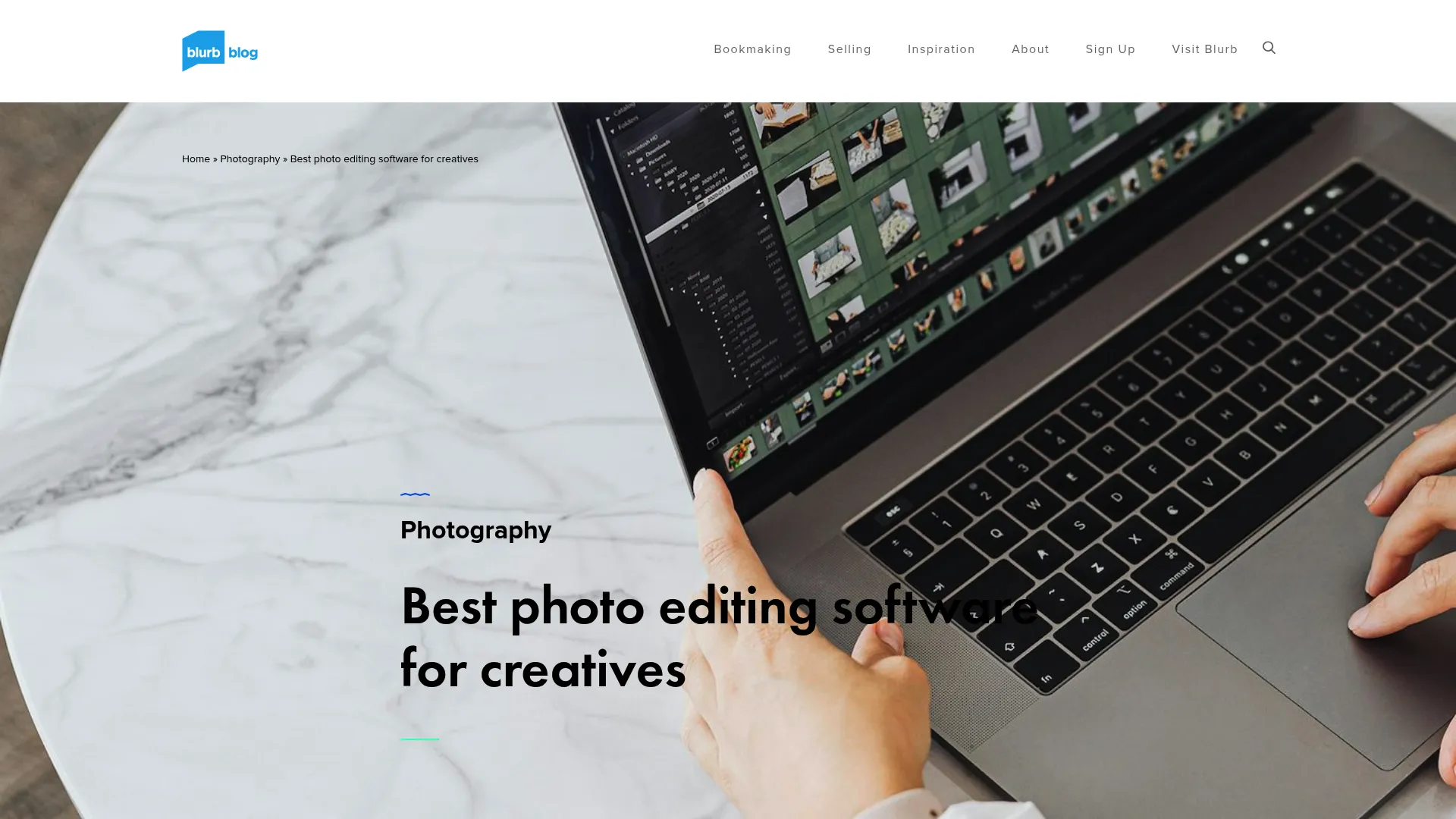
Color correction, cloning, painting, and channel-based selections are all present. The community plugin ecosystem extends the software further, with tools like the Resynthesizer plugin adding content-aware fill functionality that approaches what you’d find in paid alternatives. Creative Bloq’s review is candid about the interface frustrations, drawing comparisons to Krita as an alternative for digital painters. The consensus is that GIMP has quirks that require patience, but for anyone who can’t justify a paid subscription, it remains a capable tool that will surprise you if you stick with it.
Screenshot of GIMP interface
Features
Version 3.0 introduced meaningful progress toward non-destructive editing, which has been a long-standing criticism of the software. The layer-based workflow supports masks, blend modes, and adjustment layers in a way that gives experienced users real control. The Resynthesizer plugin remains one of the more impressive community contributions, handling texture synthesis and object removal with reasonable results. Where free tools fall short is in workflow speed, AI features, and the overall polish of the experience. If those gaps matter to your process, a paid tool will serve you better. If they don’t, GIMP is more capable than its price tag suggests.
Pros
-
Completely free
-
Open-source with an active plugin community
-
Powerful toolset for the price
Cons
-
Interface has a real learning curve
-
Lacks native non-destructive RAW editing
-
Not a strong recommendation for beginners with any budget at all
Criteria Evaluation
-
Workflow Efficiency: 3/5
-
Feature Set: 4/5
-
Value: 5/5
(Source: Creative Bloq)
Price
Free.
Where to find: GIMP
Notable Mentions
Four tools didn’t make the main list but deserve attention for specific use cases.
RawTherapee is a free, open-source RAW converter with a level of technical depth that rivals paid software. If you want granular control over demosaicing algorithms and color profiles without spending anything, it’s worth exploring. RawTherapee
Radiant Photo 2 takes a different approach to AI, focusing on enhancing what’s already in the frame rather than generating new content. It’s fast, the results look natural, and it works well as a companion tool alongside a primary editor. Radiant Photo 2
PhotoMator is built specifically for the Apple ecosystem. If you shoot on an iPhone, edit on an iPad, and finish on a Mac, PhotoMator is the only tool in this roundup that makes that workflow feel intentional rather than cobbled together. PhotoMator
DxO Nik Collection 8 functions as a plugin suite rather than a standalone application, working inside Photoshop or Lightroom to add a set of legendary creative filters and color tools. For photographers focused on stylized output, it’s a strong addition to an existing workflow. DxO Nik Collection 8
Frequently Asked Questions
Subscription vs. Perpetual License: Which is Better?
If you’re shooting professionally and billing clients, just do the math. Adobe’s Photography Plan is $120 a year. Capture One perpetual is $299 upfront. Over three years, the subscription costs less, but if you stop shooting, you stop paying for Capture One. You can’t say the same for Adobe. My default advice: perpetual license for tools you’re confident you’ll use long-term, subscription only when the continuous updates matter to your workflow. Run the numbers over a three-to-five year window. The answer usually becomes clear quickly.
Which Software is Best for Absolute Beginners?
Luminar Neo and Photoshop Elements are the two strongest starting points. Both use guided interfaces that reduce the guesswork involved in early edits. If photo editing still feels like too much of a commitment and you primarily need quick graphics for social media or marketing, it’s worth looking at Canva alternatives that are built for fast visual creation without a photography-focused workflow. What’s best for beginners really comes down to how much time you’re willing to invest in learning versus how quickly you need results.
Is Using AI in Photo Editing Considered Cheating?
No. AI tools handle the mechanical parts of editing faster than manual methods. The creative decisions, what to fix, what to keep, what mood to create, still come from the photographer. Using AI to speed up a sky mask or clean up sensor dust isn’t fundamentally different from using any other tool that makes a task more efficient. The output is still your work. The AI just handled the tedious part.
Can Free Software Really Compete with Paid Tools?
For specific tasks, yes. GIMP handles retouching, color correction, and compositing at a level that would surprise anyone who hasn’t used it recently. RawTherapee’s RAW processing is technically deep and produces excellent results. Where free tools fall short is in workflow speed, AI features, and the polish of the overall experience. If those gaps matter to your process, a paid tool will serve you better. If they don’t, free options are more capable than their price tag suggests.
What Computer Specs Do I Need for These Programs?
As a general baseline: 16GB of RAM is the minimum worth working with for most of the tools in this guide, and 32GB is more comfortable for Photoshop and Capture One. A dedicated GPU accelerates AI processing features significantly across nearly every platform reviewed here. Storage speed matters too. Working from an SSD rather than a traditional hard drive makes a noticeable difference in catalog loading and export times. These hardware requirements are broadly similar to what you’d need for vector design work, which we cover in detail in our Adobe Illustrator review.
Final Thoughts
If I had to give one piece of advice after going through all of these: don’t optimize for features. Optimize for what you’ll actually use. The tool you open every day and understand intuitively will always outperform the one with the longer spec sheet that you’re still figuring out six months later.
Lightroom Classic isn’t the flashiest option on this list. But for most photographers, it’s the one that gets out of the way and lets you work. That’s worth more than any feature you’ll use twice and forget about.
AI tools have gotten good enough that ignoring them entirely is costing you time. Masking and noise reduction in particular, the stuff that used to eat hours, are now mostly handled in seconds. The generative features are more of a case-by-case call. Some are useful, some are impressive demos you’ll use twice. Know the difference before you buy.
And on budget: a $10/month subscription sounds reasonable until you’re five years in and have spent $600. Perpetual licenses aren’t always cheaper, but they’re worth calculating against your long-term usage before you commit.
Visuals Are Only Half the Battle
Choosing the right photo editing software is the first step toward creating compelling visual assets, but even the most stunning images need a strategy to drive revenue. High-quality visuals are essential for Social Media Marketing and Content Marketing, yet many businesses struggle to turn those assets into measurable growth.
If you’re producing strong work and it’s still not driving results, the problem is usually distribution, not the images themselves. That’s what we work on at The Marketing Agency. Whether you’re looking to leverage your visuals for eCommerce growth or need a data-backed AI Marketing strategy to ensure your content reaches the right audience, we build the systems that make your marketing work. Contact The Marketing Agency to find out what that looks like for your business.
