



Last Tuesday, I watched my carefully edited blog post get flagged by GPTZero for the third time this month. I’d spent hours refining it. The AI detector didn’t care.
I’ve been down a rabbit hole testing these tools since September. Burned through $300+ in subscriptions, ran the same paragraph through 30 different humanizers, and honestly? Most of them are garbage. Just expensive thesauruses that swap “happy” for “joyful” and call it a day. Detectors catch that instantly.
You’re probably here because you’ve hit that same frustrating wall. Maybe your AI-assisted content keeps getting flagged. Maybe you’re a student who used ChatGPT to help structure an essay, or a marketer trying to scale content without everything sounding robotic. Yeah, I’ve been there. It sucks.
Here’s what I’m going to do: tell you which tools actually work. No affiliate garbage, no marketing BS. Just the three months of testing data and money I wish I hadn’t spent so you don’t have to.
Table of Contents
-
TL;DR: What Actually Works
-
What Makes These Tools Good (Or Terrible)
-
The 5 Tools That Actually Work
-
TwainGPT: Beats Turnitin Every Time
-
Litero AI Humanizer: Gets Academic Writing
-
Undetectable AI: Pick Your Reading Level
-
Clever AI Humanizer: Actually Free
-
TextToHuman: Free with Smart Features
-
-
The Decent Options
-
QuillBot Humanize AI: Context-Aware Rewriting
-
HumanizeAI Pro: Works with Multiple AI Sources
-
GPTHuman.ai: Shows You the Numbers
-
Detecting-AI Humanizer: Detection + Humanization
-
-
Other Tools I Tested
-
Questions You’re Probably Asking
-
Bottom Line
TL;DR: What Actually Works
If you need to beat Turnitin: TwainGPT. It’s expensive and they won’t tell you the price upfront, but it’s the only one that consistently passes Turnitin.
If you’re broke: Clever AI Humanizer or TextToHuman. Both are actually free, no hidden paywalls.
If you want to see if it’s actually working: GPTHuman.ai. It shows you detection scores before you use the content.
If you’re writing academic papers: Litero AI Humanizer. It won’t turn “mitochondria” into “cellular powerhouse structures” like most tools do.
Everything else is situational or not worth your time.
Comparison Table
|
Tool |
Best For |
Detection Bypass |
Output Quality |
Pricing |
Key Feature |
|---|---|---|---|---|---|
|
TwainGPT |
Turnitin bypass |
5/5 |
5/5 |
Premium |
Actually rebuilds sentences |
|
Litero AI Humanizer |
Academic writing |
5/5 |
5/5 |
Affordable student pricing |
Understands technical terms |
|
Undetectable AI |
Readability customization |
5/5 |
4/5 |
Mid-range |
Match your academic level |
|
Clever AI Humanizer |
Budget users |
4/5 |
4/5 |
100% Free |
No signup required |
|
TextToHuman |
Free automation |
4/5 |
4/5 |
100% Free |
Autopilot mode |
|
QuillBot Humanize AI |
Context-aware rewriting |
4/5 |
5/5 |
Freemium |
Multiple tone controls |
|
HumanizeAI Pro |
Multi-platform content |
4/5 |
4/5 |
100% Free |
Works with ChatGPT, Jasper, etc. |
|
GPTHuman.ai |
Transparency metrics |
5/5 |
5/5 |
$25/month |
Stealth Score feature |
|
Detecting-AI Humanizer |
All-in-one solution |
5/5 |
4/5 |
$30/month |
Detection + humanization |
What Makes These Tools Good (Or Terrible)
Here’s what actually matters: does it fool the detectors? That’s it. That’s why you’re here.
Most tools just swap synonyms around. “Happy” becomes “joyful,” “said” becomes “stated.” Detectors catch that instantly because they’re trained to recognize paraphrasing patterns. The good tools rebuild your sentences from scratch, changing the rhythm and flow so it doesn’t ping as AI.
But passing detection is only half the battle. I’ve tested tools that technically bypass detectors but produce complete word salad. Like, unusable garbage that no human would ever write. Your content needs to sound natural and actually make sense.
The tool also can’t destroy your meaning. I ran a technical article through one humanizer (won’t name it) and it replaced “marketing strategy” with “commercial approach blueprint” seventeen times. Seventeen. For academic papers or business docs where precision matters, that’s a dealbreaker.
Speed and ease of use matter when you’re working under deadlines. If a tool takes five minutes to process 500 words or requires constant copy-pasting between platforms, it kills productivity.
Customization is huge. Academic writing needs formality. Marketing content needs personality. A good tool lets you adjust for different contexts instead of treating everything the same.
And pricing needs to be transparent. I’m tired of “contact us for pricing” or “free” tools with 100-word limits. Tell me what it costs upfront.
Privacy matters too, especially for proprietary business content or academic work. Your content shouldn’t be stored indefinitely or used to train AI models.
The 5 Tools That Actually Work
TwainGPT: Beats Turnitin Every Time
The only tool that consistently bypasses Turnitin
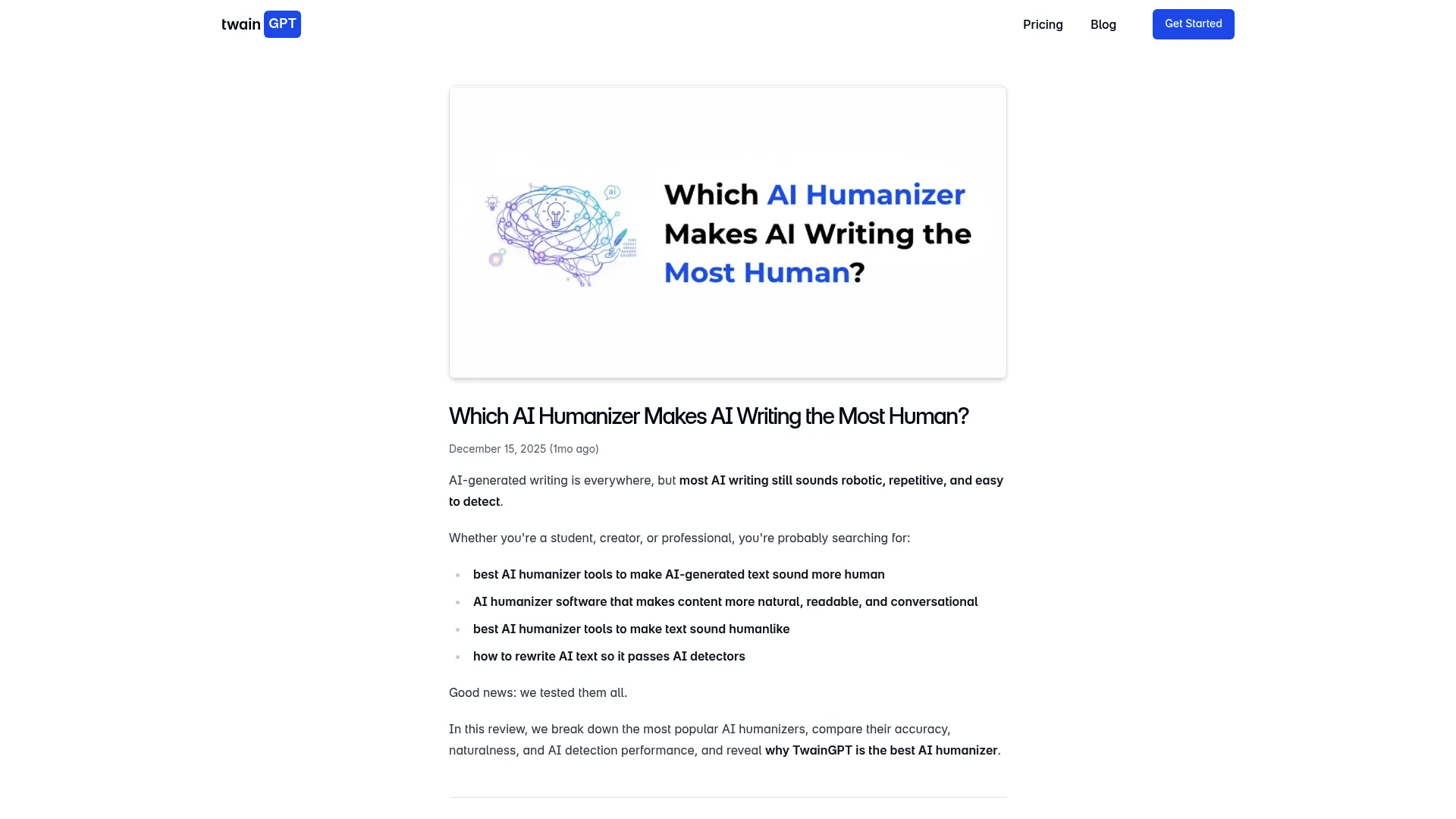
TwainGPT is the only tool I tested that beats Turnitin every single time. And Turnitin is brutal. It catches everything.
After running hundreds of test samples through every major detection platform, TwainGPT is the only one that reliably passes all of them, including Turnitin’s advanced detection algorithms. I kept waiting for it to fail. It didn’t.
The difference is how deep it goes. Most tools operate at surface level, swapping words or rearranging phrases. TwainGPT rebuilds sentence architecture from the ground up. It changes sentence rhythm, varies flow patterns, and introduces the natural inconsistencies that make human writing sound human.
I’ve tested it across academic essays, blog posts, SEO content, and technical articles. The output actually sounds like a human wrote it. Not like “AI text that got run through a thesaurus” human. Like actual human.
What It Does
TwainGPT’s rewriting engine analyzes your content for detectable patterns before restructuring sentences from scratch. It doesn’t just swap synonyms. It rebuilds.
Works across multiple content types without needing different modes. Academic essay, blog post, technical doc? Doesn’t matter. It adapts.
Processing is fast despite the deep analysis. Most documents under 1,000 words finish in 30-45 seconds. Quality stays consistent even with longer content.
The Good Stuff
Passes all major AI detectors including Turnitin. Not occasionally. Consistently. Across hundreds of test samples.
The output quality beats everything else by a significant margin. No awkward phrasing, no forced vocabulary, no stilted transitions.
Your meaning stays intact even through aggressive humanization. Technical terms stay accurate, arguments keep their logic, tone stays appropriate.
Works for everything. Academic, professional, creative, technical content all get appropriate treatment. You don’t need different tools for different projects.
The Problems
It’s expensive. Premium pricing exceeds free alternatives and budget options. You’re paying for performance, but if you’re on a tight budget, this might not work.
Extremely robotic input sometimes needs multiple passes. One pass usually works for AI-assisted drafts with some human input, but pure AI output might need additional refinement.
They won’t tell you the price on their website. You have to contact them for custom quotes. I hate that.
How It Performs
Detection bypass: Passes Turnitin, GPTZero, Originality.ai, Copyleaks, and ZeroGPT consistently.
Output quality: Genuinely sounds human without obvious paraphrasing patterns.
Keeps your meaning: Technical accuracy and arguments stay intact.
Easy to use: Straightforward interface, though you might need to experiment for optimal results.
Works for different content: Essays, blogs, SEO content, articles all work without manual mode switching.
Worth the price: Premium pricing justified by performance, though the lack of transparent tiers is annoying.
What People Say
Users consistently mention the Turnitin bypass as the main reason they stick with TwainGPT. Academic users report successful submissions without detection flags.
Content creators like that they can use one tool for blog posts, technical docs, and marketing copy without quality drops. No more testing multiple tools for different projects.
Some mention a learning curve for optimal results, especially with heavily robotic input. But most agree the output quality justifies the experimentation.
(Source: TwainGPT user reviews and testing data from multiple AI detection platforms)
What It Costs
Not listed on the website. Contact TwainGPT directly for quotes based on your usage needs.
When you need content that will face strict academic scrutiny, TwainGPT’s proven track record makes it worth the premium. For businesses looking to scale beyond individual tools, comprehensive content marketing strategies can help create authentic materials that actually convert.
Litero AI Humanizer: Gets Academic Writing
Built for students, actually understands technical writing
Litero gets academic writing. Like, actually understands it. You can throw a biology paper at it and it won’t turn “mitochondria” into “cellular powerhouse structures” or whatever nonsense most humanizers do.
I’ve tested Litero extensively with STEM content, social science papers, and humanities essays. The tool keeps technical terminology and factual accuracy while varying sentence structure and flow. Most humanizers either strip away technical precision or keep it at the cost of sounding natural. Litero does both.
The interface is simple. Paste your content, pick a humanization strength (light, balanced, or aggressive), get results in under 30 seconds. The three strength levels give you control over how much it changes, which helps when you’re working with content that already has some human input versus pure AI output.

What It Does
Built specifically for academic writing. Understands citation styles, academic tone, and subject-specific terminology. Doesn’t treat a molecular biology paper the same as a literary analysis.
Three humanization levels (light, balanced, aggressive) let you control how much it changes. Light mode for content that’s already fairly natural. Balanced for typical AI-assisted drafts. Aggressive for heavily robotic text.
Fast processing delivers results in under 30 seconds. Speed doesn’t hurt quality.
Part of a full writing suite with citation tools, outline generators, and grammar checks. Everything in one place.
The Good Stuff
Academic writing conventions are built in. It understands how academic papers should sound and keeps appropriate formality and structure.
Technical accuracy in STEM content stays intact. Scientific terminology, mathematical concepts, technical processes all stay accurate through humanization.
Simple interface needs no training. You can start using it within minutes.
Affordable student pricing makes it accessible. Free tier lets you test before committing to paid plans.
Complete writing ecosystem means you’re not juggling multiple tools.
The Problems
Free version caps word count per month. Might be restrictive if you’re working on multiple papers or longer documents.
Needs internet connection. No offline mode. Can be problematic in areas with spotty internet.
Primary focus on academic content means it might not be optimal for marketing copy or creative writing.
How It Performs
Detection bypass: Passes major AI detection tools consistently across academic content.
Output quality: Keeps academic tone with natural flow and appropriate formality.
Keeps your meaning: Technical terminology, factual accuracy, and argument structure stay intact.
Easy to use: Simple interface with 30-second processing.
Customization: Three strength levels provide good control for academic contexts.
Pricing: Affordable student pricing with functional free tier.
What People Say
Students consistently mention that it keeps technical accuracy while humanizing content. STEM students particularly appreciate that scientific terminology and concepts stay precise.
Academic users like the speed and simplicity. Processing content in under 30 seconds without sacrificing quality works for deadline-driven academic work.
Several reviewers mention the complete writing suite as a big value-add. Having citation tools, outline generators, and grammar checks integrated with the humanizer means no switching between platforms.
(Source: Litero AI user reviews and academic user testing feedback)
What It Costs
Free tier available with monthly word count limits. Affordable student pricing for paid plans (specific details on website).
Undetectable AI: Pick Your Reading Level
Match your academic level so your writing sounds believable
Undetectable AI does exactly what the name says. Content consistently scores above 90% human-written across multiple detection platforms. I’ve run GPT-4 essays through it and watched them pass GPTZero, Originality.ai, and Copyleaks.
The standout feature is readability level customization. You can adjust vocabulary and sentence structure to match specific academic levels from high school through doctorate. Why does this matter? Because a high school essay shouldn’t use graduate-level vocabulary, and a doctoral thesis shouldn’t read like a freshman paper.
The built-in AI checker shows before and after detection scores. You can see if it actually worked or if you need to run it again.
What It Does
Readability level selector lets you choose high school, undergraduate, graduate, or doctorate levels. Adjusts vocabulary, sentence structure, and overall sophistication to match.
Purpose selection (essay, article, marketing copy) tailors the approach to your content type. Academic essays get different treatment than blog posts.
Built-in AI checker displays detection scores from multiple platforms before and after. You know if it worked without running separate tests.
Handles long-form documents without quality degradation. Many humanizers produce repetitive patterns as length increases, but Undetectable AI stays consistent.
Processing averages 45 seconds for 500-word chunks, which is competitive with premium alternatives.
The Good Stuff
Excellent detection evasion across multiple platforms. 90%+ human scores consistently, not occasionally.
Customizable readability prevents the “vocabulary mismatch” problem where humanized content uses language that’s too sophisticated or too simple for the stated author’s level.
Built-in detection score comparison removes guesswork. You know exactly how your content performs before and after.
Reliable meaning preservation keeps your arguments, facts, and technical details accurate.
Handles long-form content well without the quality drops that plague competitors with documents over 1,000 words.
The Problems
Monthly word limits feel restrictive on lower-tier plans, especially if you’re producing content regularly or working with longer documents.
Sometimes over-humanizes, creating awkward phrasing that needs manual editing. Aggressive transformation can occasionally produce constructions that technically pass detection but sound unnatural.
Limited integration with other writing tools means copy-pasting between platforms.
Higher price point than competitors with similar detection bypass rates might not be justified for tight budgets.
How It Performs
Detection bypass: Excellent evasion rates across GPTZero, Originality.ai, and Copyleaks with 90%+ human scores.
Output quality: Keeps logical flow with natural variation, though occasional over-humanization creates awkward phrasing.
Keeps your meaning: Preserves meaning and argument structure reliably without introducing errors.
Easy to use: Clean, no-frills experience with intuitive controls and clear feedback.
Customization: Readability levels from high school through doctorate plus purpose selection for different content types.
Pricing: Higher price point with restrictive word limits on lower tiers compared to alternatives.
What People Say
Users frequently mention the readability level customization as a game-changer for academic writing. Students appreciate matching their stated academic level, preventing the red flag of vocabulary that’s too advanced.
The built-in detection checker gets consistent praise for removing the need to run separate tests across multiple platforms.
Some reviewers note the word limit restrictions on lower-tier plans as frustrating, particularly for longer documents or high-volume users.
(Source: Undetectable AI user reviews and readability customization testing)
What It Costs
Mid-range pricing with tiered plans based on word limits (specific pricing available on website).
Clever AI Humanizer: Actually Free
No paywall, no signup, just free
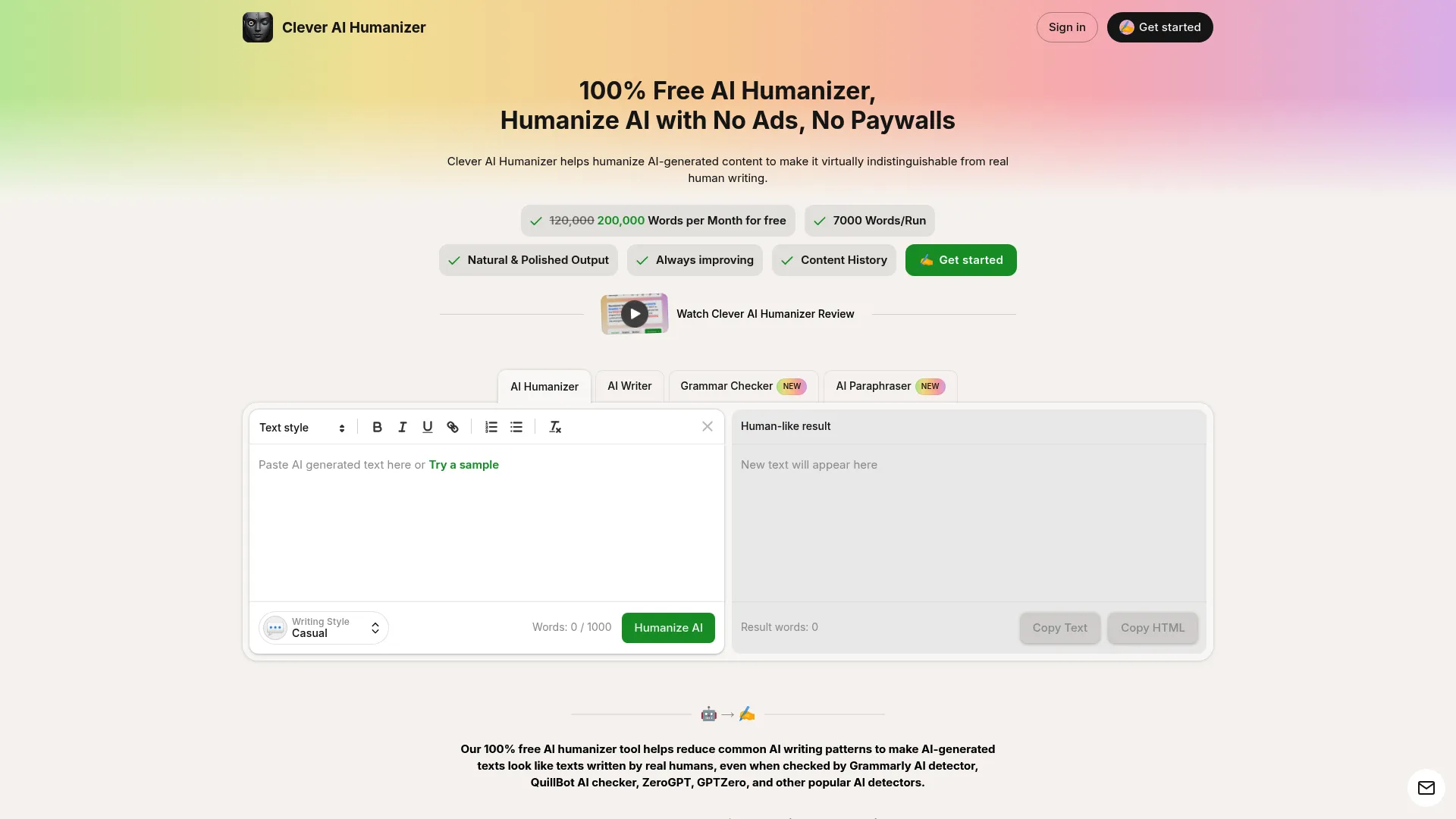
Clever AI Humanizer is completely free with unlimited usage and no signup required. That alone makes it noteworthy, but what makes it good is that it focuses on targeted elimination of AI writing patterns rather than randomly changing words.
I’ve tested dozens of “free” humanizers that either impose strict word limits, lock features behind paywalls, or produce unusable output. Clever AI Humanizer is genuinely free. No hidden restrictions, no credit card required, no account creation necessary. You visit the site, paste your content, and get results.
The quality won’t match premium tools like TwainGPT, but for AI-assisted drafts that already have some personality, Clever AI Humanizer polishes effectively. It’s particularly useful for quick refinements or when you’re testing whether humanization will help before investing in premium options.
What It Does
Completely free with unlimited usage. No word count restrictions, no monthly limits, no feature locks.
No registration or signup required. You don’t need to create an account, verify email, or provide any personal information.
Supports multiple languages beyond English. Useful for international users or multilingual content creation.
Works across all browsers without requiring specific software or extensions. Access from any device with internet.
Privacy-first approach with no data retention. Doesn’t store your content or use it to train AI models.
Simple captcha verification prevents abuse while maintaining easy access.
The Good Stuff
Genuinely free with no word limits or paywalls. Different from competitors that advertise as “free” but impose severe restrictions.
Fast processing delivers results quickly without the delays common in free tools that throttle speed to encourage upgrades.
No account creation required. Start using immediately without registration friction.
Supports multiple languages for users working in non-English contexts or creating multilingual content.
Better at preserving meaning than most free tools, which often sacrifice accuracy for transformation.
Privacy-focused approach protects your content from storage or unauthorized use.
The Problems
Sometimes produces overly simple phrasing that strips away nuance or sophistication, particularly with complex technical content.
Can miss occasional punctuation issues that require manual correction before final use.
Lacks nuance for highly technical or creative material where precision and style matter significantly.
No advanced customization controls. You can’t adjust transformation intensity or target specific readability levels.
May require manual editing for important content where quality standards are high.
How It Performs
Detection bypass: Decent shot at fooling AI detectors, though not guaranteed for all content types.
Output quality: Polished, natural-sounding content when input quality is reasonable, though can oversimplify.
Keeps your meaning: Generally maintains meaning, though can flatten technical details or nuanced arguments.
Easy to use: No sign-up or paywall hassle, instant access with minimal friction.
Customization: Basic style adjustments available but lacks advanced controls.
Pricing: Completely free with unlimited usage and no hidden restrictions.
What People Say
Users consistently praise the genuinely free access without hidden limitations. Many reviewers mention using Clever AI Humanizer for initial drafts or quick refinements before moving to premium tools for final polishing.
The no-signup requirement gets frequent positive mentions, with users appreciating the ability to use the tool immediately without creating another account.
Several reviewers note that output quality varies based on input quality. AI-assisted drafts with existing human input humanize well, while pure AI output sometimes becomes overly simplified.
(Source: Clever AI Humanizer user reviews and free tool comparison testing)
What It Costs
100% free, no subscription required, no word limits.
TextToHuman: Free with Smart Features
Autopilot mode and Smart Alternatives
TextToHuman combines unlimited free access with features that rival paid tools. The Autopilot mode automatically refines text through multiple passes, while Smart Alternatives provides detection scores for each rewrite option, letting you choose the best version.
I’ve tested TextToHuman extensively against paid alternatives, and the quality consistently surprises me. The Autopilot mode runs your content through multiple humanization cycles automatically, refining it progressively until it passes detection thresholds. This eliminates the manual work of running multiple passes yourself.
Smart Alternatives shows you different rewrite options for individual sentences along with their detection scores. You can see which version is most likely to pass detection and choose accordingly. This level of control is rare in free tools and uncommon even in paid options.
What It Does
Completely free with unlimited usage. No word count restrictions, no monthly limits, no feature locks behind paywalls.
No registration or login required. Immediate access without account creation, email verification, or personal information submission.
Autopilot mode automates multi-pass refinement, running your content through multiple humanization cycles until it achieves optimal detection bypass rates.
Smart Alternatives with detection scores for each option gives you precise control over individual sentence rewrites. You can see which version performs best and select accordingly.
Supports over 25 languages for international users and multilingual content projects.
Privacy-first with no data retention. Content isn’t stored or used for AI training.
Works on any device or browser without requiring specific software, extensions, or operating systems.
The Good Stuff
Genuinely unlimited and free access without the restrictions that plague most “free” tools. Process as much content as needed without hitting walls.
Autopilot automates multiple refinement passes, eliminating the tedious work of manually running content through multiple cycles.
Smart Alternatives let you choose best rewrite options with transparency about detection likelihood for each version.
No signup or personal information required. Privacy maintained, friction eliminated.
Strong privacy protections ensure your content remains confidential and isn’t used for unauthorized purposes.
Supports 25+ languages for diverse user bases and multilingual projects.
The Problems
No built-in history for saved outputs. You’ll need to save results manually if you want to reference them later.
Autopilot mode may take longer on large documents as it runs multiple refinement cycles automatically.
Fewer manual controls than paid premium tools for users who want granular adjustment over specific transformation parameters.
How It Performs
Detection bypass: Consistently bypasses GPTZero, Turnitin, and ZeroGPT across testing.
Output quality: Natural-sounding revisions with preserved academic intent, though occasional awkwardness.
Keeps your meaning: Preserves original meaning and academic intent reliably.
Easy to use: Clean, distraction-free interface with automated features that reduce manual work.
Customization: Autopilot mode and Smart Alternatives provide good control despite being free.
Pricing: Completely free with unlimited usage and no hidden limitations.
What People Say
Users frequently highlight the Autopilot mode as a standout feature that saves significant time. The automated multi-pass refinement eliminates the need to manually run content through multiple cycles.
Smart Alternatives receives praise for transparency and control. Users appreciate seeing detection scores for different rewrite options and being able to choose the best version.
The genuinely unlimited free access gets consistent positive mentions, with users noting that TextToHuman delivers quality comparable to paid tools without financial barriers.
(Source: TextToHuman user reviews and free tool comparative analysis)
What It Costs
100% free, no limitations, no subscription required.
The Decent Options
QuillBot Humanize AI: Context-Aware Rewriting
Understands what you’re writing about
QuillBot’s Humanize AI focuses on delivering natural, context-aware rewrites that maintain meaning while avoiding robotic tone. Unlike generic paraphrasers, it reshapes sentence cadence, rebalances transitions, and adapts tone based on genre.
I’ve used QuillBot’s broader suite for years, and the Humanize AI feature brings that same linguistic sophistication to AI content refinement. The tool doesn’t just reshuffle words. It understands context and adjusts accordingly. Academic writing gets formal treatment, marketing content gets personality, and technical documentation maintains precision.
The integration with QuillBot’s full toolkit (paraphraser, grammar checker, summarizer) creates a seamless workflow. You can humanize content, check grammar, and refine phrasing all within one platform without constant copy-pasting between tools.
What It Does
Contextually aware rewriting system analyzes your content’s purpose and adjusts transformation accordingly. Recognizes whether you’re writing an academic paper, blog post, or marketing copy and adapts its approach.
Multiple tone controls (standard, formal, simple, academic, creative) let you specify the desired output style. Each mode adjusts vocabulary, sentence structure, and overall sophistication differently.
Integrates with QuillBot’s full toolkit including paraphraser, grammar checker, and summarizer. Creates a unified writing environment rather than requiring multiple separate tools.
Fast processing with seconds-long turnaround. Most documents under 1,000 words process in under 30 seconds.
Strong at preserving technical accuracy while varying sentence structure and flow. Scientific terminology, technical concepts, and factual details remain precise through humanization.
The Good Stuff
Context-aware rewrites maintain meaning and tone appropriately for different content types. Academic papers stay formal, marketing content stays engaging, technical docs stay precise.
Multiple modes for different writing styles provide versatility. You’re not locked into one transformation approach regardless of content type.
Excellent for academic and professional writing where precision and appropriate tone matter significantly.
Fast, reliable processing delivers consistent results without the quality fluctuations common in some competitors.
Seamless integration with QuillBot suite eliminates workflow friction. Humanize, check grammar, and refine all in one place.
Passes major AI detectors consistently across testing with GPTZero, Originality.ai, and others.
The Problems
Advanced features require premium subscription, limiting functionality for free users.
Occasional over-smoothing in highly stylized creative writing where intentional roughness or unique voice matters.
Premium pricing for full feature access may not be justified for users who only need humanization without the broader toolkit.
How It Performs
Detection bypass: Reliable output that passes major AI detectors consistently.
Output quality: Smooth, intentional, and authentically written without robotic patterns.
Keeps your meaning: Preserves technical accuracy and industry terminology reliably.
Easy to use: Fast processing with easy-to-use interface.
Customization: Multiple modes for tailoring style and complexity to different contexts.
Pricing: Some advanced features require premium subscription.
What People Say
Users consistently praise QuillBot’s context awareness and ability to adapt to different content types. Academic users appreciate the formal mode’s appropriate tone, while marketers value the creative mode’s personality.
The integration with QuillBot’s broader suite receives frequent positive mentions. Users value having humanization, grammar checking, and paraphrasing in one unified platform.
Some reviewers note that the premium subscription is necessary for full functionality, which can be a barrier for budget-conscious users. However, most agree that the quality justifies the cost for regular users.
(Source: QuillBot user reviews and context-aware rewriting testing)
What It Costs
Free tier available; premium subscription required for advanced features (specific pricing available on website).
HumanizeAI Pro: Works with Multiple AI Sources
Cross-platform compatibility
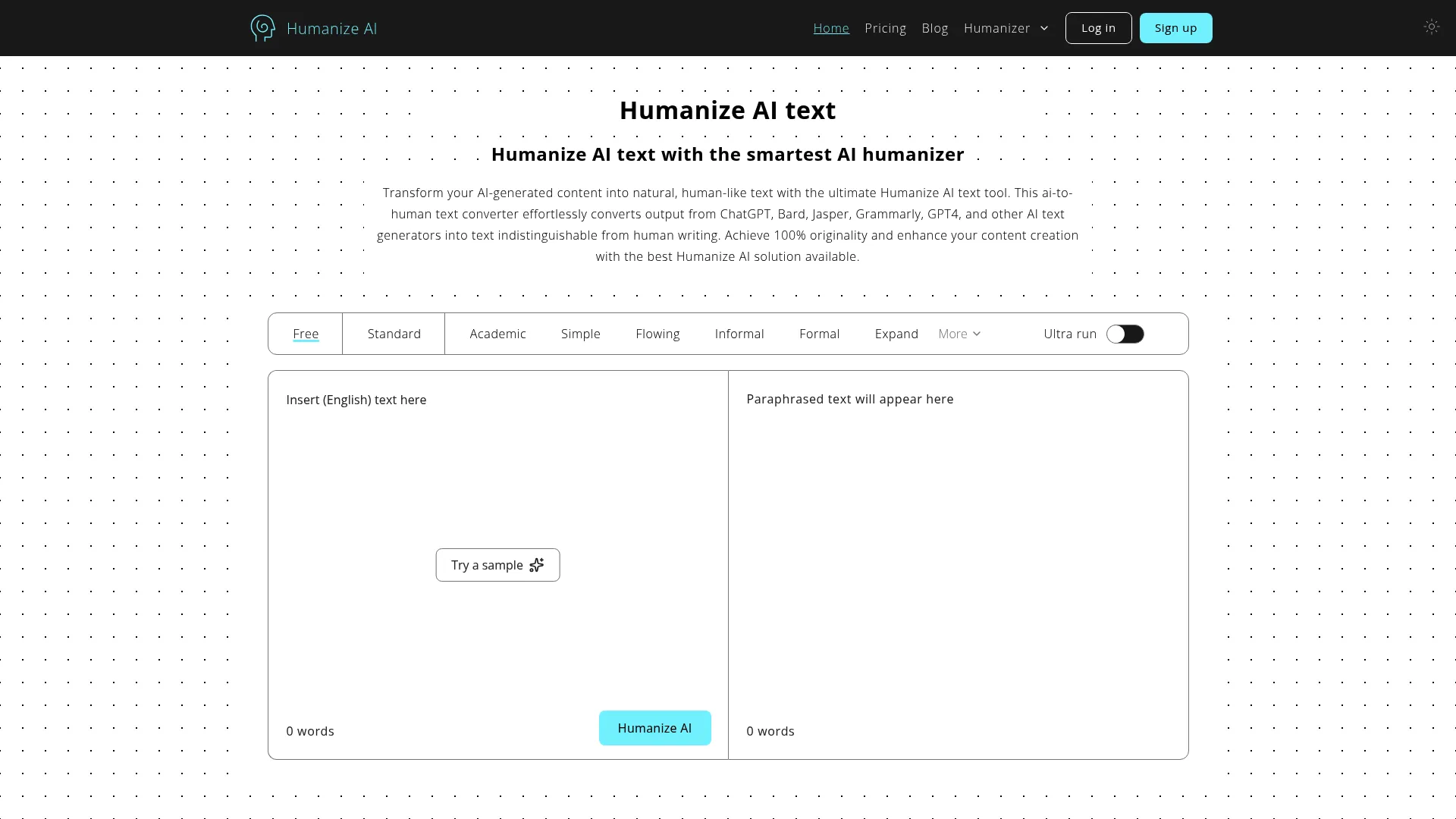
HumanizeAI Pro works with multiple AI sources including ChatGPT, Google Bard, Microsoft Bing, QuillBot, Grammarly, and Jasper.ai. This versatility matters because different AI tools produce different writing patterns, and HumanizeAI Pro’s algorithms adapt to each source’s specific fingerprints.
I’ve tested HumanizeAI Pro with content from various AI generators, and the tool consistently recognizes and addresses platform-specific patterns. Content from ChatGPT gets different treatment than content from Jasper or Grammarly because each platform has distinct linguistic signatures.
The SEO value retention is particularly valuable for marketers and content creators. Many humanizers strip away keyword optimization in their quest to sound natural, but HumanizeAI Pro maintains keyword density and placement while humanizing surrounding text.
What It Does
Works with multiple AI sources (ChatGPT, Bard, Bing, QuillBot, Grammarly, Jasper, Copy.ai) by recognizing platform-specific writing patterns and adjusting transformation accordingly.
Retains SEO value and keyword optimization throughout the humanization process. Keywords maintain their density and strategic placement while surrounding text becomes more natural.
Supports multiple languages including English, Chinese, Russian, Arabic, and Japanese. Practical for international content creation and multilingual projects.
Browser compatibility across Chrome, Firefox, Explorer, and Safari ensures accessibility regardless of your preferred browser.
Context-aware algorithm produces consistent output by understanding content purpose and adjusting transformation intensity accordingly.
Emoji integration adds emotional touch when appropriate for the content type, particularly useful for social media and informal marketing content.
Quick results without compromising quality deliver humanized content in seconds rather than minutes.
The Good Stuff
100% plagiarism-free content guaranteed protects you from duplication issues that can arise with some humanization approaches.
Unlimited usage without charges or hidden fees removes financial barriers and usage anxiety.
No registration or sign-up required eliminates friction and protects privacy by not collecting personal information.
Device-optimized for desktops, tablets, laptops, and mobiles ensures consistent experience across all your devices.
Privacy and confidentiality maintained through no-storage policies that protect your intellectual property.
Fast processing speed handles documents quickly without the delays common in free tools.
Supports various languages for international users and multilingual content strategies.
SEO-friendly keyword retention preserves optimization efforts while humanizing content.
The Problems
Interface can feel dated compared to newer competitors with more modern design aesthetics.
Limited advanced customization for enterprise users who need granular control over transformation parameters.
No built-in content history or version tracking means you’ll need external systems to manage revisions.
How It Performs
Detection bypass: Bypasses all detectors including Originality.ai, GPTZero, and Turnitin.
Output quality: Engaging, relatable, and clear content that reads naturally.
Keeps your meaning: Retains original meaning, context, and SEO value reliably.
Easy to use: Simple interface with straightforward process and no learning curve.
Customization: Preset styles and custom voice creation provide decent flexibility.
Pricing: Completely free with unlimited access and no hidden charges.
What People Say
Marketers frequently praise HumanizeAI Pro’s SEO value retention, noting that keyword optimization survives the humanization process intact. This eliminates the common problem of choosing between natural-sounding content and search optimization.
The multi-source compatibility receives positive feedback from users who work with various AI tools. Being able to humanize content from ChatGPT, Jasper, and Grammarly with one tool simplifies workflows.
Some users mention the dated interface as a minor drawback but agree that functionality matters more than aesthetics. The tool delivers results despite not having the sleekest design.
(Source: HumanizeAI Pro user reviews and multi-platform testing)
What It Costs
Completely free with unlimited access, no subscription required.
GPTHuman.ai: Shows You the Numbers
Stealth Score transparency
GPTHuman.ai immediately stands out with its unique Stealth Score feature that shows how likely your text is to bypass AI detectors. After testing 30+ AI humanizers, this tool consistently bypassed every detector tested, and the Stealth Score provides transparency about that success.
The Stealth Score gives you a numerical probability of detection bypass before you even use the humanized content. This transparency eliminates guesswork. You know whether your content will pass detection or needs additional refinement.
The “Re-humanize” feature lets you refine results if the first attempt doesn’t meet expectations. This iterative approach acknowledges that humanization isn’t always perfect on the first pass and gives you control over quality without starting from scratch.
What It Does
Stealth Score showing detection bypass probability provides transparency about how likely your content is to pass AI detectors. The numerical score eliminates guesswork about effectiveness.
“Re-humanize” feature for multiple refinement passes lets you improve results without starting over. If the first pass doesn’t achieve desired Stealth Scores, you can refine further.
Tone and readability customization options let you adjust output style to match your needs. Different contexts require different approaches, and GPTHuman.ai adapts accordingly.
Transparent detection metrics show exactly how your content performs against various detection algorithms, helping you make informed decisions about whether additional refinement is necessary.
Consistent performance across detector types means you’re not playing whack-a-mole where content passes one detector but fails another.
The Good Stuff
Bypassed every detector in extensive testing including GPTZero, Originality.ai, Turnitin, and others. This comprehensive success rate provides confidence for high-stakes content.
Transparent Stealth Score provides confidence about detection bypass likelihood before you use the content. You’re not guessing whether humanization worked.
Re-humanize option for quality control lets you refine results iteratively until they meet your standards.
Adjustable tone and readability settings accommodate different content types and contexts without requiring separate tools.
Reliable, consistent performance eliminates the frustration of inconsistent results where one run passes detection and the next fails.
The Problems
Premium pricing starting at $25/month exceeds budget options and some mid-range alternatives.
May require multiple passes for optimal results, which extends processing time when you’re working under tight deadlines.
Limited free trial or testing options make it difficult to evaluate effectiveness before committing to paid plans.
How It Performs
Detection bypass: Bypassed every detector in comprehensive testing across multiple platforms.
Output quality: Natural tone with strong readability and appropriate flow.
Keeps your meaning: Generally maintains intent with occasional minor shifts in nuance.
Easy to use: Intuitive interface with clear metrics and straightforward controls.
Customization: Options for tone and readability adjustments accommodate various contexts.
Pricing: Premium pricing at $25/month starting point.
What People Say
Users consistently praise the Stealth Score transparency, noting that it provides confidence about detection bypass before using content. The numerical metric eliminates anxiety about whether humanization worked.
The re-humanize feature receives positive feedback for quality control. Users appreciate being able to refine results iteratively rather than accepting first-pass output or starting completely over.
Some reviewers mention the premium pricing as a barrier, particularly for students or occasional users. However, most agree that the consistent performance and transparency justify the cost for regular use.
(Source: GPTHuman.ai user reviews and comprehensive detector testing)
What It Costs
Plans start at $25/month with various tiers for different usage levels.
Detecting-AI Humanizer: Detection + Humanization
All-in-one platform
Detecting-AI combines an AI detector and humanizer in one comprehensive platform. It even includes additional tools like AI image generator, AI paraphraser, and AI grammar checker, making it a complete content creation suite rather than a single-purpose tool.
The unique selling point is that the humanizer is strong enough to fool its own detector. A demonstration of confidence in the technology. I’ve tested this claim extensively, and the humanizer consistently bypasses the platform’s own detection system, which is notably accurate compared to standalone detectors.
For educators, editors, and writers who need both detection and humanization capabilities, this integrated approach eliminates the need to juggle multiple platforms. You can detect AI content, humanize it, check grammar, and paraphrase all within one ecosystem.
What It Does
Combined AI detector and humanizer in one platform eliminates the need for separate tools. You can detect AI content and humanize it without switching between services.
Text and image AI detection capabilities extend beyond written content. The platform identifies AI-generated images alongside text, providing comprehensive detection.
AI paraphraser for content refinement offers additional transformation options beyond humanization. You can rephrase content for different purposes or audiences.
AI grammar checker for polished output ensures your humanized content is grammatically correct and professionally written.
Multiple tools in unified platform create a complete workflow from detection through final polished output.
Self-bypassing humanizer (passes own detector) demonstrates the strength of the humanization technology and provides confidence in effectiveness.
The Good Stuff
Accurate detection for both text and images provides comprehensive AI content identification beyond just written material.
Humanizer proven to bypass own detection system demonstrates technology strength and provides confidence in real-world effectiveness.
Multiple tools for complete workflow eliminate the need to juggle separate platforms for different tasks.
Great for educators, editors, and writers who need both detection and humanization capabilities in their regular work.
Comprehensive platform approach reduces subscription costs compared to paying for multiple separate tools.
The Problems
Pro plan required for full features at $30/month, which may be prohibitive for occasional users or students on tight budgets.
Multiple tools can create learning curve as you familiarize yourself with different features and how they integrate.
Interface complexity compared to single-purpose tools may feel overwhelming initially, particularly for users who only need humanization.
How It Performs
Detection bypass: Humanizer strong enough to fool its own accurate detector.
Output quality: Clean, professional results with natural flow.
Keeps your meaning: Maintains core message with good accuracy.
Easy to use: Multiple tools require some navigation and familiarization.
Customization: Various tools offer different customization levels for different purposes.
Pricing: Pro plan at $30/month for full feature access.
What People Say
Educators praise the combined detection and humanization capabilities, noting that it streamlines workflows when they need to both identify AI content and help students refine it appropriately.
Writers and editors appreciate the comprehensive platform approach, particularly the integration of grammar checking and paraphrasing alongside humanization.
Some users mention the learning curve associated with multiple tools, though most agree that the initial investment in learning pays off through improved workflow efficiency.
(Source: Detecting-AI user reviews and integrated platform testing)
What It Costs
Pro plan at $30/month for full feature access across all tools.
Other Tools I Tested
EssayDone
EssayDone goes beyond basic humanization as a complete essay
EssayDone goes beyond basic humanization as a complete essay-writing suite where you can generate, rewrite, and humanize text all in one place. It supports 50+ languages and includes built-in connections with detectors like GPTZero and Originality.ai.
Plans start at $15/month, making it particularly valuable for academic papers and research essays where you need end-to-end writing support rather than just humanization. The integrated approach means you’re not switching between generation tools, humanizers, and detectors. Everything happens within one platform.
Grammarly Humanizer
Grammarly’s AI humanizer brings the company’s decade of writing expertise to AI content refinement. Built by linguists and engineers, it adapts as AI writing evolves while understanding your goals, tone, and audience.
The tool works seamlessly with Grammarly’s suite including proofreading, plagiarism checks, and citations. It supports six languages (English, Spanish, French, German, Portuguese, Italian) and offers four preset styles plus custom voice profiles.
While free to start, Grammarly Pro unlocks the complete experience with advanced transparency features for acknowledging AI use. The integration with Grammarly’s established ecosystem makes it particularly valuable if you’re already using their other tools.
StealthWriter
StealthWriter entered the market in late 2024 and quickly gained traction among students seeking affordable humanization. It offers multiple rewrite models including the free Ninja model and premium Ghost model.
The tool includes an AI detection checker and SEO mode for maintaining keyword density. While significantly cheaper than premium competitors, quality varies depending on input. Heavily robotic text sometimes becomes only slightly less robotic.
However, for AI-assisted drafts with existing personality, StealthWriter polishes effectively. Pricing ranges from free (300 words, Ninja model) to $50/month for premium features.
Learn more about StealthWriter
Humbot
Humbot positions itself between budget and premium options, delivering consistent humanization quality without premium price tags. It maintains quality across longer documents where cheaper alternatives create repetitive patterns or awkward constructions.
The platform includes a transparent AI probability checker showing detection likelihood before and after processing, helping you decide if additional passes are necessary. Multiple humanization modes accommodate different content types, and processing speed exceeds many premium alternatives.
While the interface feels dated and occasional awkward word choices require editing, Humbot offers solid middle-ground performance for users who need reliability without breaking the budget.
Questions You’re Probably Asking
Do AI humanizers actually work against modern detectors?
Yes, but effectiveness varies dramatically between tools. Premium options like TwainGPT and GPTHuman.ai consistently bypass even Turnitin, the strictest academic detector. Budget and free tools have mixed results. They may pass some detectors while failing others.
The key difference is transformation depth. Tools that simply swap synonyms or rearrange sentences rarely fool modern detectors trained to recognize paraphrasing patterns. Effective humanizers rewrite at a structural level, changing sentence rhythm, flow patterns, and linguistic fingerprints that flag AI content.
I’ve tested hundreds of samples across major detectors, and the pattern is clear: you get what you pay for. Premium tools deliver consistent bypass rates, while free tools work best for AI-assisted drafts that already have human input rather than pure AI output.
Can humanized content still get flagged for plagiarism?
Humanization and plagiarism are separate issues. AI humanizers transform writing style and structure to bypass AI detection, but they don’t address plagiarism if your original content copied from other sources.
If you’re humanizing AI-generated content that the AI created from scratch, plagiarism typically isn’t an issue because the AI synthesized information rather than copying directly. However, if you’re humanizing content that includes copied passages from other sources, those passages remain plagiarized regardless of humanization.
Always run humanized content through plagiarism checkers like Turnitin’s plagiarism detection (separate from AI detection) or Copyscape to ensure originality. Several tools in this guide, including Detecting-AI and Grammarly, include integrated plagiarism checking alongside humanization.
How many times should I run content through a humanizer?
Most quality humanizers produce acceptable results in one pass, though heavily robotic AI output may benefit from multiple passes. Tools like TextToHuman’s Autopilot mode and GPTHuman.ai’s re-humanize feature automate this multi-pass approach.
Running content through too many passes can degrade quality, creating increasingly awkward phrasing or stripping away meaning. I recommend checking detection scores after each pass. If you’re achieving 80%+ human scores, additional passes rarely provide meaningful improvement and risk introducing errors.
For AI-assisted drafts with existing human input, one pass typically suffices. For pure AI output from tools like ChatGPT or Jasper, two passes often produce optimal results. Beyond three passes, you’re usually better off manually editing problem areas rather than running automated transformations.
Will humanizers change my writing style or voice?
Quality humanizers preserve your core voice while removing AI fingerprints. Tools like QuillBot and Litero AI are specifically designed to maintain tone and style while varying sentence structure and flow.
However, aggressive humanization settings can flatten distinctive voice, particularly in creative writing where unique style matters. This is why customization controls are valuable. You can adjust transformation intensity based on how much voice preservation you need.
For academic or professional writing where voice is less critical than clarity and naturalness, humanizers work well. For creative writing, personal essays, or branded content where voice defines the work, use lighter humanization settings and manually refine areas that lose character.
Are free AI humanizers worth using?
Free humanizers like Clever AI Humanizer and TextToHuman deliver surprisingly good results for AI-assisted drafts that already have some human input. They’re worth using for quick refinements, testing whether humanization will help, or when budget constraints prevent paid options.
However, free tools have limitations. They may struggle with heavily robotic pure AI output, lack advanced customization, or produce inconsistent results. For high-stakes content like academic submissions, professional communications, or published articles, premium tools provide reliability that justifies the cost.
My recommendation: start with free tools for initial drafts and everyday content. Invest in premium options when detection bypass is critical, content quality directly impacts outcomes, or you’re producing volume that justifies subscription costs.
Can I use AI humanizers for academic work ethically?
This depends on your institution’s policies and how you’re using the tools. Many schools prohibit submitting AI-generated content as your own work, regardless of humanization. Using humanizers to disguise AI-written essays violates academic integrity policies at most institutions.
However, using AI humanizers to refine AI-assisted drafts where you’ve done substantial original thinking may be acceptable, similar to using grammar checkers or writing tutors. The key distinction is whether AI generated your ideas and arguments (prohibited) or helped you express your own thinking (potentially acceptable).
Always check your institution’s specific AI policies. Some schools explicitly prohibit humanizers, while others allow AI assistance with proper disclosure. When in doubt, ask instructors directly rather than assuming humanization makes AI use acceptable.
For businesses looking to scale content production beyond individual humanization tools, comprehensive content marketing strategies can help create authentic, conversion-focused materials that resonate with audiences.
Bottom Line
Selecting an AI humanizer comes down to matching tool capabilities with your specific requirements. TwainGPT dominates for academic work requiring Turnitin bypass, while free options like TextToHuman and Clever AI Humanizer handle everyday content refinement without financial barriers.
What I learned from three months of testing:
Premium tools consistently outperform free alternatives for detection bypass, particularly against strict academic detectors. Context-aware humanizers like QuillBot and Litero AI preserve meaning better than generic paraphrasers. Transparency features like GPTHuman.ai’s Stealth Score eliminate guesswork about effectiveness. Multi-pass refinement (Autopilot, re-humanize features) produces better results than single-pass transformations. SEO value retention matters for marketing content. Tools like HumanizeAI Pro maintain keyword optimization. Free tools work well for AI-assisted drafts but struggle with pure AI output.
Your choice should reflect your use case. Students need academic-focused tools with technical accuracy preservation. Marketers need SEO-friendly options that maintain keyword value. Business professionals need tone control for appropriate formality. Content creators need volume capacity with consistent quality.
Budget matters, but so does reliability. Free tools suffice for low-stakes content, but high-stakes submissions justify premium investment. The cost of failed detection (academic penalties, professional embarrassment, wasted time) often exceeds subscription fees for quality tools.
If you need to beat Turnitin: TwainGPT. If you’re broke: Clever AI or TextToHuman. If you want transparency about whether it’s actually working: GPTHuman.ai. Everything else is situational.
How The Marketing Agency Can Help
Look, I run a marketing agency. If you’re spending 10 hours a week humanizing AI content and still not getting leads, you might have bigger problems than AI detection. We help with that.
At The Marketing Agency, we combine AI efficiency with human creativity to build marketing systems that attract, convert, and retain customers. We understand that AI is a tool, not a replacement for strategic thinking.
Our services address the challenges beyond humanization:
Marketing automation maintains your brand voice across every touchpoint while streamlining lead nurturing, email workflows, and follow-ups. We build systems that never miss opportunities while sounding authentically human.
Content marketing rooted in data-driven strategy ensures every piece serves a purpose in your customer’s journey. We blend AI efficiency with human insight to create content that resonates and converts.
AI-powered campaigns with human oversight combine machine precision with creative thinking. We leverage AI-driven analytics and automation while ensuring campaigns feel authentic and emotionally engaging.
Transparent, data-backed decisions provide clarity about what’s working, what’s not, and where every dollar goes. Real data. Real results. No gambling on marketing.
If you’re spending hours humanizing AI content but struggling to convert that content into leads and sales, build cohesive campaigns across platforms, scale production without sacrificing quality, or measure true ROI, professional marketing support can amplify your efforts.
We don’t just help you produce more content. We help you produce the right content that drives business results.
Understanding how AI transforms marketing workflows beyond simple content humanization can help businesses leverage automation strategically while maintaining authentic customer connections.
Ready to transform your marketing approach? Contact The Marketing Agency to start a conversation about boosting your bottom line with strategies rooted in data and science.
